02.11.2024, 14:41 |
#109996
|
|
Местный
Регистрация: 04.10.2017
Сообщений: 125,003
Сказал(а) спасибо: 0
Поблагодарили 7 раз(а) в 7 сообщениях
|
 ExplorerPatcher 22621.4317.67.1 Pre-release
File Size : 10.1 Mb
Restore the functionality of Windows 10 on Windows 11, including most menus and taskbar, using this simple and straightforward patcher.
Without trying to undermine the many great features of Windows 11, working with it sometimes just doesn't feel right. Blame it on the course of habit, but the Taskbar and menus seem counterintuitive at times and you may feel that you need to take extra steps just to do an action you could do with a click of a button in previous Windows versions.
Explorer Patcher for Windows 11 is not exactly an application, but rather a DLL file that aims to restore the classic functionality of the new operating system. The patcher has been tested for the latest stable version of Windows 11, but it may work on other builds as well.
Place it in the C:\Windows folder to enable the old functionality
As the name suggests, this is not an application, but rather a patcher that you need to place in the main Windows 11 folder. According to the developer, the role of the DLL file is to enable extra functionality in the new operating system including, but not limited to the classic taskbar of Windows 10, option to hide the search bar, showing the 'All apps' list, restoring the classic power user menu, so on and so forth.
To complete the setup, you need to make sure that your Internet connection is active and restart the Explorer. At this point, the OS will start grabbing additional files from Microsoft and once the download is complete, restart the Explorer again for the changes to apply.
It comes with a configuration interface that is worth exploring
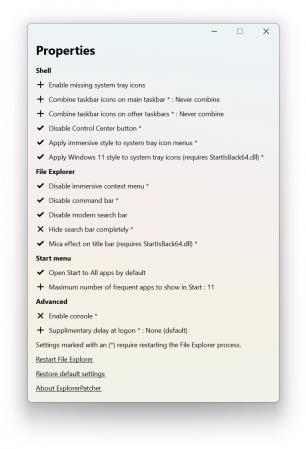
The developer added a GUI configuration option that enables you to customize the classic functionality based on your needs and preferences. To access it, access Properties available when right clicking on the Start button. The developer provides numerous details about the customization of the configuration GUI, so do not hesitate to check it out.
In the eventuality that you upgraded to Windows 11, but prefer to use the classic commands, menus and the old Taskbar, then perhaps you can consider giving Explorer Patcher for Windows 11 a try.
Код:
https://github.com/valinet/ExplorerPatcher/releases
Homepage:
Код:
https://github.com/valinet/ExplorerPatcher
Download link
Say "Thank You"
rapidgator.net:
Код:
https://rapidgator.net/file/b9080e0e481c993fa5b9a9be11733c55/levki.ExplorerPatcher.22621.4317.67.1.Prerelease.exe.html
ddownload.com:
Код:
https://ddownload.com/hgmzcamzvvp8/levki.ExplorerPatcher.22621.4317.67.1.Prerelease.exe
|

|

|
|
04.11.2024, 07:53
|
#109997
|
|
Местный
Регистрация: 04.10.2017
Сообщений: 125,003
Сказал(а) спасибо: 0
Поблагодарили 7 раз(а) в 7 сообщениях
|
Advanced Installer Architect 22.2
Advanced Installer Architect 22.2
File size: 270.8 MB
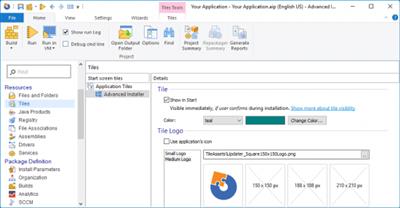
Advanced Installer is a Windows Installer authoring tool which enables developers and system administrators to easily build reliable MSI packages. Advanced Installer is a useful tool for administrators and developers which allows them to create reliable MSI packages. Windows Installer is becoming the "de facto" software installation technology on Windows. Being preinstalled on the latest Microsoft operating systems, and also bundled with the most popular productivity packages (Office, etc.) this software installer provides a significant number of power features that improve application management and administration.
This power doesn't come without pitfalls, and the most important of them all is the complexity. Creating an MSI file requires careful planning and editing of dozens of database tables.
Hundreds of pages of documentation must be read, countless lists of rules must be followed. Building a Windows Installer package may take days or even weeks. This is where a MSI creation tool comes to help.
*Advanced Installer makes MSI creation a snap
*Advanced Installer integrates in automated build tools
*Install and register the resources composing your application
*Search, download and install Prerequisites
*Organize your application in modules and components
*Secure and choose your package's presentations
*Extend the installation process with Custom Actions
*Customize the installation User Interface
Код:
https://www.advancedinstaller.com/version-history.html
Homepage:
Код:
https://www.advancedinstaller.com
Download link
Say "Thank You"
rapidgator.net:
Код:
https://rapidgator.net/file/afe428cd4167f54e902f30e68cbffb85/tkohx.Advanced.Installer.Architect.22.2.rar.html
ddownload.com:
Код:
https://ddownload.com/mkkfpem0p9zt/tkohx.Advanced.Installer.Architect.22.2.rar
|
|
|
|
|
04.11.2024, 07:54
|
#109998
|
|
Местный
Регистрация: 04.10.2017
Сообщений: 125,003
Сказал(а) спасибо: 0
Поблагодарили 7 раз(а) в 7 сообщениях
|
AlfaOBD 2.5.5
AlfaOBD 2.5.5
File size: 67.4 MB
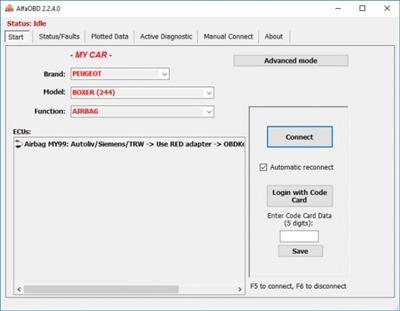
AlfaOBD is a software for the diagnostics of the vehicles produced by Fiat Chrysler Automobiles (FCA) group. Fiat / Alfa Romeo / Lancia cars produced in 1994-2017, and Chrysler / Dodge / Ram / Jeep cars of model years 2005-2017 are supported. Although the software is primarily targeted for car owners, it provides many of the features of the professional scanners.
AlfaOBD is a software for the diagnostics of the vehicles produced by Fiat Chrysler Automobiles (FCA) group. Fiat / Alfa Romeo / Lancia cars produced in 1994-2017, and Chrysler / Dodge / Ram / Jeep cars of model years 2005-2017 are supported. Although the software is primarily targeted for car owners, it provides many of the features of the professional scanners.
AlfaOBD natively supports Electronic Control Units (ECU) installed on the FCA group vehicles. The native support differs AlfaOBD from many other diagnostic applications providing the OBD II generic support which only provides the access to the engine and transmission modules.
AlfaOBD features include
monitoring various dynamic parameters of body, dash, code, engine, gearbox, ABS, climate control, etc. and graphical presentation as adjustable plots
reading of static data: ECU id, system status, fault codes with probable causes and environment information where applicable
clearing fault codes, monitoring the system for the appearance of new faults
active diagnostics and configuration procedures for various equipment controlled by engine, gearbox, body computer, climate control, ABS, airbag, code control and other ECUs. Service light reset, engine oil change, DPF regeneration and many more.
electronic key and RF remote control programming.
.NET framework 4.0 or later required for the PC version to run.
Whats New
Updates: official site does not provide any info about changes in this version
Homepage:
Код:
https://www.alfaobd.com/
Download link
Say "Thank You"
rapidgator.net:
Код:
https://rapidgator.net/file/becb23405f3e026b2aaed2964d4d5fd8/wdjtj.AlfaOBD.2.5.5.rar.html
ddownload.com:
Код:
https://ddownload.com/5g4dh6i7ajdq/wdjtj.AlfaOBD.2.5.5.rar
|
|
|
|
|
04.11.2024, 07:56
|
#109999
|
|
Местный
Регистрация: 04.10.2017
Сообщений: 125,003
Сказал(а) спасибо: 0
Поблагодарили 7 раз(а) в 7 сообщениях
|
Apeaksoft Android Toolkit 2.1.30 Multilingual
Apeaksoft Android Toolkit 2.1.30 Multilingual

File size: 45.5 MB
Apeaksoft Android Toolkit can help you to recover deleted or lost photos, videos, contacts, messages, call logs, apps and documents from your Android phones, tablets and SD cards. It is compatible with 5000+ Android portable devices.
Recover deleted files
Recover and export deleted or lost data from Android phones and tablets including Samsung, HTC, LG, Sony, Motorola, Huawei, Google, Sharp, etc.;
Retrieve your lost or deleted files including contacts, text messages, contacts, call history and documents from Android devices or SD card;
Restore deleted or lost photos, music, videos and WhatsApp file and get them back from your Android with this android data recovery tool;
Backup and manage your Android data (including lost or deleted files) on your Windows computer or Mac easily with the USB cable;
Recover deleted files on Android from many situations including files deleting, system crashing, forgotten password, rooting error, etc.
Whats New
Updates: official site does not provide any info about changes in this version.
Homepage:
Код:
https://www.apeaksoft.com
Download link
Say "Thank You"
rapidgator.net:
Код:
https://rapidgator.net/file/caaac6ceba234985fbc3dc0c7b536c49/tlcxu.Apeaksoft.Android.Toolkit.2.1.30.Multilingual.rar.html
ddownload.com:
Код:
https://ddownload.com/vdgx5ffvx2fb/tlcxu.Apeaksoft.Android.Toolkit.2.1.30.Multilingual.rar
|
|
|
|
|
04.11.2024, 07:57
|
#110000
|
|
Местный
Регистрация: 04.10.2017
Сообщений: 125,003
Сказал(а) спасибо: 0
Поблагодарили 7 раз(а) в 7 сообщениях
|
Apeaksoft Blu-ray Player 1.1.56 Multilingual
Apeaksoft Blu-ray Player 1.1.56 Multilingual
File size: 57.1 MB
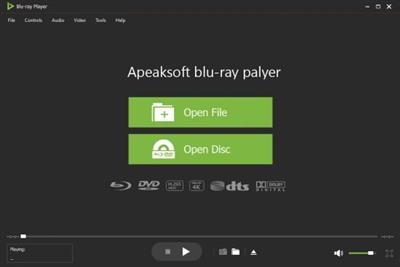
Apeaksoft Blu-ray Player is the professional Blu-ray movies playing software which can help you to play Blu-ray disc, Blu-ray folder, DVD disc/folder, ISO file with high-quality visual effects. It also can work as a powerful media player to play 4K UHD/1080p HD/SD video in MP4, MOV, AVI, MKV, and other formats.
Play Blu-ray, DVD disc/folder/ISO and media files
Play Blu-ray movies with 1080p HD visual effect and play 4K UHD, 1080p/720p HD and common SD videos losslessly and smoothly.
Blu-ray Disk/Folder/ISO
Play Blu-ray disc, Blu-ray folder, and ISO file
4K UHD
Play 4K UHD movies and other HD/SD videos smoothly
DVD Disk/Folder/ISO
Play DVD disc, Blu-ray folder, and ISO file with ease
Any audio file
Play audio in any popular format like MP3, FLAC, etc.
Whats New
Updates: official site does not provide any info about changes in this version.
Homepage:
Код:
https://www.apeaksoft.com/
Download link
Say "Thank You"
rapidgator.net:
Код:
https://rapidgator.net/file/59f4d79c3cdfbc003204bd26859a77c5/jxjxp.Apeaksoft.Bluray.Player.1.1.56.Multilingual.rar.html
ddownload.com:
Код:
https://ddownload.com/gamq6x23l22p/jxjxp.Apeaksoft.Bluray.Player.1.1.56.Multilingual.rar
|
|
|
|
|
04.11.2024, 07:58
|
#110001
|
|
Местный
Регистрация: 04.10.2017
Сообщений: 125,003
Сказал(а) спасибо: 0
Поблагодарили 7 раз(а) в 7 сообщениях
|
Apeaksoft Data Recovery 1.6.16 (x64) Multilingual
Apeaksoft Data Recovery 1.6.16 (x64) Multilingual
File size: 29 MB
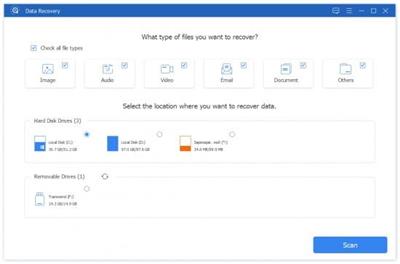
Whether you mistakenly deleted some important files, or lost data due to hard drive formatted or a system crash, data loss will no longer be your biggest nightmare. Apeaksoft Data Recovery offers professional solutions to handle various data loss issues. It can help you recover all types of data from computer, recycle bin, hard/flash drive, memory card, etc. with ease.
Recoverable Devices
Recover data from storage devices with the file system NTFS, FAT16, FAT32, exFAT, EXT, and more.
Recoverable Data
Any frequently-used data type can be recovered by this data recovery software, such as pictures, songs, videos, documents, emails and other files.
Fast scanning speed & Reliable data recovery
Compared with other Windows data recovering tools, Apeaksoft Data Recovery has the capability to scan the deleted files with faster speed. When you restore lost videos, photos, music, documents, emails, etc. from your computer, Data Recovery won't store any of these data. It will 100% guarantee your privacy safety. Moreover, you are allowed to directly recover the scanned data while the scanning.
Easy data recovery for all situations
Data loss due to wrong formatted drives, unexpectedly operations, partition deleted, software unexpected crashes, inaccessible drive, virus attack, etc.
Whats New
Updates: official site does not provide any info about changes in this version
Homepage:
Код:
https://www.apeaksoft.com/
Download link
Say "Thank You"
rapidgator.net:
Код:
https://rapidgator.net/file/8dfb9122c2313d50616ea6b72e939eaf/dhyxc.Apeaksoft.Data.Recovery.1.6.16.x64.Multilingual.rar.html
ddownload.com:
Код:
https://ddownload.com/z4ynvadhh2ax/dhyxc.Apeaksoft.Data.Recovery.1.6.16.x64.Multilingual.rar
|
|
|
|
|
04.11.2024, 07:59
|
#110002
|
|
Местный
Регистрация: 04.10.2017
Сообщений: 125,003
Сказал(а) спасибо: 0
Поблагодарили 7 раз(а) в 7 сообщениях
|
Apeaksoft Slideshow Maker 1.0.58 (x64) Multilingual
Apeaksoft Slideshow Maker 1.0.58 (x64) Multilingual
File size: 328.4 MB
Apeaksoft Slideshow Maker highly supports any popular image/video/audio format. You can handily create marvelous slideshows with any media files you have. Almost all video formats are supported, such as MP4, MOV, AVI, FLV, WMV, MTS, M2TS, TS, M4V, RMVB, ASF, VOB, DAT, 3GP, MOD, TOD, WebM, etc. It is also compatible with any frequently-used image format like JPG, JPEG, PNG, TIF, TIFF, BMP, GIF, etc. and audio format like MP3, AIFF, FLAC, AAC, WAV, WMA, M4A, OGG, and so on.
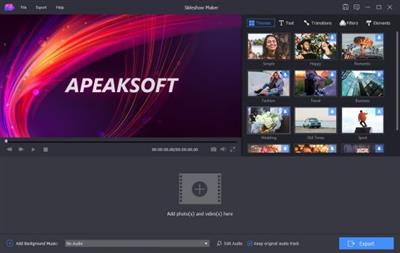
3 simple steps to make slideshow
This all-featured slideshow creating software carries many useful features to help you make your own movies with ease.
10 great slideshow themes and other tools enable you quickly create slideshow with fabulous effects.
Add media file(s)
Any photos, videos and songs can be loaded to make your slideshow. You don't need to worry about the unsupported format issue.
Select theme and edit
All kinds of slideshow themes are provided to create slideshow. You can also add elements, texts, transition effect and filters to make new themes.
Make slideshow
Pick your preferred output format to export the created slideshow video to your computer.
Whats New
Updates: official site does not provide any info about changes in this version
Homepage:
Код:
https://www.apeaksoft.com/
Download link
Say "Thank You"
rapidgator.net:
Код:
https://rapidgator.net/file/cfd8f4b95e9c67b644f640dff66dbbc7/excpm.Apeaksoft.Slideshow.Maker.1.0.58.x64.Multilingual.rar.html
ddownload.com:
Код:
https://ddownload.com/4odqvp924lr4/excpm.Apeaksoft.Slideshow.Maker.1.0.58.x64.Multilingual.rar
|
|
|
|
|
04.11.2024, 08:00
|
#110003
|
|
Местный
Регистрация: 04.10.2017
Сообщений: 125,003
Сказал(а) спасибо: 0
Поблагодарили 7 раз(а) в 7 сообщениях
|
Apeaksoft Video Converter Ultimate 2.3.52 (x64) Multilingual
Apeaksoft Video Converter Ultimate 2.3.52 (x64) Multilingual
File size: 110.4 MB
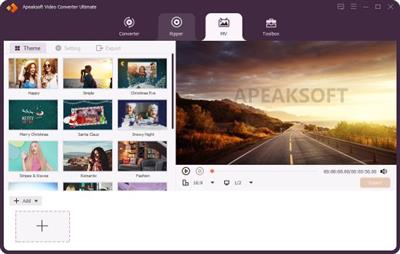
Convert, enhance and edit videos in 1,000 formats and more. Convert video or audio files to iOS devices, Android devices, USB flash drives or external hard drivers easily. More importantly, all supported formats like MP4, MOV, MTS, AVI, WMV, MP3 and more will be intelligently converted to compatible ones during the conversion.
Video Converter Ultimate
Star (176 Reviews)
Convert videos, audio and DVDs over 1000 formats.
Mirror, flip, clip, merge, crop, filter, watermark and adjust video effects.
Enhance video to improve video quality in 4 ways.
Create 3D videos, make GIF, compress video and edit ID3 tag.
A Mighty Video Converter Supports Almost Videos
Video Converter Ultimate is the mighty video converting software, which works on various video files in input and output, whether your videos files are from/to iOS/Android, USB flash drives or external hard drivers easily.
Convert various video/audio formats: MP4, MOV, MTS, M2TS, MKV, FLV, 3GP, SWF, AVI, WMV, MP3, FLAC, WMA, OGG, AAC, AIFF, M4R, DVD, etc.
Convert videos from different sources: Videos from YouTube, Facebook, Dailymotion, Netflix, etc. camcorder, phone, etc.
Convert videos to different devices: Samsung Galaxy S10/S9, iPhone 12/12 Pro/12 Pro Max/12 mini, Xbox One/360, PSP, Avid, Wii, Adobe Permiere, TV, DV, etc.
An Outstanding DVD Editor and Converter
Video Converter Ultimate enables you to open DVD disc, ISO files or folders, and lets you edit and convert DVD videos with ease. Not only converting DVD to main movie automatically, but also rip DVD selected tiles to video in MP4, AVI, WMV, 3GP, FLV MOV, MP3, WMA, FLAC, AIFF, OGG, WAV, and other video formats for easy playback on your devices without DVD player or drive with simple clicks.
Besides, this wizard works great to edit DVDs before converting, like trim, crop, filters,watermark, combine, rotate, adjust effects, etc.
Whats New
Updates: official site does not provide any info about changes in this version.
Homepage:
Код:
https://www.apeaksoft.com
Download link
Say "Thank You"
rapidgator.net:
Код:
https://rapidgator.net/file/b69bf9ed269d4f4f5da42e2920f6b5ba/xayzd.Apeaksoft.Video.Converter.Ultimate.2.3.52.x64.Multilingual.rar.html
ddownload.com:
Код:
https://ddownload.com/tt8q1avzso0n/xayzd.Apeaksoft.Video.Converter.Ultimate.2.3.52.x64.Multilingual.rar
|
|
|
|
|
04.11.2024, 08:02
|
#110004
|
|
Местный
Регистрация: 04.10.2017
Сообщений: 125,003
Сказал(а) спасибо: 0
Поблагодарили 7 раз(а) в 7 сообщениях
|
Boxy SVG 4.47.2 macOS
Boxy SVG 4.47.2 macOS

File size: 186 MB
Boxy SVG project goal is to create the best SVG editor for non-technical users as well as for professional designers and developers. SVG is the standard format for storing vector graphics such as icons, banners, charts and illustrations.
CORE FEATURES
• Clean and intuitive UI heavily inspired by Inkscape, Sketch and Adobe Illustrator
• Extensive support for on-canvas editing of object geometry, transform, paint and other properties
• Save to SVG and SVGZ formats, export to PNG, JPG, WebP, PDF and HTML5
• Open Clip Art Library integration with thousands of free stock vector arts
• Google Fonts integration with hundreds of free fonts
• Configurable keyboard shortcuts for over 100 commands
• Manual guides, smart guides and grid
• Path operations (unite, intersect, subtract, exclude, close, reverse, etc.)
• Arrangement operations (align to, rotate, flip, order, group, etc.)
FOR WEB DEVELOPERS
• Chromium-based rendering engine
• SVG and CSS code inspector similar to Chrome Dev Tools
• Clean SVG output that preserves IDs, classes, titles and other metadata
• SVG sprites editing support
Release Notes
Код:
https://geo.itunes.apple.com/app/id611658502
Supported Operation Systems
macOS 10.15 or later
Homepage:
Код:
https://geo.itunes.apple.com/app/id611658502
Download link
Say "Thank You"
rapidgator.net:
Код:
https://rapidgator.net/file/c90e7f5a7f153ac9d166e063ff95b04c/qrzzx.Boxy.SVG.4.47.2.macOS.dmg.html
ddownload.com:
Код:
https://ddownload.com/rtjzvo6i9404/qrzzx.Boxy.SVG.4.47.2.macOS.dmg
|
|
|
|
|
04.11.2024, 08:03
|
#110005
|
|
Местный
Регистрация: 04.10.2017
Сообщений: 125,003
Сказал(а) спасибо: 0
Поблагодарили 7 раз(а) в 7 сообщениях
|
Cycling '74 Max 9.0.0 incl. RNBO macOS
Cycling '74 Max 9.0.0 incl. RNBO macOS

File size: 969.87 MB
Max is a graphical environment for music, audio, and multimedia. In use for over twenty years by performers, composers, artists, scientists, teachers, and students, Max is the way to make your computer do things that reflect your individual ideas and dreams.
OBJECTS
Each object does something. Max has objects that generate sound waves, represent hardware, or provide a UI for interaction.
PATCHCORDS
Patchcords connect one object to another. This connection lets objects share their output with connected objects.
CONTROL
Connect UI objects like dials and sliders to provide control values or display results. Modulate, map and scale data to get just the right results.
Create Software Built Around You, In the Moment
• Drag in your own audio clips and start manipulating them and connecting effects
• Map your patcher with MIDI controllers as you go to start playing with your creation while you work
Expanded Ideas
Max patching starts on a blank canvas, free of any structure. This makes it natural to build and explore unique ideas that would be too complex to make elsewhere. The Max patcher automatically expands to fit your work as it grows, no matter how much space you take up.
Explore Sound without Limits
• Design a custom synthesizer with as many oscillators and effects as you wish.
• Manipulate samples in every way, including timestretch and pitch shifting.
• Build up more layered sounds using MC objects to patch multichannel audio.
Make Sound with a Gesture
In Max, you can build classic synths from scratch or get lost hacking together unusual sounds. Try the XY controls below to hear some sounds you could create with Max.
• You can do a lot with just a single oscillator and a filter.
• Add some extra modulation and try something a little more wild.
Make Visual Music
Max includes full-featured, expandable video and graphics tools with Jitter. Jitter is optimized for realtime audiovisual work, and is easy to combine with audio, sequencing, and modulation like everything else in Max.
Take Max into the World
Max patching starts on a blank canvas, free of any structure. This makes it natural to build and explore unique ideas that would be too complex to make elsewhere. The Max patcher automatically expands to fit your work as it grows, no matter how much space you take up.
Prototype and Evaluate
Flexible access to hardware makes Max a perfect environment for prototyping. Connect your development board to Max and get instant access to sensors, knobs, and switches. Watch the data stream in as you develop the interaction. Countless commercial products, art installations, and stage shows have relied on Max to glue together all the parts of their process.
Generate Audio, Video, Code
Use Gen to patch together fine-tuned processes for audio, matrix data, or texture processing. Gen lets you combine procedural commands with visual patching to simplify the creation of custom processes. Gen objects can also output source code to be used elsewhere if needed.
Extended Max
Max's built-in Package Manager offers immediate access to over 50 add-ons covering everything from computer vision to support for hardware controllers including Novation, Monome and ROLI controllers. If the feature you want doesn't exist in Max, chances are someone in the community has created it. And if they haven't, you can extend Max yourself using C++, NodeJS, Java, or JavaScript.
→ Introducing RNBO
RNBO is a new patching environment built to export software with the sound of Max.
Create web experiences, hardware music devices, audio plugins, and new Max objects all from the same patch. And when that's not enough, RNBO generates source code that you can use however you want.
This Was Made in RNBO
The example below was patched in RNBO and exported to Web Audio. RNBO Web Export also provides easy access to your patcher's interactive elements and seamlessly integrates with your HTML/Javascript code to add rich sonic experiences.
One Patch, Many Targets
A single RNBO patch can export compiled code that runs in several defined target contexts, and source code you can integrate into any C++ or Web Audio project.
• Build guitar pedals, Eurorack modules and much more with Raspberry Pi export
• Run your patch in any DAW as a VST3 or AudioUnit Plugin
• Compile your own self-contained, shareable Max object
• Increase performance and loading times of your Max for Live devices
• Embed your RNBO sound engine into a website using Web Export
Hear the Code While You Patch
The sound you hear while patching in RNBO is generated and compiled code that updates as you make changes. This running code is identical to the code you export, so your work will sound the same no matter which target you choose.
You'll Feel Right at Home
Although built on new technology, RNBO offers an instantly recognizable patching environment with many familiar objects and practices from Max. If you've used Max before, you'll be up and running in no time.
Inspired by What You Love in Max
• Full Gen integration, with the addition of event support and interactive UI objects
• Every RNBO object has its own help file, just like in Max
• Events and signals can be mixed in the patcher, just like in Max
• Use param, inport, and outport objects to define the controls for your RNBO export
• Mix patching and text-based programming directly in RNBO
• Easily make your patches, subpatches, and abstractions polyphonic with the polyphony attribute
→ What's new in Max 9?Introducing a new version of Max that is more direct, more transparent, and full of inspiring new features that will spark your curiosity. Max 9 brings a new collection of audio objects based on Ableton's ABL library, the biggest Jitter update in years, interface improvements, reinvented coding workflows - and much more.
→ The ABL Objects
Ableton Sound for Max
We're excited to offer a suite of Max objects created with Ableton's ABL library for DSP. These objects offer a patchable interface to the internal workings of some of Ableton Live Suite's most popular devices. Whether you're looking to explore some wild distortion effects (abl.device.roar~) or dreamy reverbs (abl.dsp.shimmer~), the ABL library has got you covered.
Patching with Code
Patching in Max is even more powerful when you integrate text-based code. Max 9 presents a new vision of code integration with patching - including a fully reinvented, fast and modern Javascript V8 engine. Even if you've never tried integrating Javascript and Max, you'll definitely want to check out what is possible.
Codebox Everywhere
Stay in the flow with codebox, which enables direct text-based coding alongside visual patching. Codebox variants provide support for JS (v8), Gen (gen, gen~, jit.gl.pix, jit.gen), and Node for Max, as well as dictionary and coll editing and OSC display.
New V8 Objects for JS
To access the new performance and compatibility features of Javascript V8 in Max, we've introduced the v8, v8ui, and v8.codebox objects. With these new objects, you can make use of more modern (ES6+) language features like arrow functions and typed arrays, and in many cases enjoy a big speed improvement over the standard js object.
Introducing Jitter Geometry
In Max 9, we're going beyond the Jitter Matrix with a new way to represent 3D geometry data and several new realtime geometry objects to manipulate and fine-tune your 3D graphics in Jitter.
Enhanced Visuals with Jitter FX
The new jit.fx library of image effect objects makes creating interactive visual effects in Jitter more streamlined than ever. Enjoy a full range of realtime, shader-based processes with an easy-to-use Max interface.
Included Effects
✓ Color adjustments and corrections
✓ Stylized image manipulations
✓ Distortions and Blurs
✓ Blending and Compositing
✓ Time delay and temporal displacement
→ New in JitterIn addition to the exciting new jit.geom objects and jit.fx, Max 9 brings exciting new additions that enrich Jitter in both practical and inspiring ways.
• In-Window UI Objects
Use jit.ui objects to build kiosk experiences or interact with your patch without leaving fullscreen mode.
• 3D Widgets
Directly edit your 3D scenes in Jitter with updated, in-window UI widgets.
• Scene Rendering
Max 9 introduces ReSTIR-based global illumination, order-independent transparency, depth-sorting, and new scene FX passes to add texture and grain.
• Jitter in Production
Switch Jitter into post-production and animation mode with new "fixed_delta" attribute for jit.world, jit.mo, and all animation-driven objects in Jitter. New objects jit.bang and jit.frame also help in syncronizing your processes with rendering.
→ Remote Control
Parameter Connect
Easily connect UI objects in Max to supported object attributes without any patchcords. This feature is currently supported by all ABL, jit.fx, and Gen objects, as well as jit.gl.slab. Javascript V8 object support can be enabled by using the new JS attribute API.
OSC Integration
A new global preference allows you to set application-wide OSC address and port settings, and all parameter-enabled objects in your patch are automatically available to OSC messages. The param.osc and osc.codebox objects let you inspect OSC state and communications.
→ Improving Your Patching LifeThoughtful improvements to the Max environment that will enhance the way you patch, play, and explore.
• List View
Explore the objects in your patch with a list-based interface. Rapidly filter, search, and edit objects, and watch the numbers change.
• Syntax Coloring
Inspired by our favorite code editors, Max syntax coloring makes it much more comfortable to read Max patches.
• Global Record Button
Max moments are often fleeting, but now you can capture any audio from Max, in the moment, with the new Global Record Button in the Max Toolbar.
• Preset Mixing
Connect a nodes object to preset to easily create an interface that lets you mix and interpolate presets across a 2D space.
Command Your Patcher with REPL
The familiar Max Window has a new input field that turns it into a command-line interface to your patch. This input allows you to send text messages to named objects in your patch, send messages to the application itself, execute Javascript, or query the documentation.
New Tools for Learning
New Max 9 features for self-learners, teachers, and students alike
Illustration Mode
Visualize your patch running in slow motion to gain insight into how it's actually working. Illustration Mode is useful for both learning and debugging.
Examples and Tutorials Online
Visit our new
Код:
https://docs.cycling74.com/learn
to find updated Max Tutorials, Documentation, and Examples.
→ Even More ImprovementsMax 9 also brings many smaller features and improvements that will likely have a big impact on your daily patching life.
✓ Object Macros enable the use of js/v8, jit.gl.slab, and other generic objects with specific source code files as named objects
✓ New loudness~ object based on EBU R 128
✓ Visual updates to waveform~ and function
✓ New hid object supports more robust interactions with HID hardware than hi
✓ Improved media and file browsing in left toolbar
✓ Access jit.gl.slab params as object attributes.
✓ Clue display on bottom toolbar provides links to relevant documentation
✓ CPU/FPS display on right toolbar
✓ Multichannel meters on toolbar volume control.
✓ Reorganized and easier to navigate Preferences window
✓ Patching Margin provides extra space while editing at the edges of a patcher window
✓ Capture your content with a new patcher window aspect ratio feature
"Release Notes"
Код:
https://cycling74.com/releases/max/9.0.0
Код:
https://cycling74.com/releases/rnbo/1.3.3
Supported Operation System
• macOS 11.0 or later
• Apple Silicon or Intel Core processor
Homepage:
Код:
https://cycling74.com/products/max
Код:
https://cycling74.com/products/rnbo
Download link
Say "Thank You"
rapidgator.net:
Код:
https://rapidgator.net/file/f84aa17b5587e7126a6d45d470bb3f6e/hkgxb.Cycling.74.Max.9.0.0.incl..RNBO.macOS.dmg.html
ddownload.com:
Код:
https://ddownload.com/4mk1bu5mw8ya/hkgxb.Cycling.74.Max.9.0.0.incl..RNBO.macOS.dmg
|
|
|
|
|
04.11.2024, 08:04
|
#110006
|
|
Местный
Регистрация: 04.10.2017
Сообщений: 125,003
Сказал(а) спасибо: 0
Поблагодарили 7 раз(а) в 7 сообщениях
|
Dynamic Wallpaper Enginer 20.1 macOS
Dynamic Wallpaper Enginer 20.1 macOS

File size: 26 MB
Dynamic Wallpaper Engine allows you to use live wallpapers on your desktop/screensaver. It provides thousands of live wallpapers in the Workshop while taking as little system resources as possible. It's the Wallpaper Engine for Mac.
Features
• 2000+ hand-picked videos which are updated every day.
• Multiple types of 4K Ultra HD videos, anime, scenery, cute, game, creative, Beauty, Ancient, Movie, etc.
• Supports "keyword searching" in videos.
• Supports "Dynamic-ScreenSaver", personalize your lock screen.
• Easy to import local video.
• Supports The playlist, list loop, shuffle loop.
• Supports multiple screen aspect ratios and video native resolutions.
• Supports global hotkeys to control wallpaper, hide desktop icons and show screensaver.
• Set different wallpapers on different displays.
• Manual control, video pause, resume and mute.
• Break reminders, with flexible customization if you want it.
• Auto mode, pause the video when other apps are active, not disturbed at work.
• Auto mode, pause the video when Power Disconnected.
• Support for hiding desktop icons.
• Dynamic Wallpaper Engine is designed to provide an interesting experience while consuming as little system resources as possible.
Release Notes
Код:
https://geo.itunes.apple.com/app/id1453504509
Supported Operation Systems
macOS 10.12 or later
Homepage:
Код:
https://geo.itunes.apple.com/app/id1453504509
Download link
Say "Thank You"
rapidgator.net:
Код:
https://rapidgator.net/file/35f86a10eab9b0349cb66e1c3a8237aa/kpuzm.Dynamic.Wallpaper.Enginer.20.1.macOS.dmg.html
ddownload.com:
Код:
https://ddownload.com/3lv6lug1q906/kpuzm.Dynamic.Wallpaper.Enginer.20.1.macOS.dmg
|
|
|
|
|
04.11.2024, 08:05
|
#110007
|
|
Местный
Регистрация: 04.10.2017
Сообщений: 125,003
Сказал(а) спасибо: 0
Поблагодарили 7 раз(а) в 7 сообщениях
|
GoodTask 7.8.6 macOS
GoodTask 7.8.6 macOS

Language: Multilingual | File size: 37 MB
GoodTask is a task manager based on Apple's stock Reminders and Calendars. With rich functions added top on Apple's Reminders and Calendars, you'll reach a whole new level of productivity with GoodTask. Try it now for free and achieve great things!
General
- Syncs with default stock Reminders & Calendars (iCloud/Exchange/etc)
-Supports fully customizable recurring tasks
- Manage Reminders Lists and Calendars easily
- List, Day, Week, Month view on each lists
- Add Quickly and Smartly with Quick Actions and Text Snippets
NOTE: *** You need to disable the System Integrity Protection (SIP) to perform the selected Application.
Код:
https://geo.itunes.apple.com/app/id1143437985
Supported Operation Systems
macOS 10.15 or later
Homepage:
Код:
https://geo.itunes.apple.com/app/id1143437985
Download link
Say "Thank You"
rapidgator.net:
Код:
https://rapidgator.net/file/0bb8a37c96def323bc98e4977726d8da/eepby.GoodTask.7.8.6.macOS.dmg.html
ddownload.com:
Код:
https://ddownload.com/z4h51ue7rv4t/eepby.GoodTask.7.8.6.macOS.dmg
|
|
|
|
|
04.11.2024, 08:07
|
#110008
|
|
Местный
Регистрация: 04.10.2017
Сообщений: 125,003
Сказал(а) спасибо: 0
Поблагодарили 7 раз(а) в 7 сообщениях
|
JixiPix Chromatic Edges 1.0.33 macOS
JixiPix Chromatic Edges 1.0.33 macOS
File size: 507 MB
It's all about the Edge! Unlimited edges to make your photography pop! JixiPix takes vintage to a whole new extreme. Gone are the days of having a few tiny choices when it comes to adding flare to your imagery. Chromatic Edges brings back the subtle magic of photo processing with glass, silver and paper plates all with a few taps and your unique photo.
PLUGIN HOST REQUIRMENTS
Adobe Photoshop CS5+, All Photoshop CC, Photoshop Elements 12+ or Lightroom 4+
"Release Notes"
Release notes were unavailable when this listing was updated.
Supported Operation Systems
macOS 10.12 or later
Homepage:
Download link
Say "Thank You"
rapidgator.net:
Код:
https://rapidgator.net/file/e1d7aeb555348612510b24bdb66ee170/bdfyg.JixiPix.Chromatic.Edges.1.0.33.macOS.dmg.html
ddownload.com:
Код:
https://ddownload.com/jwf7j0ky2kqw/bdfyg.JixiPix.Chromatic.Edges.1.0.33.macOS.dmg
|
|
|
|
|
04.11.2024, 08:08
|
#110009
|
|
Местный
Регистрация: 04.10.2017
Сообщений: 125,003
Сказал(а) спасибо: 0
Поблагодарили 7 раз(а) в 7 сообщениях
|
JixiPix Photo Formation Pro 1.0.25 macOS
JixiPix Photo Formation Pro 1.0.25 macOS
File size: 134 MB
Photo Formation is a photo effect that auto-transforms images into super creative paper formations then uses a 3D light engine to cast ultra cool shadows. Use it to fragment, join, weave, slice and fold photos into fascinating eye-catching pieces, with all the subtle creases, curls and bends as if painstakingly assembled by hand.
Photo Formation comes with a library of one-touch presets to get you started fast, and a randomize button that automatically renders a variety of paper creations over and over until you get something catered to you. Moving, rotating and scaling tools can then be used to customize each composition-the sky is the limit to what can be done!
We make it easy to use without taking control away from you, the artist. If you are the hands on type who likes to make stuff from scratch, an Auto Generate button gets you in the creative mode by starting the initial paper effect for you then presents a control panel so you can make it exactly the way you like. It's not as much work as it sounds, just specify how many strips, tiles or folds; how much curl, crinkle or depth; and if you want exposure, opacity, texture and grain. An apply button renders the creation to the document where you finish it off by moving around paper elements (only if you want), and adding optional photo settings.
What sets Photo Formation apart from others is it's powerful lighting system. Oriented in a 2D space, Photo Formation renders true 3D popping folds and creases along with all their perspective distortions that cast realistic shadows for an amazing high-end result! The lighting is fully adjustable and by simply moving it around the document you can change the direction of the shadows. You can also set up multiple light sources by duplicating the light to create fantastic double and triple shadows-how many is up to you!
Photo Formation comes as a standard application or blend it into your workflow with an included plugin for: Photoshop, Elements, Lightroom, PaintShop Pro and Affinity Photo
"Release Notes"
Release notes were unavailable when this listing was updated.
Supported Operation Systems
macOS 10.12 or later
Homepage:
Download link
Say "Thank You"
rapidgator.net:
Код:
https://rapidgator.net/file/c87b625e653e59762bd841b1de9f6b15/mcqyw.JixiPix.Photo.Formation.Pro.1.0.25.macOS.dmg.html
ddownload.com:
Код:
https://ddownload.com/c9d5cdh1j8k1/mcqyw.JixiPix.Photo.Formation.Pro.1.0.25.macOS.dmg
|
|
|
|
|
04.11.2024, 08:09
|
#110010
|
|
Местный
Регистрация: 04.10.2017
Сообщений: 125,003
Сказал(а) спасибо: 0
Поблагодарили 7 раз(а) в 7 сообщениях
|
JixiPix Rip Studio Pro 1.1.23 macOS
JixiPix Rip Studio Pro 1.1.23 macOS

File size: 158 MB
Rip Studio gives you control over every element created inside the app. Rip, tear, or cut edges by drawing around the image. Curl up the edges and wrinkle the surface by simply adjusting a slider. Behind the scene a powerful 3D light engine works to make surface wrinkles and creases look realistic; this adjustable light source will have shadows popping off the page.
Finish your creative composition with a tape effect, or choose from a library of objects like stickpins, staples, rusty nails and gems. Every rip you make or tape you place is unique and one-of-a-kind!
Built with PRO features Rip Studio easily creates a single incredible piece or a whole collage right inside the app! Built with a powerful workflow, you can add images quickly simply selecting them from your library and dropping them-all at once-on the open application. As each image is placed a layer is created for easy compositing, editing and transformation. To finish your composition, choose from a library of gems, stickpins and staples; or add transparent tape, duct tape and masking tape for added interest.
Standalone Collaging Product with Rip, Curl & Tape Photo Effects. Also includes plugin for Photoshop, Elements, Lightroom and PaintShop Pro
"Release Notes"
Release notes were unavailable when this listing was updated.
Supported Operation Systems
macOS 10.12 or later
Homepage:
Код:
https://jixipix.com/rip-studio/details.html
Download link
Say "Thank You"
rapidgator.net:
Код:
https://rapidgator.net/file/502742bdcc0ce19341350b1510a44bc9/umelf.JixiPix.Rip.Studio.Pro.1.1.23.macOS.dmg.html
ddownload.com:
Код:
https://ddownload.com/tm1419j5mbcq/umelf.JixiPix.Rip.Studio.Pro.1.1.23.macOS.dmg
|
|
|
|
      
Любые журналы Актион-МЦФЭР регулярно !!! Пишите https://old.nado.in/private.php?do=newpm&u=12191 или на электронный адрес pantera@nado.ws
|
Здесь присутствуют: 7 (пользователей: 0 , гостей: 7)
|
|
|
 Ваши права в разделе |
Вы не можете создавать новые темы
Вы не можете отвечать в темах
Вы не можете прикреплять вложения
Вы не можете редактировать свои сообщения
HTML код Выкл.
|
|
|
Текущее время: 01:38. Часовой пояс GMT +1.
| |