Вернуться   Бухгалтерский форум (архив) > Различный софт > Различный софт

Ответ
 
Опции темы
Старый 24.05.2023, 07:33   #90331
mitsumi1
Местный
 
Регистрация: 04.10.2017
Сообщений: 125,003
Сказал(а) спасибо: 0
Поблагодарили 7 раз(а) в 7 сообщениях
mitsumi1 пока не определено
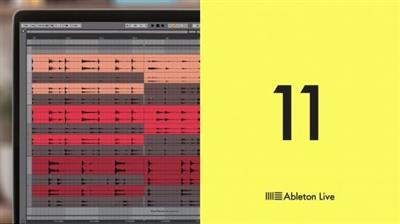
По умолчанию Ableton Live 11 Suite v11.3.2 U2B + Intel macOS


Ableton Live 11 Suite v11.3.2 U2B + Intel macOS
Intel 2.96 GB | Universal 3.23 GB

Live is fast, fluid and flexible software for music creation and performance. It comes with effects, instruments, sounds and all kinds of creative features-everything you need to make any kind of music.

A partial list of what's new in Live 11 includes
Comping
Comping - Live organizes multiple passes of an audio or MIDI performance into individual takes. The best parts of these takes can be stitched together for the final result.
Linked-track editing - Link two or more tracks to edit their content simultaneously.
MIDI Polyphonic Expression
MPE support - Add bends, slides and pressure for each individual note in a chord, add subtle expression variations, morph between chords and create evolving sonic textures more easily.
Expression View - Edit the pitch, slide and pressure envelopes of each note to refine the expression in your music.
MPE-capable native devices - Wavetable, Sampler and Arpeggiator are updated to support MPE.
New devices
Hybrid Reverb - Combines convolution and algorithmic reverbs, making it possible to create any space, from accurate real-life environments to those that defy physical reality.
Spectral Resonator - Breaks the spectrum of an incoming audio signal into partials, then stretches, shifts and blurs the result by a frequency or a note in subtle or radical ways.
Spectral Time - Transforms sound into partials and feeds them into a frequency-based delay, resulting in metallic echoes, frequency-shifted and reverb-like effects.
Inspired by Nature - Six playful instruments and effects that use nature and physics as their inspiration. Made in collaboration with Dillon Bastan.
PitchLoop89 - Creates jittery glitch effects, delayed digital shimmers and outlandish vibrato. Made in collaboration with Robert Henke.
Features for the stage
Live Tempo Following - Live listens to and adjusts its tempo based on incoming audio in real time.
Macro Snapshots - Store the state of Macros for later recall.
Rack improvements - Racks can be configured to have between 1 and 16 Macros, Macro states can be randomized with the push of a button.
Tools to add chance
Note chance - Sets the probability that a note or drum hit will occur.
Velocity chance - Defines ranges for velocity probability for subtle, humanized variations in dynamics.
Improved Follow Actions - Follow Actions can now be linked to the clip length, be set to jump to specific clips and be enabled and disabled globally. Scene Follow Actions make evolving arrangements possible.
New sounds
Voice Box, Mood Reel and Drone Lab are Ableton-designed Packs that each explore the spectrum of a specific sound palette.
Upright Piano, Brass Quartet and String Quartet are three Packs created in collaboration with Spitfire Audio that capture popular orchestral instrument combinations in intimate detail.
Changes to Push
Live 11 also brings new functionality to Ableton's Push hardware instrument
Visualizations for new devices - See visualizations of key parameters in Hybrid Reverb, Spectral Resonator and Spectral Time on Push's color display and control them directly from the hardware.
Key and Scale sync - The new Key and Scale feature in Live 11 is linked to Push and can be changed per clip.
Polyphonic aftertouch support - Apply different levels of aftertouch to individual notes when using Wavetable, Sampler, and Arpeggiator for more nuanced and dynamic performances on Push.
See up to 16 Macros - Access Macros 9-16 from a second page after the Rack page with Macros 1-8.
Changes to Push
Live 11 also brings new functionality to Ableton's Push hardware instrument
Visualizations for new devices - See visualizations of key parameters in Hybrid Reverb, Spectral Resonator and Spectral Time on Push's color display and control them directly from the hardware.
Key and Scale sync - The new Key and Scale feature in Live 11 is linked to Push and can be changed per clip.
Polyphonic aftertouch support - Apply different levels of aftertouch to individual notes when using Wavetable, Sampler, and Arpeggiator for more nuanced and dynamic performances on Push.
See up to 16 Macros - Access Macros 9-16 from a second page after the Rack page with Macros 1-8.
Changelog
11.3.2 Release Notes
New features and improvements
Auto-Warp Improvements
Live now uses a new Auto-Warp algorithm. Both downbeat and tempo variations are more accurately analyzed, making it possible to work with longer samples and entire songs without the need for manual warping in most cases.
To run the new Auto-Warp algorithm on clips within an existing Live Set, use any of the Warp From Here commands (found in the Sample Editor's context menu) from any location in a clip.
Cloud in Live
Song updates made to a synced Note Set will download more quickly to Live, under certain circumstances.
Song updates made to a synced Note Set that is currently open on Windows and has not been saved using the Collect All and Save option will no longer cause a download to fail and retry endlessly.
Samples that are no longer used by a Set.abl file will not be displayed under that Set within the browser's Cloud label.
Control Surfaces
It is now possible to redo actions using the Launchkey MK3 Control Surface script by holding down Shift button and pressing the Undo button.
Core Library
Added new presets and Racks featuring MPE.
Added improved MPE mappings in MPE-enabled instruments.
An update to zplane libraries may cause subtle sound changes when using Complex and Complex Pro warp modes in audio clips or the Simpler device.
Interface Improvements
Accessing Legal Information through the About Live dialog now opens Live's factory content Legal folder that contains Ableton's End User License Agreement and licensing documents.
Updated the End User License Agreement to
include new Ableton products
better reflect the Ableton product ecosystem
respond to requests for clarification on our policies
include other small and compliance-related updates
Updated software texts in various areas of Live.
Updated various Help View lessons.
Updated various Help View lessons and software text translations in German, Spanish, French, Italian, and Japanese languages.
The "Read the Live Manual." option in the Help menu will now direct users to the online version of the manual.
Replaced the link in the Help menu that points to Ableton's homepage with one that points to Ableton's Help page.
Help menu items that are related to learning Live are now grouped into one section, and "Get Support..." now appears as "Get Support", to indicate that it is not an external link.
Renamed the Help menu's "Help View" item to "Built-In Lessons".
Renamed the Home button's "Help View" info text in the main Built-In Lessons page to "Lessons Start Page".
Added a link to the Help View's table of contents page that points to Ableton's Help page.
Removed unnecessary dots from the File menu's "Manage Files..." entry.
When Zoom Display is set to 100% on Windows, Live now uses less GPU resources with certain combinations of GPUs and drivers.
Removed the option to "Use System Device" for audio input on macOS.
If audio output is set to "Use System Device" and the system device changes, Live no longer pauses audio with a "System device changed" dialog on macOS.
Max for Live Improvements
Updated the bundled Max build to version 8.5.4. For the changelog, visit:[Ссылки доступны только зарегистрированным пользователям . Регистрируйся тут...]
fixed parsing error with large gen Patchers
fixed matrix color input
fixed audioschedulertime calculation when device is open in the Editor
Live Object Model: updated docs
sfplay~: fixed crash with timestretching in efficient mode
vst~: improved loading speed for VST shell single plugin
vst~: partian-scan results are used in fas-scan mode
vst~: unique ID argument is used with plug_{format} messages
vst~: VST3 shell plugins cache info about other plugs in the shell
metro in Max for Live: outputs bangs consistently when the Arrangement View's loop brace is active
RNBO in Max for Live: starts up only after a rnbo~ object is present
MIDI Clips and Note Editing
In MIDI clips, the setting of the Envelope Editor's MIDI Envelope Auto-Reset context menu entry is always respected, even when the respective track's Monitor switch is set to "In".
New Devices and Device Improvements
AAS Device Improvements
Added MPE support to the Analog, Collision, Electric, and Tension devices.
Updated info texts in the Analog, Collision, Electric, and Tension devices.
Added visual improvements to the Collision and Tension devices.
Drift
Introduced Drift, a new Instrument available in all editions of Live. Drift is a compact subtractive synthesizer that comes with a wide sonic palette and an approachable interface.
Expression Control
Changed the way MIDI and MPE data are parsed for improved reliability. This also delivers a potential performance boost to the device.
Expressive Content for Live
Added a number of presets to the AAS devices (i.e., Analog, Collision, Electric, and Tension), and the Drift, Sampler, and Wavetable devices, with an emphasis on expressive playability. The updated MPE Control Device can further adjust their playability and also enhance interaction with non-MPE devices such as Operator (via MPE to MIDI).
External Instrument
The External Instrument device is now available in Live Intro.
MIDI Monitor
Incoming MPE data can now be viewed in the MIDI Monitor device in the MPE display. Incoming note, velocity, slide, pressure and per-note pitch data are shown in a continuous stream as notes are played.
MPE Control
Redesigned the UI to include dedicated tabs for MPE sources. This makes it possible to separately adjust each source's settings, including configuring a default modulation value which will be used when playing notes that do not contain per-note MIDI data. It also introduces the ability to individually mute MPE sources.
Introduced the Swap to Slide option when using the Press MPE source. This is useful for example when controlling an external synth which only supports polyphonic aftertouch, but the user intends to control the modulation via the vertical axis instead.
Introduced a Centered option to the Slide MPE Source, so that the center of the vertical axis corresponds to a Slide value of 0, reaching 127 in both directions when moving away from the center. This feature is meant to help users who utilize a pad based MPE controller. Centered transforms Slide data so that hitting the center of the pad generates non modulated sound and the modulation value increases progressively as the finger slides away from the center alongside the vertical axis.
Added the Ons option to the Slide MPE source. When activated, Slide values are only updated on Note On, without further changes until a new note plays.
Optimized the device for better CPU performance.
The default modulation value will always be used when playing a note which does not contain per-note MIDI data, also in cases where min, max and curve values are tweaked.
Improved the text layout of live.tab objects.
Note Echo
Added MPE support to the Note Echo device. Each MPE dimension has a feedback control, which defines how fast MPE modulation decays over time. MPE can be enabled with a toggle; when this toggle is disabled, the device behaves exactly how it did in 11.2.
Minor changes have been made to parameter names in Sampler and Wavetable.
Push
Added support for the Drift device to Push 2.
Improved the UI of the following devices on Push 2: Analog, Collision, Tension, Beat Repeat, Filter Delay, Amp, Vinyl Distortion, Saturator, and Grain Delay.
On Push 2, it is now possible to edit MPE parameters in the Analog device, and missing parameters have been added to the device's banks.
It is now possible to edit MPE parameters in the Tension device on Push 2.
Reduced the knob sensitivity of the Tension device's Octave and Semitone parameters on Push 2.
Setup
To avoid incompatibilities, you will be asked to save Live Sets created with an older version of Live as a new file in Live 11.3.
Live Bugfixes
Fixed a bug that caused incorrect formatting of some text in the Info View when Live's language preference was set to German.
The Sample Editor will now always display the audio clip the user interacted with last, even in cases where multiple audio clips are selected.
Fixed a bug that resulted in an incorrect latency compensation when using positive track delays on Group Tracks or return tracks.
Scale Name and Root Note values of clips which are not in key will now be correctly retrieved when re-opening a saved Live Set. Previously, they would reset to default values when the clip was changed to be in key with the Set.
Fixed a crash that would sometimes occur when pressing[Tab] or[Shift][Tab] after clicking on a Session clip title in the Clip View in a second window.
When using a second window, Live will no longer switch between Session and Arrangement Views when clicking on a clip title in the Clip View, even when interacting with a clip from the other view.
Fixed a bug that prevented automation lanes of some AUv2 plug-in devices from showing up when reloading a Live Set.
Fixed an issue in the APC Key 25 mk2, APC mini mk2, ATOM, and ATOMSQ control surfaces where button LEDs would indicate that upward scrolling was possible under the wrong circumstances.
Fixed a bug that might cause Live to crash on Windows when quitting the application.
Fixed a crash that could occur when configuring a plug-in device's parameter while the containing track was unselected.
Fixed a crash that could occur when pressing the[Tab] key after switching to the Arrangement by hovering over the Arrangement View Selector while dragging a Session clip.
Previously, dragging a Drum Rack return chain to the Session/Arrangement View drop area would create an uncolored return track.
Fixed a bug that created an Ableton Folder Info subfolder in the wrong location, or under the wrong circumstances.
Fixed a bug that caused the Analog device's amplifier envelope to ignore the release phase when its Free Run Mode switch was enabled.
Previously, when pressing the Cancel button in the "This action will stop audio. Proceed?" dialog that appears during the Collect All and Save process, the current Set would be moved into the respective Backup folder.
Fixed an issue in the Multiband Dynamics device that would cause its band meters to flicker when used with certain VST plug-ins.
Fixed a bug that caused Live to switch to "Use System Device: No Device" after disconnecting wired headphones while the "Use System Device" setting was enabled.
When using an incompatible device with the "Use System Device" setting active, Live no longer stays connected to the device and instead switches audio devices to "No Device" as indicated in the warning dialog.
Fixed a crash that occurred after canceling a package installation.
Fixed a regression which prevented the Note Echo device from working correctly with MPE.
Fixed a crash that occurred when receiving a call while using AirPods as audio output device.
Fixed a crash that would sometimes occur if loading sample chunks took a long time.
The MIDI input ports of the APC Key 25 mk2 and APC Mini mk2 controllers are now visible in Live's Link/Tempo/MIDI preferences, which allows these controllers to be used for MIDI mapping.
Fixed a performance issue in Sets with many particular VST3 plug-ins, that caused the UI to lag or become unresponsive.
Fixed a typo in the French translation of the Quantize dialog window.
Fixed a bug that allowed dropping a Rack chain containing only audio effects on an audio track header, which caused Live to crash.
Per-track performance impact meters now use less graphics-rendering resources.
Max for Live Bugfixes
Fixed a crash that occurred when running the duplicate_clip_slot function on return tracks or the Master track with Max for Live.
Fixed a crash that occurred when running the duplicate_clip_to_arrangement function on an Arrangement clip using the same start time as the original.
Fixed a bug which allowed users to run the duplicate_clip_to_arrangement function with negative start time.
Fixed a bug in the MPE Control device that prevented Sustain Messages from working.
Fixed a bug in the Expression Control device that prevented Global Aftertouch from working as expected, under certain conditions.
Fixed a bug in the Shaper MIDI device that caused its envelope to be triggered once a Note Off message was sent.
Fixed a bug in the Shaper device which caused some UI elements to be inconsistent with Live's color palette when using Dark Theme.
Fixed a bug that caused sound to cut off while triggering the DS Cymbal device and adjusting its Decay parameter.

Homepage:
Код:
https://www.ableton.com/
Download link

rapidgator.net:
Код:
https://rapidgator.net/file/3cbd88e7944bffefe6ad9fd5c921ebff/gcari.stAbleton.Live.11.Suite.v11.3.2.macOS.Intel.part1.rar.html
https://rapidgator.net/file/50b759f0acf8de74862e11c5313034bf/gcari.stAbleton.Live.11.Suite.v11.3.2.macOS.Intel.part2.rar.html
https://rapidgator.net/file/8b04a0e35ea938436c4c574fc53edcae/gcari.stAbleton.Live.11.Suite.v11.3.2.macOS.Intel.part3.rar.html
https://rapidgator.net/file/780575176b424dab651b82744fa3422f/gcari.stAbleton.Live.11.Suite.v11.3.2.macOS.Intel.part4.rar.html
https://rapidgator.net/file/b191f77b5ee5c53ba1c19b341e55a1a4/gcari.stAbleton.Live.11.Suite.v11.3.2.macOS.Universal.part1.rar.html
https://rapidgator.net/file/022831c9474a45efd3af90c7449c5765/gcari.stAbleton.Live.11.Suite.v11.3.2.macOS.Universal.part2.rar.html
https://rapidgator.net/file/daee4db76dbdb5f25a555b332c3d0427/gcari.stAbleton.Live.11.Suite.v11.3.2.macOS.Universal.part3.rar.html
https://rapidgator.net/file/7ba7443b7b78d3a05456205afd0a6c6c/gcari.stAbleton.Live.11.Suite.v11.3.2.macOS.Universal.part4.rar.html
uploadgig.com:
Код:
https://uploadgig.com/file/download/db181e8263dc1063/gcari.stAbleton.Live.11.Suite.v11.3.2.macOS.Intel.part1.rar
https://uploadgig.com/file/download/e9b8f2c3e3140adC/gcari.stAbleton.Live.11.Suite.v11.3.2.macOS.Intel.part2.rar
https://uploadgig.com/file/download/27f6075F1cADf85a/gcari.stAbleton.Live.11.Suite.v11.3.2.macOS.Intel.part3.rar
https://uploadgig.com/file/download/51362d66b5e15014/gcari.stAbleton.Live.11.Suite.v11.3.2.macOS.Intel.part4.rar
https://uploadgig.com/file/download/b651294d67294ed0/gcari.stAbleton.Live.11.Suite.v11.3.2.macOS.Universal.part1.rar
https://uploadgig.com/file/download/5f8c76499114d3d3/gcari.stAbleton.Live.11.Suite.v11.3.2.macOS.Universal.part2.rar
https://uploadgig.com/file/download/744a4dE17B416AE7/gcari.stAbleton.Live.11.Suite.v11.3.2.macOS.Universal.part3.rar
https://uploadgig.com/file/download/ef66a0c4c478f28a/gcari.stAbleton.Live.11.Suite.v11.3.2.macOS.Universal.part4.rar
nitroflare.com:
Код:
https://nitroflare.com/view/6DBE9E2227F026A/gcari.stAbleton.Live.11.Suite.v11.3.2.macOS.Intel.part1.rar
https://nitroflare.com/view/7F2614C5915C8F3/gcari.stAbleton.Live.11.Suite.v11.3.2.macOS.Intel.part2.rar
https://nitroflare.com/view/45F06B6B4219A8E/gcari.stAbleton.Live.11.Suite.v11.3.2.macOS.Intel.part3.rar
https://nitroflare.com/view/8A7B701CED7D76B/gcari.stAbleton.Live.11.Suite.v11.3.2.macOS.Intel.part4.rar
https://nitroflare.com/view/B366A3F46B2A701/gcari.stAbleton.Live.11.Suite.v11.3.2.macOS.Universal.part1.rar
https://nitroflare.com/view/6547C2932D21AD6/gcari.stAbleton.Live.11.Suite.v11.3.2.macOS.Universal.part2.rar
https://nitroflare.com/view/1CBAB980807C08D/gcari.stAbleton.Live.11.Suite.v11.3.2.macOS.Universal.part3.rar
https://nitroflare.com/view/7EED0E685836531/gcari.stAbleton.Live.11.Suite.v11.3.2.macOS.Universal.part4.rar
1dl.net:
Код:
https://1dl.net/pvjs172vo295/gcari.stAbleton.Live.11.Suite.v11.3.2.macOS.Intel.part1.rar
https://1dl.net/s77fv7kpfbk0/gcari.stAbleton.Live.11.Suite.v11.3.2.macOS.Intel.part2.rar
https://1dl.net/jworc4sc41m3/gcari.stAbleton.Live.11.Suite.v11.3.2.macOS.Intel.part3.rar
https://1dl.net/e3otzbe50tva/gcari.stAbleton.Live.11.Suite.v11.3.2.macOS.Intel.part4.rar
https://1dl.net/cq6kumpkpftu/gcari.stAbleton.Live.11.Suite.v11.3.2.macOS.Universal.part1.rar
https://1dl.net/shs5gwyzw13z/gcari.stAbleton.Live.11.Suite.v11.3.2.macOS.Universal.part2.rar
https://1dl.net/jesxibbvxk18/gcari.stAbleton.Live.11.Suite.v11.3.2.macOS.Universal.part3.rar
https://1dl.net/cgw4l1q4itgw/gcari.stAbleton.Live.11.Suite.v11.3.2.macOS.Universal.part4.rar

mitsumi1 вне форума   Ответить с цитированием
Старый 24.05.2023, 07:35   #90332
mitsumi1
Местный
 
Регистрация: 04.10.2017
Сообщений: 125,003
Сказал(а) спасибо: 0
Поблагодарили 7 раз(а) в 7 сообщениях
mitsumi1 пока не определено
По умолчанию Aiseesoft Video Converter Ultimate 10.3.72 macOS


Aiseesoft Video Converter Ultimate 10.3.72 macOS
Language: Multilingual | File size: 143 MB

The best Mac video software ever, allowing users to easily download, convert and edit videos including 4K videos as well as homemade DVDs on Mac.

- Support external audio track and multi-audio track (New)
- Enhance video quality for clearer visual experience
- Rotate and flip video file with one click
- Stabilize shaky videos to get a stabilization screen
- Download and save online videos on Mac, including 4K videos
- Support converting videos to and from 4K UHD
- Edit your videos
It can convert home DVDs and videos to all popular video formats including MOV, AVI, MP4, MPG, MKV, HD MP4, HD MOV, etc. It also supports 4K converting, which means you can use it to convert all leading standard and high definition video formats to and from 4K video/audio formats. It supports every popular 4K encoding technology, including H.265/HEVC, H.264, MPEG, Xvid, VP8, VP9, etc. It supports the latest macOS High Sierra. High compatibility makes it suitable for all Mac users.
Release Notes
Updates: official site does not provide any info about changes in this version

Supported Operation Systems
macOS 10.12 or later

Homepage:
Код:
https://www.aiseesoft.com
Download link

rapidgator.net:
Код:
https://rapidgator.net/file/b6b39640b24229bd3453d0bb097357ad/cjsjs.Aiseesoft.Video.Converter.Ultimate.10.3.72.macOS.dmg.html
uploadgig.com:
Код:
https://uploadgig.com/file/download/af71064140319d94/cjsjs.Aiseesoft.Video.Converter.Ultimate.10.3.72.macOS.dmg
nitroflare.com:
Код:
https://nitroflare.com/view/3D7A5E7EC302AD2/cjsjs.Aiseesoft.Video.Converter.Ultimate.10.3.72.macOS.dmg
1dl.net:
Код:
https://1dl.net/xgxp16d9vutb/cjsjs.Aiseesoft.Video.Converter.Ultimate.10.3.72.macOS.dmg
mitsumi1 вне форума   Ответить с цитированием
Старый 24.05.2023, 07:36   #90333
mitsumi1
Местный
 
Регистрация: 04.10.2017
Сообщений: 125,003
Сказал(а) спасибо: 0
Поблагодарили 7 раз(а) в 7 сообщениях
mitsumi1 пока не определено
По умолчанию Amadine 1.4.8 macOS


Amadine 1.4.8 macOS
File size: 44 MB

Amadine is a vector drawing software with perfectly balanced UI that guarantees smooth workflow and quick learning. The app is perfect for illustrations, designing websites, user interface, laying out flyers and brochures, creating logos and icons.

Developed with precision and attention to what users need, Amadine offers everything you may require to bring the craziest illustration ideas to life.
Tools
- Use more that 30 tools for selecting, drawing, editing, slicing and typing.
- Select and modify objects: Move, Selection, Lasso, Eyedropper, Scissors, Eraser, Zoom.
- Draw and edit paths: Pen, Convert, Draw (combines Pencil and Brush), Width, Gradient, Rectangle, Rounded Rectangle, Ellipse, Polygon, Star, Line, Arc.
- Transform shapes: Free Transform, Symmetrical Distortion, Free Distortion.
- Organize artboards: Sheets.
- Type and edit text: Text (combines text in place and text in box), Text on Path, Text in Shape.
Release Notes
New Features
Draw tool: continue drawing the selected path from its endpoints. You can turn on/off this setting in the app Preferences.
Draw tool: object fill is off while drawing. To turn off filling for the Draw tool go to the app Preferences.
Introduced support for raster HEIC format files.
Fixes
Fixed the problem with the incorrect opening of some SVG images.
Path Width Tool: improved tool behavior along the path and on its ends.
Pen tool: click on the path end switches it from the curve to the line mode.
Fixed the problem with the program freezing after opening an image file from Finder.

Supported Operation Systems
macOS 10.12 or later

Homepage:
Код:
https://amadine.com
Download link

rapidgator.net:
Код:
https://rapidgator.net/file/a7699ad19274281064f6b5e7808a4ea2/gaubp.Amadine.1.4.8.macOS.dmg.html
uploadgig.com:
Код:
https://uploadgig.com/file/download/4579c445352d15a7/gaubp.Amadine.1.4.8.macOS.dmg
nitroflare.com:
Код:
https://nitroflare.com/view/4C2D920A73E3270/gaubp.Amadine.1.4.8.macOS.dmg
1dl.net:
Код:
https://1dl.net/vbkyh145fp0l/gaubp.Amadine.1.4.8.macOS.dmg
mitsumi1 вне форума   Ответить с цитированием
Старый 24.05.2023, 07:37   #90334
mitsumi1
Местный
 
Регистрация: 04.10.2017
Сообщений: 125,003
Сказал(а) спасибо: 0
Поблагодарили 7 раз(а) в 7 сообщениях
mitsumi1 пока не определено
По умолчанию BetterDisplay Pro 1.4.13 macOS


BetterDisplay Pro 1.4.13 macOS
File size: 9 MB

BetterDisplay is a truly wonderful tool! It let's you convert your displays to fully scalable screens, allows brightness control, provides XDR/HDR upscaling (extra brightness beyond 100% on compatible displays), full dimming to black,

helps you create and manage virtual displays (dummies) for your Mac, create Picture in Picture windows of your displays and gives you a host of other features to manage your display's settings easily from the menu bar.
Features
• Convert your internal and natively connected external displays to smoothly-scaled HiDPI displays on Apple Silicon - now even without mirroring a dummy (displays with notch, HDR, HDCP, high refresh rate fully supported)! (Pro)
• Reach the full brightness potential of your XDR or HDR display! (Pro)
• Change the display's brightness, volume and colors via software and hardware (DDC) control via sliders and native or custom keyboard shortcuts!
• Create custom HiDPI resolutions for real displays manually and redefine certain system display parameters!
• Create any number of dummies (virtual screens) with varying aspect ratios.
• Use headless Macs (servers) with any resolution and HiDPI mode for remote access.
• Create Picture in Picture window for any real or dummy displays. (Pro)
• Redirect your display's contents (real or dummy) to an other screen via streaming. (Pro)
• If you are using a big TV up close, use the bottom half of your TV as a wide screen display (off-center streaming). (Pro)
• Scale Sidecar resolutions. (Pro)
• Portrait SideCar support. (Pro)
• Better quality zooming (System Preferences»Accessibility»Zoom) or High Quality screenshots even on 1080p displays
• Easily change the resolution of your real and dummy displays via a slider (or submenu) from the menubar.
• Quickly accessible refresh rate and screen rotation menu.
• Simplify creating mirrored sets. (Pro)
• Easily move around displays relative to each other using the app menu.
• Quickly designate a display to be main display.
• Associate dummies with displays for auto connect/disconnect.
• Keyboard shortcuts for basic operations.
• Advanced keyboard shortcuts support. (Pro)
• Custom dummies (resolution, orientation, naming). (Pro)
• Create a dummy optimized for a real display. (Pro)
Release Notes
Updates: official site does not provide any info about changes in this version

Supported Operation Systems
macOS 11.0 or later

Homepage:
Код:
https://github.com/waydabber/BetterDisplay
Download link

rapidgator.net:
Код:
https://rapidgator.net/file/99f3638457c42ffe6a458b698ef6066b/tgzbh.BetterDisplay.Pro.1.4.13.macOS.dmg.html
uploadgig.com:
Код:
https://uploadgig.com/file/download/62b1470Bd5d64a2e/tgzbh.BetterDisplay.Pro.1.4.13.macOS.dmg
nitroflare.com:
Код:
https://nitroflare.com/view/7A78AAEA756370C/tgzbh.BetterDisplay.Pro.1.4.13.macOS.dmg
1dl.net:
Код:
https://1dl.net/pwc6cji05uk4/tgzbh.BetterDisplay.Pro.1.4.13.macOS.dmg
mitsumi1 вне форума   Ответить с цитированием
Старый 24.05.2023, 07:38   #90335
mitsumi1
Местный
 
Регистрация: 04.10.2017
Сообщений: 125,003
Сказал(а) спасибо: 0
Поблагодарили 7 раз(а) в 7 сообщениях
mitsumi1 пока не определено
По умолчанию Compressor 4.6.4 macOS


Compressor 4.6.4 macOS
Language: Multilingual | File size: 338 MB

Compressor integrates tightly with Final Cut Pro to add power and flexibility to your video conversions. A simple interface lets you quickly customize output settings, enhance images, and package your film for sale on the iTunes Store. For even faster conversions, easily set up distributed encoding using other Mac computers.

Geavanceerde codering voor Final Cut Pro
• Gebruik Compressor om coderingsinstellingen aan te passen en de instelling verschijnt automatisch in Final Cut Pro
• Maak batchprocessen om de codering van grote aantallen bestanden te stroomlijnen
• Met aangepaste bestemmingen kun je codering combineren met aanvullende taken, zoals het verplaatsen of kopiëren van bestanden.
• Maak zelfstandig werkende droplets om vanaf je bureaublad te coderen door te slepen
• Deel je instellingen, zoals een HEVC-uitvoerinstelling, met andere editors, zelfs als Compressor niet op hun computer is geïnstalleerd
• Stuur Final Cut Pro- en Motion-projecten naar Compressor om video in de HEVC-structuur te coderen
Aanmaak van iTunes Store-pakketten
• Je film, trailer, bijschriften voor spraak en geluiden en ondertitels importeren en ordenen in een iTunes Store-pakket voor verzending naar een door Apple gecertificeerde partner voor aanlevering bij iTunes
• Beoordelen of de video synchroon loopt met de audio, bijschriften of ondertiteling
• Met de ingebouwde foutdetectie kun je de exacte oorzaak van problemen met je iTunes Store-pakket opsporen
• HDR-video uitvoeren als P3 D65 PQ, Rec. 2020 HLG en Rec. 2020 PQ voor HDR10
• Ondersteuning in iTunes Store-pakketten voor het koppelen van een Dolby Vision Graded-videobestand aan een Dolby Vision XML
Ondersteuning voor industriestandaarden
• Codeer in talloze standaardstructuren, zoals HEVC, MPEG-4, H.264, MXF en ProRes
• Gebruik themamenu's om een dvd of Blu-ray-schijf te coderen en te branden
• Genereer in één stap bestanden voor live-HTTP-streaming
• Importeer beeldenreeksen in de structuren Targa, DPX, TIFF, PSD, PNG of OpenEXR en codeer ze met een willekeurige instelling
• Bekijk, wijzig en lever bijschriften voor spraak en geluiden in de CEA-608, SRT en iTT-structuur
Haarscherpe structuurconversies
• Converteer moeiteloos bestandsstructuren, bijvoorbeeld NTSC naar PAL, SD naar HD of progressive video naar interlaced video
• Video met een breed kleurengamma importeren en bewerken en deze vervolgens exporteren in de standaardkleurruimten Rec. 601 en Rec. 709 of in de kleurruimte met breed gamma Rec. 2020
• HDR-video (High Dynamic Range) met regelaars voor kleurruimteconversies en HDR-metagegevens uitvoeren
• HDR-video uitvoeren als P3 D65 PQ, Rec. 2020 PQ en Rec. 2020 HLG
• Gebruik multi-pass H.264-codering met CABAC-entropie voor nog betere resultaten bij het exporteren met hardwareversnelling op ondersteunde computers
• Schoon je content op en pas deze aan met beeldfilters, een tijdcode-overlay en watermerken
• Videomateriaal dat te kort of te lang is, kun je versnellen of vertragen, of je kunt de beeldsnelheid aanpassen
Gedistribueerde codering
• Bespaar tijd door coderingstaken over verschillende werkstations te verdelen
• Installeer Compressor op een Mac om deze als node voor gedistribueerde codering te gebruiken
• Versnel de codering in Final Cut Pro door een groep gedeelde computers voor het exporteren te kiezen
Voor sommige voorzieningen is internettoegang vereist; hieraan kunnen extra kosten zijn verbonden. Voor het branden van Blu-ray-schijven is een Blu-ray-recorder vereist. Voor het exporteren van HEVC is macOS High Sierra vereist.
Release Notes
Код:
https://geo.itunes.apple.com/app/id424390742
Supported Operation Systems
macOS 12.6 or later

Homepage:
Код:
https://geo.itunes.apple.com/app/id424390742
Download link

rapidgator.net:
Код:
https://rapidgator.net/file/0b7375048874c196c9766437443252b1/wbjmd.Compressor.4.6.4.macOS.dmg.html
uploadgig.com:
Код:
https://uploadgig.com/file/download/dc8322E4fBbb2910/wbjmd.Compressor.4.6.4.macOS.dmg
nitroflare.com:
Код:
https://nitroflare.com/view/DDDFEFF881F4170/wbjmd.Compressor.4.6.4.macOS.dmg
1dl.net:
Код:
https://1dl.net/cwerxsfc2rup/wbjmd.Compressor.4.6.4.macOS.dmg
mitsumi1 вне форума   Ответить с цитированием
Старый 24.05.2023, 07:39   #90336
mitsumi1
Местный
 
Регистрация: 04.10.2017
Сообщений: 125,003
Сказал(а) спасибо: 0
Поблагодарили 7 раз(а) в 7 сообщениях
mitsumi1 пока не определено
По умолчанию Final Cut Pro 10.6.6 macOS


Final Cut Pro 10.6.6 macOS
Language: Multilingual | File size: 4.1 GB

Redesigned from the ground up, Final Cut Pro combines revolutionary video editing with powerful media organization and incredible performance to let you create at the speed of thought. Final Cut Pro debuts a powerful collection of new features for professional editors. A strikingly low-profile interface maximizes work space on any display.

The new Magnetic Timeline 2 advances even further beyond traditional, track-based editing with automatic color coding and flexible layouts based on roles. The latest Final Cut Pro release also takes full advantage of the new MacBook Pro with support for the Touch Bar and wide color workflows.
Release Notes
Код:
https://geo.itunes.apple.com/app/id424389933
Supported Operation Systems
macOS 12.6 or later

Homepage:
Код:
https://geo.itunes.apple.com/app/id424389933
Download link

rapidgator.net:
Код:
https://rapidgator.net/file/75eee4a9b8efc53dee64ba58a83dec75/rruqe.FinalCutPro10.6.6MASTNT.dmg.zip.001.html
https://rapidgator.net/file/e18568d3fb84a6584640d25690726559/rruqe.FinalCutPro10.6.6MASTNT.dmg.zip.002.html
https://rapidgator.net/file/bae39de1b0be94f2a957606122ac302c/rruqe.FinalCutPro10.6.6MASTNT.dmg.zip.003.html
https://rapidgator.net/file/7d62eec70dbbf79e39d410aaaf8a5d78/rruqe.FinalCutPro10.6.6MASTNT.dmg.zip.004.html
https://rapidgator.net/file/b7dc3b5fe894ad355158a6a68a618d6b/rruqe.FinalCutPro10.6.6MASTNT.dmg.zip.005.html
uploadgig.com:
Код:
https://uploadgig.com/file/download/92Ad3454b17100A1/rruqe.FinalCutPro10.6.6MASTNT.dmg.zip.001
https://uploadgig.com/file/download/86e2b226939178db/rruqe.FinalCutPro10.6.6MASTNT.dmg.zip.002
https://uploadgig.com/file/download/44a8cCaF2132bc48/rruqe.FinalCutPro10.6.6MASTNT.dmg.zip.003
https://uploadgig.com/file/download/F3395e3b8B6eFc22/rruqe.FinalCutPro10.6.6MASTNT.dmg.zip.004
https://uploadgig.com/file/download/Af670fA5520fb735/rruqe.FinalCutPro10.6.6MASTNT.dmg.zip.005
nitroflare.com:
Код:
https://nitroflare.com/view/88FDD11FF8819E7/rruqe.FinalCutPro10.6.6MASTNT.dmg.zip.001
https://nitroflare.com/view/573D1B42A8D4CC9/rruqe.FinalCutPro10.6.6MASTNT.dmg.zip.002
https://nitroflare.com/view/4EE1585081C35CC/rruqe.FinalCutPro10.6.6MASTNT.dmg.zip.003
https://nitroflare.com/view/B8DB0FBBB8D58CF/rruqe.FinalCutPro10.6.6MASTNT.dmg.zip.004
https://nitroflare.com/view/6312EEF2FACEB17/rruqe.FinalCutPro10.6.6MASTNT.dmg.zip.005
1dl.net:
Код:
https://1dl.net/r8h5s6pjnjue/rruqe.FinalCutPro10.6.6MASTNT.dmg.zip.001
https://1dl.net/mgjczy927d1q/rruqe.FinalCutPro10.6.6MASTNT.dmg.zip.002
https://1dl.net/bk52pdfqchoy/rruqe.FinalCutPro10.6.6MASTNT.dmg.zip.003
https://1dl.net/98xezcix8lg1/rruqe.FinalCutPro10.6.6MASTNT.dmg.zip.004
https://1dl.net/qazy4rppeglc/rruqe.FinalCutPro10.6.6MASTNT.dmg.zip.005
mitsumi1 вне форума   Ответить с цитированием
Старый 24.05.2023, 07:40   #90337
mitsumi1
Местный
 
Регистрация: 04.10.2017
Сообщений: 125,003
Сказал(а) спасибо: 0
Поблагодарили 7 раз(а) в 7 сообщениях
mitsumi1 пока не определено
По умолчанию FonePaw Video Converter Ultimate 9.9.0 macOS


FonePaw Video Converter Ultimate 9.9.0 macOS
Language: Multilingual | File size: 129 MB

Multifunctional software makes it possible for you to convert, edit and play videos, DVD and audios. In addition, you can also create you own videos or GIF image freely with it.

Equipped with advanced HD video conversion technology, it can easily transfer videos or audios to any platform or device in any popular format, such as MKV, AVI, WMV, MP4, FLV and MP3, WAV, M4A, WMA, etc. and even 4K video. It also works as a GIF maker and 3D supporter.
Release Notes
Updates: official site does not provide any info about changes in this version

Supported Operation Systems
macOS 10.10 or later

Homepage:
Код:
https://www.fonepaw.com
Download link

rapidgator.net:
Код:
https://rapidgator.net/file/0a610fda6085de98dfea280b628ed44f/bsfno.FonePaw.Video.Converter.Ultimate.9.9.0.macOS.dmg.html
uploadgig.com:
Код:
https://uploadgig.com/file/download/3adefEc634685428/bsfno.FonePaw.Video.Converter.Ultimate.9.9.0.macOS.dmg
nitroflare.com:
Код:
https://nitroflare.com/view/3AFEED91CD120C5/bsfno.FonePaw.Video.Converter.Ultimate.9.9.0.macOS.dmg
1dl.net:
Код:
https://1dl.net/h6ptkn7xuelq/bsfno.FonePaw.Video.Converter.Ultimate.9.9.0.macOS.dmg
mitsumi1 вне форума   Ответить с цитированием
Старый 24.05.2023, 07:42   #90338
mitsumi1
Местный
 
Регистрация: 04.10.2017
Сообщений: 125,003
Сказал(а) спасибо: 0
Поблагодарили 7 раз(а) в 7 сообщениях
mitsumi1 пока не определено
По умолчанию Grids for Instagram 8.5.7 macOS


Grids for Instagram 8.5.7 macOS
Language: Multilingual | File size: 67 MB

Grids brings the best Instagram experience to your Mac, with Stories (first and only app that supports stories!), Direct Message and Large/Fullscreen photo and video viewing.

As featured on TheNextWeb, AppAdvice, iDownloadBlog, DigitalTrends and many others.
* View Stories
* Direct message
* Share photos/user profiles/tags/locations via message
* Enlarged view mode allows photo viewing and video playing in large or full screen
* Clean, adaptive UI. Works at full screen as well as widget-sized window.
* Pixel-perfect layout and rendering. Retina display support. Your Instagram photos never looked this gorgeous.
* 4 beautiful layout styles for the pleasure of your eyes
* Picture size as well as spacing and background color can be adjusted to your liking.
* Fastest Instagram browsing experience you will have!
* Switch between multiple accounts seamlessly.
* Like, comment, follow, search people and tags.
* Show users tagged in photo
* Bookmark allows you to bookmark people (without having to follow them), locations, tags and individual photos or videos (without having to like them).
* Get notification when new feed is available and/or when there is new followers/likes/comments/mentions.
* View latest following/news just like on your phone
Release Notes
Updates: official site does not provide any info about changes in this version

Supported Operation Systems
macOS 10.13 or later

Homepage:
Код:
http://gridsapp.net/
Download link

rapidgator.net:
Код:
https://rapidgator.net/file/390135544f6b4481b064f3cc6cb0e28c/hzyzm.Grids.for.Instagram.8.5.7.macOS.dmg.html
uploadgig.com:
Код:
https://uploadgig.com/file/download/Fc90fa02155EA61e/hzyzm.Grids.for.Instagram.8.5.7.macOS.dmg
nitroflare.com:
Код:
https://nitroflare.com/view/C203C9018F30A48/hzyzm.Grids.for.Instagram.8.5.7.macOS.dmg
1dl.net:
Код:
https://1dl.net/yrlg8qv6pwih/hzyzm.Grids.for.Instagram.8.5.7.macOS.dmg
mitsumi1 вне форума   Ответить с цитированием
Старый 24.05.2023, 07:43   #90339
mitsumi1
Местный
 
Регистрация: 04.10.2017
Сообщений: 125,003
Сказал(а) спасибо: 0
Поблагодарили 7 раз(а) в 7 сообщениях
mitsumi1 пока не определено
По умолчанию iClip 5.5.7 macOS


iClip 5.5.7 macOS
File size: 42 MB

iClip is the premier multiple-clipboard and scrapbook tool that enables you to keep a history of almost anything you copy, instead of only the last thing. iClip was designed to be accessed as simply as the Mac's Dock: just move your cursor to the side of the screen and iClip pops out for instant use.

-Get things into and out of iClip with hotkeys, drag-and-drop, or just 1-click.
-Organize your stored clips into multiple sets and have them ready to paste in an instant.
-Imagine having common email replies, logos and signatures, code-snippets, and more just a single click or keyboard shortcut away!
Release Notes
Updates: official site does not provide any info about changes in this version

Supported Operation Systems
macOS 10.10 or later

Homepage:
Код:
http://www.iclipapp.com
Download link

rapidgator.net:
Код:
https://rapidgator.net/file/a746c591a2552278d291ba10238c196e/jtswy.iClip.5.5.7.macOS.dmg.html
uploadgig.com:
Код:
https://uploadgig.com/file/download/72e0a5D0C94Bf198/jtswy.iClip.5.5.7.macOS.dmg
nitroflare.com:
Код:
https://nitroflare.com/view/5E6C01071A7889E/jtswy.iClip.5.5.7.macOS.dmg
1dl.net:
Код:
https://1dl.net/pm0vt68wmd2m/jtswy.iClip.5.5.7.macOS.dmg
mitsumi1 вне форума   Ответить с цитированием
Старый 24.05.2023, 07:44   #90340
mitsumi1
Местный
 
Регистрация: 04.10.2017
Сообщений: 125,003
Сказал(а) спасибо: 0
Поблагодарили 7 раз(а) в 7 сообщениях
mitsumi1 пока не определено
По умолчанию Logic Pro X 10.7.8 macOS


Logic Pro X 10.7.8 macOS
Language: Multilingual | File size: 1.1 GB

Logic Pro X is the most advanced version of Logic ever. Sophisticated tools for professional songwriting, editing, and mixing are built around a modern interface that's designed to get creative results quickly and also deliver more power whenever it's needed.

Logic Pro X includes a massive collection of instruments, effects, and loops, providing a complete toolkit to create amazing-sounding music.
Powerful Interface
• Consolidate and control multiple tracks or create rich, layered instruments with Track Stacks
• Smart Controls allow you to manipulate multiple plug-ins and parameters with a single move
• Support for the Touch Bar on MacBook Pro provides convenient controls for creating, editing and navigating your songs
• Autosave keeps your work safe and sound
Professional Music Production
• Record and edit MIDI or audio using a comprehensive set of editors and tools
• Keep takes organized with take folders and build comps quickly with Quick Swipe Comping
• Track Alternatives let you create and switch between different playlists of regions and edits on a track
• Render any combination of effect plug-ins to a selection of audio using Selection-based Processing
• Fix out-of-tune vocals and change the melodies of recorded audio with Flex Pitch
• Manipulate the timing and tempo of any recording with ease using Flex Time
• Comprehensive mix and plug-in parameter automation can be part of a region or track
• Create and mix music from anywhere in the room using Logic Remote on iPad or iPhone
• Produce simple lead sheets or orchestral scores with built-in Score editor
Release Notes
Код:
https://geo.itunes.apple.com/app/id634148309
Supported Operation Systems
macOS 12.3 or later

Homepage:
Код:
https://geo.itunes.apple.com/app/id634148309
Download link

rapidgator.net:
Код:
https://rapidgator.net/file/67a6395befd2768802014072e9710b62/divxp.LogicProX10.7.8MASTNT.dmg.zip.001.html
https://rapidgator.net/file/d2ca2105716e9e831446aaa611891917/divxp.LogicProX10.7.8MASTNT.dmg.zip.002.html
uploadgig.com:
Код:
https://uploadgig.com/file/download/72db66f249f70eA3/divxp.LogicProX10.7.8MASTNT.dmg.zip.001
https://uploadgig.com/file/download/75d95b381417362e/divxp.LogicProX10.7.8MASTNT.dmg.zip.002
nitroflare.com:
Код:
https://nitroflare.com/view/EA5AF373BE4E8A5/divxp.LogicProX10.7.8MASTNT.dmg.zip.001
https://nitroflare.com/view/28026ECEBEDF8B9/divxp.LogicProX10.7.8MASTNT.dmg.zip.002
1dl.net:
Код:
https://1dl.net/19fc9v55rs9i/divxp.LogicProX10.7.8MASTNT.dmg.zip.001
https://1dl.net/3wlnulfktjk3/divxp.LogicProX10.7.8MASTNT.dmg.zip.002
mitsumi1 вне форума   Ответить с цитированием
Старый 24.05.2023, 07:45   #90341
mitsumi1
Местный
 
Регистрация: 04.10.2017
Сообщений: 125,003
Сказал(а) спасибо: 0
Поблагодарили 7 раз(а) в 7 сообщениях
mitsumi1 пока не определено
По умолчанию Motion 5.6.4 macOS


Motion 5.6.4 macOS
Language: Multilingual | File size: 2.2 GB

Designed for video editors, Motion is a powerful motion graphics tool that makes it easy to create cinematic 2D and 3D titles, fluid transitions, and realistic effects in real time.

Breakthrough Speed, Quality, and Output
• Import wide color images, view them on supported Mac computers, and then export in standard Rec. 709 or wide Rec. 2020 color space
• Export standard or 360° projects to Apple devices and publish directly to YouTube, Facebook, and Vimeo
• Deliver ProRes 4444 video for uncompressed quality at reduced file sizes
• Send to Compressor to access advanced options for custom encoding like HEVC
Some features require Internet access; fees may apply. Blu-ray recorder required for burning Blu-ray discs. Video output to VR headset requires Mac computer with discrete graphics running macOS High Sierra. 27-inch iMac with Radeon Pro 580 graphics recommended.
Release Notes
Код:
https://geo.itunes.apple.com/app/id434290957
Supported Operation Systems
macOS 12.6 or later

Homepage:
Код:
https://geo.itunes.apple.com/app/id434290957
Download link

rapidgator.net:
Код:
https://rapidgator.net/file/84efda552ee6ee17e62ebe42ca09f83a/thvnn.Motion5.6.4MASTNT.dmg.zip.001.html
https://rapidgator.net/file/c44a203d725747778d191c0444b70efc/thvnn.Motion5.6.4MASTNT.dmg.zip.002.html
https://rapidgator.net/file/b75d78b799a0b080ddded86f31bf70d0/thvnn.Motion5.6.4MASTNT.dmg.zip.003.html
uploadgig.com:
Код:
https://uploadgig.com/file/download/6123acB0d4649d44/thvnn.Motion5.6.4MASTNT.dmg.zip.001
https://uploadgig.com/file/download/32994d075474b19e/thvnn.Motion5.6.4MASTNT.dmg.zip.002
https://uploadgig.com/file/download/f0afdEf1597023ec/thvnn.Motion5.6.4MASTNT.dmg.zip.003
nitroflare.com:
Код:
https://nitroflare.com/view/74EE46DD491748A/thvnn.Motion5.6.4MASTNT.dmg.zip.001
https://nitroflare.com/view/724F876DA938C77/thvnn.Motion5.6.4MASTNT.dmg.zip.002
https://nitroflare.com/view/5AD5EAC975258CD/thvnn.Motion5.6.4MASTNT.dmg.zip.003
1dl.net:
Код:
https://1dl.net/lery972xh9t3/thvnn.Motion5.6.4MASTNT.dmg.zip.001
https://1dl.net/3nxcuuf2v3rg/thvnn.Motion5.6.4MASTNT.dmg.zip.002
https://1dl.net/fc8e24u2hhrn/thvnn.Motion5.6.4MASTNT.dmg.zip.003
mitsumi1 вне форума   Ответить с цитированием
Старый 24.05.2023, 07:46   #90342
mitsumi1
Местный
 
Регистрация: 04.10.2017
Сообщений: 125,003
Сказал(а) спасибо: 0
Поблагодарили 7 раз(а) в 7 сообщениях
mitsumi1 пока не определено
По умолчанию PDF Expert 3.1.0 macOS


PDF Expert 3.1.0 macOS
Language: Multilingual | File size: 108 MB

PDF Expert springs into action with smooth scrolling and fast search from the first document you select. PDFs open instantly, whether they are just small email attachments or 2000-page reports.

Well-designed interface that is easy-to-understand and streamlines your workflow. PDF Expert is very intuitive and new users should have no trouble getting accustomed to its various functions. You can choose between multiple viewing modes, keep track of your bookmarks, the document's outline and your annotations.
- Fast, robust and beautiful PDF editor
- Read, annotate and edit PDFs, change text and images.
- Fill forms and sign contracts like never before.
NOTE*For Export to Word Excel PowerPoint - you need to connect to the Internet
Release Notes
Updates: official site does not provide any info about changes in this version

Supported Operation Systems
macOS 10.13 or later

Homepage:
Код:
https://pdfexpert.com
Download link

rapidgator.net:
Код:
https://rapidgator.net/file/598e6051527cea3e50c9020002bcf303/kkscf.PDF.Expert.3.1.0.macOS.dmg.html
uploadgig.com:
Код:
https://uploadgig.com/file/download/132b2517e6cdf6a1/kkscf.PDF.Expert.3.1.0.macOS.dmg
nitroflare.com:
Код:
https://nitroflare.com/view/C512F3CE10F9E54/kkscf.PDF.Expert.3.1.0.macOS.dmg
1dl.net:
Код:
https://1dl.net/7s0kx481egtk/kkscf.PDF.Expert.3.1.0.macOS.dmg
mitsumi1 вне форума   Ответить с цитированием
Старый 24.05.2023, 07:47   #90343
mitsumi1
Местный
 
Регистрация: 04.10.2017
Сообщений: 125,003
Сказал(а) спасибо: 0
Поблагодарили 7 раз(а) в 7 сообщениях
mitsumi1 пока не определено
По умолчанию PDF Search 13.0 macOS


PDF Search 13.0 macOS
File size: 10 MB

PDF Search is a utility which has a revolutionary search algorithm especially developed for PDF documents. The time to reach the information in your PDF documents will be minimum with it. It will make you able to find what you are looking for within thousands of documents instantly.

It is system integrated. You can start a search directly from system menu bar like Spotlight.
Features
Ultra-fast search
Synchronization between iOS and macOS app.
Page ranking system
Word distance algorithm
Keyword placement analyze
Ability to understand what you mean when you mistype a keyword
Export search results as a new PDF document which is containing all best pages from most relevant documents. So you can share results as one document.
Wild-char search ability to search words starting or ending with other words.
Export current page as PDF easily to share with others
Folder based navigation
iCloud folder support
Tag support
Bookmark support
Empower search with similar keywords
Emphasize power ranking (Header, title, paragraph detection)
PDF Converter : Convert office documents to PDF
Release Notes
Updates: official site does not provide any info about changes in this version

Supported Operation Systems
macOS 10.13 or later

Homepage:
Код:
https://pdfsearch.app/
Download link

rapidgator.net:
Код:
https://rapidgator.net/file/13b7e1f858df577f87a81e7c0a245fe0/jhgli.PDF.Search.13.0.macOS.dmg.html
uploadgig.com:
Код:
https://uploadgig.com/file/download/7f0dD1e562cf0290/jhgli.PDF.Search.13.0.macOS.dmg
nitroflare.com:
Код:
https://nitroflare.com/view/E81B9390D0C0D11/jhgli.PDF.Search.13.0.macOS.dmg
1dl.net:
Код:
https://1dl.net/zghh9hl77ilp/jhgli.PDF.Search.13.0.macOS.dmg
mitsumi1 вне форума   Ответить с цитированием
Старый 24.05.2023, 07:49   #90344
mitsumi1
Местный
 
Регистрация: 04.10.2017
Сообщений: 125,003
Сказал(а) спасибо: 0
Поблагодарили 7 раз(а) в 7 сообщениях
mitsumi1 пока не определено
По умолчанию PowerPhotos 2.3.1 beta2 macOS


PowerPhotos 2.3.1 beta2 macOS
File size: 35 MB

PowerPhotos allows you to break up your Photos.app images among multiple Photos libraries, rather than having to store all of them in one giant library. You can easily switch between libraries, or just browse the photos in your libraries directly from PowerPhotos, without having to open each library in Photos.

PowerPhotos also supports searching across all your libraries at once to help track down a particular photo. If you use iCloud Photo Library to sync photos with your other devices, splitting up your library can help save on iCloud storage costs. Use a single library to hold a smaller collection that you sync with iCloud, while keeping the bulk of your photos in separate libraries so they don't take up space on iCloud. PowerPhotos can analyze your libraries for duplicate photos, showing them to you side-by-side and letting you get rid of extra copies of photos that you no longer need
New features
• Improved iCloud Photos support: If you use iCloud Photos, PowerPhotos 1.x was only able to see photos in your library that had already been downloaded to your local hard drive. For users with the "Optimize Mac Storage" option enabled, this could mean a significant portion of your iCloud library would not be visible to PowerPhotos. In PowerPhotos 2.0, it can now see and work with any photos in your iCloud photo library, and will automatically download any photos from iCloud as needed.
• Advanced exporting: Photos has an export command, but it is fairly limited in what it can provide. PowerPhotos 2.0 has a new, more fully featured export function with options such as
◦ Export as a flat folder or as a folder hierarchy in the Finder that mimics your album hierarchy
◦ Export unmodified photos, or as JPG, PNG, HEIF, or TIFF of different sizes
◦ Include captions, dates, keywords, and titles in EXIF metadata
◦ Retain or strip location metadata
◦ Optionally include videos from Live Photos and all photos from a burst
◦ Set Finder creation/modification dates to the photo's EXIF date
◦ Video export support as H.264 or H.265
• Global menu bar item: Get fast access to your libraries via a global item in your menu bar even when PowerPhotos itself isn't running.
• Library groups: For those with lots of libraries, you can now organize your libraries into groups in the PowerPhotos sidebar.
• Multiple windows: You can now open each library in a separate window in PowerPhotos, allowing for easier comparison between libraries, and dragging and dropping photos/albums between libraries.
• New duplicate search engine: PowerPhotos 2.0 uses a new duplicate comparison algorithm that can find more duplicate photos which are not quite 100% identical, such as scaled down copies of photos, photos that have been resaved in a different format or with different compression, and even photos with minor edits applied to them.
• Faster library loading: PowerPhotos 2.0 has rewritten a bunch of its internals to load your library much faster than PowerPhotos 1.0.
• Improved AppleScript support: New support for copying albums or photos between libraries, merging libraries, and exporting photos/albums from a library.
Release Notes
Updates: official site does not provide any info about changes in this version

Supported Operation Systems
macOS 11.0 or later

Homepage:
Код:
https://www.fatcatsoftware.com
Download link

rapidgator.net:
Код:
https://rapidgator.net/file/30cd64c3e226938c881d143607638748/unhdc.PowerPhotos.2.3.1.beta2.macOS.dmg.html
uploadgig.com:
Код:
https://uploadgig.com/file/download/e3eE4a15239A19ec/unhdc.PowerPhotos.2.3.1.beta2.macOS.dmg
nitroflare.com:
Код:
https://nitroflare.com/view/0CC397C6D372713/unhdc.PowerPhotos.2.3.1.beta2.macOS.dmg
1dl.net:
Код:
https://1dl.net/3nac0hawse7f/unhdc.PowerPhotos.2.3.1.beta2.macOS.dmg
mitsumi1 вне форума   Ответить с цитированием
Старый 24.05.2023, 07:50   #90345
mitsumi1
Местный
 
Регистрация: 04.10.2017
Сообщений: 125,003
Сказал(а) спасибо: 0
Поблагодарили 7 раз(а) в 7 сообщениях
mitsumi1 пока не определено
По умолчанию SoundSource 5.6.0 macOS


SoundSource 5.6.0 macOS
File size: 31 MB

SoundSource gives you superior sound control on your Mac. Use it to control individual app settings, like volume and output device. Apply an equalizer and other audio effects to any audio. You also have fast access to your Mac's audio device settings and levels, from anywhere.

SoundSource gives you truly powerful audio control, all from a globally available menu bar app.
Per-App Volume Control
Adjust volume levels for each of your applications, all in one place. Make one app louder or softer than others, or even mute it entirely.
Per-App Output Redirection
Control exactly where audio plays. Route music from one app to your best speakers, while everything else is heard via your Mac's built-in output.
Per-App Audio Effects
Use the built-in 10-band equalizer and support for Audio Units to sweeten the sound of individual apps.
System Audio Settings
Quickly adjust volume and input levels, balance, and even sample rate for your system's Output, Input, and Sound Effects devices.
System-Wide Audio Effects
Apply effects to sweeten the sound of all audio on your system, with the built-in 10-band equalizer and support for advanced Audio Unit plugins.
Super Volume Keys
HDMI devices, DisplayPort audio outputs, and more fail to support the volume keys found on Mac keyboards. SoundSource makes those keys work with any outputs you have.
Menu Bar Access
SoundSource lives in your menu bar, for one-click access to all your audio controls. You can also bring it up with a configurable global keyboard shortcut.
Floating Access
Making frequent adjustments? Pin SoundSource's main window, and it will float on your screen for instant access.
Headphone EQ
The new Headphone EQ effect provides the very best sound from thousands of different models of headphones.
Magic Boost 2
The new Magic Boost 2 does even more to provide rich, full sound from even the tiniest speakers.
Compact View
SoundSource's main window is streamlined, but to truly minimize how much space it uses, the Compact view has you covered.
Menu Bar Meters
Add optional meters for your output device, input device, and/or active applications, so you can see and control audio even more easily.
Release Notes
Full MacOS 13.1 Compatibility
SoundSource now provides full audio capture on MacOS 13.1, with no known issues.
Improvements in ACE 11.9.2
The ACE audio capture engine has been updated to provide full audio capture on MacOS 13.1.
SoundSource's keyboard-based volume adjustments now better match the operating system.
A rare crash which could occur when SoundSource launched at login has been fixed.

Supported Operation Systems
macOS 10.15 or later

Homepage:
Код:
https://rogueamoeba.com/soundsource/
Download link

rapidgator.net:
Код:
https://rapidgator.net/file/c32515ceac062b1310d3ee917ed9f266/yriwj.SoundSource.5.6.0.macOS.dmg.html
uploadgig.com:
Код:
https://uploadgig.com/file/download/0b334078042D8b03/yriwj.SoundSource.5.6.0.macOS.dmg
nitroflare.com:
Код:
https://nitroflare.com/view/6D48F42465FCC13/yriwj.SoundSource.5.6.0.macOS.dmg
1dl.net:
Код:
https://1dl.net/s2hqf0romjd0/yriwj.SoundSource.5.6.0.macOS.dmg
mitsumi1 вне форума   Ответить с цитированием
Ответ

Любые журналы Актион-МЦФЭР регулярно !!! Пишите https://old.nado.in/private.php?do=newpm&u=12191 или на электронный адрес pantera@nado.ws


Здесь присутствуют: 1 (пользователей: 0 , гостей: 1)
 

Ваши права в разделе
Вы не можете создавать новые темы
Вы не можете отвечать в темах
Вы не можете прикреплять вложения
Вы не можете редактировать свои сообщения

BB коды Вкл.
Смайлы Вкл.
[IMG] код Вкл.
HTML код Выкл.

Быстрый переход

Похожие темы
Тема Автор Раздел Ответов Последнее сообщение
SamDrivers 15.3 Full - 2015 - 0.0.2 emlieu Различный софт 0 12.03.2015 21:26
SamDrivers 15.3 Full - 2015- 0.0.1 emlieu Различный софт 0 11.03.2015 02:16
Oracle Business Intelligence Applications v11.1.1.8.1 (Win Linux) (10.14.2014) vandit Различный софт 0 15.10.2014 17:34
Oracle Business Intelligence Applications v11.1.1.8.1-NEWiSo always Различный софт 0 15.10.2014 16:53
Oracle Business Intelligence Applications v11.1.1.8.1 (Win / Linux) renato Различный софт 0 14.10.2014 11:17


Текущее время: 07:03. Часовой пояс GMT +1.


Powered by vBulletin® Version 3.8.7
Copyright ©2000 - 2026, vBulletin Solutions, Inc. Перевод: zCarot

vBulletin Optimisation provided by vB Optimise (Pro) - vBulletin Mods & Addons Copyright © 2026 DragonByte Technologies Ltd.