19.11.2022, 09:45 |
#75316
|
|
Местный
Регистрация: 04.10.2017
Сообщений: 125,003
Сказал(а) спасибо: 0
Поблагодарили 7 раз(а) в 7 сообщениях
|
 Java Training Crash Course 2022

Published 11/2022
MP4 | Video: h264, 1280x720 | Audio: AAC, 44.1 KHz
Language: English | Size: 1.10 GB | Duration: 2h 9m
Learn Java in the Java Training Crash Course 2022
What you'll learn
Java Introduction with Hello World Program
You will learn how to write a complete Java program that takes user input, processes and outputs the results
You will learn java concepts such as console output, Java Variables and Data Types, Java Operators And more
You will learn OOPS concepts in Java
Requirements
Basic Understanding of Computers
No prior knowledge of Java, everything will be covered in this course
Description
Why Learn Java?Java is a general-purpose, versatile and popular programming language. It's great as a first language because it is concise and easy to read, and it is also a good language to have in any programmer's stack as it can be used for everything from web development to software development and scientific applications.Take-Away Skills:This course is a great introduction to both fundamental programming concepts and the Java programming language. By the end, you'll be comfortable programming in Core Java.This Course is the first of a series of courses that make up the Core Java Specialization. The Core Java Specialization, in turn, is part of a series of programming specializations and designed to provide the skill set necessary to be hired as an IT developer using Java in many corporate environments. This course includes hands-on practice and will give you a solid knowledge of the Java language. After completing this course, you will be able to identify Java's benefits, program in basic Java syntax using Java data types, and incorporate branches and loops. The audience for this course: - Anyone interested in learning Java - Programmers - Technical Managers - Application DevelopersTopics Covered:Module-1: Java FundamentalsBasic Java ProgramCompile and run a Java programUnderstanding console outputJava Variables and Data TypesJava OperatorsConditional statementsLoopsBreak and continueArraysSingle Dimensional arrayDouble Dimensional arrayString ClassString methodsSee you Inside the course. Thank you
Overview
Section 1: Introduction
Lecture 1 Java Hello World Program
Lecture 2 Java Arithmetic Operators
Lecture 3 Java Unary Operators
Lecture 4 Java Bitwise Operators
Lecture 5 Java Relational Operators
Lecture 6 Java Conditional Operator
Lecture 7 Java Input And Output Techniques
Lecture 8 Java Commenting Techniques
Lecture 9 Java Strings
Lecture 10 Java String Functions
Lecture 11 Java String Buffer and String Builder
Lecture 12 Java Static Keyword
Lecture 13 Java Class And Objects
Lecture 14 Java Boolean Datatype
Lecture 15 Java Character Type Data
Lecture 16 Java This Keyword
Lecture 17 Java User Defined Exceptions
Lecture 18 Java Switch Case Statement
Lecture 19 Java Array
Lecture 20 Java Array List
Lecture 21 Java Thread Synchronization
Lecture 22 Java Vectors
Lecture 23 Java Packages
Lecture 24 Java Polymorphism Function Overriding
Lecture 25 Java Polymorphism functions Overloading
Lecture 26 Java Sets.
Lecture 27 Java Real Type Data.
Lecture 28 Java Stack Class
Lecture 29 Java Queue.
Lecture 30 Java Programming Abstraction
Beginner in Java development,Beginner in software development
Download link
rapidgator.net:
Код:
https://rapidgator.net/file/09d60622f088098a752e5b493e27522d/mqbrg.Java.Training.Crash.Course.2022.part1.rar.html
https://rapidgator.net/file/21444e4368093aaa97537a1d9f305cd5/mqbrg.Java.Training.Crash.Course.2022.part2.rar.html
uploadgig.com:
Код:
https://uploadgig.com/file/download/87e74ac9DCcEe7e2/mqbrg.Java.Training.Crash.Course.2022.part1.rar
https://uploadgig.com/file/download/7351Cb6377e48aaf/mqbrg.Java.Training.Crash.Course.2022.part2.rar
nitroflare.com:
Код:
https://nitroflare.com/view/B5BC20A1F7740A3/mqbrg.Java.Training.Crash.Course.2022.part1.rar
https://nitroflare.com/view/3D1AA326B327EB2/mqbrg.Java.Training.Crash.Course.2022.part2.rar
1dl.net:
Код:
https://1dl.net/c5ak7w7indtb/mqbrg.Java.Training.Crash.Course.2022.part1.rar.html
https://1dl.net/lwjci9y18pll/mqbrg.Java.Training.Crash.Course.2022.part2.rar.html
|

|

|
|
19.11.2022, 09:46
|
#75317
|
|
Местный
Регистрация: 04.10.2017
Сообщений: 125,003
Сказал(а) спасибо: 0
Поблагодарили 7 раз(а) в 7 сообщениях
|
Job Description and Interviewing Techniques to Reveal Transferable Skills

Released 11/2022
MP4 | Video: h264, 1280x720 | Audio: AAC, 44.1 KHz, 2 Ch
Skill Level: Intermediate | Genre: eLearning | Language: English + srt | Duration: 1h 14mm | Size: 606 MB
When filling opening job requisitions, do you often feel constricted by searching a pool of candidates filtered by job title or by specific industries? Imagine how satisfying it would be to have access to a larger pool of talent, one that might not be on the radar of your competitors. In this course, Barbara Bruno shows you how to identify top candidates based on the skills they have that will transfer to the jobs you need to fill, regardless of their previous titles or professional experience. Barbara explains how to identify transferable skills, revise your job requisition, and how to modify your interviewing and hiring processes. By focusing on transferable skills, you can provide your company with a tremendous competitive advantage-one that will fill open requisitions faster, help candidates advance in their career, and improve engagement and retention.
Download link
rapidgator.net:
Код:
https://rapidgator.net/file/9e3e25bd43d6150da69e8e03b5a93f26/nvuxx.Job.Description.and.Interviewing.Techniques.to.Reveal.Transferable.Skills.rar.html
uploadgig.com:
Код:
https://uploadgig.com/file/download/ff43fc0d0b0669C7/nvuxx.Job.Description.and.Interviewing.Techniques.to.Reveal.Transferable.Skills.rar
nitroflare.com:
Код:
https://nitroflare.com/view/699885C6BEF1554/nvuxx.Job.Description.and.Interviewing.Techniques.to.Reveal.Transferable.Skills.rar
1dl.net:
Код:
https://1dl.net/ulv4vin5vydp/nvuxx.Job.Description.and.Interviewing.Techniques.to.Reveal.Transferable.Skills.rar.html
|
|
|
|
|
19.11.2022, 09:48
|
#75318
|
|
Местный
Регистрация: 04.10.2017
Сообщений: 125,003
Сказал(а) спасибо: 0
Поблагодарили 7 раз(а) в 7 сообщениях
|
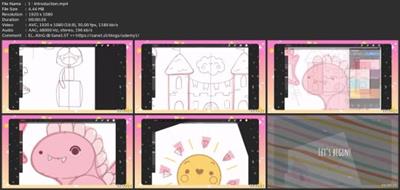
Kawaii Doodles Simple Fairy Tale Illustrations Cute Drawing In Procreate

2022-11-18
MP4 | Video: h264, 1920x1080 | Audio: AAC, 44.1 KHz
Language: English | Size: 491.41 MB | Duration: 1h 50m
Kawaii Doodles Simple Fairy Tale Illustrations Cute Drawing In Procreate
About This Class
As a project for this class, create*a cute illustration on a fairy tale theme. You can repeat what you've seen during the class or*draw your own character(s) using the techniques you've learned. When
Description
Into this class, we'll draw*a bunch of cute, naive fairy tale doodles.*You'll learn how to draw simple but cute pictures only by using single (or combining multiple) simple shapes. We're starting from scratch, so you don't need any additional preparations.This class doesn't require any prior experience or fancy tools. Everything you'll see will be happening in Procreate, however if you have other software or want to try traditional materials - you're welcome to join!
During the class, we'll explore
Simple shapes & QuickShape tool;
Drawing Guides & Assisted drawing;
Symmetry tool & Radial Symmetry tool.
Upon completion
You'll get*a bunch*of full colored illustrations which you might use, for example, as individual stickers, a set of stickers, clip art, or as a full-fledged illustration - you can print them or use digitally;
You'll know the basics of making cute characters;
You'll be ready to start creating your own kawaii pictures.
All class materials, such as color palette, you can find under Resources.
Looking forward to seeing you in class!
⠀
⠀
Liked this class? Check out other Procreate tutorials
How to Draw Kawaii illustrations: Cute Veggies | Procreate
How to Draw Kawaii Illustrations: Cute Planets | Procreate
Let's Draw a Cute Kawaii Sushi Set Illustration | Procreate
How to Draw Kawaii Sticker Illustrations: Cute Fast Food | Procreate
How to Draw Kawaii Sticker Illustrations: Cute Cookies | Procreate
Let's Draw Cute Kawaii Sweets Stickers | Procreate
An Easy Way of Recoloring Your Illustrations | Let's Draw Cute Kawaii Bears | Procreate
Simple & Cute Characters: Plant Illustrations | Procreate Drawing for Beginners
Simple & Cute Characters: Food & Drink Illustrations | Procreate Drawing for Beginners
Easy & Cute Characters: Bubble Tea | Simple Shapes & Techniques | Procreate for Beginners
Exploring Kawaii Emotions: Frog Stickers | Procreate Illustrations for Beginners
Cute & Colorful Kawaii Summer Food Characters | Procreate Drawing for Beginners
Autumn Vibe Illustration: Kawaii Characters in Procreate
Digital Watercolor: Cute Animals | Procreate
Cute Characters: Kawaii Halloween Sweets | Procreate
Drawing Cute & Colorful Animal Post Stamps | Procreate Illustration
Cute & Simple Breakfast Characters | Procreate Drawing for Beginners
Cute Food Packaging: Kawaii Drinks & Candy | Procreate Drawing for Beginners
Project Guide
As a project for this class, create*a cute illustration on a fairy tale theme. You can repeat what you've seen during the class or*draw your own character(s) using the techniques you've learned.When*creating*a project with your own illustrations, don't limit yourself to*sharing only the final result.You might also share
your inspirational*reference pictures
color schemes
thumbnails and sketches;
any other steps you consider significant.
When repeating the class characters, you still might stay creative and find room for experiments. Play with colors, add different facial features, position the objects differently!
If you have any questions, hop into the discussion!
Looking forward to seeing your projects  Overview
Lesson 1:Introduction
Lesson 2:Sketching the Castle
Lesson 3:Sketching the Dragon
Lesson 4:Sketching the Princess
Lesson 5:Sketching Miscellaneous Objects
Lesson 6:Coloring the Castle
Lesson 7:Coloring the Princess
Lesson 8:Coloring the Dragon
Lesson 9:Coloring the Sun
Lesson 10:Coloring Miscellaneous Objects
Download link
rapidgator.net:
Код:
https://rapidgator.net/file/30f7ed26b2a2c5250e150cea34105a04/iriro.Kawaii.Doodles.Simple.Fairy.Tale.Illustrations.Cute.Drawing.In.Procreate.rar.html
uploadgig.com:
Код:
https://uploadgig.com/file/download/9528456661369c0a/iriro.Kawaii.Doodles.Simple.Fairy.Tale.Illustrations.Cute.Drawing.In.Procreate.rar
nitroflare.com:
Код:
https://nitroflare.com/view/EFF8B96B93A30A1/iriro.Kawaii.Doodles.Simple.Fairy.Tale.Illustrations.Cute.Drawing.In.Procreate.rar
1dl.net:
Код:
https://1dl.net/qdtqkfeec1qo/iriro.Kawaii.Doodles.Simple.Fairy.Tale.Illustrations.Cute.Drawing.In.Procreate.rar.html
|
|
|
|
|
19.11.2022, 09:49
|
#75319
|
|
Местный
Регистрация: 04.10.2017
Сообщений: 125,003
Сказал(а) спасибо: 0
Поблагодарили 7 раз(а) в 7 сообщениях
|
Learn 3 Fun Dj Mixes Edm - House - Deep House

Published 11/2022
MP4 | Video: h264, 1280x720 | Audio: AAC, 44.1 KHz
Language: English | Size: 2.92 GB | Duration: 2h 40m
Includes 15 FREE music tracks - Learn how to perform 3 different professional sounding DJ routines
What you'll learn
You will learn 3 fast paced, high energy, DJ routines
You will learn how to mix 5 EDM tracks in 5 minutes
You will learn how to mix 5 house tracks in 5 minutes
You will learn how to mix 5 deep house tracks in 5 minutes
You will learn how to use hot cues effectively to jump to different parts of tracks
You will learn how to use hot cues to make notes and add prompts when mixing
You will learn how to mix your tracks together smoothly using the crossfader
Requirements
A DJ Controller
Rekordbox DJ or Serato DJ Pro software
Some basic knowledge of DJing and how to use your DJ controller
Description
In this course you will learn how to perform 3 different DJ routines: EDM - House - Deep HouseAll the tracks that are used in these 3 DJ routines, are available for you to download, for free, in the course resources.This is so you can join in and learn the exact same DJ routines as I do in the course, with the exact same tracks.In this course you will learn not 1, not 2, but 3 separate DJ routines.You will learn to perform:An EDM DJ routineA House music DJ routineAnd a Deep House music DJ routineEach DJ routine consists of mixing 5 separate tracks together, in a fast paced, high energy, 5 minute mix.In the first section, you will learn how to mix 5 EDM tracks together in just 5 minutesIn the second section, you will learn how to mix 5 house tracks together in just 5 minutesAnd in the third section, you will learn how to mix 5 deep house tracks together in just 5 minutes.This also means, not only will you get to learn 3 professional sounding DJ routines, but you will also get 15 full tracks to download for free, and to mix with yourself.In the free videos on this page, you can watch the exact DJ routines that you will be learning before you enrol in to the course.Then, once you have enrolled on to the course, I will walk you through, step by step, how to prepare each of your tracks, so you too can do the exact same DJ routines.You will learn:Where to set your hot cuesWhen to press your hot cuesAnd how to mix each individual track togetherThen, once you have prepared all the tracks with the hot cues and practiced mixing them individually, we will then go ahead and do the DJ mixes once again, but this time you will be able to join in and do the same mixes yourself too.This course is a great way to practice your Dj skills, learn some new techniques, and to have fun, all at the same time.But, before we start, I just want to say, this is not a full tutorial on how to DJ from scratch, it is a step by step guide on how to perform these specific DJ routinesEven though we do cover a lot of key DJ techniques in these videos, it helps if you already have some basic knowledge on DJing, and know how to use the basic functions on your DJ controllerIf you are a complete beginner, and you do want to learn the full basics of DJing, you can check out my full course on how to DJ called 'The Complete DJ Course For Beginners' which teaches you all the techniques and fundamentals on how to DJ fully, from start to finishThat being said, if you want to learn how to do some fun DJ routines, with some high energy tracks, let's dive straight into it, and join me to watch the full dj routines that you are going to be learning in the next videosSee you there!Jak
Overview
Section 1: Introduction
Lecture 1 Introduction
Section 2: DJ Software Settings & Free Music Download
Lecture 2 Download Free Music Tracks
Lecture 3 Rekordbox DJ Settings
Lecture 4 Serato DJ Pro Settings
Section 3: EDM DJ Routine - Mix 5 Tacks In 5 Minutes
Lecture 5 EDM DJ Routine Demonstration
Lecture 6 EDM Playlist Preparation
Lecture 7 EDM Track 1 Preparation
Lecture 8 EDM Track 2 Preparation
Lecture 9 EDM Track 3 Preparation
Lecture 10 EDMTrack 4 Preparation
Lecture 11 EDM Track 5 Preparation
Lecture 12 Final EDM DJ Routine Demonstration
Section 4: House DJ Routine - Mix 6 Tracks In 6 Minutes
Lecture 13 House DJ Routine Demonstration
Lecture 14 House Playlist Preparation
Lecture 15 House Track 1 Preparation
Lecture 16 House Track 2 Preparation
Lecture 17 House Track 3 Preparation
Lecture 18 House Track 4 Preparation
Lecture 19 House Track 5 Preparation
Lecture 20 House Track 6 Preparation
Lecture 21 House Final DJ Routine Demonstration
Section 5: Deep House DJ Routine - Mix 5 Tracks In 5 Minutes
Lecture 22 Deep House DJ Routine Demonstration
Lecture 23 Deep House Playlist Preparation
Lecture 24 Deep House Track 1 Preparation
Lecture 25 Deep House Track 2 Preparation
Lecture 26 Deep House Track 3 Preparation
Lecture 27 Deep House Track 4 Preparation
Lecture 28 Deep House Track 5 Preparation
Lecture 29 Deep House Final DJ Routine Demonstration
Aspiring DJs who want to learn 3 fun DJ routines,Intermediate DJ's who know the basics and know their way around their own DJ controller
Download link
rapidgator.net:
Код:
https://rapidgator.net/file/c22c74562262a44c1e9065558001f009/tyudz.Learn.3.Fun.Dj.Mixes.Edm..House..Deep.House.part1.rar.html
https://rapidgator.net/file/e2bcbf72a06f32f440166ae17c8bef27/tyudz.Learn.3.Fun.Dj.Mixes.Edm..House..Deep.House.part2.rar.html
https://rapidgator.net/file/d5389f6360b96fb0115f2b3d2df6f358/tyudz.Learn.3.Fun.Dj.Mixes.Edm..House..Deep.House.part3.rar.html
https://rapidgator.net/file/d9358a1dab7d30f3276e2799296cc68f/tyudz.Learn.3.Fun.Dj.Mixes.Edm..House..Deep.House.part4.rar.html
uploadgig.com:
Код:
https://uploadgig.com/file/download/68C4663a8f29C396/tyudz.Learn.3.Fun.Dj.Mixes.Edm..House..Deep.House.part1.rar
https://uploadgig.com/file/download/15ca89aBC5e65f78/tyudz.Learn.3.Fun.Dj.Mixes.Edm..House..Deep.House.part2.rar
https://uploadgig.com/file/download/9817e1d775D76ff5/tyudz.Learn.3.Fun.Dj.Mixes.Edm..House..Deep.House.part3.rar
https://uploadgig.com/file/download/f8176946B991bf86/tyudz.Learn.3.Fun.Dj.Mixes.Edm..House..Deep.House.part4.rar
nitroflare.com:
Код:
https://nitroflare.com/view/A726FB17EE70D95/tyudz.Learn.3.Fun.Dj.Mixes.Edm..House..Deep.House.part1.rar
https://nitroflare.com/view/9A397203A71FF5F/tyudz.Learn.3.Fun.Dj.Mixes.Edm..House..Deep.House.part2.rar
https://nitroflare.com/view/60F23F17C22495E/tyudz.Learn.3.Fun.Dj.Mixes.Edm..House..Deep.House.part3.rar
https://nitroflare.com/view/6B368F4C9875BF3/tyudz.Learn.3.Fun.Dj.Mixes.Edm..House..Deep.House.part4.rar
1dl.net:
Код:
https://1dl.net/v3igopnkjb8t/tyudz.Learn.3.Fun.Dj.Mixes.Edm..House..Deep.House.part1.rar.html
https://1dl.net/ciqrb0mv53s6/tyudz.Learn.3.Fun.Dj.Mixes.Edm..House..Deep.House.part2.rar.html
https://1dl.net/qmpbti03l79y/tyudz.Learn.3.Fun.Dj.Mixes.Edm..House..Deep.House.part3.rar.html
https://1dl.net/401jtn0veuq8/tyudz.Learn.3.Fun.Dj.Mixes.Edm..House..Deep.House.part4.rar.html
|
|
|
|
|
19.11.2022, 09:51
|
#75320
|
|
Местный
Регистрация: 04.10.2017
Сообщений: 125,003
Сказал(а) спасибо: 0
Поблагодарили 7 раз(а) в 7 сообщениях
|
Learn How To Dj With Just Your Laptop No Dj Equipment Needed

2022-11-18
MP4 | Video: h264, 1920x1080 | Audio: AAC, 44.1 KHz
Language: English | Size: 2.32 GB | Duration: 2h 39m
Learn How To Dj With Just Your Laptop No Dj Equipment Needed
About This Class
As part of the SkillShare community, you may already know that class projects are a big part of the platform and what makes ShillShare unique.
Description
Do you want to give DJing a try but don't have any DJ equipment?
If so, then you are in luck!
This is the perfect DJ class for you!
In this class you can learn the basics of DJing just by using your laptop.
This is possible because you can use the keys on your keyboard just like you would use the buttons on actual DJ decks.
You don't need any fancy DJ equipment to be able to do your first DJ mix. You just need to be able to do 3 things
Start the track
Stop the track
And move the volume fader from one side to the other
Thats it.
The key to doing your first DJ mix is all about timing and understanding how music is structured.
And in this class, that is exactly what you are going to learn.
By the end of this class
You will know what the different sections of a dance track are and how to identify them
You will know how to time two tracks together perfectly
You will know how to mix smoothly between two tracks by using the crossfader
And you will be able to put it all together and perform a short, professional sounding, DJ routine using the 4 tracks that are included with the course
You don't need any prior DJ knowledge to do this class.
All you need is just a laptop and a keen interest in DJing.
All Tracks Are Included For Free!
All the tracks that are used in this class are also included for you to download, for free, in the class resources.
This means that you can follow along with the videos, step-by-step, in real time, and learn the exact same DJ mixes as I do in this class.
The DJ routine you will be learning is demonstrated to you in the video after the introduction video, so feel free to watch that video and see the exact DJ routine that you will be learning in this class.
In this class, you are not just going to learn how to mix these tracks together and then that is it, with no explanations to how DJing actually works beyond these tracks.
This DJ class is much more than that.
Even though you do not need any DJ equipment, you will still learn the key fundamentals and principles of DJing.
You will be able to fully understand at a basic level, how DJing works, and you will be able to understand how it is possible to mix 2 tracks together, and make it sound good to the audience.
This is so that, if you did want to continue to practice DJing after this class, you will have the tools and knowledge to do so.
You will learn all about how tracks are structured, and you will learn at what point you should mix in, and out, of your tracks when DJing, so you get perfectly timed mixes, every time.
If you are interested in learning to DJ and have not yet decided if you want to take the plunge and buy some DJ equipment, or if you are just generally interested in how DJing works, this is the perfect class for you.
The DJ software is free, all the tracks are also included for free, all you need is your laptop and an interest in wanting to learn how to DJ.
Thats all there is to it.
All you need to do is follow the detailed instructions in this class, and by the end of it, you will be putting together your own first professional sounding DJ routine.
Have a watch of the video where I will demonstrate to you the exact Dj routine you will be learning.
I hope you enjoy it.
And I will see you on the course.
Jak
Project Guide
As part of the SkillShare community, you may already know that class projects are a big part of the platform and what makes ShillShare unique.
For this class project, SkillShare gives you an option to add a cover image, a project title, a project description, and any extra images, videos or files you may have and want to share.
All you need to do is go to the projects and resources tab under this video, and click 'create project'
Cover Photo
For the cover photo you can either take a screen shot of your DJ software as you are doing the course, or you can just take a picture of you laptop and DJ software with your phone and upload that.
Class Project Title
For the class project you can title it what ever you want.
For example, "My first DJ project", or "My first DJ mix", or even "I am now a wicked sick DJ".
Class Project Description
In the project description, you can feel free to put what ever you like in relation to the course.
You can share your experience with the course in any way you want.
There is no right or wrong answer here, any information on how your experience was with the course, and DJing in general would be perfect.
But if you are struggling for things to write and want to keep things simple, as I know it can be hard to think of things on the spot sometimes, and because I want as many of you guys as possible to participate in the class project, I am going to give you an optional structure to follow of finishing these 3 sentences
"I started this DJ course because ."
"3 things I have learnt from this DJ course are ."
"After this DJ course I am going to ."
The more that you guys share, the more we can all interact with each other and connect and discuss the topic of djing
Its always great to hear how people have got on with the course and the positive impacts it has had on their DJing journey
Class Project Extra Files
Rekordbox does not allow you to record your mix when only using your laptop in performance mode
So for this reason, I am not expecting anyone to record their own mix and upload it.
Just sharing an image and your experience with the course would be great!
If you have any questions about the project, feel free to create a discussion in the course, and I will get back to you from there.
I hope you enjoy the course and I look forward to hearing how it goes in your projects.
Jak
Overview
Lesson 1:Welcome To The Class
Lesson 2  J Routine Demonstration
Lesson 3 ownload Rekordbox DJ Software
Lesson 4 ownload Music Tracks
Lesson 5 J Software Settings
Lesson 6:Beat Matching
Lesson 7:Phrase Matching
Lesson 8:Sections Of A Dance Track
Lesson 9:Basic Mix 1
Lesson 10:Using The Crossfader
Lesson 11:Basic Mix 2
Lesson 12:Basic Mix 3
Lesson 13:Sampler
Lesson 14:Final DJ Routine
Lesson 15:Bonus: Track Preparation For Any Occasion
Lesson 16:Congratulations!
Download link
rapidgator.net:
Код:
https://rapidgator.net/file/8b8fce23a5f8e916760472ad964f32d9/gbfov.Learn.How.To.Dj.With.Just.Your.Laptop.No.Dj.Equipment.Needed.part1.rar.html
https://rapidgator.net/file/94f4aa4584236522b0b519b830db3807/gbfov.Learn.How.To.Dj.With.Just.Your.Laptop.No.Dj.Equipment.Needed.part2.rar.html
https://rapidgator.net/file/bca6419a51131b37fcf60bb21e419f36/gbfov.Learn.How.To.Dj.With.Just.Your.Laptop.No.Dj.Equipment.Needed.part3.rar.html
uploadgig.com:
Код:
https://uploadgig.com/file/download/6c798CcEc25ec281/gbfov.Learn.How.To.Dj.With.Just.Your.Laptop.No.Dj.Equipment.Needed.part1.rar
https://uploadgig.com/file/download/4C0ef0F413984c94/gbfov.Learn.How.To.Dj.With.Just.Your.Laptop.No.Dj.Equipment.Needed.part2.rar
https://uploadgig.com/file/download/4D06edce1337fc64/gbfov.Learn.How.To.Dj.With.Just.Your.Laptop.No.Dj.Equipment.Needed.part3.rar
nitroflare.com:
Код:
https://nitroflare.com/view/72964E5BF530B94/gbfov.Learn.How.To.Dj.With.Just.Your.Laptop.No.Dj.Equipment.Needed.part1.rar
https://nitroflare.com/view/A21533310E68B98/gbfov.Learn.How.To.Dj.With.Just.Your.Laptop.No.Dj.Equipment.Needed.part2.rar
https://nitroflare.com/view/F72593AA8278B30/gbfov.Learn.How.To.Dj.With.Just.Your.Laptop.No.Dj.Equipment.Needed.part3.rar
1dl.net:
Код:
https://1dl.net/zxpkbbspst3u/gbfov.Learn.How.To.Dj.With.Just.Your.Laptop.No.Dj.Equipment.Needed.part1.rar.html
https://1dl.net/wzrebe4zg7of/gbfov.Learn.How.To.Dj.With.Just.Your.Laptop.No.Dj.Equipment.Needed.part2.rar.html
https://1dl.net/qs7mmlxpks30/gbfov.Learn.How.To.Dj.With.Just.Your.Laptop.No.Dj.Equipment.Needed.part3.rar.html
|
|
|
|
|
19.11.2022, 09:52
|
#75321
|
|
Местный
Регистрация: 04.10.2017
Сообщений: 125,003
Сказал(а) спасибо: 0
Поблагодарили 7 раз(а) в 7 сообщениях
|
Learn Pcb Designing By Making An Mp3 Player!

Published 11/2022
MP4 | Video: h264, 1280x720 | Audio: AAC, 44.1 KHz
Language: English | Size: 3.43 GB | Duration: 4h 11m
A Beginner's Guide to the world of PCB Designing
What you'll learn
Workflow of PCB Design
Various Features of EasyEDA Software
Build a cool MP3 Player
Schematic and Layout Design Rules
Gerber File Generation for Fabrication
Footprint Verification
Trace Width Calculation
Different layers of a PCB (Silkscreen, Solder Mask, Paste Mask)
Requirements
Laptop/ Copmuter with Internet connection
Description
Learn PCB*Designing by building an*MP3 Player from scratch. Right from making the reference circuits, testing them, designing the schematic and layout to finally enjoy the finished product!Become skillful at designing PCBs with this Comprehensive CourseLearn about the EasyEDA*SoftwareDesign a 2 layered PCB for an MP3 Player!Grasp the various features provided by EasyEDAMaster the concepts pertinent to PCBs (Vias, Copper Pour, Trace width, Layer, etc.)Generate Gerber*Fabrication*File and know what it comprises Understand and Implement various features provided by the ESP32Get Familiarized with the Design Rules for Schematics &*LayoutLearn PCB*Designing to add another feather in your capThis course is designed to explore all of these features with a very practical approach. If there is one goal of our course, it's to give you enough knowledge and confidence to go out there and build your own projects, which is the true essence of this course. This course is project based, so by the end of it, you'll know how to make an really cool MP3 player with various features to change the song, volume, & pause play button.Overview of the Course:*This course is meant for people who want to get started with PCB Designing or those who want to convert their ideas into full fledged products.*By taking this course, you'll be able to learn everything that one needs to know about designing PCBs and hence give you enough confidence to build projects on your own.We start off with a brief introduction to EasyEDA, the software which will be used to design our PCBs. And then move on to the various rich features it provides us with. The primary reason for choosing EasyEDA is becauseIt is completely freeShort learning curveCloud Based Platform Personally, I don't like to learn anything if there is no proper end goal in mind. And that's why I have specifically designed this course with a very practical approach. All the necessary information that a beginner needs to know about PCB designing are mentioned in this course. We discussed the workflow required for PCB designing:*Ideation, Component selection, Testing and then using the software to design the Schematic and Layout of our PCB. To keep things interesting, we've included quizzes and coding assignments as well. These are not too difficult that will make you tear your hair out, but just hard enough to pique your interests.To make it easier for you to keep in track with the course, we have added external resources such as documentation, circuits &*design files that have been used in the videos Complete with working files and designs, you'll be able to work alongside the instructor as you work through each concept, and will receive a verifiable certificate of completion upon finishing the course
Overview
Section 1: Module 1
Lecture 1 Welcome to the Course!
Lecture 2 Introduction to EasyEDA
Lecture 3 Creating a New Project
Lecture 4 Features of EasyEDA
Lecture 5 Documentation
Section 2: Module 2
Lecture 6 Designing the Schematic
Lecture 7 Testing the Circuit
Lecture 8 Documentation
Section 3: Module 3
Lecture 9 DF Mini Player Library Part
Lecture 10 Verifying DF Mini Player
Lecture 11 Selecting Push Buttons
Lecture 12 Wiring the Push Buttons - Part 1
Lecture 13 Wiring Push Buttons - Part 2
Lecture 14 Adding Audio Jack
Lecture 15 Adding Pinouts for Rx/ Tx pins
Lecture 16 Wiring the Power Supply
Lecture 17 Renaming the Components
Lecture 18 Documentation
Section 4: Module 4
Lecture 19 Converting the Schematic to PCB
Lecture 20 Updating the Schematic
Lecture 21 Component Placement - Part 1
Lecture 22 Component Placement - Part 2
Lecture 23 Component Placement - Part 3
Lecture 24 Different Layers of a PCB
Lecture 25 Documentation
Section 5: Module 5
Lecture 26 Trace
Lecture 27 Resizing the PCB
Lecture 28 Routing - Part 1
Lecture 29 Routing - Part 2
Lecture 30 Rectangular Pour
Lecture 31 Vias
Lecture 32 DRC & Views
Lecture 33 Group/ Ungroup
Lecture 34 Documentation
Section 6: Module 6
Lecture 35 Gerber File
Lecture 36 Placing Order
Lecture 37 Documentation
Section 7: Module 7
Lecture 38 PCB Unboxing
Lecture 39 Final Look of the PCB
Lecture 40 Demonstration
Lecture 41 Conclusion
Lecture 42 Resources
Makers/ Hobbyist interested in PCB Design,Anyone who wants to convert their idea into a finished product,Engineering Students looking for an opportunity to upskill
Download link
rapidgator.net:
Код:
https://rapidgator.net/file/3743c509d1b772129d0c4ae8b8ed65e1/ljypx.Learn.Pcb.Designing.By.Making.An.Mp3.Player.part1.rar.html
https://rapidgator.net/file/a234821c8e2a6bbb3c9f902adfb70853/ljypx.Learn.Pcb.Designing.By.Making.An.Mp3.Player.part2.rar.html
https://rapidgator.net/file/180db693c906212ef213d47e11f39d3d/ljypx.Learn.Pcb.Designing.By.Making.An.Mp3.Player.part3.rar.html
https://rapidgator.net/file/5155ba4ae0f86f2c0fe4d34e0161c387/ljypx.Learn.Pcb.Designing.By.Making.An.Mp3.Player.part4.rar.html
uploadgig.com:
Код:
https://uploadgig.com/file/download/2329Efccc4c7fA60/ljypx.Learn.Pcb.Designing.By.Making.An.Mp3.Player.part1.rar
https://uploadgig.com/file/download/13ecfBA8eD011286/ljypx.Learn.Pcb.Designing.By.Making.An.Mp3.Player.part2.rar
https://uploadgig.com/file/download/305008032e4bd63b/ljypx.Learn.Pcb.Designing.By.Making.An.Mp3.Player.part3.rar
https://uploadgig.com/file/download/f1f55b9badf38557/ljypx.Learn.Pcb.Designing.By.Making.An.Mp3.Player.part4.rar
nitroflare.com:
Код:
https://nitroflare.com/view/ADE80084A0E2FF2/ljypx.Learn.Pcb.Designing.By.Making.An.Mp3.Player.part1.rar
https://nitroflare.com/view/B645E232F47F78A/ljypx.Learn.Pcb.Designing.By.Making.An.Mp3.Player.part2.rar
https://nitroflare.com/view/DC55376905F1D89/ljypx.Learn.Pcb.Designing.By.Making.An.Mp3.Player.part3.rar
https://nitroflare.com/view/53F32A66E3A85EA/ljypx.Learn.Pcb.Designing.By.Making.An.Mp3.Player.part4.rar
1dl.net:
Код:
https://1dl.net/1dgumygik68t/ljypx.Learn.Pcb.Designing.By.Making.An.Mp3.Player.part1.rar.html
https://1dl.net/hvthzzsoosaf/ljypx.Learn.Pcb.Designing.By.Making.An.Mp3.Player.part2.rar.html
https://1dl.net/br1qvtw9e321/ljypx.Learn.Pcb.Designing.By.Making.An.Mp3.Player.part3.rar.html
https://1dl.net/8eqjamodmjzj/ljypx.Learn.Pcb.Designing.By.Making.An.Mp3.Player.part4.rar.html
|
|
|
|
|
19.11.2022, 09:53
|
#75322
|
|
Местный
Регистрация: 04.10.2017
Сообщений: 125,003
Сказал(а) спасибо: 0
Поблагодарили 7 раз(а) в 7 сообщениях
|
Learn Spread Voicings On The Guitar

2022-11-18
MP4 | Video: h264, 1920x1080 | Audio: AAC, 44.1 KHz
Language: English | Size: 609.32 MB | Duration: 29m
Learn Spread Voicings On The Guitar
About This Class
For our final project we're going to pick some chords and put them into a*chord progression. These can be chords we've done in the class, or chords you've created on your own.
Description
It seems that everybody these days can play standard guitar chords. So how do you stand out from the crowd with your own unique sound? Spread voicings are a powerful way to play chord progressions on your instrument, and can make any standard chord sound open and comfortable for your listeners.
In this course we'll be covering major and minor spread voicing shapes, along with what spread voicings are, how they fit into a key for practical use, and some practice through progressions.
Project Guide
For our final project we're going to pick some chords and put them into a*chord progression. These can be chords we've done in the class, or chords you've created on your own.
Once we have our progression, we're going to play through it with the spread voicing shapes we learned throughout this course! It is up to you if you'd like to do all 6th string shapes, all 5th string shapes, or a blend of the two.
You can upload your projects as a video or audio file. If you don't have a way to record yourself, you can also submit a text post telling us the chords you chose and how they went! Let us know what you found difficult or easy.
I can't wait to see your projects!
Overview
Lesson 1:Intro
Lesson 2:What Is Spread Voicing
Lesson 3:Using the Shapes in a Key
Lesson 4:6th String Major Shape
Lesson 5:6th String Minor Shape
Lesson 6:Playing up one string
Lesson 7:5th String Major Shape
Lesson 8:5th String Minor Shape
Lesson 9:Playing up two Strings
Lesson 10:Fingerpicking Example
Lesson 11:A New Approach
Lesson 12:Using the Thumb
Lesson 13:Progression Practice
Lesson 14:Congratulations! Final Project
Download link
rapidgator.net:
Код:
https://rapidgator.net/file/a64383fbc4d702408c9b2aa696f49c7c/qmnli.Learn.Spread.Voicings.On.The.Guitar.rar.html
uploadgig.com:
Код:
https://uploadgig.com/file/download/0a00a529c80dBf91/qmnli.Learn.Spread.Voicings.On.The.Guitar.rar
nitroflare.com:
Код:
https://nitroflare.com/view/4ABAD0A35D01A56/qmnli.Learn.Spread.Voicings.On.The.Guitar.rar
1dl.net:
Код:
https://1dl.net/acovo6z92mxr/qmnli.Learn.Spread.Voicings.On.The.Guitar.rar.html
|
|
|
|
|
19.11.2022, 09:54
|
#75323
|
|
Местный
Регистрация: 04.10.2017
Сообщений: 125,003
Сказал(а) спасибо: 0
Поблагодарили 7 раз(а) в 7 сообщениях
|
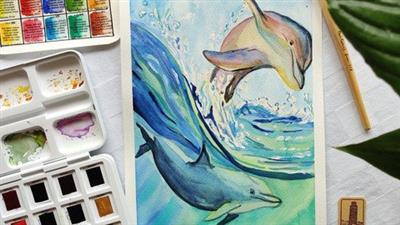
Learn To Paint Dolphins In Watercolours. Seascape
Published 11/2022
MP4 | Video: h264, 1280x720 | Audio: AAC, 44.1 KHz
Language: English | Size: 1.84 GB | Duration: 1h 27m
Learn to paint beautiful seascape with drops of water
What you'll learn
how to draw the dolphins in pencil
how to apply reserving fluid
how to work with wet-on-wet technique
how to work with wet-on-wet technique
learn how the highlight of dolphins work under the water and above water
Requirements
the course is perfect for intermediate level, but beginners can give it a try as I guide through the whole process
watercolour paper 200 gsm or more
watercolour paints, I use 36 White nights pans, you can use your pallette
watercolour paintbrushes (flat for washing the paper, big round for the base, thin round brush for details)
tissues
hairdryer
washi tape
plain water
Description
This course is about learning 2 main techniques in watercolours. You will learn how to draw dolphins, how to use fluid mask and then how paint water, and dolphins in the movement.During this class you will learn:- how to draw the dolphins in pencil - this step is important as it will guide you throughout the whole process from applying fluid mask, till painting water and dolphins- how to apply the masking fluid, and why we use it in our works - Reserving fluid is a kind of rubber glue that can be used to cover individual parts of the paper. This layer will keep the surface free of paint, even if you paint with a lot of water. Masking fluid can be used when you need a clear boundary between the background and elements on it, or when you need to place small light details on a dark or colored background.Since the masking fluid resembles a rubber glue in its texture, it sticks together the pile. I advise you to moisten the brush before starting work and run it several times over the bar of soap so that it forms a protective layer. After that, you can safely get to work! Remember to rinse your brush with warm water immediately after use. Another important point! Make sure your masking fluid is completely dry before you paint over watercolors. However, it is necessary to remove its layer only after the watercolor is completely dry.- how to apply the first washes with wet-on-wet technique - The "wet" technique, as a rule, involves working in one session, and if you work for several days, then each time you need to wet the sheet again. Glazing allows you to continue painting with watercolors without preparatory work.- how to work on details with wet-on-dry technique to catch up the viewer eyes - Glazing allows you to make the colors deeper, as the watercolor lightens by several tones when it dries. It is important to remember that a new layer of paint should be applied only after the previous one has completely dried. Glazing makes the image more realistic due to the ability to work out the nuances of lighting and volume transfer.For the drawing you will need a pencil with the hardness B or HB, and a kneadable art eraser. Try not to leave strong lines, as water and watercolours work as fixative, and will be difficult to erase the lines after you will paint.In watercolours, if you do not have all 36 pans, use the colours you have. If you use any other blue colours as I mention, do not worry about. Try to experiment and follow along the techniques.1. First step is about the drawing. You will have to draw both dolphins and drops of water.2. Then you will apply reserving fluid. It will help you to preserve the white spaces on the paper. Specifically for the drops in water3. You will wet the work and will have to create the base colour quick, as only working quick you will get beautiful transitions of blue colour.4. Once the work is dried, you will intensify the work with colour, as wet-on-wet technique leaves a lighter colour of watercolour once it dries.5. You will have to remove the fluid mask and to start working on dolphins. Both dolphins are grey in nature, but because one of those is under water, there will be more blue colours in its skin. The second one is above the water, and have natural light on the skin, what makes it more colourful and with warmer tones.6. Last, but not least, you will have to adjust the details. Details are important as those catch up the viewer eyes.Just use the steps I explain during the work and enjoy the process. Good luck!
Overview
Section 1: Introduction
Lecture 1 Introduction
Lecture 2 Supplies you will need in this course
Section 2: Drawing and painting process
Lecture 3 Drawing the dolphins and water
Lecture 4 How to apply reserving fluid
Lecture 5 First wash wet-on-wet technique
Lecture 6 Second wash, wet on dry, giving more intensity
Lecture 7 Working on first dolphin, wet on dry technique
Lecture 8 Working on the second dolphin, wet on dry technique
Section 3: Conclusion
Lecture 9 Last thoughts
For all the people who enjoy watercolours
Download link
rapidgator.net:
Код:
https://rapidgator.net/file/212b0f6ba208ef72d00d197b1e15fb11/pghex.Learn.To.Paint.Dolphins.In.Watercolours..Seascape.part1.rar.html
https://rapidgator.net/file/46405a73e4cfc2e345257588bd5f14bd/pghex.Learn.To.Paint.Dolphins.In.Watercolours..Seascape.part2.rar.html
uploadgig.com:
Код:
https://uploadgig.com/file/download/9b73a7B63E182b76/pghex.Learn.To.Paint.Dolphins.In.Watercolours..Seascape.part1.rar
https://uploadgig.com/file/download/7A6F2Ccbc52f29E6/pghex.Learn.To.Paint.Dolphins.In.Watercolours..Seascape.part2.rar
nitroflare.com:
Код:
https://nitroflare.com/view/78D39FF84486258/pghex.Learn.To.Paint.Dolphins.In.Watercolours..Seascape.part1.rar
https://nitroflare.com/view/03349D9C8370BE5/pghex.Learn.To.Paint.Dolphins.In.Watercolours..Seascape.part2.rar
1dl.net:
Код:
https://1dl.net/49zbapq2fyi6/pghex.Learn.To.Paint.Dolphins.In.Watercolours..Seascape.part1.rar.html
https://1dl.net/7balbpquhuqz/pghex.Learn.To.Paint.Dolphins.In.Watercolours..Seascape.part2.rar.html
|
|
|
|
|
19.11.2022, 09:56
|
#75324
|
|
Местный
Регистрация: 04.10.2017
Сообщений: 125,003
Сказал(а) спасибо: 0
Поблагодарили 7 раз(а) в 7 сообщениях
|
Level Up: MongoDB (2022)
 Level Up: MongoDB (2022)
Released: 11/2022
Duration: 1h 45m | .MP4 1280x720, 30 fps(r) | AAC, 48000 Hz, 2ch | 269 MB
Level: Intermediate | Genre: eLearning | Language: English
Hone your skills in the core concepts of working with a MongoDB database in this course with instructor John Cokos. John delves into the CRUD operations-create, read, update, delete-with MongoDB databases. He presents challenges to teach you how to create a database, document schemas, and validation rules, as well as adding documents in those collections manually and through importing and exporting. John then delves into the many ways to query MongoDB databases using JavaScript in MongoShell, Compass, and advanced filtering and aggregations. The challenge series finishes up with some exercises related to updating and deleting documents and collections.
Download link
rapidgator.net:
Код:
https://rapidgator.net/file/4d7bffc8e4640225f337e64059369742/wugzv.Level.Up.MongoDB.2022.rar.html
uploadgig.com:
Код:
https://uploadgig.com/file/download/ce2Ff8fbFd6c6F24/wugzv.Level.Up.MongoDB.2022.rar
nitroflare.com:
Код:
https://nitroflare.com/view/D1728F65A029565/wugzv.Level.Up.MongoDB.2022.rar
1dl.net:
Код:
https://1dl.net/o6go7trlhvn0/wugzv.Level.Up.MongoDB.2022.rar.html
|
|
|
|
|
19.11.2022, 09:57
|
#75325
|
|
Местный
Регистрация: 04.10.2017
Сообщений: 125,003
Сказал(а) спасибо: 0
Поблагодарили 7 раз(а) в 7 сообщениях
|
Masterclass : Making Bottle Commercials Using Blender

Published 11/2022
MP4 | Video: h264, 1280x720 | Audio: AAC, 44.1 KHz
Language: English | Size: 2.38 GB | Duration: 2h 33m
Making Bottle Commercials Using Blender and the blender water brand as a sample to make eye catching renders
What you'll learn
Making commercials
Rendering water bottles and other products
simulating water form an artistic perspective
Modeling Commercial Products
Requirements
Laptop or a Desktop
Eager to learn
Description
This course is specifically made for jewelers and freelancers to guide them through their career off making product renders. we will only learn the tool you will be needing so that the wide use of blender does not overwhelm people with no 3D background.In this course taught by me that have been working in the blender industry for over 8 years now have condensed my knowledge of working on hundreds of freelance product render works to a straight forward packed with key information videos, so expect nothing but the best from this course Many people struggle to get lifelike images and end up producing dull and flat renders. This course aims to rectify that, by providing clear instructions and information about the render engine. I will be showing how I render to produce basic clean images that are suitable for individual customer feedback and design approval, and I also tackle the high-quality scenes that may be used for advertising, social media, or e-commerce purposes. This course also looks at animation designs, from simple to advanced.I will be covering the fundamentals as well as advanced techniques in a variety of software.I cover the four key areas that make a great render-*· Model preparation*· Material creation*· Lighting*· Post production*By mastering these four areas, you renders will improve dramatically.This course also includes over 10 resources, including materials for each of the render engines, lighting environments, and props.Let's Get You Rendering.
Overview
Section 1: Introduction
Lecture 1 Intro
Lecture 2 Modeling the water bottle
Lecture 3 Polishing the Water Bottle
Lecture 4 Making the cap
Lecture 5 texturing the label
Lecture 6 texturing the cap
Lecture 7 Making the water
Lecture 8 water droplates
Lecture 9 First render
Lecture 10 simulation render
Blender users that want to start making comercials,People interested in product rendering
Download link
rapidgator.net:
Код:
https://rapidgator.net/file/d32a87b2fe42131a357002f3e0545b8d/xoxah.Masterclass..Making.Bottle.Commercials.Using.Blender.part1.rar.html
https://rapidgator.net/file/60830f4537ab558f3563c559e576fbe9/xoxah.Masterclass..Making.Bottle.Commercials.Using.Blender.part2.rar.html
https://rapidgator.net/file/8857c2095dd0c68ec13db5aef73c0363/xoxah.Masterclass..Making.Bottle.Commercials.Using.Blender.part3.rar.html
uploadgig.com:
Код:
https://uploadgig.com/file/download/b92a627aaD0B4ff9/xoxah.Masterclass..Making.Bottle.Commercials.Using.Blender.part1.rar
https://uploadgig.com/file/download/8A15c693Cb0a6aC1/xoxah.Masterclass..Making.Bottle.Commercials.Using.Blender.part2.rar
https://uploadgig.com/file/download/ba2a0a807E305047/xoxah.Masterclass..Making.Bottle.Commercials.Using.Blender.part3.rar
nitroflare.com:
Код:
https://nitroflare.com/view/AD3F593A2B9DE92/xoxah.Masterclass..Making.Bottle.Commercials.Using.Blender.part1.rar
https://nitroflare.com/view/95EEE4DDFEE17AC/xoxah.Masterclass..Making.Bottle.Commercials.Using.Blender.part2.rar
https://nitroflare.com/view/150B132ACC1575B/xoxah.Masterclass..Making.Bottle.Commercials.Using.Blender.part3.rar
1dl.net:
Код:
https://1dl.net/tp5vq7j7i5s4/xoxah.Masterclass..Making.Bottle.Commercials.Using.Blender.part1.rar.html
https://1dl.net/7ks01d8l2eg3/xoxah.Masterclass..Making.Bottle.Commercials.Using.Blender.part2.rar.html
https://1dl.net/dfu3hwg7u01u/xoxah.Masterclass..Making.Bottle.Commercials.Using.Blender.part3.rar.html
|
|
|
|
|
19.11.2022, 09:58
|
#75326
|
|
Местный
Регистрация: 04.10.2017
Сообщений: 125,003
Сказал(а) спасибо: 0
Поблагодарили 7 раз(а) в 7 сообщениях
|
Master JavaScript with Node.js

Published 11/2022
Created by Dezlearn Education
MP4 | Video: h264, 1280x720 | Audio: AAC, 44.1 KHz, 2 Ch
Genre: eLearning | Language: English | Duration: 74 Lectures ( 5h 57m ) | Size: 2.36 GB
JavaScript for Developers and WebDriverIO, Cypress Automation Testers
JavaScript with NodeJS. You will learn JS programming through practical sessions.
New to coding? No worries. This course covers coding from scratch.
Ideal for Developers and Test Automation Aspirants
Hands-on Exercises with Instructor Support
In-depth understanding of basic & advanced JavaScript concepts
Learn Object Oriented JS
Advanced NodeJS Programming
Instructor Guidance and Query Resolution Support
Data Structures and Algorithms
Ideal course for manual testers aspiring to switch to Cypress, WebDriverIO Automation
Requirements
No prior coding experience required. Anyone willing to learn coding can take this course.
Description
JavaScript is one of the most popular programming languages in today's world. When JavaScript was designed, it was mostly used for client side web development. But, after the introduction of NodeJS JavaScript can also be used for server side programming. So, just by learning JavaScript you can become a full stack developer. Also, some of the very popular test automation solutions like Cypress and WebDriverIO are based on JavaScript. Whether you want to become a JavaScript Developer or Test Automation Engineer this course is for you.You don't have to have any prior programming skills to take this course. I've covered all the concepts from very basic to advance levels. We'll do lots of hand-on exercises and assignments during the course.This course is divided in 2 parts. In the first part, we'll begin with understanding the JavaScript syntax. We'll do some programming with strings, conditional statements, loops, arrays, functions, classes and objects etc. And once we become friends with JavaScript then we'll deep dive into the advanced concepts like Prototypes, Constructors, Arrow Functions, Asynchronous programming, Callbacks , promises and much more.This is going to be a practice oriented learning and my team and I will available here to help you resolve any queries that you may encounter during your learning.All the Best and Happy Learning!Course Outline:Getting StartedInstalling NodeJSInstalling Visual Studio CodeWhat is NPM?Creating package.json FileAdding Extensions in VS CodeJavaScript FundamentalsWriting First JS ProgramVariables in JSConstants in JSConcept of 'undefined' and 'null'Arithmetic Operators in JSEquality Operators in JSLogical and Comparison Operators in JSBitwise Operators in JSConditional Statements & Loops'if' Conditional StatementsSwitch Case'for' Loop'while' LoopNested LoopsPrograming with Loop 'break' & 'continue'Flexible 'if block' Value TypeString OperationsString BasicsConcept of 'index' and 'length'Finding Position of SubstringSearching in String using 'includes'Searching at Begin and End of StringExtracting Value from String using 'substr'Extracting Value from String using 'slice'Extracting Characters from StringReplacing String CharactersString SearchMatching RegEx in StringString SplitConcluding StringsFunctionsWhat is a Function?How does JS Function Return Value?Flexibility of Function Arguments in JSSetting Default Values for Function ArgumentsFunction Expressions in JSConcluding Function BasicsJavaScript Object BasicsHow to Create Objects in JS?Dot '.' vs Bracket '[]' NotationCreate Functions inside ObjectConcept of 'this' KeywordAdd/Update/Delete Object PropertiesNested ObjectsConcluding Object Basics'for...in' Loop on ObjectsPrograming with Arrays in JSJavaScript ArrayArray Basic OperationsArray SearchCommonly Used Array Operations'for...of' Loop on Arrays'for...each' Loop on ArraysConcluding JavaScript ArraysJavaScript Advanced ObjectsCreating Objects using FunctionObject Constructor in JSCreating Objects using InstanceFlexible Constructor ArgumentsCalling Constructor Without 'new' KeywordCalling Function using 'call'Concluding Advanced ObjectsJavaScript PrototypesWhat is a Prototype?JavaScript Function PrototypeNull Prototype ObjectPrototype of Objects Created by Same ConstructorConstructor Prototype UsagePrototypal InheritanceConcluding PrototypesJavaScript 'Class'How to Create Class in JS?Creating Methods in JS ClassMethod ChainingInheritanceConcept of 'super' ConstructorConcluding JS Class
Who this course is for
Anyone aspiring to learn to coding
Developers and Test Automation Professionals
Cypress Automation Aspirants
WebDriverIO Automation Aspirants
Automation Test Engineers
Download link
rapidgator.net:
Код:
https://rapidgator.net/file/dc062738b4e3a43e763a9d35b78b2eb5/nxizf.Master.JavaScript.with.Node.js.part1.rar.html
https://rapidgator.net/file/9817148a55d968c408330ca536959305/nxizf.Master.JavaScript.with.Node.js.part2.rar.html
https://rapidgator.net/file/957db53e44f3d732ef62ab02cdce5adc/nxizf.Master.JavaScript.with.Node.js.part3.rar.html
uploadgig.com:
Код:
https://uploadgig.com/file/download/Aa111bdd36A0eeC0/nxizf.Master.JavaScript.with.Node.js.part1.rar
https://uploadgig.com/file/download/6cD6bE67a98bc668/nxizf.Master.JavaScript.with.Node.js.part2.rar
https://uploadgig.com/file/download/a9510d77b75916C0/nxizf.Master.JavaScript.with.Node.js.part3.rar
nitroflare.com:
Код:
https://nitroflare.com/view/85F7946993D4994/nxizf.Master.JavaScript.with.Node.js.part1.rar
https://nitroflare.com/view/D042C9F91E6EC19/nxizf.Master.JavaScript.with.Node.js.part2.rar
https://nitroflare.com/view/DB7C7DB304BDA20/nxizf.Master.JavaScript.with.Node.js.part3.rar
1dl.net:
Код:
https://1dl.net/bujoixo1b25a/nxizf.Master.JavaScript.with.Node.js.part1.rar.html
https://1dl.net/dlvirulnhwxz/nxizf.Master.JavaScript.with.Node.js.part2.rar.html
https://1dl.net/ea2et7k3umyb/nxizf.Master.JavaScript.with.Node.js.part3.rar.html
|
|
|
|
|
19.11.2022, 10:00
|
#75327
|
|
Местный
Регистрация: 04.10.2017
Сообщений: 125,003
Сказал(а) спасибо: 0
Поблагодарили 7 раз(а) в 7 сообщениях
|
Mixing with Ozone 10 Explained

MP4 | Video: h264, yuv420p, 1920x1080 | Audio: aac, 48000 Hz | Duration: 2h 47m | 627 MB
Genre: eLearning | Language: English
Although Ozone 10 is often used for audio mastering purposes, it excels for mixing purposes as well. In this Ozone 10 video course from mixing expert Larry Holcombe, you'll learn how to use the various tools of Ozone 10 to create the perfect mix - from gain-staging to bus processing and more.
Learn how to treat and process each instrument (or group of instruments) and discover several tips and strategies for getting the most out of every element, whether it's a featured sound or a supportive one. What's better is that you'll have access to all the audio files from the session, so you can make all the same adjustments and hear the results in your own DAW. These videos are for intermediate mixing engineers and Ozone 10 users.
Larry begins by addressing the all-important task of gain-staging, assuring that you have proper starting levels across the board. You'll also hear the finished mix, so you'll have an idea of where you're headed by the end. Then, it's on to adjusting volume and panning, concentrating on creating a nice front-back perspective and a balanced stereo mix. After that, Larry reaches for the EQ. Using Ozone's Equalizer module, he first focuses on the foundational kick and snare sounds, reinforcing their impact while attenuating other areas to make some space. The Vintage EQ module is then employed for the bass, guitars, synths, and vocals to create clarity while also removing some harshness with surgical notches.
Explore drum compression next, where you'll learn how to use transient levels to create front-back perspective and set musical release times that enhance the groove. Larry then follows suit with the other instrument groups, compressing them individually and as bussed groups to help create a 3D mix space.
For the remainder of the course, you'll cover many other topics, including vocal compression, additive EQ and excitation, parallel compression, bus processing, a mastering chain, and more!
After completing this Ozone 10 mixing tutorial with a running time of over two and a half hours, you'll see exactly how Ozone 10 can perform mixing duties equally as well as mastering. In fact, you'll start to wonder whether you need a "mixing" suite at all! See the descriptions of each Mixing with Ozone 10 tutorial for more information. Learn exactly how versatile Ozone 10 can be... watch "Mixing with Ozone 10 Explained®" now!
Download link
rapidgator.net:
Код:
https://rapidgator.net/file/500eb73c068a53018680f156583a67e9/gesua.Mixing.with.Ozone.10.Explained.rar.html
uploadgig.com:
Код:
https://uploadgig.com/file/download/2B06b0D4b140ebe4/gesua.Mixing.with.Ozone.10.Explained.rar
nitroflare.com:
Код:
https://nitroflare.com/view/DAB6784B076CFC6/gesua.Mixing.with.Ozone.10.Explained.rar
1dl.net:
Код:
https://1dl.net/x4wl9ycvsild/gesua.Mixing.with.Ozone.10.Explained.rar.html
|
|
|
|
|
19.11.2022, 10:02
|
#75328
|
|
Местный
Регистрация: 04.10.2017
Сообщений: 125,003
Сказал(а) спасибо: 0
Поблагодарили 7 раз(а) в 7 сообщениях
|
Online Ndt Level Ii Training Magnetic Particle Testing

Published 11/2022
MP4 | Video: h264, 1280x720 | Audio: AAC, 44.1 KHz
Language: English | Size: 443.35 MB | Duration: 0h 37m
Magnetic Particle Testing (MPT)
What you'll learn
Magnetic Particle Testing we can do by Yoke Technique
Magnetic Particle Testing is most use in oil and gas industry and Aviation Industry
Magnetic Particle Testing is can find defeat in material
Magnetic Particle Testing is very easy to do
Requirements
Mechanical Engineer working professional in oil & gas industry
Description
Online NDT Level ii Training PT -Penetrant Testing( DP-Dye Penetrant, LPT-Liquid Penetrant) for working Professional of Oil & Gas Industry for Welding Discontinuity in Refinery, Power plants, Cross Country Pipeline, Offshore Platforms, Well Pads etc of Mechanical Engineer Execution, QA/QC Engineer, Welding Engineer, NDT Engineer for Shutdown, Maintenance, Production, it will increase Interview skill as well as Confidence•Knowledge Improvement in code, specifications, procedures, formats, ITP, QAP, Isometric Drawings, P. & I. D., P.F.D., G.A., Drawings, Audit Plans, Training Plans, NDT Reports, Loop Files, Test Packs, Test Circuit•Warehouse Management, Fit up, Welding, Fabrication, Erection, NDT, Blasting, Painting, Hydro test, Punch Point, Cardboard blasting, Insulation, Oxygen Service Cleanliness, Box-up, Hand Over, Preservation•Shutdown, Maintenance, Dossier, Corrosion prevention, continues improvement process, soft skill development, behavior change, safety, tool box talk, House Keeping.Online Training & Renewal of NDT Level II in RT, UT, MPT,PT & VT Procedure Review & Preparation, NDT Level-III Services,Job post in WhatsApp groups for opportunity Job Interview & Technical Guidance, Oil & Gas Industry Knowledge Improvement.•Study Materials provided after successfully completed Training.•Contact us for Renewal of NDT Level-II CertificateBecome Expert in Oil and Gas Industry like refinery , Petrochemical complex, Cross country pipeline, Well pad, Off shore platform etcDye Penetrant testing, Magnetic Particle testing, Radiography testing, Ultrasonic testing, Visual testing, Radiography Film review, Digital thickness test, Phased array Ultrasonic testing, Time of Flight Diffraction Ultrasonic testing
Overview
Section 1: Introduction
Lecture 1 Introduction SATASHIYA NDT institute is Online NDT Level ii Training Platform
Section 2: Principle and Function
Lecture 2 MPT Principle
Section 3: ASME Code acceptance Criterial MPT
Lecture 3 Magnetic Particle Testing Technical
Section 4: Vision Test as per Code Requirement
Lecture 4 Eye Test
Section 5: Vision Test
Lecture 5 Near Vision Eye Test
Section 6: Documentation
Lecture 6 Report Making Magnetic Particle Testing
Non destructive testing Engineer
Download link
rapidgator.net:
Код:
https://rapidgator.net/file/6c66fa848bab56326d4a187f82143fbe/ealgb.Online.Ndt.Level.Ii.Training.Magnetic.Particle.Testing.rar.html
uploadgig.com:
Код:
https://uploadgig.com/file/download/C3f21C94Dc2a9924/ealgb.Online.Ndt.Level.Ii.Training.Magnetic.Particle.Testing.rar
nitroflare.com:
Код:
https://nitroflare.com/view/9E4A0E25651A483/ealgb.Online.Ndt.Level.Ii.Training.Magnetic.Particle.Testing.rar
1dl.net:
Код:
https://1dl.net/qcnban59zwnu/ealgb.Online.Ndt.Level.Ii.Training.Magnetic.Particle.Testing.rar.html
|
|
|
|
|
19.11.2022, 10:03
|
#75329
|
|
Местный
Регистрация: 04.10.2017
Сообщений: 125,003
Сказал(а) спасибо: 0
Поблагодарили 7 раз(а) в 7 сообщениях
|
Pakistani Cooking - Become a Asian Cooking Master

Published 11/2022
Created by Uzma Balouch
MP4 | Video: h264, 1280x720 | Audio: AAC, 44.1 KHz, 2 Ch
Genre: eLearning | Language: English | Duration: 15 Lectures ( 1h 21m ) | Size: 1.67 GB
Cooking like pro chef, Master the Asian Cooking which is very tasty.
You will have a much better understanding of Pakistani & Asian Cooking
Discover simple but tasty recipes which you will live very much
Learn the secrets of spicy Asian foods
Learn how to cook like an expert in just a few hours with our step by step guide
Requirements
No Prior Knowledge Needed
Only need passion for cooking
Description
Discover how easy it is to make delicious Pakistani/Asian foods at home. Our fun cooking courses deconstruct Pakistani dishes so that you can replicate them at home, teach you basic aspects of Asian culture.Even if you don't know anything about cooking, this course will give you the complete guide to make confident to prepare and cook a wide range of meals, all taught in simple, step-by-step videos.This is a Course suitable for students just starting out in their cooking adventure or have experience and want to improve their Cooking Skills. We will be making all the recipes from scratch and we will follow the step by step directions of the whole process together. I will also explain everything about the ingredients we are using.We have covered different recipes e.g rice, meat, lentils, snacks, vegetables, parathas etc.The course will also make an amazing gift to your friend or a family relative who are aspiring cooking and want to pursue to become professionals or just want to have fun chef.So what are you waiting for? Just enroll this course and start cooking Asian foods at home. You will also get a certificate at the end of this course.
Who this course is for
People who want love Pakistani Cooking
Student who like Pakistani Foods
Anyone interested in Pakistani or Asian Food
Chefs
Download link
rapidgator.net:
Код:
https://rapidgator.net/file/6cb91a9ca89a829202a995792175a140/vmhez.Pakistani.Cooking..Become.a.Asian.Cooking.Master.part1.rar.html
https://rapidgator.net/file/17fc863e865bd3a4909a300bdd012ab0/vmhez.Pakistani.Cooking..Become.a.Asian.Cooking.Master.part2.rar.html
uploadgig.com:
Код:
https://uploadgig.com/file/download/e884d8D1b1c618eB/vmhez.Pakistani.Cooking..Become.a.Asian.Cooking.Master.part1.rar
https://uploadgig.com/file/download/033c7a1d5eA92969/vmhez.Pakistani.Cooking..Become.a.Asian.Cooking.Master.part2.rar
nitroflare.com:
Код:
https://nitroflare.com/view/0450570DC338B43/vmhez.Pakistani.Cooking..Become.a.Asian.Cooking.Master.part1.rar
https://nitroflare.com/view/BB81A91180BDABE/vmhez.Pakistani.Cooking..Become.a.Asian.Cooking.Master.part2.rar
1dl.net:
Код:
https://1dl.net/ctf6rn3mi6o2/vmhez.Pakistani.Cooking..Become.a.Asian.Cooking.Master.part1.rar.html
https://1dl.net/x9ylob6am1ii/vmhez.Pakistani.Cooking..Become.a.Asian.Cooking.Master.part2.rar.html
|
|
|
|
|
19.11.2022, 10:04
|
#75330
|
|
Местный
Регистрация: 04.10.2017
Сообщений: 125,003
Сказал(а) спасибо: 0
Поблагодарили 7 раз(а) в 7 сообщениях
|
Pro Tools Intro Getting Started

MP4 | Video: h264, yuv420p, 1920x1080 | Audio: aac, 44100 Hz | Duration: 2h 22m | 288 MB
Genre: eLearning | Language: English
If you're just starting out on the free version of Pro Tools Intro, there can be a pretty steep learning curve, which can be quite intimidating to those just getting started. This Pro Tools Intro video course with Groove3 instructor Thomas Cochran makes it easy, teaching you the most important must-know concepts with clear, easy-to-understand demonstrations and explanations.
You'll learn how to get started with Pro Tools Intro and set up your hardware (audio interface, speakers, etc.), how to record audio and MIDI, how to edit your recordings, and much more. By the end of this near-three-hour course, you'll be well on your way to turning your musical ideas and compositions into full-fledged audio recordings that sound great, using the industry-standard DAW, Pro Tools. These videos are for new Pro Tools Intro users.
Thomas begins by showing you the basic file structure of Pro Tools Intro and its project anatomy, so you'll know how to create and save a new project that's ready to go. Learn how to properly configure your hardware and Pro Tools for playback/recording and discover some additional tips about default routings that can make working on larger projects easier and quicker. Then follow along as Thomas takes you on a tour of the software, explaining where various features are located and describing their functionality.
Next, you'll learn different ways of navigating your projects and playing back sections, including setting markers, loop points, and more. This helpful information is essential to developing an efficient workflow, especially when dealing with projects that have a large number of tracks. The more adept you are at getting around your project, the quicker you'll be able to turn your ideas and inspiration into recorded music.
Many more topics follow, including MIDI drums (using the MIDI editor and recording MIDI, quantizing, editing), other MIDI instruments (creating melodies and chords using the built-in MIDI instruments), recording audio (using a microphone or direct guitar/bass, etc.), editing audio (trimming, copy/paste, using loops, and more), plugins (effects, such as reverb, compression, etc. and virtual instruments), aux tracks and sends (using effects on multiple tracks, grouping several tracks together for easier mixing), automation (drawing and recording automation), exporting a song (creating a final stereo audio file that can be listened to anywhere and shared), and more!
If learning Pro Tools Intro has been harder than you anticipated, this course will put you at ease. It'll get your feet adequately wet in no time, and everything will make much more sense moving forward. See the individual Pro Tools Intro: Getting Started video descriptions for more information. Learn how to turn your musical ideas into a reality... watch "Pro Tools Intro: Getting Started" today!
Download link
rapidgator.net:
Код:
https://rapidgator.net/file/d55c84c1f0321e6a6bd7fb11c020f862/lfsyc.Pro.Tools.Intro.Getting.Started.rar.html
uploadgig.com:
Код:
https://uploadgig.com/file/download/80ead12fF9cc0379/lfsyc.Pro.Tools.Intro.Getting.Started.rar
nitroflare.com:
Код:
https://nitroflare.com/view/A3F2F8ED768669D/lfsyc.Pro.Tools.Intro.Getting.Started.rar
1dl.net:
Код:
https://1dl.net/5h6fr6rwsmgs/lfsyc.Pro.Tools.Intro.Getting.Started.rar.html
|
|
|
|
      
Любые журналы Актион-МЦФЭР регулярно !!! Пишите https://old.nado.in/private.php?do=newpm&u=12191 или на электронный адрес pantera@nado.ws
|
Здесь присутствуют: 20 (пользователей: 0 , гостей: 20)
|
|
|
 Ваши права в разделе |
Вы не можете создавать новые темы
Вы не можете отвечать в темах
Вы не можете прикреплять вложения
Вы не можете редактировать свои сообщения
HTML код Выкл.
|
|
|
Текущее время: 08:17. Часовой пояс GMT +1.
| |