 27.09.2022, 10:12 |
#68716
|
|
Местный
Регистрация: 04.10.2017
Сообщений: 125,003
Сказал(а) спасибо: 0
Поблагодарили 7 раз(а) в 7 сообщениях
|
 ProFind 1.15.0 macOS
 File size: 11 MB
ProFind is advanced file search app for macOS. With powerful features and great performance, ProFind delivers advanced file search for macOS. And with support for natural language queries, application launching, hidden location searches, scripting and more.
Search inside invisible folders and packages. Searches any disk type.
Uses kernel based searching (searchfs) when available. Uses metadata indexes (as used by Spotlight) when available to improve performance. Autocompletion for application names. Large icon view for one or two search results.
Under it's elegant user interface, ProFind combines the power of macOS's different search capabilities to make sure it finds all the files your looking for. And it's been carefully tuned for performance and responsiveness.
Full Feature List
Natural language search queries.
Unlimited search results.
Search inside invisible folders and packages.
Searches any disk type: Mac, Windows, servers, etc.
Supported search locations: home, mac disks, local disks, servers, individual disks, open Finder folders.
Search Saving and History.
Search by: name, creation date, modification date, file extensions, tags, parent folders, kind, regex, wildcards and spotlight Metadata.
Exclude (-) words.
Hashes: md4, md5, sha1, sha224, sha256, sha384, sha512. (Show Advanced Info).
Autocompletion for application names, command names and keywords.
Full, non obscured, display of file paths with path diference highlighting.
Large icon view for one or two search results.
Spatial disk browsing (with saving of window positions, size, scroll position, etc).
Support for executing shell and AppleScripts on found items.
Highlighting of found words.
Sidebar featuring: Saved Searches, History, Favorites, Recent Items, Built-in searches for recent downloads and recent changes files.
Context menus: Sharing, Services, Open, Show In Finder, Get Info, Copy Path.
Quick access to favourite folders.
QuickLook previews.
Supports Dark Mode (10.14 Mojave).
Drag and drop out of the app.
Menu bar icon on/off.
Fully configurable system wide hot key.
Built in command reference.
Release Notes
Updates: official site does not provide any info about changes in this version
Supported Operation Systems
macOS 10.13 or later
Homepage:
Код:
https://www.zeroonetwenty.com/profind/
Download link
rapidgator.net:
[Ссылки доступны только зарегистрированным пользователям
. Регистрируйся тут...]
uploadgig.com:
[Ссылки доступны только зарегистрированным пользователям
. Регистрируйся тут...]
nitroflare.com:
[Ссылки доступны только зарегистрированным пользователям
. Регистрируйся тут...]
1dl.net:
[Ссылки доступны только зарегистрированным пользователям
. Регистрируйся тут...]
|

|

|
|
27.09.2022, 10:13
|
#68717
|
|
Местный
Регистрация: 04.10.2017
Сообщений: 125,003
Сказал(а) спасибо: 0
Поблагодарили 7 раз(а) в 7 сообщениях
|
RAR Extractor-Unzip Rar Zip 7z 7.5 macOS
File size: 12 MB
Open any archive file format. Support extract RAR, ZIP, 7Z, TAR, GZIP, GZ, BZIP2, LZIP, ACE, ISO, PAX, PKG, APK, LBR, MSI, JAR, XZ, LZMA, BZ, LZH, CAB, CPIO, SWF, SPK, MSI, SEA, NRG, MDF, TAZ, ACE, LBR, RPM, CPT, etc.
「Features」
● Extract and Preview many formats of package(over 40 formats)
● Unzip encrypted archives.
● Compress to encrypted (AES256 encryption algorithm) 7Z and ZIP.
● Double-click to extract or preview an archive's file list.
● Unarchive any selected file or folder in archive.
● Right mouse to set as default archiver.
● Batch extract many archives
Top In-App Purchases: Full Version - included.
Supported Operation Systems
macOS 10.10 or later
Download link
rapidgator.net:
[Ссылки доступны только зарегистрированным пользователям
. Регистрируйся тут...]
uploadgig.com:
[Ссылки доступны только зарегистрированным пользователям
. Регистрируйся тут...]
nitroflare.com:
[Ссылки доступны только зарегистрированным пользователям
. Регистрируйся тут...]
1dl.net:
[Ссылки доступны только зарегистрированным пользователям
. Регистрируйся тут...]
|
|
|
|
|
27.09.2022, 10:15
|
#68718
|
|
Местный
Регистрация: 04.10.2017
Сообщений: 125,003
Сказал(а) спасибо: 0
Поблагодарили 7 раз(а) в 7 сообщениях
|
TeamViewer Free 15.34.4 Multilingual
 File Size: 38.2/41.6 MB
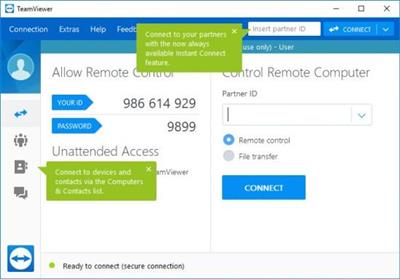
TeamViewer is a simple and fast solution for remote control, desktop sharing and file transfer that works behind any firewall and NAT proxy. To connect to another computer just run TeamViewer on both machines without the need of an installation procedure. With the first start automatic partner IDs are generated on both computers. Enter your partner's ID into TeamViewer and the connection is established immediately. With many thousand users worldwide TeamViewer is a standard tool to give support and assistance to people in remote locations. The software can also be used for presentations, where you can show your own desktop to a partner. This application also is VNC compatible and offers secure, encrypted data transfer with maximum security.
TeamViewer establishes connections to any PC all around the world within just a few seconds. You can remote control your partner's PC as if you were sitting in right front of it. TeamViewer is completely free for private use.
Homepage:
Код:
https://www.teamviewer.com/
Download link
rapidgator.net:
[Ссылки доступны только зарегистрированным пользователям
. Регистрируйся тут...]
[Ссылки доступны только зарегистрированным пользователям
. Регистрируйся тут...]
uploadgig.com:
[Ссылки доступны только зарегистрированным пользователям
. Регистрируйся тут...]
[Ссылки доступны только зарегистрированным пользователям
. Регистрируйся тут...]
nitroflare.com:
[Ссылки доступны только зарегистрированным пользователям
. Регистрируйся тут...]
[Ссылки доступны только зарегистрированным пользователям
. Регистрируйся тут...]
1dl.net:
[Ссылки доступны только зарегистрированным пользователям
. Регистрируйся тут...]
[Ссылки доступны только зарегистрированным пользователям
. Регистрируйся тут...]
|
|
|
|
|
27.09.2022, 10:16
|
#68719
|
|
Местный
Регистрация: 04.10.2017
Сообщений: 125,003
Сказал(а) спасибо: 0
Поблагодарили 7 раз(а) в 7 сообщениях
|
VideoProc Converter 5.0.0 Multilingual
 File Size: 49 MB
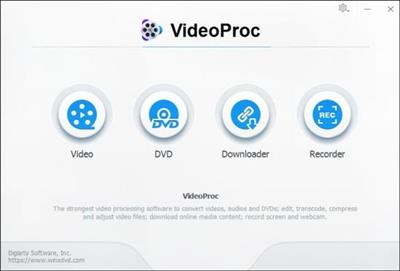
VideoProc (former WinX HD Video Converter Deluxe) - the strongest video processing software designed to edit, cut, crop, merge, adjust, convert and compress (4K) videos with Full Hardware Acceleration.
As the greatly enhanced successor, VideoProc integrates UHD video converter/compressor, (YouTube) video downloader with video editor, giving you an ultimate control over any multi-track, SD, HD and 4K video files on your PC. With Level-3 Hardware Acceleration tech, it makes the utmost of Intel QSV, NVIDIA CUDA/NVENC and AMD to encode and decode videos, which can averagely speed up video processing 64x faster than real time!
Whats New
official site does not provide any info about changes in this version.
Homepage:
Код:
https://www.winxdvd.com
Download link
rapidgator.net:
[Ссылки доступны только зарегистрированным пользователям
. Регистрируйся тут...]
uploadgig.com:
[Ссылки доступны только зарегистрированным пользователям
. Регистрируйся тут...]
nitroflare.com:
[Ссылки доступны только зарегистрированным пользователям
. Регистрируйся тут...]
1dl.net:
[Ссылки доступны только зарегистрированным пользователям
. Регистрируйся тут...]
|
|
|
|
|
27.09.2022, 10:18
|
#68720
|
|
Местный
Регистрация: 04.10.2017
Сообщений: 125,003
Сказал(а) спасибо: 0
Поблагодарили 7 раз(а) в 7 сообщениях
|
VovSoft Search Text in Files 3.3
 File size: 6.0 MB
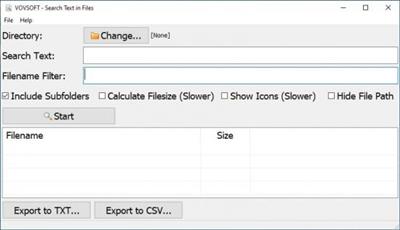
Easy-to-use file search application for power users. Search through text files using simple queries and the application will quickly find the files. Select directory, enter search text and filename filter, then click the Start button. All files including the search text will be listed. You can export the list into text or CSV file. You can open, copy or delete the files by right-clicking. You can also display filesize, and file icons using the checkboxes.
Homepage:
Download link
rapidgator.net:
[Ссылки доступны только зарегистрированным пользователям
. Регистрируйся тут...]
uploadgig.com:
[Ссылки доступны только зарегистрированным пользователям
. Регистрируйся тут...]
nitroflare.com:
[Ссылки доступны только зарегистрированным пользователям
. Регистрируйся тут...]
1dl.net:
[Ссылки доступны только зарегистрированным пользователям
. Регистрируйся тут...]
|
|
|
|
|
27.09.2022, 10:20
|
#68721
|
|
Местный
Регистрация: 04.10.2017
Сообщений: 125,003
Сказал(а) спасибо: 0
Поблагодарили 7 раз(а) в 7 сообщениях
|
Windows 11 Pro 21H2 Build 22000.708 x64 Tiny Edition 2022
 Windows x64 | English US | File Size: 1.3 GB
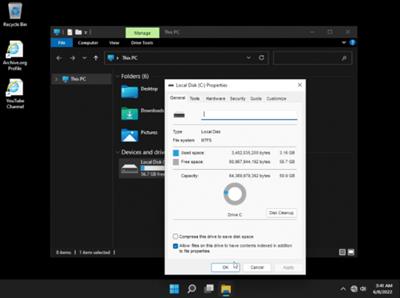
Tiny Edition is a stripped down version of windows 11, made for testing purpose only. ( Not Recommended For Daily Use)
General Info
Windows: 11
Edition: Pro Tiny Edition 2022
Version: 21H2
Build: 22000.708
Architecture: x64
Language: English US
File Size: 1.3 GB
Removed
- Fax & Printer Drivers
- MTP Drivers
- Miracast Drivers
- All UWP Apps
- WinSxS
- Device Center
- Ease of access
- On-Screen Keyboard
- Fonts (Malgun Gothic, etc)
- Windows Recovery
- Windows Backup & Restore
- File History
- Tablet PC
- Windows Photo Viewer
- Windows Media Player
and more...
What's New
- Updates: May 24, 2022-
Код:
https://support.microsoft.com/en-us/topic/may-24-2022-kb5014019-os-build-22000-708-preview-442dbde4-ce28-4345-aecf-2d4744376418
(OS Build 22000.708) Preview
- Added "LZX Compression" command in first boot (It will stuck at "Just a moment" for a while until OOBE shows up)
Homepage:
Код:
https://itsd4nny.wixsite.com/home/
Download link
rapidgator.net:
[Ссылки доступны только зарегистрированным пользователям
. Регистрируйся тут...]
[Ссылки доступны только зарегистрированным пользователям
. Регистрируйся тут...]
uploadgig.com:
[Ссылки доступны только зарегистрированным пользователям
. Регистрируйся тут...]
[Ссылки доступны только зарегистрированным пользователям
. Регистрируйся тут...]
nitroflare.com:
[Ссылки доступны только зарегистрированным пользователям
. Регистрируйся тут...]
[Ссылки доступны только зарегистрированным пользователям
. Регистрируйся тут...]
1dl.net:
[Ссылки доступны только зарегистрированным пользователям
. Регистрируйся тут...]
[Ссылки доступны только зарегистрированным пользователям
. Регистрируйся тут...]
|
|
|
|
|
27.09.2022, 11:50
|
#68722
|
|
Местный
Регистрация: 04.10.2017
Сообщений: 125,003
Сказал(а) спасибо: 0
Поблагодарили 7 раз(а) в 7 сообщениях
|
Acronis Cloud Manager 6.0.22241.161 (x64)
 File size: 2.1 GB
Acronis Cloud Manager provides advanced monitoring, management, migration, and recovery for Microsoft Cloud environments of all shapes and sizes, including single and multi-tenant public, private, and hybrid cloud configurations. Acronis Cloud Manager is the only platform to provide unified public, private, and hybrid cloud management, migration, monitoring, backup, and recovery for the Microsoft Cloud from a single, easy-to-use, and cost-efficient access point.
Our platform eliminates the need for point solutions and non-integrated tools, each of which features a different interface and learning curve. By replacing these tools, Acronis Cloud Manager dramatically reduces the complexity of managing your decentralized cloud environments, allowing you to reduce IT costs, achieve peak performance, and satisfy customer and employee demand.
Eliminate management complexity
Hybrid cloud deployments come with the price of additional complexity. Acronis Cloud Manager addresses the problem of this complexity directly. It offers the first monitoring and management solution that works with both Hyper-V and Azure. Acronis Cloud Manager allows your organization's administrators to manage every aspect of your Microsoft Cloud deployments, both locally and in the cloud, from a single unified console.
Increase operational efficiency
Acronis Cloud Manager makes your organization's administrators far more efficient. They no longer need to use multiple tools, log in to Hyper-V hosts, or log in to the Azure Portal. Instead of constantly switching between tools, they can do it all using the unified console provided by Acronis Cloud Manager. In addition to saving time, many formerly complex tasks can be completed with just a few mouse clicks via the intuitive graphical user interface. For management of Hyper-V environments, administrators can also leverage a web-based, multi-tenant console for ease of accessibility.
Strengthen business continuity
Built-in fault tolerance, resilience, high availability, and replication, as well as backup and recovery to and from local, remote, and alternate sites, help mitigate the risk of downtime or data loss. Acronis Cloud Manager makes it easy to set up automatic replication to another Hyper-V cluster or to Azure, ensuring that organizations have secure copies of their most important data and VMs.
Lower total cost of ownership (TCO)
Acronis Cloud Manager's unified platform eliminates the need for point solutions while providing everything needed to monitor, manage, migrate, recover, and protect small- or large-scale Microsoft hybrid cloud environments regardless of whether they're single- or multi-tenant. The role-based access control (RBAC), network and security monitoring, and easy remote management tools eliminate the need for costly virtual private networks (VPNs), remote network access solutions, and complex permission management services.
Mitigate security and privacy risks
Acronis Cloud Manager's comprehensive role-based access control (RBAC) model prevents unauthorized users or tenants from viewing private data, private resources, or making malicious or accidental changes to the environment. Network and security monitoring help to identify unauthorized access attempts.
Features
Agentless management
Lightweight, agentless technology means there's no need to install additional software on any of your VMs
Role-based action control (RBAC)
Limit which resources can be viewed and what operations can be performed by specific users, administrators, and tenants
Full virtual machine (VM) lifecycle management
Centrally create, configure, manage, and maintain VMs across your private, public, and hybrid cloud environments
Full-featured RESTful APIs
Automate tasks and call Acronis Cloud Manager from other management tools - the API covers every feature that can be accessed through
Requirements
Operating system (64-bit only)
Microsoft Windows Server 2019
Microsoft Windows Server 2016
Microsoft Windows 10
Microsoft Windows 8.1
Microsoft Windows Server 2012 R2
Software & Updates
Minimum of .NET 4.6.2
Microsoft Visual С++ 2015 Redistributable Update 3
Latest Windows Updates applied
No pending reboots
Management Service
Homepage:
Код:
https://www.acronis.com/en-eu/products/cloud-manager/
Download link
rapidgator.net:
[Ссылки доступны только зарегистрированным пользователям
. Регистрируйся тут...]
[Ссылки доступны только зарегистрированным пользователям
. Регистрируйся тут...]
[Ссылки доступны только зарегистрированным пользователям
. Регистрируйся тут...]
uploadgig.com:
[Ссылки доступны только зарегистрированным пользователям
. Регистрируйся тут...]
[Ссылки доступны только зарегистрированным пользователям
. Регистрируйся тут...]
[Ссылки доступны только зарегистрированным пользователям
. Регистрируйся тут...]
nitroflare.com:
[Ссылки доступны только зарегистрированным пользователям
. Регистрируйся тут...]
[Ссылки доступны только зарегистрированным пользователям
. Регистрируйся тут...]
[Ссылки доступны только зарегистрированным пользователям
. Регистрируйся тут...]
1dl.net:
[Ссылки доступны только зарегистрированным пользователям
. Регистрируйся тут...]
[Ссылки доступны только зарегистрированным пользователям
. Регистрируйся тут...]
[Ссылки доступны только зарегистрированным пользователям
. Регистрируйся тут...]
|
|
|
|
|
27.09.2022, 11:52
|
#68723
|
|
Местный
Регистрация: 04.10.2017
Сообщений: 125,003
Сказал(а) спасибо: 0
Поблагодарили 7 раз(а) в 7 сообщениях
|
Aiseesoft Screen Recorder 2.6.6 (x64) Multilingual
 File size: 96 MB
Get the easiest but professional way to record your screen and take snapshots here. Aiseesoft Screen Recorder is the best screen recording software to capture any activity on Mac or Windows computer. It can work as a good video game recorder, Skype call capture, YouTube video recording app, and more to capture any area of your screen. While screen recording, you can edit video/snapshot and draw new labels to output file.
Record screen video
As powerful screen recording software, Aiseesoft Screen Recorder enables you to record any screen video with ease. You can use it to capture online YouTube videos, games, podcasts, webinars, lectures, presentations, Skype calls, online conference, webcam videos, etc. in full screen or customized screen size.
While capturing screen, you can highlight the cursor movement to make it easier to track. Moreover, the "Blue-light" real-time HD video encoding technology can guarantee you excellent image and sound quality. Lock window capture feature allows you to keep recording activity on a certain window. So that the screen recording won't bother other operations. The captured video will be saved in MP4, WMV, MOV, AVI, GIF, TS, etc. for easily playback and sharing.
Record online, streaming audio and microphone voice
Aiseesoft Screen Recorder can record the internal audio of your computer only. This function enables you to record various music, radio or online audio instead of downloading them in MP3, WMA, AAC, M4A, FLAC, Ogg and Opus for easy playback.
Before recording, you are allowed to do a test audio recording to record from speaker and microphone for better experience.
Record streaming audio: Record any streaming audio from system audio, so you can get exactly the original sound quality.
Capture online audio: This audio grabber can save any online audio, including audio track in MV, voice in teaching videos and more.
Record microphone voice: Choose microphone audio and turn off system audio to add oral explanation to your video presentation.
Easier way to take snapshots
Taking snapshots is an easy and useful way to quickly save some important information. You may use it every day. This screen recorder can also work as a powerful snapshot app to help you capture anything on your screen and save it as picture. You can freely adjust the snapshot area and add your personal labels like rectangle, arrow, line and text to the output image. You can save the snapshot as PNG, JPEG, BMP, GIF, TIFF, etc. according to your need. Surely it is equipped with other key editing functions to help you make snapshot.
Whats New
Updates: official site does not provide any info about changes in this version
Homepage:
Код:
http://www.aiseesoft.com/
Download link
rapidgator.net:
[Ссылки доступны только зарегистрированным пользователям
. Регистрируйся тут...]
uploadgig.com:
[Ссылки доступны только зарегистрированным пользователям
. Регистрируйся тут...]
nitroflare.com:
[Ссылки доступны только зарегистрированным пользователям
. Регистрируйся тут...]
1dl.net:
[Ссылки доступны только зарегистрированным пользователям
. Регистрируйся тут...]
|
|
|
|
|
27.09.2022, 11:53
|
#68724
|
|
Местный
Регистрация: 04.10.2017
Сообщений: 125,003
Сказал(а) спасибо: 0
Поблагодарили 7 раз(а) в 7 сообщениях
|
Amolto Call Recorder Premium for Skype 3.24.5
 File Size: 34 MB
Amolto Call Recorder is the best tool for recording your Skype conversations. It works together with Skype or other VOIP applications and records in high-quality video and audio format. Amolto has easy to use user interface, starts recording automatically when Skype call starts.
- Automated: recording starts automatically with your call.
- Full Quality: records are saved in a high-quality audio format to match the clarity of the call itself.
- Unlimited: no limit on recording time. Never lose a minute of your conversation!
- Track & Annotate: quickly search or sort your call history. Add notes or Mp3-tags to any record to emphasize key points in your conversation.
If you often rely on Skype to keep in touch with your overseas friends, then recording your calls could come in handy, as you could listen to the recordings whenever you miss your buddies. Amolto Call Recorder for Skype can help you achieve this.
The app installs without any issues and you will simply need to authorize it within Skype in order to enjoy its functions. It will automatically start recording any detected chats, so no additional input on your side is required.
The interface of the app is user-friendly and intuitive, and it displays the status of your microphone and headphones so you can be sure you can initiate high-quality Skype calls.
Amolto Call Recorder for Skype includes a dedicated section where you can explore all recorded calls; you can play them using the default audio player on your PC, or you can analyze additional data, such as duration, audio size or start time.
All calls will be saved to MP3, a format that is supported by a wide range of devices, including mobile phones or portable players, so you can listen to them even while on the go. You can customize the details of each entry by assigning it dedicated tags, namely title, artist, album or year.
Furthermore, you can specify the type of recording you prefer, as the app can capture only your voice, only your friend???s or both, depending exclusively on your choice.
All in all, Amolto Call Recorder for Skype can come in handy if you want to save your Skype chats and listen to them over and over, even if your friend is offline. However, if you also want to be able to capture video calls, you need to upgrade to Amolto Call Recorder Premium or another third-party app.
Homepage:
Download link
rapidgator.net:
[Ссылки доступны только зарегистрированным пользователям
. Регистрируйся тут...]
uploadgig.com:
[Ссылки доступны только зарегистрированным пользователям
. Регистрируйся тут...]
nitroflare.com:
[Ссылки доступны только зарегистрированным пользователям
. Регистрируйся тут...]
1dl.net:
[Ссылки доступны только зарегистрированным пользователям
. Регистрируйся тут...]
|
|
|
|
|
27.09.2022, 11:54
|
#68725
|
|
Местный
Регистрация: 04.10.2017
Сообщений: 125,003
Сказал(а) спасибо: 0
Поблагодарили 7 раз(а) в 7 сообщениях
|
Amolto Call Recorder Premium for Skype 3.24.7
 File size: 34 MB
Amolto Call Recorder is the best tool for recording your Skype conversations. It works together with Skype or other VOIP applications and records in high-quality video and audio format. Amolto has easy to use user interface, starts recording automatically when Skype call starts.
- Automated: recording starts automatically with your call.
- Full Quality: records are saved in a high-quality audio format to match the clarity of the call itself.
- Unlimited: no limit on recording time. Never lose a minute of your conversation!
- Track & Annotate: quickly search or sort your call history. Add notes or Mp3-tags to any record to emphasize key points in your conversation.
If you often rely on Skype to keep in touch with your overseas friends, then recording your calls could come in handy, as you could listen to the recordings whenever you miss your buddies. Amolto Call Recorder for Skype can help you achieve this.
The app installs without any issues and you will simply need to authorize it within Skype in order to enjoy its functions. It will automatically start recording any detected chats, so no additional input on your side is required.
The interface of the app is user-friendly and intuitive, and it displays the status of your microphone and headphones so you can be sure you can initiate high-quality Skype calls.
Amolto Call Recorder for Skype includes a dedicated section where you can explore all recorded calls; you can play them using the default audio player on your PC, or you can analyze additional data, such as duration, audio size or start time.
All calls will be saved to MP3, a format that is supported by a wide range of devices, including mobile phones or portable players, so you can listen to them even while on the go. You can customize the details of each entry by assigning it dedicated tags, namely title, artist, album or year.
Furthermore, you can specify the type of recording you prefer, as the app can capture only your voice, only your friend's or both, depending exclusively on your choice.
All in all, Amolto Call Recorder for Skype can come in handy if you want to save your Skype chats and listen to them over and over, even if your friend is offline. However, if you also want to be able to capture video calls, you need to upgrade to Amolto Call Recorder Premium or another third-party app.
Homepage:
Download link
rapidgator.net:
[Ссылки доступны только зарегистрированным пользователям
. Регистрируйся тут...]
uploadgig.com:
[Ссылки доступны только зарегистрированным пользователям
. Регистрируйся тут...]
nitroflare.com:
[Ссылки доступны только зарегистрированным пользователям
. Регистрируйся тут...]
1dl.net:
[Ссылки доступны только зарегистрированным пользователям
. Регистрируйся тут...]
|
|
|
|
|
27.09.2022, 11:55
|
#68726
|
|
Местный
Регистрация: 04.10.2017
Сообщений: 125,003
Сказал(а) спасибо: 0
Поблагодарили 7 раз(а) в 7 сообщениях
|
Donemax Data Recovery 1.4 macOS
 File size: 42 MB
Donemax Data Recovery for Mac offers deep scan technology to ensure finding all recoverable files and allows you to quickly preview all recoverable files & save the wanted files. It takes only three simple steps to get all lost files back!
Recover all types of lost files from Mac-based HDD, SSD and external hard drive, USB flash drive, memory card, digital camera, RAID, Server, etc.
Release Notes
Bug fixes and performance improvements
Supported Operation Systems
macOS 10.10 or later
Download link
rapidgator.net:
[Ссылки доступны только зарегистрированным пользователям
. Регистрируйся тут...]
uploadgig.com:
[Ссылки доступны только зарегистрированным пользователям
. Регистрируйся тут...]
nitroflare.com:
[Ссылки доступны только зарегистрированным пользователям
. Регистрируйся тут...]
1dl.net:
[Ссылки доступны только зарегистрированным пользователям
. Регистрируйся тут...]
|
|
|
|
|
27.09.2022, 11:57
|
#68727
|
|
Местный
Регистрация: 04.10.2017
Сообщений: 125,003
Сказал(а) спасибо: 0
Поблагодарили 7 раз(а) в 7 сообщениях
|
Donemax DMmenu 1.6 macOS

File size: 5 MB
Donemax DMmenu for Mac is designed to manage, optimize and boost Mac systems effectively. The app is full featured and can accomplish many tasks on Mac easily. As a comprehensive Mac management tool, it provides more than 8 main functions and other options for effective management.
First, there are many functions in the app to optimize the Mac. You can close unnecessary tasks to free memory in the app. Also, it's able to clean up junk files, uninstall unwanted apps, remove startup items to make sure the Mac computer run faster and smoothly.
What's more, you can easily access any application, system preference, specified location by a single click from the software. Besides, it's simple to manage all the powerful switches at one place. If you want to change brightness, volume, desktop background picture, the app can also help you with these options available. At last, the software can also easily format/rename hard drive, SSD, USB flash drive or safely eject external drives on Macs. Donemax DMmenu for Mac is an all-in-one tool to help you manage your iMac, iMac Pro, Mac pro, MacBook, MacBook Air, MacBook Pro, Mac mini, and other Mac devices
Release Notes
Release notes were unavailable when this listing was updated.
Supported Operation Systems
macOS 10.9 or later
Download link
rapidgator.net:
[Ссылки доступны только зарегистрированным пользователям
. Регистрируйся тут...]
uploadgig.com:
[Ссылки доступны только зарегистрированным пользователям
. Регистрируйся тут...]
nitroflare.com:
[Ссылки доступны только зарегистрированным пользователям
. Регистрируйся тут...]
1dl.net:
[Ссылки доступны только зарегистрированным пользователям
. Регистрируйся тут...]
|
|
|
|
|
27.09.2022, 11:58
|
#68728
|
|
Местный
Регистрация: 04.10.2017
Сообщений: 125,003
Сказал(а) спасибо: 0
Поблагодарили 7 раз(а) в 7 сообщениях
|
Intelligent Editing PerfectIt Pro 5.2.1
 Languages: English
File Size: 207.05 MB
Proofreading Software for Professionals. Edit faster. Submit better documents. Make the best impression. PerfectIt is the leading software among professional proofreaders and editors. Professional writers and editors in 72 countries have been using PerfectIt since 2009.
How PerfectIt improves your documents
- Check consistency
- Enforce style rules
- Locate undefined abbreviations
- Customizable for house style
- Works with all documents
- US, UK, CA and AU English
PerfectIt reduces time spent editing
If you're working on contracts, proposals, reports, technical documents, articles and books, PerfectIt saves time on copy-editing, so that authors can pay more attention to what matters most: the words and their meaning.
PerfectIt reduces errors
By helping to eliminate typos, it saves money on re-writes and changes, especially after documents have gone to press.
PerfectIt helps your words make the best impression
It increases the chance that proposals will be accepted and articles will be published.
PerfectIt helps build your brand
It can enforce the preferences of your house style and ensure that your business is presented the way you want it to be.
For the first time, you can control exactly what PerfectIt finds. Now you can turn PerfectIt into a custom checker designed (by you) to lift writing standards at your organization.
New features include
- The Chicago Manual of Style is available in PerfectIt 5
- Updates to built-in styles
- Search added to the Style Sheet Editor
- Faster checking, especially for long documents with tables
- Faster load times
System Requirements
PerfectIt 5 requires a PC running MS Word and Windows. We provide support for PerfectIt installed on the following products
- Windows 10 and Windows 11; and
- Microsoft Word 2013, 2016, 2019, and Office 365.
* PerfectIt 5 may run on older versions of Windows and Word; however, Microsoft has ended support for these products, and therefore we cannot ensure full compatibility.
Homepage:
Код:
https://intelligentediting.com
Download link
rapidgator.net:
[Ссылки доступны только зарегистрированным пользователям
. Регистрируйся тут...]
uploadgig.com:
[Ссылки доступны только зарегистрированным пользователям
. Регистрируйся тут...]
nitroflare.com:
[Ссылки доступны только зарегистрированным пользователям
. Регистрируйся тут...]
1dl.net:
[Ссылки доступны только зарегистрированным пользователям
. Регистрируйся тут...]
|
|
|
|
|
27.09.2022, 12:00
|
#68729
|
|
Местный
Регистрация: 04.10.2017
Сообщений: 125,003
Сказал(а) спасибо: 0
Поблагодарили 7 раз(а) в 7 сообщениях
|
KeyKey 2.9.4 macOS
 Language: Multilingual | File size: 64 MB
KeyKey is a manageable typing tutor that learns your level as you practice. All you do is commit to a 15-minute session every day. The app takes care of the rest. There are no lessons, no tests, and no strange minigames. Instead, you get a beautiful minimalist interface and a boost to your WPM. !
The app records your errors and adapts the practice wordlist as you go, giving you extra practice for the letter combinations that trip you up.
Supported languages and layouts
◆ English: QWERTY, COLEMAK, DVORAK, AZERTY, QWERTZ (Swiss), QGMLWY, Neo;
◆ Spanish: QWERTZ, QWERTZ ISO;
◆ Portuguese: Brazilian (ABNT2, Pro), Portuguese;
◆ French: AZERTY, AZERTY PC, BÉPO, QWERTY Canada, QWERTZ Swiss;
◆ German: QWERTZ, QWERTZ Swiss, Neo;
◆ Italian: Italian, Italian Typewriting;
◆ Turkish: Turkish Q, Turkish F;
◆ Greek: Greek;
◆ Russian: Russian, Russian PC, Typewriting;
◆ Ukrainian: Ukrainian, Ukrainian PC.
◆ Mongolian: Mongol 1, Mongol 2
Supported Operation Systems
macOS 10.12 or later
Download link
rapidgator.net:
[Ссылки доступны только зарегистрированным пользователям
. Регистрируйся тут...]
uploadgig.com:
[Ссылки доступны только зарегистрированным пользователям
. Регистрируйся тут...]
nitroflare.com:
[Ссылки доступны только зарегистрированным пользователям
. Регистрируйся тут...]
1dl.net:
[Ссылки доступны только зарегистрированным пользователям
. Регистрируйся тут...]
|
|
|
|
|
27.09.2022, 12:02
|
#68730
|
|
Местный
Регистрация: 04.10.2017
Сообщений: 125,003
Сказал(а) спасибо: 0
Поблагодарили 7 раз(а) в 7 сообщениях
|
MediaMonkey Gold 5.0.4.2665 Beta Multilingual
 File size: 95 MB
MediaMonkey is a music manager and media jukebox for serious music collectors and iPod users. It catalogs your CDs, OGG, WMA, MPC, FLAC, APE, WAV and MP3 audio files. It looks up missing Album Art and track information via Freedb and the web, and includes an intelligent tag editor and an automated file and directory renamer to organize your music library.
Its player automatically adjusts volume levels so that you don't have continually fiddle with the volume control and supports hundreds of Winamp plug-ins and visualizations; or if you prefer, it can use Winamp as the default player.
MediaMonkey includes a CD ripper, CD/DVD Burner, and audio converter for saving music, and manual or automated playlist editors for creating music mixes. It also includes portable audio device synchronization that allows you to synch tracks and play lists with devices such as the iPod and other portable audio devices.
Gold FEATURES
- Find music with advanced search functionality that digs through your collection to find tracks according to almost any criteria that you can think of. Search for Composer, Year, Beats per minute; find Lyrics, etc. and stop pulling your hair out trying to find music you know you have.
- Customize your library by setting filters to display only Artists or Albums that match criteria that you set. For example, set a filter that causes Artists to appear in the tree only if they contain Albums that are currently available, and are of any genre other than 'Children'.
- Encode unlimited MP3s without having to manually install a new MP3 encoder (the free version of MediaMonkey includes a time-limited LAME MP3 encoder. If you're so inclined, you can manually replace it with the free LAME encoder, or you can just upgrade to MediaMonkey Gold).
- Catalog your physical CDs and use the Virtual CD feature to keep track of what CDs you own and at the same time see which subset of tracks from those CDs are copied to your hard drive. Instead of tracking your CDs and tracks separately, the virtual CD function gives you an integrated view...
- Import and save audio tracks from Audio CDs and MP3 CDs with unprecedented flexibility using the Virtual CD. It allows you to sample tracks from various sources, select which ones you want to import, and then import and save the files in a single operation.
- Create Previews, short samples of audio tracks, that you can use when trying to decide which audio files you want to add to your collection.
- Use a Sleep Timer to play your music, gradually fade it over a set period of time, and then turn off your PC - perfect for listening to tunes before you go to sleep.
- Burn CDs at the maximum speed permitted by your hardware.
All MediaMonkey Gold Features
- Audio / Music Manager
- Media Player (play MP3, OGG, WMA etc.)
- Equalizer / DSP Effects / Volume Leveler
- Party Mode & Auto-DJ
- CD Ripper: Encode MP3, OGG, WMA, FLAC
- Audio Converter
- Auto Renamer / File Organizer
- Auto Tag Editor with Album Art Lookup
- Find Duplicate Tracks and Missing Tags
- Playlist Manager (auto music mixes)
- Generate reports and statistics
- Customization via scripts
- iPod and MP3 Player Synchronization
- Integrated CD/DVD Burner (Audio & Data) (up to 48x) (up to 4x)
- File Monitor (automatically updates library)
- Advanced Searches and AutoPlaylists
- Advanced Portable Device Synchronization with on-the-fly format conversion
- Unlimited MP3 encoding
- Virtual CD / Previews
- Advanced Filters
- Sleep Timer
Homepage:
Код:
http://www.mediamonkey.com/
Download link
rapidgator.net:
[Ссылки доступны только зарегистрированным пользователям
. Регистрируйся тут...]
uploadgig.com:
[Ссылки доступны только зарегистрированным пользователям
. Регистрируйся тут...]
nitroflare.com:
[Ссылки доступны только зарегистрированным пользователям
. Регистрируйся тут...]
1dl.net:
[Ссылки доступны только зарегистрированным пользователям
. Регистрируйся тут...]
|
|
|
|
      
Любые журналы Актион-МЦФЭР регулярно !!! Пишите https://old.nado.in/private.php?do=newpm&u=12191 или на электронный адрес pantera@nado.ws
|
Здесь присутствуют: 6 (пользователей: 0 , гостей: 6)
|
|
|
 Ваши права в разделе |
Вы не можете создавать новые темы
Вы не можете отвечать в темах
Вы не можете прикреплять вложения
Вы не можете редактировать свои сообщения
HTML код Выкл.
|
|
|
Текущее время: 08:58. Часовой пояс GMT +1.
| |






