 12.07.2021, 10:42
|
#65566
|
|
Местный
Регистрация: 04.10.2017
Сообщений: 125,003
Сказал(а) спасибо: 0
Поблагодарили 7 раз(а) в 7 сообщениях
|
 3delite Audio File Browser 1.0.10.48
 Languages: English | File size: 24.5 MB
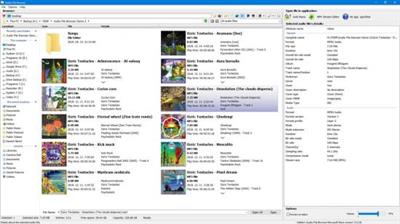
Audio File Browser is a utility for browsing audio files with waveform thumbnails preview.
Browse audio files in 2 different thumbnail modes
Quick preview with clicking on a file
Display detailed information about the audio files
Optionally 3 applications can be configured with quick access to open selected audio files in them
Full unicode support
User interface DPI scaling is supported
Whats New:
Updates: official site does not provide any info about changes in this version
Download link:
Код:
rapidgator_net:
https://rapidgator.net/file/8d47168f7e3b60b335c9a763449217a0/fczgq.3delite.Audio.File.Browser.1.0.10.48.rar.html

uploadgig_com:
https://uploadgig.com/file/download/b2c411ec9aE4a31a/fczgq.3delite.Audio.File.Browser.1.0.10.48.rar

nitroflare_com:
https://nitroflare.com/view/2972C29A05D5846/fczgq.3delite.Audio.File.Browser.1.0.10.48.rar
Links are Interchangeable - No Password - Single Extraction
|

|

|
|
12.07.2021, 10:43
|
#65567
|
|
Местный
Регистрация: 04.10.2017
Сообщений: 125,003
Сказал(а) спасибо: 0
Поблагодарили 7 раз(а) в 7 сообщениях
|
3delite Batch Sledge Photo Processor 1.0.8.10
 File size: 41.3 MB
Batch Sledge Photo Processor is a powerful batch image processing application with an innovative user configurable process path functionality. The application implements tasks and the user can construct a custom process from these tasks. There are 3 different task objects: a simple 'task' item, that receives an input, performs processing, and returns an output, a 'case' item that receives an input and decides at which output to forward the input object and continue the process, and a 'result' (save picture) item. All these items' pins can be connected visually in the editor with the mouse. The application also supports saving and loading of the process configuration with a preset system.
Features :
The user can construct a custom process visually to run from the available task components
'Task' (worker), 'Case' (conditional branching) and 'Results' (save picture) items
Inputs can have multiple sources and outputs can have multiple destinations
Task items that are compatible can be only conected in editor
Preview the picture at any stage of the process, full-screen secondary display preview is supported
Preset system for loading and saving of the defined process path
Effects included: resize, rotate, grayscale, flip, lighten/darken, adjust gamma, invert, twirl and bloat
Branching items included: lossy or lossless, by EXIF info and source file bit depth
Save formats: JPEG, PNG, BMP, GIF, JPEG 2000 and TIFF
Whats New:
Updates: official site does not provide any info about changes in this version.
Download link:
Код:
rapidgator_net:
https://rapidgator.net/file/265e509e2d15466cb43047e6b8a346cb/4ne0c.3delite.Batch.Sledge.Photo.Processor.1.0.8.10.rar.html

uploadgig_com:
https://uploadgig.com/file/download/B7aF646d19e8651F/4ne0c.3delite.Batch.Sledge.Photo.Processor.1.0.8.10.rar

nitroflare_com:
https://nitroflare.com/view/F9AC8445E033DF6/4ne0c.3delite.Batch.Sledge.Photo.Processor.1.0.8.10.rar
Links are Interchangeable - No Password - Single Extraction
|
|
|
|
|
12.07.2021, 10:44
|
#65568
|
|
Местный
Регистрация: 04.10.2017
Сообщений: 125,003
Сказал(а) спасибо: 0
Поблагодарили 7 раз(а) в 7 сообщениях
|
3delite DS WASAPI ASIO Router Mixer 1.0.54.158
 File size: 80.7 MB
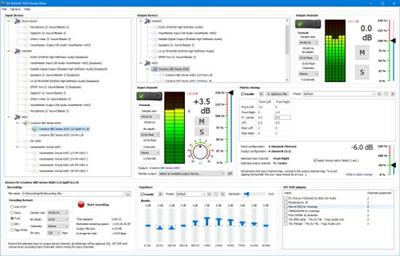
DS WASAPI ASIO Router Mixer is an audio input to audio output router/mixer with support of Direct Sound, WASAPI and ASIO modes. Any type and number of audio inputs can be routed to any type of audio output with matrix mixing, VST DSP plugin support, 11 band equalizer and recording option. ASIO output mixer is optionally multi-threaded to achieve lowest possible latency for high resolution 96/192KHz output with DSPs as well. Equalizer, matrix mixing and VST DSPs have a preset system to store and recall settings.
Basic steps for using DS WASAPI ASIO Router Mixer:
In the upper-center part of the window select an output device. To the right set the desired format and click the 'Enable' switch. ASIO channel pairs inherit the root device's parameters so set the root parameters first if needed for the pairs.
In the left part of the window select an input device. To the right (center of the entire window) select the input's desired format and click the 'Enable' switch. The selected input device will start playing on the previously selected output device. The input device is always enabled through the last selected output device. It's possible to enable multiple input devices for 1 output device, but only 1 output is supported for an input device, but in the input device options panel it's possible (at the bottom) to specify another 'monitor' output device, that needs to be enabled previously, that will play the selected input device too.
To access the 3 FXes on the bottom select an input or output device from the list. The last selected input or output device will be affected. The lower panel's groupbox caption displays the currently selected device's name (input ot output).
For example to apply an equalizer to the device, set the EQ track bars and click on 'Enable'. Of course the parameters can be changed on the fly too.
ASIO channel pairs receive audio data from the root device, so setting any effect, like volume or EQ, VST DSP, on the root device will affect all the channel pairs. Note that most VST DSP plugins support only stereo, so other then 1/2 channel might be unaffected or muted, in this case set the VST DSPs on the channel pairs.
Hints:
Input and output channel/device 'format' settings may have no effect. This is always so with WASAPI and with root ASIO devices' channel count. Input and output ASIO devices will always have the maximum number of channels supported, ASIO pair channels will be always stereo. After enabling the device/channel the actual format is displayed below the set option. To set WASAPI devices' formats, please use the Windows audio devices control panel.
ASIO: if the output is skipping increase the ASIO device's buffer size. It's possible to access the ASIO device's configuration window by enabling the device then right mouse clicking on the device name and selecting 'ASIO Control Panel...'. Restart of DS WASAPI ASIO Router Mixer might be needed after changing the setting. If your computer's CPU has power saving functionality (the CPU is throtled when idle) adjust the CPU power saving option in Windows control panel to 50% or higher if the output is still skipping. A little CPU time can be saved with middle mouse button clicking on the input/output peak value number. This disables the peak calculation process. The fastest CPU (as of April 2019) is the Intel Core i9-9900K @ 3.60GHz for the application. For ASIO output, if multi-threaded processing is enabled in settings, a CPU with more cores is more optimal, this functionality is experimental and only has advantage if there are a lot of ASIO channels with a lot of effects like VST DSPs on the channels.
VST DSP: to bring up the plugin's configuration window double click on the plugin's name. To reset it's settings right mouse click on the plugin's name and from the menu select 'Reset Plugin To Defaults (disable)'.
It is advised to always work in 32 bit float sample format mode when dealing with input and output channels/devices. Recording may be set to any desired format, the sample data will be converted to the set format for recording.
ASIO root device recording: It's possible to record ASIO root devices with option to only record the enabled stereo channel pairs. For 'channels' select 'Active pairs', only active channels pair will be recorded. For example if ASIO pair 1/2 and 5/6 is enabled the recording will contain 4 channels: 1/2 and 5/6. Note that multi-channel recording is only supported by WAV PCM, Opus, FLAC and Ogg Vorbis format.
Whats New:
Improvements to UI DPI scaling and to tags reading.
Download link:
Код:
rapidgator_net:
https://rapidgator.net/file/11abc1a1c64482c70f571959dde0d364/sv48j.3delite.DS.WASAPI.ASIO.Router.Mixer.1.0.54.158.rar.html

uploadgig_com:
https://uploadgig.com/file/download/2f5eB91fC664653f/sv48j.3delite.DS.WASAPI.ASIO.Router.Mixer.1.0.54.158.rar

nitroflare_com:
https://nitroflare.com/view/00F2004082B21FC/sv48j.3delite.DS.WASAPI.ASIO.Router.Mixer.1.0.54.158.rar
Links are Interchangeable - No Password - Single Extraction
|
|
|
|
|
12.07.2021, 10:45
|
#65569
|
|
Местный
Регистрация: 04.10.2017
Сообщений: 125,003
Сказал(а) спасибо: 0
Поблагодарили 7 раз(а) в 7 сообщениях
|
3delite Duplicate Audio Finder 1.0.45.82
 File size: 53.6 MB
Duplicate Audio Finder is a utility for scanning your computer and finding duplicate copies of your audio files. Duplicate Audio Finder will find audio files that are an exact copy of each other but also can compare audio files by content and give a match for audio files that have different resolutions, bit rate or format but contain the same audio. Additionaly to audio files, MP4 video files with AAC audio track can be also searched - the AAC audio tracks will be compared that's usualy enough to compare the video files as well.
Features:
Find duplicate audio files that are exact copy of each other
Find duplicate audio files which have the same artist and titie tag
Find duplicate audio files that have the same content
Matching audio files are displayed in groups
Preview matching audio files and their ID3v1, ID3v2, APE , Flac, MP4, Opus and Vorbis and WMA tag information and album cover pictures (BMP, JPEG, PNG, GIF)
Delete audio files that are not needed
Multi-threaded processing
Full unicode support
Supported audio file formats:
MPEG I Layer 3 (*.MP3)
MPEG I Layer 2 (*.MP2)
MPEG I Layer 1 (*.MP1)
MPEG Audio (*.MPG, *.MPA)
Ogg Vorbis (*.OGG)
Microsoft WAVE (*.WAV)
Audio Interchange File Format (*.AIFF, *.AIF, *.AIFC)
Advanced Audio Coding (*.AAC, *.MP4, *.M4A, *.M4B)
Dolby Digital AC3 (*.AC3)
ADX (*.ADX)
AIX (*.AIX)
Apple Lossless (*.ALAC)
Monkey's Audio (*.APE)
Musepack (*.MPC)
OptimFROG (*.OFR)
Opus Interactive Audio Codec (*.OPUS)
Speex (*.SPX)
True Audio Codec (*.TTA)
Free Lossless Audio Codec (*.FLAC, *.FLA, *.FLC, *.OGA)
Windows Media Audio (*.WMA)
WavPack (*.WV)
Whats New:
Improvements to UI DPI scaling and to tags reading.
Download link:
Код:
rapidgator_net:
https://rapidgator.net/file/702308c9001f688a697cd5fccd451838/6859j.3delite.Duplicate.Audio.Finder.1.0.45.82.rar.html

uploadgig_com:
https://uploadgig.com/file/download/71cDD9FC42c36e80/6859j.3delite.Duplicate.Audio.Finder.1.0.45.82.rar

nitroflare_com:
https://nitroflare.com/view/91155DD54EC46F6/6859j.3delite.Duplicate.Audio.Finder.1.0.45.82.rar
Links are Interchangeable - No Password - Single Extraction
|
|
|
|
|
12.07.2021, 10:46
|
#65570
|
|
Местный
Регистрация: 04.10.2017
Сообщений: 125,003
Сказал(а) спасибо: 0
Поблагодарили 7 раз(а) в 7 сообщениях
|
4KSoftware 4K Downloader 4.28.0
 File size: 33 MB
4K Downloader is a little but powerful Windows application for downloading and converting 4K and 8K Ultra HD videos from YouTube, Facebook, Dailymotion, and thousands of other video streaming sites. It increases your download speeds by up to 5 times.
Considering that most smartphones, TV sets, computers and tablets support high definition formats, it does not come as a surprise that more users want to enjoy quality content on their devices. 4K Downloader is a lightweight piece of software designed to help you grab Ultra HD videos from YouTube, Dailymotion and other video sharing services on the web.
The application grabs the last copied link automatically
The program comes with a modern and intuitive interface that is unlikely to give you any troubles. Providing that you decided on the videos you want to download, all you need to do is copy as the app can paste the URL automatically. Nevertheless, you can specify if you prefer the download to be only audio, select the quality available or convert it to an Ultra HD one.
At the same time, the application allows you to specify if you prefer to download the video right away or add to the task list so that it can be grabbed later. You will be happy to learn that you can download playlists and multiple files just as simple as you would with a single regular video.
Includes a player as well as a straightforward conversion function
Once the download is complete, you can play it immediately on the device of your choice. As a side note, the app can recognize network drives, so you can include a mobile device if necessary. As far as the file formats are concerned, the app allows you to grab anything from 240p low quality to 8K UHD 60 FPS and everything else in between.
It is worth mentioning that you do need to decide upon the file format while downloading, as the application comes with a separate conversion function where you can process the videos when it is more convenient for you.
A simple program for downloading videos in 4K Ultra HD formats
All in all, 4K Downloader is a user-friendly and sleek-looking utility that provides you with a quick and painless way to grab sharper videos that are more engaging to watch on your SmartTV, tablet, laptop and other gadgets that support the 4K Ultra HD formats.
Whats New:
Updates: official site does not provide any info about changes in this version.
Download link:
Код:
rapidgator_net:
https://rapidgator.net/file/7783ea02a33d024f00253ca905c48970/u9vd2.4KSoftware.4K.Downloader.4.28.0.rar.html

uploadgig_com:
https://uploadgig.com/file/download/770e1a170c39E7e8/u9vd2.4KSoftware.4K.Downloader.4.28.0.rar

nitroflare_com:
https://nitroflare.com/view/F29A977959C6021/u9vd2.4KSoftware.4K.Downloader.4.28.0.rar
Links are Interchangeable - No Password - Single Extraction
|
|
|
|
|
12.07.2021, 10:46
|
#65571
|
|
Местный
Регистрация: 04.10.2017
Сообщений: 125,003
Сказал(а) спасибо: 0
Поблагодарили 7 раз(а) в 7 сообщениях
|
AlterPDF Pro 5.4 Multilingual
 File Size: 16.7 MB
PDF files are known for how versatile they can be, as they can pretty much take the place of images, texts, graphics and more, all in one format. The problem with them is that most often than naught, you'll need to use third-party applications to do any form of viewing or editing on this format, and usually, these programs are lacking in features, or are too heavy on system resources. One such program is AlterPDF, a lightweight software solution for all of your PDF-related needs.
Main Features:
* Convert PDF to images. You can convert all or selected pages to image formats, such as BMP, JPG, EMF, TIFF.
* Convert images to PDF. This tool allows you to convert JPG to PDF, convert BMP to PDF.
* Extract text from PDF. This tool extracts all text content from the input PDF file(s), and saves it in structured TXT format.
* Extract images from PDF. This tool extracts the original image objects from PDF file.
* Merge PDF. Using this tool you can join multiple PDF files into the single document.
* Split PDF. This function allows you to split PDF document to multiple files.
* Rotate pages. You can rotate desired pages in the PDF document and save as a new file.
* Crop PDF pages. This tool cuts a rectangular area on every page of PDF, and saves result to the new document.
* Extract pages from PDF. It extracts selected pages of PDF document and saves as individual PDF files.
* Remove pages from PDF. Choose what pages you don't want to see in PDF, and the program will do the rest.
* Encrypt PDF. You can password-protect any PDF document. And to set user permissions.
* Decrypt password-protected PDF documents.
* Change PDF metadata. Set the information in PDF file, such as Title, Author, Subject, Keywords, and other fields.
* Print PDF documents. Print output documents directly from the program interface.
What's New:
official site does not provide any info about changes in this version.
Download link:
Код:
rapidgator_net:
https://rapidgator.net/file/7eaf4762e70820ca50d9ec3676c4105f/gbud8.AlterPDF.Pro.5.4.Multilingual.rar.html

uploadgig_com:
https://uploadgig.com/file/download/22fC757A7DaB02Db/gbud8.AlterPDF.Pro.5.4.Multilingual.rar

nitroflare_com:
https://nitroflare.com/view/95E9EF4C2648CBB/gbud8.AlterPDF.Pro.5.4.Multilingual.rar
Links are Interchangeable - No Password - Single Extraction
|
|
|
|
|
12.07.2021, 10:47
|
#65572
|
|
Местный
Регистрация: 04.10.2017
Сообщений: 125,003
Сказал(а) спасибо: 0
Поблагодарили 7 раз(а) в 7 сообщениях
|
AlterPDF Pro 5.4 Multilingual Portable
 AlterPDF Pro 5.4 Multilingual Portable | 16.7 Mb
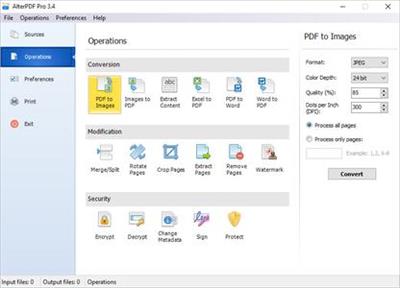
Powerful software for converting, modifying, and manipulating PDF files.
- Convert PDF to images
- Convert images to PDF
- Convert PDF to Word
- Convert Word to PDF, Excel to PDF.
- Merge PDF files, Split PDF
- Apply watermarks
- Crop PDF pages, rotate pages
- Extract text, extract images from PDF
- Extract pages from PDF
- Remove pages from PDF
- Change PDF metadata
- Encrypt, decrypt PDF, protect from copying
Operating System: Windows XP/Vista/7/8/8.1/10
Home Page- [Ссылки доступны только зарегистрированным пользователям
. Регистрируйся тут...]
Download link:
Код:
rapidgator_net:
https://rapidgator.net/file/0749428ca363d95469c62c4ae9198afd/rs0cy.AlterPDF.Pro.5.4.Multilingual.Portable.rar.html

uploadgig_com:
https://uploadgig.com/file/download/3Aca0733017148B2/rs0cy.AlterPDF.Pro.5.4.Multilingual.Portable.rar

nitroflare_com:
https://nitroflare.com/view/F0D09572C5B196D/rs0cy.AlterPDF.Pro.5.4.Multilingual.Portable.rar
Links are Interchangeable - No Password - Single Extraction
|
|
|
|
|
12.07.2021, 10:48
|
#65573
|
|
Местный
Регистрация: 04.10.2017
Сообщений: 125,003
Сказал(а) спасибо: 0
Поблагодарили 7 раз(а) в 7 сообщениях
|
Anthemion Jutoh 3.09.15 Multilingual
 File Size: 94.8 MB
Jutoh makes it easy to create ebooks in popular formats that you can sell on many ebook sites. Create your project in seconds from existing files using the New Project Wizard; or create your book from scratch using the built-in styled text editor. Select a book cover design from Jutoh's template, or create your own cover design with the built-in cover editor.
Jutoh Benefits:
Speed
Fast to import your existing content, whether in text, HTML, or OpenDocument.
Fast to create your Epub, Mobipocket or other format.
Fast to edit content and switch between variations of your ebooks.
Jutoh is written in C++ so runs at top speed - no frustrating delays.
Multi-platform design
Jutoh runs on Windows, Mac, Linux and various other Unix-based systems, and you can easily copy your files between machines of different kinds. One licence can be used on multiple operating systems simultaneously; and rest assured that if you buy a different kind of desktop or laptop, you don't have to leave your way of working behind and buy new software.
Create ebook variations rapidly
Thanks to Jutoh's configurations, you can describe differences between versions of your book - a different cover, a different title page, different formatting - all without needing separate projects. Just select a different configuration and click Compile. This is invaluable when you are distributing ebooks using different sites with slightly different requirements.
Ebook checking gives you confidence
Jutoh installs Adobe's EpubCheck and EpubPreflight checker programs, so you can easily check your Epub book for internal errors or problems that might arise with specific readers. The checkers are run within Jutoh, so you don't have to mess about with invoking the applications yourself.
Store related material
Jutoh lets you store text, picture, and web notes together with the book content. So if you're writing or editing your ebook within Jutoh, you can easily refer to your notes or store text that doesn't yet have a place.
Download link:
Код:
rapidgator_net:
https://rapidgator.net/file/b1dd5fcd97afd2fa43a079d7c44fc407/3dmp3.Anthemion.Jutoh.3.09.15.Multilingual.rar.html

uploadgig_com:
https://uploadgig.com/file/download/ea6aaDeB6E819f7e/3dmp3.Anthemion.Jutoh.3.09.15.Multilingual.rar

nitroflare_com:
https://nitroflare.com/view/002C9161EFA611D/3dmp3.Anthemion.Jutoh.3.09.15.Multilingual.rar
Links are Interchangeable - No Password - Single Extraction
|
|
|
|
|
12.07.2021, 10:49
|
#65574
|
|
Местный
Регистрация: 04.10.2017
Сообщений: 125,003
Сказал(а) спасибо: 0
Поблагодарили 7 раз(а) в 7 сообщениях
|
AutoScreenRecorder Pro 5.0.721
 File size: 112 MB
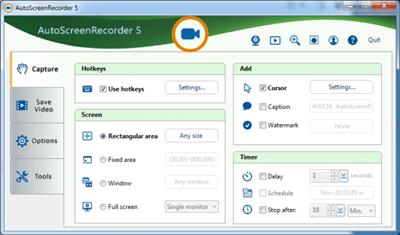
AutoScreenRecorder 5 can record everything on your screen in its original quality with no loss. It saves to unlimited AVI files. It bundles with a lossless codec with zero loss compression. With a newlly designed user interface, AutoScreenRecorder 5 brings high-quality recording to you with ease.
What Makes AutoScreenRecorder Different?
Unlimited AVI File Size
Video files saved as AVI2 format with no size limit.
Highest Video Quality
Wisdom-Soft Lossless Codec is bundled to record with zero loss of image quality!
Only Record Changes
It can only record changes on the screen that will make the AVI file a whole lot smaller.
Webcam, Anywhere
Access your webcam anytime, anywhere, so you can customize your recording the way you want.
Unique User Inferface
A new easy-to-use user interface, on par with ScreenHunter 7.
Record Everything
AutoScreenRecorder records large cursors, minimized or covered windows, runs scheduled tasks, and more...
Download link:
Код:
rapidgator_net:
https://rapidgator.net/file/224bdb77a61842dc6e58df6d7474684d/48cmd.AutoScreenRecorder.Pro.5.0.721.rar.html

uploadgig_com:
https://uploadgig.com/file/download/914f82bB9534c10b/48cmd.AutoScreenRecorder.Pro.5.0.721.rar

nitroflare_com:
https://nitroflare.com/view/BBD616DB3D7A4BF/48cmd.AutoScreenRecorder.Pro.5.0.721.rar
Links are Interchangeable - No Password - Single Extraction
|
|
|
|
|
12.07.2021, 10:50
|
#65575
|
|
Местный
Регистрация: 04.10.2017
Сообщений: 125,003
Сказал(а) спасибо: 0
Поблагодарили 7 раз(а) в 7 сообщениях
|
Darktable v3.6.0.1
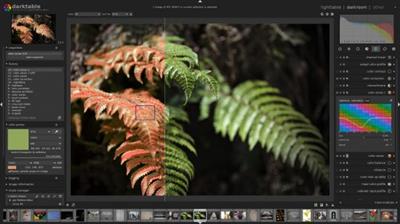 File size: 86.11 MiB | 64-bit |Languages: English, Deutsch, Español, Italiano, Português, Français, Русский, ...
Great alternative to Adobe Lightroom.
Darktable is an incredibly comprehensive photo processing program that lets you edit your RAW image files in a digital darkroom. The idea is to be able to work with your negatives and easily return to the original way in a non-destructive way. The program is compatible with over 400 different camera models, letting you edit your photos completely and professionally with endless features.
When it comes to working with your photos, you can import them from your desktop computer or directly from the camera you work with. The great thing about Darktable is that it offers a complete and customizable importation system. For example, it even lets you turn a series of photos into a time lapse, among other options.
Darktable is divided into 5 modules: Lighttable, Darkroom, Map, Slideshow, and Tethering. This is done in order to conveniently group the functions.
In general, the Darktable and Adobe Lightroom's interfaces are almost identical, so you should not have problems when switching to Darktable.
darktable is created for photographers, by photographers.
Having developers that are also avid photographers as part of the target audience is good for understanding the real world problems, challenges, and workflows.
darktable is a photography workflow application and raw developer. A virtual lighttable and darkroom for photographers. It manages your digital negatives in a database, lets you view them through a zoomable lighttable and enables you to develop raw images and enhance them.
darktable edits your images non-destructively all the way through its pipeline. Your original image is never modified. Professional color management features ensure fidelity all the way to print and GPU accelerated processing means you can speed up your workflow using your video card.
Currently darktable contains 61 image operation modules. Many modules support powerful blending operators offering blend functionality that works on the incoming image information and the output of the current module or be used with drawn masks.
Main modules:
Basic image operations
Tone image operations
Color image operations
Correction modules
Effects/artistic image postprocessing
Release Notes
Changes in v3.6.0.1: some improvements.
Download link:
Код:
rapidgator_net:
https://rapidgator.net/file/fd6fd0ae7bc058b727cf1f81fa02c3ac/lo3rn.Darktable.v3.6.0.1.rar.html

uploadgig_com:
https://uploadgig.com/file/download/4Dc3710cF8e3323a/lo3rn.Darktable.v3.6.0.1.rar

nitroflare_com:
https://nitroflare.com/view/3F48ADF2A9A3C7F/lo3rn.Darktable.v3.6.0.1.rar
Links are Interchangeable - No Password - Single Extraction
|
|
|
|
|
12.07.2021, 10:52
|
#65576
|
|
Местный
Регистрация: 04.10.2017
Сообщений: 125,003
Сказал(а) спасибо: 0
Поблагодарили 7 раз(а) в 7 сообщениях
|
Leawo Blu-ray Copy 11.0.0.1 Multilingual
 Languages: Multilingual | File size: 133 MB
The best Blu-ray software to copy Blu-ray/DVD content for backup with lossless quality. Provide the best solution to copy and backup Blu-ray/DVD disc, folder and/or ISO image file with easiest-to-use interface and high quality output.
- Copy Blu-ray/DVD content between disc, folder and ISO Image File;
- Copy ISO file to Blu-ray/DVD disc in one click;
- 1:1 disc to disc duplication for Blu-ray/DVD backup with lossless quality;
- Compress BD50 to BD25, DVD9 to DVD5 and BD to DVD with outstanding output quality;
- Copy DVD/Blu-ray in Full Movie, Main Movie or Custom Mode at will;
- Copy 3D Blu-ray movies with all 3D movie effect retained;
- Built-in Blu-ray player software to play back Blu-ray/DVD content easily;
Copy Blu-ray and backup DVD content in the way you like
Leawo Blu-ray Copy is yet the first full-featured and the most powerful combo of Blu-ray Copy, Blu-ray Cloner, DVD Copy, DVD Cloner, ISO image burner, and Blu-ray/DVD player software. With this Blu-ray copy software, you could copy DVD/Blu-ray discs, folders and/or ISO Image Files to computer hard drive or blank disc in simple clicks, and copy ISO image file to DVD/Blu-ray disc in one click. What's more, it's also a 3D Blu-ray copy program to copy and backup 3D Blu-ray movies with all 3D elements retained.
Leawo Blu-ray Copy provides 3 different copy modes: Full Movie, Main Movie and Custom Mode. That means this Blu-ray backup software supports not only 1:1 disc to disc duplication without quality loss, but also movie-only Blu-ray/DVD backup. Meanwhile, it's also a Blu-ray/DVD compressor to compress BD-50 to BD-25, DVD-9 to DVD-5, and even BD to DVD with high quality. What's more, Leawo Blu-ray Copy is still a Blu-ray player software program that could play back Blu-ray/DVD movies smoothly. The user-friendly interface makes this program the easiest to use for all people.
Powerful Blu-ray/DVD copy ability
- Copy Blu-ray/DVD disc to computer hard drive or blank writable disc without quality loss for convenient playback and safe-keeping.
- Supports 1:1 disc to disc duplication from BD50 to BD50, BD25 to BD25, DVD-9 to DVD-9 and DVD-5 to DVD-5 disc.
- Work as a high quality Blu-ray/DVD compressor program to compress BD-50 to BD-25, DVD-9 to DVD-5, and BD to DVD with high quality.
- Copy Blu-ray/DVD content between 6 different types: Blu-ray/DVD disc, folder and ISO files.
- Support one-click operation to copy ISO image file to Blu-ray/DVD disc without quality loss.
- Automatically match output disc type according to loaded Blu-ray/DVD content.
- Create ISO image file while creating Blu-ray/DVD disc or folder as a digital copy.
User-friendly Blu-ray/DVD copy features
- 3 copy modes to choose for copying DVD/Blu-ray content: Full Movie, Main Movie and Custom Mode. Copy Blu-ray/DVD content in the way you like.
- Taking language preferences into consideration, allow you to select desired output subtitle and audio selections under Main Movie mode and Custom Mode.
- Useful disc size bar displays required storage space after copying for in-time adjustment and smooth Blu-ray/DVD backup.
- Manually add a personalized Disc Label to make output Blu-ray/DVD content your own patent.
Other outstanding features
- Built-in Blu-ray player supports to play back loaded Blu-ray/DVD movies, preview selected subtitles and audio tracks udner Main Movie mode and Custom Mode.
- Freely select DVD Video Mode from NTSC and PAL according to the country and region of your location.
- 6X faster Blu-ray/DVD copy progress with GPU acceleration technologies than other Blu-ray/DVD copying programs.
- Multi-lingual program interface supported, including: English, Deutsch, Japanese, Chinese, etc.
- Simple and easy to use interface, no technical worries, friendly to both novices and veteran.
What's New:
* official site does not provide any info about changes in this version
Download link:
Код:
rapidgator_net:
https://rapidgator.net/file/cb8451b2b1b9790a82c9eea3c81f2d23/80z6v.Leawo.Bluray.Copy.11.0.0.1.Multilingual.rar.html

uploadgig_com:
https://uploadgig.com/file/download/fC886CBd705ee565/80z6v.Leawo.Bluray.Copy.11.0.0.1.Multilingual.rar

nitroflare_com:
https://nitroflare.com/view/98813FE34F049B9/80z6v.Leawo.Bluray.Copy.11.0.0.1.Multilingual.rar
Links are Interchangeable - No Password - Single Extraction
|
|
|
|
|
12.07.2021, 10:52
|
#65577
|
|
Местный
Регистрация: 04.10.2017
Сообщений: 125,003
Сказал(а) спасибо: 0
Поблагодарили 7 раз(а) в 7 сообщениях
|
Leawo Blu-ray Creator 11.0.0.1 Multilingual
 Languages: Multilingual | File size: 129 MB
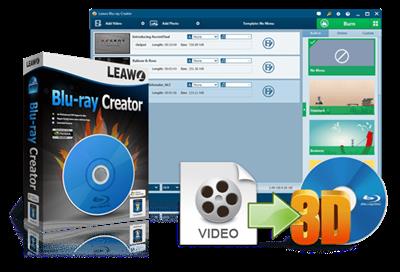
Far more than a video to Blu-ray burner to convert and burn video to Blu-ray, DVD or ISO. The most comprehensive but easiest to use Blu-ray burner that could convert and burn video to Blu-ray, DVD or ISO Image File, along with practical mini video editor, 3D Blu-ray maker and various other functions.
Main Features:
- Burn Blu-ray, DVD or ISO Image Files out of videos files in 180+ formats;
- 40+ free disc menu and template models are preset for option, even allows disc menu and template DIY according to personal preference;
- Burn common 2D video to 3D Blu-ray/DVD with 6 different 3D movie effects available;
- Built-in video editor allows editing videos for customized output files;
- Easy-to-use and clean interface, fast processing via Intel Quick Sync accelerating technology;
Enjoy Blu-ray HD movies out of any HD videos at will
Whatever's on your computer, with Leawo Blu-ray Creator, you can fully enjoy it on Blu-ray players. Leawo Blu-ray Creator is the most practical Blu-ray burning software that could help you easily convert video to Blu-ray and burn Blu-ray/DVD discs, folders or ISO Image Files on your computer. It could burn Blu-ray out of video in any format like AVI, MKV, MP4, MOV, WMV, etc. 40+ preset free disc menu and template models are available for choice.
If you like, you could even DIY disc menu and template with the internal menu and template designer. Not only a Blu-ray burner, Leawo Blu-ray Creator also allows you to make use of built-in video editor to get customized Blu-ray/DVD movies. Built in with 3D Blu-ray burner, you can convert 2D video to 3D Blu-ray/DVD in 6 different 3D movie effects. To perfect 3D Blu-ray movie making, it even allows you to adjust 3D depth. In short, with the help of this user-friendly Blu-ray Creator, you can far more than simple video to Blu-ray/DVD converting.
Support to input various videos
Leawo Blu-ray Creator is the best DVD maker and Blu-ray burner that is able to burn any common videos, HDDV or SDDV shot memories, YouTube videos, QuickTime movies, etc. to Blu-ray/DVD for enjoying it on popular BD/DVD players. It supports a wide selection of input videos in various formats like AVI, MP4, DAT, WEBM, RMVB, RM, MPG, MPEG, VOB, MOV, M4V, FLV, F4V, MKV, etc. Not only videos, Leawo Blu-ray Creator could even directly burn ISO files to Blu-ray/DVD disc.
Burn Blu-ray, DVD or ISO at will
Leawo Blu-ray Creator can not only convert video to Blu-ray discs (BD-25, BD-50), DVDs (DVD-5, DVD-9), but also support to convert video to ISO image which can be saved for further use.
Professional 2D to 3D converter
For stereo video enjoyment, this smart BD Creator also supports to burn video to 3D DVDs and Blu-ray discs. It is internally built with versatile 3D setting modes which contain Red/Cyan, Red/Green, Red/Blue, Blue/Yellow, Interleaved and Side by Side. Any of the preset modes is adjustable and the 3D Depth from -50 to +50 will make your 3D effect more vivid.
Enjoy 3D movies freely
With Leawo Blu-ray Creator, you can easily create 3D Blu-ray/DVD movies to enjoy 3D movies at home. The burned 3D Blu-ray/DVD movies could be played back on various 3D Blu-ray/DVD players Sony BDP-S5100 3D Blu-ray disc player, Philips BDP2985 3D Blu-ray disc player, etc.
Get personalized videos with internal video editor
To modify the output video to a more personalized style, this smart Blu-ray burner program provides a series of editing features like trim, crop, effect and watermark to aid you to convert video to Blu-ray and DVD with customized traits. Video length and size can be cut, brightness, contrast, saturation, and volume zoom can be adjusted, image or text watermark can be added.
Disc menu and template designer
The 40+ menu templates are embedded, specified in Standard, Business, Education, Holiday, Nature, Others and more. You can select any one of them as your output DVD or Blu-ray disc menu and template. What's more, the built-in disc menu and template designer allows you to customize menu and template by employing self-defined Themes, Background, Button, Caption and Advanced options in a super easy way.
What's New:
* official site does not provide any info about changes in this version
Download link:
Код:
rapidgator_net:
https://rapidgator.net/file/e423d3ab553d36c7d549ff6c54207d52/83n7y.Leawo.Bluray.Creator.11.0.0.1.Multilingual.rar.html

uploadgig_com:
https://uploadgig.com/file/download/763d7ca9F3D3f599/83n7y.Leawo.Bluray.Creator.11.0.0.1.Multilingual.rar

nitroflare_com:
https://nitroflare.com/view/16F83B39D101CA9/83n7y.Leawo.Bluray.Creator.11.0.0.1.Multilingual.rar
Links are Interchangeable - No Password - Single Extraction
|
|
|
|
|
12.07.2021, 10:53
|
#65578
|
|
Местный
Регистрация: 04.10.2017
Сообщений: 125,003
Сказал(а) спасибо: 0
Поблагодарили 7 раз(а) в 7 сообщениях
|
Leawo Blu-ray Ripper 11.0.0.1 Multilingual
 Languages: Multilingual | File size: 133 MB
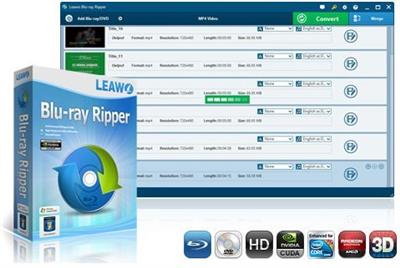
Leawo Blu-ray Ripper is a professional Blu-ray ripping and converting program to decrypt, convert Blu-ray/DVD movies to videos, and backup Blu-ray to DVD disc. This Blu ray Ripper software could convert Blu-ray/DVD to video in various formats, like MKV, MP4, MOV, etc. The video files after conversion could be played on various popular media players, like Apple media devices, Android smartphones and tablets, Windows media players, various smartphones, etc.
With its video editing features, you can also customize your Blu-ray/DVD files to make the converted files your own patent. 2D to 3D conversion could also be realized via this Blu-ray Ripper. You can freely rip Blu-ray and DVD disc to 3D videos for playback on various 3D players.
Main Features:
- Convert Blu-ray to MP4, MKV, AVI ect. popular formats.
- Customize Blu-ray videos at will with powerful editing functions.
- Convert 2D Blu-ray/DVD to 3D movies for more pleasure.
- Fast conversion speed with NVIDIA CUDA acceleration technology.
- Multi-language support like English, French, German etc.
Most video/audio formats available for output
Rip Blu-ray/DVD to video and audio files in most formats, like AVI, MP4, WMV, FLV, MPEG, MOV, MKV, RMVB, FLAC, AAC, AC3, AIFF, AMR, M4A, etc. Support both HD and standard video format as output.
Converted files playable on various media players and devices
Convert Blu-ray DVD to various popular media players and devicess, like iPhone, iPhone 4S, iPod, iPad, iPad 2, the New iPad, PSP, PS3, Apple TV, Zune, Xbox 360, Blackberry, Android phones, etc.
Professional output file parameter settings
Modify output profile parameters including video codec, audio codec, video size, bit rate, aspect ratio, frame rate, etc. to meet target devices exactly.
Choose output subtitles and audio tracks at will
Subtitles and audio tracks of source Blu-ray/DVD files are listed for optional choice. You could freely choose subtitles and audio tracks for output files as you like.
User-friendly video editing features
Trim video length, crop video size, adjust video effect and add image or text watermark to the source Blu-ray/DVD files for customization in Edit panel.
Convert 2D Blu-ray/DVD Disc to 3D movies for more pleasure
Various 3D options (Red/Cyan, Red/Green, Red/Blue, Blue/Yellow, Interleaved, Side by Side) are provided for 2D to 3D conversion while rip Blu-ray DVD disc. 3D depth could be reset for better 3D movie effect.
Built-in player for convenient preview and screenshots taking
Besides the function of content checking and playback, the built-in player also provides great convenience for output file preview and screenshots snapping.
Quick profile search to set output profile easily
A profile search bar in profile panel of this Blu-ray to video converter to provide convenient operations for quick output profile setting.
Fast program performance with NVIDIA CUDA accelerating tech
This Blu-ray ripper adopts NVIDIA CUDA accelerating technology to speed up the program performance. Blu-ray/DVD to video conversion could be completed in short time.
What's New:
* official site does not provide any info about changes in this version
Download link:
Код:
rapidgator_net:
https://rapidgator.net/file/e0ee350b8dd91395dcde973babcbfe38/o2skt.Leawo.Bluray.Ripper.11.0.0.1.Multilingual.rar.html

uploadgig_com:
https://uploadgig.com/file/download/f523e9f58165a726/o2skt.Leawo.Bluray.Ripper.11.0.0.1.Multilingual.rar

nitroflare_com:
https://nitroflare.com/view/594F2023634E432/o2skt.Leawo.Bluray.Ripper.11.0.0.1.Multilingual.rar
Links are Interchangeable - No Password - Single Extraction
|
|
|
|
|
12.07.2021, 10:53
|
#65579
|
|
Местный
Регистрация: 04.10.2017
Сообщений: 125,003
Сказал(а) спасибо: 0
Поблагодарили 7 раз(а) в 7 сообщениях
|
Leawo Prof. Media 11.0.0.1 Multilingual
 Languages: Multilingual | File size: 130 MB
World's No. 1 media converter suite provides the best and most fully-featured multimedia solutions! All-inclusive media converter toolbox provides multiple solutions between up to 1080P videos, DVD, Blu-ray, online videos, audios and photos, with astonishing bonus features.
- Convert online videos, HD/SD video, DVD and audios to more than 180 formats for iPhone, iPad, Galaxy S series, HTC New One, Xperia series, etc.
- Burn video to DVD & Blu-ray content with over 40 models of disc menu and templates preset.
- Copy DVD movies to computer or blank disc, directly back up ISO file onto disc, supporting 1:1 duplication, movie-only backup, etc.
- Download and convert videos from online video sharing sites like YouTube, Facebook, VEVO, Veoh, etc.
- Create photo slideshows and burn photo slideshow to Blu-ray/DVD.
- Create 3D movies with up to 6 different 3D effects available, edit disc menu and video effects.
Leawo Prof. Media - The ever best choice for your movie night
As an all-inclusive media converter suite, Leawo Prof. Media ensures your movie night with high quality and smooth movie watching experience. Comprising HD video converter, Free audio converter, DVD Ripper, Blu-ray Creator, DVD Copy, DVD Creator, Photo Slideshow Maker, Photo Slideshow Burner, and Free YouTube Downloader, this media converter suite easily solves any format incompatibility issue. Acting as HD video converter, this media file converter suite could convert common and HD (up to 1080P) videos between MP4, AVI, MOV, FLV, MKV, WMV, RM, MPEG, etc. As a professional media converter suite, it could act as DVD ripping and backup software to convert DVD to video/audio in multiple formats and copy DVD movies to computer or blank disc for backup. Also, it could perform as Blu-ray/DVD creator to burn video to Blu-ray/DVD disc, folder or ISO files easily. Downloading online videos from YouTube and other video sharing sites is a piece of cake. With photo slideshow maker and burner built in, Leawo Prof. Media helps you easily create photo slideshow and burn photo slideshow to Blu-ray/DVD, with slideshow video and audio editable.
Watch movies in the way you want
As a media converter suite, Leawo Prof. Media allows you to watch HD video, DVD movie or online videos in the way you like. With video converter, DVD converter & burner, video to Blu-ray burner, online video downloader and video accelerator built in, this all-inclusive 8-in-1 media file converter could let you watch movies anytime anywhere on any device. It could convert your video, DVD and audios to more than 180 formats like AVI, WMV, MP4, MKV, FLV, 3GP, MPG, MP3, FLAC, AAC, etc. for various trending players and devices such as iPhone, iPad, Surface, Galaxy S series, Windows Phones, etc. Meanwhile, if you want to watch movies on Blu-ray/DVD player, this media converter combo allows you to convert and burn video to DVD or Blu-ray discs. For online movie or video enjoying, Leawo Prof. Media provides smooth online video playback with its built-in online video accelerator which could accelerate the video loading to ensure the playback smoothness. It even enables you to download and convert online videos from YouTube or other sites to computer or other devices for offline movie enjoying.
An Extraordinary Blu-ray/DVD Experience
- Convert DVD to video in various formats
As professional media converter software, Leawo Prof. Media provides fast conversion speed and high quality conversion of DVD to video converting. This DVD ripping software can easily convert DVD movies to video in MP4, MPG, WMV, 3GP, FLV, and tons of other formats. It could even convert DVD movies to optimized device formats with great image quality for playback on Apple iOS devices, Windows phones, BlackBerry 10 devices, Android devices and more.
- Burn video/ISO to Blu-ray/DVD with menu and templates
Also including a video to Blu-ray creator, this Blu-ray burner could quickly and easily burn any homemade video in different formats to BD50/BD25/DVD9/DVD5 discs, BD/DVD folder, or ISO files with tens of free disc menu templates preset to make your Blu-ray discs unique. ISO to disc burning is also available.
High quality DVD movie backup in clicks
Featuring a practical DVD Copy function module, Leawo Prof. Media allows helps you easily copy and backup DVD movies in disc, folder or ISO to computer hard drive or blank disc without quality loss. It could backup both 2D and 3D discs. 3 copy modes are selectable: Full Movie, Main Movie and Custom Mode. Under Main Movie and Custom Mode, subtitles and audio tracks could be selected upon personal will. It supports 1:1 disc to disc duplication, high quality DVD-9 to DVD-5 compression, etc. No matter the DVD discs are in CSS protection or not, Leawo Prof. Media could easily finish the disc backup task.
Enjoy online video and movie at will
Including online video downloader, Leawo Prof. Media allows you to download online videos and movies to computer, or even convert online videos to your handheld players like iPhone 5s, iPad Air, HTC New One, Galaxy S 5, etc. for on-the-go enjoying. You can download online videos various video sharing sites like YouTube, dailymotion.com, metacafe.com, blip.tv, veoh.com, liveleak.com, videobash.com, funnyordie.com, aol.com, break.com, vevo.com, etc. What's more, you can even download online videos or movies and then burn online videos to DVD or Blu-ray discs for sharing or safekeeping with Leawo Prof. Media.
Turn photos into slideshow for multiple uses
- Photo Slideshow Maker
Create photo slideshow off various photos in one-click. Convert generated photo slideshow to 180+ formats like MP4, AVI, MOV, FLV, WMV, MPEG, MKV, etc. for multiple uses.
- Photo Slideshow Burner
Generate photo slideshow in one click and then burn generated photo slideshow to Blu-ray/DVD format easily. Add disc menu or even design disc menu at will.
- Photo Slideshow Editor
Edit video and audio elements of generated photo slideshow with ease: add extra photos, adjust photo order, add background music, set output video and audio effect, etc.
Exciting 2D to 3D movie making experience
As the best and most fully-featured media converter suite, Leawo Prof. Media keeps in line with the 3D movie trend with the internal 3D movie maker. It could easily convert 2D Blu-ray/DVD to 3D video and convert 2D video to 3D Blu-ray/DVD content for unlimited 3D movie enjoying. It provides the easiest way to make 3D movies. There're totally 6 types of 3D effects available for you to choose from: Red/Cyan, Red/Green, Red/Blue, Blue/Yellow, Interleaved and Side by Side. To make the created 3D movies more vivid, you are even allowed to set the 3D depth to adjust the 3D effect. 3D movie effect preview is instantly presented.
Personalize media files freely
- Practical video editing features
by Leawo Prof. Media offers user-friendly video editor to help edit source DVD, Blu-ray, online video and movies: trim video length, crop video size, adjust video effect and add image or text watermark.
- DIY disc menu and templates
Leawo Prof. Media offers preset disc menu and templates for you to burn video to DVD or Blu-ray. To let you get even exciting Blu-ray/DVD making experience, this Blu-ray/DVD creator program allows you to DIY the disc menu, background music and image.
- Set profile parameters
Adjust output file video and audio parameters to make output files meet your needs more, including: video codec, video size, bit rate, aspect ratio, frame rate, audio codec, channel, etc.
What's New:
* official site does not provide any info about changes in this version
Download link:
Код:
rapidgator_net:
https://rapidgator.net/file/046aba72ef39ed5df0ea15596e490298/6fvci.Leawo.Prof..Media.11.0.0.1.Multilingual.rar.html

uploadgig_com:
https://uploadgig.com/file/download/56D042cda62c1cA3/6fvci.Leawo.Prof..Media.11.0.0.1.Multilingual.rar

nitroflare_com:
https://nitroflare.com/view/F1A7D830115B25F/6fvci.Leawo.Prof..Media.11.0.0.1.Multilingual.rar
Links are Interchangeable - No Password - Single Extraction
|
|
|
|
|
12.07.2021, 10:54
|
#65580
|
|
Местный
Регистрация: 04.10.2017
Сообщений: 125,003
Сказал(а) спасибо: 0
Поблагодарили 7 раз(а) в 7 сообщениях
|
Macsome iTunes Converter 4.4.0 Multilingual
 Languages: Multilingual | File size: 129 MB
As streaming music service, all the Apple Music files are cached. You can only play them on Apple Music App during your subscription.
Macsome iTunes Converter gives you more freedom with Apple Music files. You can't only convert Apple Music files to MP3, AAC, FLAC and WAV format, you can also unlock Apple Music files with fast conversion speed and CD output quality.
FEATURES :
Support Most Audio Files on iTunes:
Whether iTunes Match Music files, downloaded Apple Music files, Audiobook files or the general music files on iTunes, if you can use iTunes to play the audios, including purchased ones, you can convert them to MP3 / AAC as you like.
Remove DRM from iTunes Audios:
Some purchased music files, purchased Audiobooks and downloaded Apple Music files are DRM protected with this and that limitations, when you want to play these audio files, you need to remove DRM with the help of iTunes Converter for Win so as to play them without any limitations. You can can also name it a iTunes DRM Audio Converter as you like.
Convert Downloaded Apple Music Files to MP3 / AAC:
Apple Music is very popular with many magic music songs. Even you subscribe the Apple Music, you can't have the full usage of the Apple Music songs, even you have downloaded some music songs. To keep the downloaded Apple Music files longer, why not use iTunes Converter for Win to convert them to MP3 or AAC?
Convert iTunes Match Music to MP3 / AAC:
Even iTunes Match Music has more freedom than Apple Music, iTunes Converter also helps you convert iTunes Match Music to MP3 / AAC as you like.
Convert unprotected or purchased Audiobooks to MP3 / AAC:
Whether the Audiobooks are free or purchased with DRM, iTunes Converter for Win can converts these Audiobooks to MP3 / AAC. Moreover, you can convert any AA / AAX to MP3 / AAC with the iTunes Converter.
CD Quality output:
For audio files, the audio quality is very important. Don't worry the quality loss after the conversion. There are some output presets to choose. For high quality audios, the output quality can be equal to CD quality.
Silent Recording:
iTunes Converter uses the silent recording technology to finish converting M4P to MP3 / AAC, converting M4A to MP3 / AAC, converting AA to MP3 / AAC, converting AAX to MP3 / AAC.
No Extra Hardware or Vitual Drive Needed:
When you install iTunes Converter on your PC, it won't install any virtual drive, and don't needany extra hardware. You just follow the instruction to install it, and then start your conversion.
Free Upgrade All life:
After you purchased to get the full version of iTunes Converter, you can upgrade to the latest version all life for free. Every time you run the software, it will auto check updates.
Easy to use:
iTunes Converter for Win is very simple to use, every function can be found from the main interface easily. And even you are a fresh man, you can use it to convert your iTunes audio successfully.
Fast conversion speed:
All the audio conversion can be finished with a super fast conversion speed. Just a cup of tea, you can enjoy the converted MP3 / AAC at ease.
Whats New:
Updates: official site does not provide any info about changes in this version.
Download link:
Код:
rapidgator_net:
https://rapidgator.net/file/4e85e98554edac8740efd8a626925b57/mxvxm.Macsome.iTunes.Converter.4.4.0.Multilingual.rar.html

uploadgig_com:
https://uploadgig.com/file/download/178df8d6c2036805/mxvxm.Macsome.iTunes.Converter.4.4.0.Multilingual.rar

nitroflare_com:
https://nitroflare.com/view/F2BD8117BA5F73F/mxvxm.Macsome.iTunes.Converter.4.4.0.Multilingual.rar
Links are Interchangeable - No Password - Single Extraction
|
|
|
|
      
Любые журналы Актион-МЦФЭР регулярно !!! Пишите https://old.nado.in/private.php?do=newpm&u=12191 или на электронный адрес pantera@nado.ws
|
Здесь присутствуют: 1 (пользователей: 0 , гостей: 1)
|
|
|
 Ваши права в разделе
|
Вы не можете создавать новые темы
Вы не можете отвечать в темах
Вы не можете прикреплять вложения
Вы не можете редактировать свои сообщения
HTML код Выкл.
|
|
|
Текущее время: 02:34. Часовой пояс GMT +1.
| |






