Вернуться   Бухгалтерский форум (архив) > Различный софт > Различный софт

Ответ
 
Опции темы
Старый 18.06.2021, 07:47   #63031
mitsumi1
Местный
 
Регистрация: 04.10.2017
Сообщений: 125,003
Сказал(а) спасибо: 0
Поблагодарили 7 раз(а) в 7 сообщениях
mitsumi1 пока не определено
По умолчанию AnyTrans for iOS 8.8.3.20210617 (x64)


File Size: 174.4 MB
Update Your iPhone Experience with More Possibilities. Unlock more possibilities in managing and transferring your iPhone, iPad, iPod, even iTunes and iCloud content. Experience an easier and happier i-Life now. AnyTrans breaks the sync boundaries to bring you full-way transfer across iPhone, iPad, iPod, iTunes, iCloud and computer. Now it takes one step further to get it done by simple drag and drop or one quick click. Your data and files can fly straight to anywhere you want without a hassle.

Be The Master of Your Music
Set yourself free from iTunes restrictions, and transfer music freely between iPhone, iPad, iPod, computer and iTunes. You can export songs from iPhone to computer or iTunes library. Drag music you like to iPhone without erasing anything existing. Take your favorite playlists to your new iPhone. Everything that's impossible with iTunes is now easy in one click.

Take Care of Your iPhone Photos
iPhone photos record your life moments, and AnyTrans keeps them safe for you. In a single click, it smartly and rapidly exports photos to computer by category, like Live Photos, Selfies, or albums you created - even converts photos from HEIC to JPG if you need. You can then batch remove photos that are safely backed up from your iPhone, and make room for more memories.

Personal Info
Remove old contacts and messages to keep your list clear. Export important ones for backup. Or, move them to new iPhone and ensure your connections are always at your fingertips.

Apps
It's a breeze to download, install, update, remove and manage iPhone/iPad apps and app data from computer. You can even share app files between iPhone and computer seamlessly.

Messaging Apps
AnyTrans keeps WhatsApp/LINE/Viber chats and files right within your reach. Whether you want to move them to new iPhone, or create a backup to avoid accidents, it's a click away.

Files & Documents
Turn your iPhone into a USB flash drive to store files and documents. Using AnyTrans iOS app, you can then browse these files by category, and preview or share them directly from iPhone.

Warm Your New iPhone with Sweet Memories
Got a new iPhone? Warm it up with your sweet memories. No matter you're upgrading from an old iPhone or Android phone, AnyTrans migrates all your essentials in one simple click - photos you shot, music you enjoyed, contacts you kept, messages you saved, or anything you need. You can even move apps and app data at one go. Don't have to download apps one by one manually any more. What about the old phone? AnyTrans can permanently wipe everything on it, keeping your private info safe from falling into the wrong hands.

Never Worry About Data Loss Any More
Keeping a complete and up-to-date backup is the best way to protect you from unexpected data loss. Now AnyTrans provides a more complete iPhone backup solution, as well as a more flexible restore solution. It makes sure you can get back your valued data in an easy, quick and preferred way.

Use Your iCloud Easily and Securely
As the innate partner of iOS devices, iCloud is indispensable but complicated for most of us. Now no worries. AnyTrans lets you manage iCloud files easily as you do locally with Windows Explorer or Mac Finder. You can view and extract iCloud backups, delete old files to save precious iCloud storage, batch save photos to computer, move files seamlessly between iCloud accounts, etc. Every access is protected by Apple's encryption algorithm to keep your privacy absolutely private.

Update iTunes Experience As Well
AnyTrans breaks iTunes restrictions to give you better sync experience. With its 2-way transfer, you can not only transfer music and videos from iTunes library to iPhone, but also rebuild damaged iTunes library by exporting songs and playlists from iPhone, iPad
e done without erasing anything. So, feel free to enrich your iPhone music library from multiple iTunes libraries as you want.

System Requirements:
- Windows OS: Windows 10, 8, 7, Vista (both 32bit and 64bit)
- iOS: iOS 13, 12, 11, 10, 9, 8, 7, 6, 5
- Resolution: 1024x768 display or above
- CPU: Pentium IV 2.4 GHz or above

Download link:
Код:
rapidgator_net: https://rapidgator.net/file/9a905e5ad1ba32ff9ee66688dd344ab6/erydp.AnyTrans.for.iOS.8.8.3.20210617.x64.rar.html uploadgig_com: https://uploadgig.com/file/download/3492e4b37113888c/erydp.AnyTrans.for.iOS.8.8.3.20210617.x64.rar nitroflare_com: https://nitroflare.com/view/DEDB6828E5F05FF/erydp.AnyTrans.for.iOS.8.8.3.20210617.x64.rar
Links are Interchangeable - No Password - Single Extraction
mitsumi1 вне форума   Ответить с цитированием
Старый 18.06.2021, 07:48   #63032
mitsumi1
Местный
 
Регистрация: 04.10.2017
Сообщений: 125,003
Сказал(а) спасибо: 0
Поблагодарили 7 раз(а) в 7 сообщениях
mitsumi1 пока не определено
По умолчанию Artstudio Pro 3.0.7 macOS


File size: 228 MB
Introducing Artstudio Pro, the most powerful painting and photo editing app available for both macOS and iOS . The successor to our famous ArtStudio app has been redesigned bringing many new features and improvements taking full advantage of the latest technologies Metal, iCloud Drive, and optimized for 64-bit multi-core processors to achieve the smoothest possible workflow.

Hundreds of assets are included and users have the ability to import resources in the most popular formats (ABR, TPL, PAT, GRD, ASE, ACO) giving instant access to millions of brushes, patterns, gradients, color swatches and fonts. It will boost your creativity and help you bring your ideas to life quickly and easily.

New engine
The powerful GPU accelerated ArtEngine developed by Lucky Clan is 5-10 times faster than the previous engine. It allows working with multiple documents, supports large canvas sizes and an unlimited number of layers. Incredible optimization ensures smooth work even with large canvases.
* Multiple open documents
* Canvas size: 256Mpix
* Unlimited layers
* 27 tools: Move, Select, Crop, Eyedropper, Paint, Wet Paint, Eraser, Bucket/Pattern/Gradient Fill, Smudge, Dodge, Burn, Sponge, Text, Heal, Clone, and more
Release Notes
Release notes were unavailable when this listing was updated.

Supported Operation Systems:
macOS 10.11 or later

Download link:
Код:
rapidgator_net: https://rapidgator.net/file/fbdb5ffa46e19dd274e851112dbcb204/e6bhm.Artstudio.Pro.3.0.7.macOS.rar.html uploadgig_com: https://uploadgig.com/file/download/B478fc96a083220e/e6bhm.Artstudio.Pro.3.0.7.macOS.rar nitroflare_com: https://nitroflare.com/view/5F74FBBFA7BEBA1/e6bhm.Artstudio.Pro.3.0.7.macOS.rar
Links are Interchangeable - No Password - Single Extraction
mitsumi1 вне форума   Ответить с цитированием
Старый 18.06.2021, 07:49   #63033
mitsumi1
Местный
 
Регистрация: 04.10.2017
Сообщений: 125,003
Сказал(а) спасибо: 0
Поблагодарили 7 раз(а) в 7 сообщениях
mitsumi1 пока не определено
По умолчанию Author 7.0.1 MAS


File size: 10.60 MB
Greater control of the authorship process with Augmented Citation Copy, Augmented Glossary, Augmented Views, Cuttings & more.
When you are ready to share your work as a PDF you get an automatically created Reference section. You can also post to WordPress.

Quick-Cite
* Copy from PDF in the companion application Reader and paste as a full citation in Author
* Paste the BibTex or DOI from an academic PDF to have it automatically turn into a full citation
* Cite quickly and easily from Books, Web pages and YouTube videos (from specified time if desired)
* Citations can easily be moved around from one document to another by clicking on the citation and choosing 'Copy Citation'.

Advanced Automatic Export Options
* Append References Section
* Create Cover Page
* Number Headings
* Specify how citations should appear: Author Date or Author Number
* Makes typed-out links live
* Option to have Visual-Meta attached
* Publish to WordPress: Supports multiple accounts and image attachments

Advanced Views
* Dynamic View: Think freely without being constrained by the traditional columns of text. Mind map, concept map and jot down thoughts, right inside Author.
* Instant Outline: Pinch on your trackpad to fold the text to see just the headings. Pinch further in or out to see more or less headings
* Advanced Find: If you only want to see sentences with a specific keyword, select the keyword cmd-f to hide all the sentences which do not have the keyword will be hidden. Click on a sentence to jump to it, cmd-f again or ESC to return to the regular view.
* Magic Margins: Double click in the margins (in full screen mode) to jot down any notes. If the notes are also in the document they will be bold and you can double-click to see all their occurrences. Note: These margins do not follow your document when you scroll, they are separate, to allow you to have an always-available space to jot notes-hence they are not like traditional margins

Cuttings
* Everything you Cut (but not Copied) is remembered by Author. CMD-shift-v to see what you have Cut and choose what to paste

Modern & Minimalist
* Makes Author fast and gives you auto saving and everything else you would expect from a modern, native macOS application including iCloud Drive (sync with Author iOS in the future)
* cmd- / cmd+ to scale all the text, you cannot change the size, colour or font of specific text in Author, only make it bold and italic, since Author is a writing application, not a layout application so therefore gives you less things to unproductively fiddle with
* Reduces eye strain and supports native macOS Dark Mode
* Including complete citation information and internal links to them. Author is minimalist but not markdown.
* ESC to go into and out of full screen. It seems like a detail but is very helpful when going between focused writing and interacting with many documents.

A Liquid Product
* Integrated with Reader (PDF reader): Provides instant citations through simply copying and pasting text using the Visual-Meta method as described at
* Integrated with Liquid actions: Provides hundreds of commands in less than one second on any selected text.
Release Notes

* Improvements to Author's unique Concept Mapping tool which only shows connecting lines when you select nodes, saving you from having a line-overload on screen.

Supported Operation System:
* macOS 10.13 or later
* Apple Silicon or Intel Core processor

Download link:
Код:
rapidgator_net: https://rapidgator.net/file/2663e83701412c46f693a22647bc5145/34ej3.Author.7.0.1.MAS.rar.html uploadgig_com: https://uploadgig.com/file/download/9a1551bA8cCcD286/34ej3.Author.7.0.1.MAS.rar nitroflare_com: https://nitroflare.com/view/BCAF8E24B6DCD17/34ej3.Author.7.0.1.MAS.rar
Links are Interchangeable - No Password - Single Extraction
mitsumi1 вне форума   Ответить с цитированием
Старый 18.06.2021, 07:50   #63034
mitsumi1
Местный
 
Регистрация: 04.10.2017
Сообщений: 125,003
Сказал(а) спасибо: 0
Поблагодарили 7 раз(а) в 7 сообщениях
mitsumi1 пока не определено
По умолчанию Autodesk AutoCAD 2019.1.3 Update Only (x86-x64)


x86,x64 | File Size: 532/598 MB
Description:
The company offers a variety of Adobe software in the graphics and media company known for Autodesk also known as a manufacturer of engineering design applications and simulation. One of the programs is the software company Autodesk AutoCAD is the main program and the standard of design and planning. Perhaps the most widely used AutoCAD software, various engineering disciplines from which to draw maps and plans for construction, industrial, etc. are used. The first version of Autodesk AutoCAD version 2016 was released at the end of 1982. In fact, the thirtieth release of the software.

Facilities and software features Autodesk AutoCAD:
-User interface is suitable for beginners
-design and two-dimensional shapes and three-dimensional maps
-Create drawings and view 360-degree view of their plan
-A variety of tools needed for mapping and complex shapes
-Save project dedicated DWG format
-Ability to manage multiple layers and form design
-Ability to annotate any part of the project
-consistency with design software
-Support and edit DGN format

System Requirements:
OS:
-Microsoft® Windows® 7 SP1 with Update KB4019990 (32-bit & 64-bit)
-Microsoft Windows 8.1 with Update KB2919355 (32-bit & 64-bit)
-Microsoft Windows 10 Anniversary Update (64-bit only) (version 1607 or higher)
CPU: Minimun:2.5-2.9 GHz processor / Recommended:3+ GHz processor
RAM: Minimun:8 GB/ Recommended:16 GB
Display Resolution:
Conventional Displays:
1920 x 1080 with True Color
High Resolution & 4K Displays:
Resolutions up to 3840 x 2160 supported on Windows 10, 64 bit systems (with capable display card)
Display Card:Minimun:1 GB GPU with 29 GB/s Bandwidth and DirectX 11 compliant / Recommended:4 GB GPU with 106 GB/s Bandwidth and DirectX 11 compliant
Disk Space:6.0GB

Download link:
Код:
rapidgator_net: https://rapidgator.net/file/5cca7f07ddac4e51dc1bee003b4f3373/6yr3i.stAutoCAD2019.1.3Update32bit.rar.html https://rapidgator.net/file/b47b9622698a1a5e7dbdc04d6a62a0c4/6yr3i.stAutoCAD2019.1.3Update64bit.rar.html uploadgig_com: https://uploadgig.com/file/download/2F31ece6Ff7de110/6yr3i.stAutoCAD2019.1.3Update32bit.rar https://uploadgig.com/file/download/bb179a0Df3fF0639/6yr3i.stAutoCAD2019.1.3Update64bit.rar nitroflare_com: https://nitroflare.com/view/FD797F9B7103241/6yr3i.stAutoCAD2019.1.3Update32bit.rar https://nitroflare.com/view/ED5C5F07FC5E422/6yr3i.stAutoCAD2019.1.3Update64bit.rar
Links are Interchangeable - No Password - Single Extraction
mitsumi1 вне форума   Ответить с цитированием
Старый 18.06.2021, 07:52   #63035
mitsumi1
Местный
 
Регистрация: 04.10.2017
Сообщений: 125,003
Сказал(а) спасибо: 0
Поблагодарили 7 раз(а) в 7 сообщениях
mitsumi1 пока не определено
По умолчанию Balabolka 2.15.0.788 Multilingual


File Size : 20.6 Mb

Your child asks and asks you to read him a story, and you have no time? Or do you tired eyes from working at the computer and has no power to re-read? You no longer need to excel, load sight, call grandma for help or deny to a child and upset him. Just use a chatterbox. Balabolka read aloud any text in a human voice. This is a very useful program that will greatly facilitate your life. Balabolka will sound text from any application. And she reads human voice. So you will not only convenient, but also nice to listen to the text, voiced by the program.

Although the update did made ​​small changes, it is still better to upgrade to the latest release version, or use the latest portable version, in order to avoid any problems with the program. Choose the installation or a portable version, as you prefer.

Download link:
Код:
rapidgator_net: https://rapidgator.net/file/5b3fc8d041140a7f7679f857712aaf22/c2cnw.Balabolka.2.15.0.788.Multilingual.zip.html uploadgig_com: https://uploadgig.com/file/download/3386c8520060C351/c2cnw.Balabolka.2.15.0.788.Multilingual.zip nitroflare_com: https://nitroflare.com/view/F5E09A6C3F8EE2C/c2cnw.Balabolka.2.15.0.788.Multilingual.zip
Links are Interchangeable - No Password - Single Extraction
mitsumi1 вне форума   Ответить с цитированием
Старый 18.06.2021, 07:53   #63036
mitsumi1
Местный
 
Регистрация: 04.10.2017
Сообщений: 125,003
Сказал(а) спасибо: 0
Поблагодарили 7 раз(а) в 7 сообщениях
mitsumi1 пока не определено
По умолчанию Better Trash 1.6.8 MAS


File size: 4.65MB
Better Trash is a trash manage app on macOS, it's designed to help you solve problems that Trash can't be emptied, clean up the trash automatically, view the original location of the trash item, and view the history record of emptying trash with Better Trash.

1. Have you ever encountered the Trash can't empty?
* Force Empty Trash ---can help you to delete the locked file or in use or other case from Trash.

2. Empty trash automatically
* Auto Empty Trash ---can help you to empty trash automatically.
* You can select When to empty by the different time frequency .
* Daily, 3 Days, Every week, Two weeks, Monthly, Two month.
* Or you can set the storage limit for the trash. For example: 500MB, 5GB, 10GB, 50GB and more....

When the trash exceeds the storage limit, it automatically empties the trash.

3. View Trash Source
* Check the original location and file permission of the trash file.

4. File Shredding
* You can select file and folder from the trash and other location to shred.

5. View Empty Trash History
* Record the history when you emptied trash with Better Trash, so you can restore the deleted item from the Time Machine backup.
Release Notes

* Fix a file size bug when trashes from an external disk.
* Add a feature to show dock icon after hiding app dock icon.

Supported Operation System:
* Intel Core processor
* OS X 10.9 or later

Download link:
Код:
rapidgator_net: https://rapidgator.net/file/12c5d63c1cf01fc3b4e8e632f8025826/1pp4v.Better.Trash.1.6.8.MAS.rar.html uploadgig_com: https://uploadgig.com/file/download/e3c42de705E8C607/1pp4v.Better.Trash.1.6.8.MAS.rar nitroflare_com: https://nitroflare.com/view/0DDE7AA7556DB63/1pp4v.Better.Trash.1.6.8.MAS.rar
Links are Interchangeable - No Password - Single Extraction
mitsumi1 вне форума   Ответить с цитированием
Старый 18.06.2021, 07:54   #63037
mitsumi1
Местный
 
Регистрация: 04.10.2017
Сообщений: 125,003
Сказал(а) спасибо: 0
Поблагодарили 7 раз(а) в 7 сообщениях
mitsumi1 пока не определено
По умолчанию ByteScout PDF Multitool 12.1.4.4172 Business


File size: 267.5 MB
Convert PDF files to multiple document and image formats, read damaged text, extract data from documents and more, with this versatile application. ByteScout PDF Multitool is an easy to use and powerful conversion suite created to help users save their PDF files to other common formats, such as TXT, CSV, HTML and even images.

Learn more about the features of ByteScout PDF Multitool for Businesses:
PDF transformation and conversion of its scanned images into text searchable PDF files;
Reading of text on scanned files (English, German, Spanish, French and more are supported) with features of HTML PDF Viewer afterward;
PDF to CSV conversion, PDF to XML and XLS, PDF to XLSX and PDF To HTML conversions;
Ability to automatically find tables within a PDF document;
Extra options to Split, Merge, Extract pages from PDF;
Performing of regular expressions search within a PDF document;
Extract attached files and inside data from PDF, XFA and XFDF;
Convert PDF to TIFF, PDF to PNG, PDF to BMP, PDF to HTML;
Print PDF documents;

Whats New:
Updates: official site does not provide any info about changes in this version

Download link:
Код:
rapidgator_net: https://rapidgator.net/file/aaedc640298f87c3b1d3d6227d3c0dcf/awwr4.ByteScout.PDF.Multitool.12.1.4.4172.Business.rar.html uploadgig_com: https://uploadgig.com/file/download/Fd0534b749eB0475/awwr4.ByteScout.PDF.Multitool.12.1.4.4172.Business.rar nitroflare_com: https://nitroflare.com/view/9C138201D8A4D42/awwr4.ByteScout.PDF.Multitool.12.1.4.4172.Business.rar
Links are Interchangeable - No Password - Single Extraction
mitsumi1 вне форума   Ответить с цитированием
Старый 18.06.2021, 07:56   #63038
mitsumi1
Местный
 
Регистрация: 04.10.2017
Сообщений: 125,003
Сказал(а) спасибо: 0
Поблагодарили 7 раз(а) в 7 сообщениях
mitsumi1 пока не определено
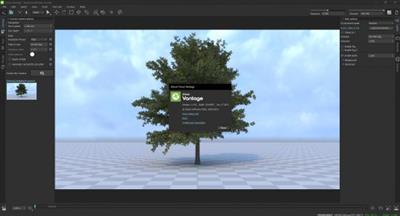
По умолчанию Chaos Vantage v1.4.0 (x64)


x64 | File Size: 263 MB
Description:
Explore your most complex 3D production scenes ray traced in real-time. With Chaos Vantage, there are no time-consuming conversions. Simply drag and drop your complete V-Ray scene into Vantage and start exploring. There's also a direct live link available from 3ds Max, so you can use it just like a viewport.

Chaos Vantage requires an NVIDIA RTX series GPU.

Features

Zero setup
Drag and drop your V-Ray scene into Chaos Vantage and start exploring. Unlike other real-time solutions, there's no geometry to optimize, UVs to unwrap, or lighting to bake.

Go big!
Chaos Vantage is built to handle huge scenes and billions of polygons. It's the fastest way for you to see your most detailed V-Ray scenes in real-time.

Easy to navigate
Navigating your scene is easy. Use controls similar to your 3D app, or move around just like playing a game. Walk up stairs and avoid walking through walls with automatic collision detection.

100% ray-traced quality
With fully raytraced and real-time rendering, Chaos Vantage uses physically based cameras, lights, materials, and global illumination for the most realistic results.

Simple and fast animation
Perfect for previsualization, you can create, edit, and render animation right from Chaos Vantage. Easily animate between cameras, apply transitions, arrange your sequence in the Animation Editor.

Live link
Get a live raytraced view of your scene with a live link from 3ds Max. Changes you make in your 3ds Max scene will instantly appear in Chaos Vantage.

System Requirements:
OS:Microsoft® Windows® 10 RS5 (version 1809), update from October 2018, build 17763 or later
-DXR compatible GPU: NVIDIA RTX® series GPU with NVIDIA® driver 466.11 or newer
-System memory should exceed GPU memory (minimum 8 GB RAM)
Whats New

- Added support for TexMulti
- Added support for the MultiTexture plug-in (TexMultiX)
- Added support for TexForestColor
- Added extended support for UVWGenRandomizer
- Added extended support for TexTriPlanar
- Added support for Sketchup-specific render features:
Per-object UV scale
Separate UV coordinates and material IDs for back-faces
New TexCompMax modes for the "Colorize" option
- Added object transformation popup window (right click on tool icon)
- Added object transformation snapping
- Fixed broken scene drag-and-drop position on displays set to >100% DPI scale
- Fixed wrong positions of objects when merged from a scene with different unit scale
- Fixed Cosmos assets resetting their saved position after a move
- Fixed difference in FOV and focal length values between 3ds Max and Vantage
- Fixed an issue with the transparency overlay when using the Vantage denoiser
- Fixed extremely bright pixels (e.g. the Sun) becoming black or a random color when denoised with NVIDIA AI
- Fixed issue that caused the Light Cache to hold invalid light values
- Fixed difference in color when using a texture as tint color in TexForestColor
- Fixed area light gizmo selection highlight
- Fixed wrong focal length of merged cameras (was the same as that of the Home camera)
- Fixed wrong FOV when double-clicking on a camera
- Improved look of gizmos for lights
- Improved "Change focus distance" shortcut behavior - works like a virtual slider instead of duplicating the Pick focus tool
- Improved scene loading speed

Screenshots


Download link:
Код:
rapidgator_net: https://rapidgator.net/file/6cfbc3c47eb7ac9f044ea948213d22f1/ic0b1.Chaos.Vantage.v1.4.0.x64.rar.html uploadgig_com: https://uploadgig.com/file/download/92B53A2832eEc47d/ic0b1.Chaos.Vantage.v1.4.0.x64.rar nitroflare_com: https://nitroflare.com/view/C814D834B4B7E64/ic0b1.Chaos.Vantage.v1.4.0.x64.rar
Links are Interchangeable - No Password - Single Extraction
mitsumi1 вне форума   Ответить с цитированием
Старый 18.06.2021, 07:57   #63039
mitsumi1
Местный
 
Регистрация: 04.10.2017
Сообщений: 125,003
Сказал(а) спасибо: 0
Поблагодарили 7 раз(а) в 7 сообщениях
mitsumi1 пока не определено
По умолчанию Claydo - Easy 3D Modelling 1.3 MAS


File size: 278.50 MB
Claydo is a simple 3D design app for Intel and M1 based desktops.
It is used by designers, hobbyists, teachers and kids to make toys, prototypes, home decor, Minecraft models.. the list is endless!
Model your design using simple shapes such as spheres, cubes and cylinders.. merge or subtract in order to get the right shape with a few clicks.

Export your Claydo creations to a 3d printer or external apps like Maya and Blender.
Claydo's Apple Metal technology allows you to work with complex polygonal meshes in realtime.
Handy measurement tools to export STL files with millimeter precision.

* Easy UI and workflow, get up and running in minutes
* Export out precision models as STL files for 3d printing
* Export out as .OBJ for use in DCC software like Maya/Blender/C4D
* In-built Videos tutorials to get started fast, perfect for schools and teachers to introduce kids to 3d modelling
* Turntable mode for showcasing and sharing your creations as movies

Claydo is built by Appy Monkeys, an app developer with years of experience in creating fun and intuitive creativity apps with over 5 million downloads on the App store and recipient of various awards such as Children's Tech Review and Purdue University's guide for STEM apps.
Release Notes

* M1 compatibility added
* Works on both Intel and M1 based Macs

Supported Operation System:
* macOS 10.13 or later
* Apple Silicon or Intel Core processor

Download link:
Код:
rapidgator_net: https://rapidgator.net/file/f12b7c0c6554d7e1571adac196d4d318/q2jpt.Claydo..Easy.3D.Modelling.1.3.MAS.rar.html uploadgig_com: https://uploadgig.com/file/download/31a7594d66a61c39/q2jpt.Claydo..Easy.3D.Modelling.1.3.MAS.rar nitroflare_com: https://nitroflare.com/view/B59381DC42B3BBE/q2jpt.Claydo..Easy.3D.Modelling.1.3.MAS.rar
Links are Interchangeable - No Password - Single Extraction
mitsumi1 вне форума   Ответить с цитированием
Старый 18.06.2021, 07:58   #63040
mitsumi1
Местный
 
Регистрация: 04.10.2017
Сообщений: 125,003
Сказал(а) спасибо: 0
Поблагодарили 7 раз(а) в 7 сообщениях
mitsumi1 пока не определено
По умолчанию Data Extractor 1.9.0 macOS


File size: 10 MB
Data Extractor allows to extract data in a sparse format contained inside files and collect them in an internal structured table Collected data can be exported at any time in various format (CSV, TSV, HTML, Custom). Data extractor can parse thousands and thousands of file in few seconds and collect all the raw data inside.

It uses simple instructions about how to recognize data, how to extract them and where to put these data inside a structured table, ready to be exported.
Release Notes
Release notes were unavailable when this listing was updated

Supported Operation Systems:
macOS 10.10 or later

Download link:
Код:
rapidgator_net: https://rapidgator.net/file/08bb572bee4c1f4b7675bfbf6fae28cc/c453i.Data.Extractor.1.9.0.macOS.rar.html uploadgig_com: https://uploadgig.com/file/download/f06739182bf47874/c453i.Data.Extractor.1.9.0.macOS.rar nitroflare_com: https://nitroflare.com/view/DE6FCD786B43E98/c453i.Data.Extractor.1.9.0.macOS.rar
Links are Interchangeable - No Password - Single Extraction
mitsumi1 вне форума   Ответить с цитированием
Старый 18.06.2021, 08:14   #63041
mitsumi1
Местный
 
Регистрация: 04.10.2017
Сообщений: 125,003
Сказал(а) спасибо: 0
Поблагодарили 7 раз(а) в 7 сообщениях
mitsumi1 пока не определено
По умолчанию Dejal Simon 5.0 5.0.1b1 macOS


File size: 16.09 MB
Dejal Simon is the essential site monitoring tool for macOS. It checks servers for changes or failures, and notifies you via email, sound, speech, Twitter, or other means. You can use it to track updated sites, and to alert you when an important server goes down or recovers. It is a native macOS application with an intuitive and attractive interface.

Simon is very versatile. It can be used to monitor your own website and servers, track posts and new comments on your or friends' blogs, check for web mail, get notifications of updates to favorite news and entertainment websites, keep an eye on auctions, and many other uses.

Monitor Your Sites and Servers
Central to Simon is the Monitor window. It enables you to see at a glance the current status of all of your monitored websites, servers, and applications. In addition to a colorful status icon and up-time percentage, the tests list displays how long ago the last change and failure occurred, and when the next check will occur. But that's not all. This window also displays further statistics about the tests, and a log showing recent activity, including when tests start checking, and the various steps during the check (starting, stopping, service result, each filter, notifications, etc), plus other actions on tests, e.g. editing, pausing, etc. It also has logs of checks (including the check duration), changes (including the text that changed), and failures (including the error description).

Tests (and other lists) are organized into groups, and you can add your own groups and move them around as desired. This enables you to arrange tests by server, type, client, or whatever else makes sense to you.

Because sometimes you don't want to have another window cluttering up your screen, you can hide the Monitor window if you wish, and/or use the handy Dock or Status menus. The Dock menu includes quick access to Simon's windows, and some global functions. The Status menu includes all that plus displays all of your tests, complete with status icons, details via tooltip, and the option to perform a favorite action or display a sub-menu of quick-access operations for each test, so you can visit the site or other tasks without even having Simon visible.

If you prefer, Simon can be hidden from the Dock, so it is only accessed via the Status menu. Access to Simon can also be restricted, requiring a password, if you wish.

Put it to the Test
So how do you tell Simon what to monitor? That's where the Test Info pane comes in. It is accessed when the Tests list is active. It shows a summary of the test; click the heading for each line of the summary to jump right to that page. It includes an Edit button to enable modifying the test, which toggles to Done when editing to switch back to the summary.

In Edit mode, the Info pane has lots of options to help you configure each test, conveniently arranged on multiple pages:
* The Name page contains fields to name the test and write a description of it.
* The Options page enables you to specify how often to check the test (when the previous check was successful or failed), and other useful options.
* The Service page is where you choose what to check and enter the URL or whatever other information it needs. Read about services below.
* The Filters page is one of the key areas of Simon. You can easily tell the test to ignore parts of the service output, concentrate on just the area that interests you, detect changes from the previous check, and much more. Read about filters below.
* The Notifiers page can be used to indicate how to alert you when a change is detected, if the service goes down, recovers from a failure, or if a filter detects a problem. Read about notifiers below.
* The Reports page specifies whether the test should appear on some or all reports. Read about reports below.
* The Auto Pause page enables you to tell Simon not to check on specified days or time intervals. For example if you know that a server will be unavailable, perhaps during a periodic reboot or regular maintenance, or you simply don't want to know about changes at certain times, like of a blog when you should be working.

At Your Service
Several services come built-in. Services tell Simon how to check a test.

They include, among others:
* Application: Make sure an application is present, and optionally running - can re-launch if not via Launch notifier.
* DNS: Query a domain name server to ensure the domain is visible.
* Drive Status: Checks the drive capacity threshold, S.M.A.R.T. status, and RAID health.
* FTP: Look at a file on an FTP server, to detect its availability or changes.
* Incoming Mail (IMAP): Communicate with an IMAP mail server, to make sure it is available, and/or look for new messages.
* Incoming Mail (POP): Another kind of mail server (plus a SSL-enabled edition is also available).
* Network Time (NTP): Checks that a network time server is responding.
* Outgoing Mail (SMTP): Outgoing mail usually goes via a SMTP server; make sure it is available (plus a SSL variation).
* Ping: Ping any server to check responsiveness; you can specify timeout and packet loss limits.
* Port Available: Like the Port services, but simply checks if a port is open, without actually communicating on it.
* Samba SMB: Checks that a Samba SMB client is online and responding.
* Screenshot: Takes a screenshot whenever the test is checked. Useful to track activity on the machine.
* S.M.A.R.T. Status: Checks the S.M.A.R.T. status for all volumes.
* SNMP Status: Checks the status of a SNMP-connected device; it's a failure if it is not up.
* System Error Log: Results in a failure if a specified error message occurs in today's system.log.
* SSH: Converse with a remote secure shell session.
* TCP Port Scanner: Checks the status of all TCP ports on a server.
* Web Page: Check a website for changes or failures.

Usually the built-in services are ample, but what if you want to delve deeper? Sometimes you have a special requirement and want to check some other kind of server. Not a problem! You can customize the services to edit the defaults for the built-in ones, or even add new ones. Similar to the Test Info pane, the Service Info pane enables you to change the services - and lets you auto-pause a service, affecting all tests that use that service.

Prescription for Success
Simon is all about flexibility, but perhaps one of the most powerfully flexible features is the Script service plug-in. It enables you to create your own services via AppleScript, shell script, or Perl, PHP, Python, and other scripting languages.

The Script editor enables adding a description to display, custom variables to get values from tests that use the new service, selecting the script type, and of course editing the script itself.

You can get new scripts from the Simon Extras page, or if you write one that you're willing to share, you can save it and send it to us to provide for others.

Capture Your Heart's Desire
Services based on the Port service plug-in enable you to connect to any server and engage in a conversation with it, receiving text and sending responses. If the session script is successfully navigated, the check is considered a success, but if the server doesn't respond, or responds incorrectly, a failure is registered.

There are session scripts built-in for several types of servers. But how do you create your own? Simon makes it easy, with the handy Capture Session panel.

You connect to any server on a given port, select the relevant part of incoming text, type commands to continue the session, and the session script is created for you. Simple as that!

Put a Detective on the Job
But what about websites that have banners or other irrelevant content? Won't that confuse Simon into thinking the page has changed? Nope! Simon has a very useful feature called Filters, where you can tell it what part of the page to look for, e.g. a comment count on a blog, or the lead headline area on a news site. Filters can also optionally detect if the output is different than the previous time they checked.

Multiple filters can be chained to perform operations on the text output by the service. They can also look at the output of any previous filters, and other values, specified as the input for each filter.

Like services, filters can be customized as desired via the Filter Info pane and used in any number of tests. Many filters define default behavior that can be customized for each test, for maximum flexibility.

The provided filters include:
* Block: Look for two pieces of text in the filter input, and output the text between them, if found. Also detects if a change occurred from the previous time it was checked. Advanced options include the ability to look for a specific occurrence of the markers.
* Block Without Changes: Similar to the Block filter, but doesn't detect changes; useful as a filter before others.
* Change: Simply detect a change anywhere in the input text.
* Find Keyword: Find some text in the input, using simple text matching. Options include case sensitivity, finding the start or end of a word, and more. Also includes the ability to find the first occurrence, a specific one, or all, plus find and replace those variations.
* Find Regular Expression: Find some text in the input, using a regular expression. Definitely a power-user feature! A handy menu of available regex operators is included. Like for Find Keyword, several find and find & replace options are available.
* Find Required: Look for some text in the input, and result in a failure if it is not found. Useful to check for text that must be present.
* Find Unwanted: Look for some text in the input, and result in a failure if it is found. Useful for undesired text.
* HTML Body: Outputs just the contents of the HTML body. Doesn't detect changes, since you might want to do further filtering after this.
* Ignore HTML Tag Pairs, Ignore HTML Tags, Ignore Images, Ignore Links, Ignore Numbers, and Ignore Words with Digits: These filters are all similar. They strip out all occurrences of the indicated kind of item from the text. Very useful for refining the output.
* List Hyperlinks: Finds and outputs only all HTML hyperlinks from the input, separated by commas.
* Number Changed, Number Changed by 10, Number More Than 95%, Number Out of Range: These filters evaluate a number, and result in a Change or Failure depending on specified conditions. They all requires only a valid number as the input, so use another filter before this one to cut down the text to just a number, if necessary.
* Override as Unchanged: Alters the current status to Unchanged, to cancel out a Changed or Failure status. The output text remains the same.
* Override Custom: A test-configurable override. By default, alters the status to automatically detect a change, without altering the output text.
* Override No Fail: Alters a Failure to be a Success status, with the error message as the output text. The status will be Unchanged if the error is the same as last time, or Changed if the error is different.
* Simple Format: The Format filters can reformat the output text, including using variables, for example to combine the output of two filters, or wrap in codes.
* Trim Whitespace: Removes spaces, tabs, and returns from the start and end of the text.

Want to do something else? No problem: you can add custom filters by writing an AppleScript, shell script, or Perl, Python etc script. Like the Script service, the Script filter plug-in enables a virtually infinite range of filtering options.

To make it easier to find text for the Filter feature, or just to quickly view the site without leaving Simon, Preview pane is available. The Preview pane includes the rendered content, HTML source and server headers of the page, plus the output of each filter for the test. You can also easily view the sites in your preferred web browser. Preview is also available for non-web services, to see what is output by the server and the filters.

Communication is the Best Policy
Okay, so Simon monitors your tests, detecting changes, failures, and recoveries. And it displays this information in the Monitor window, Dock icon, and Status menu. But you're a busy person, and sometimes want important events to really catch your attention. You're in luck: Simon also has a notifiers feature, with several ways of telling you about things you want to know. Each test can use any number of notifiers, with separate notifiers for each type of event. So, for example, you could play a sound and go to the web page when your favorite blog changes, but email a text message to your cellphone when it goes down.

Further, you can share notifiers between multiple tests: set up a notifier once, and use it for as many tests as you like. For additional flexibility, variables enable customizing the notifier with test names, URLs, times, etc.

Available notifiers include:
* Action: Bounce the Dock icon, activate Simon, display in your web browser, and other actions.
* APC Masterswitch: Toggle an outlet on an APC Masterswitch power device.
* Email: Send an email message to you at work, a friend or client, or your cellphone.
* Launch: Start or switch to an application and/or document.
* Sound: Play a sound; several extras are provided.
* Speech: Simon talks to you!
* Web: Get or post to a web page, e.g. to perform a PHP script on the server.

As with services and filters, you can add custom notifiers by writing an AppleScript, shell script, or Perl, Python etc script. The Script notifier plug-in enables a virtually infinite range of notification options. You can also create notifiers based on port connection sessions via the Port notifier plug-in.

But as useful as notifiers are, sometimes you don't want to be bothered... perhaps during a meeting, or while you sleep if your computer is within earshot. As with tests, notifiers can be automatically paused for specified time and day ranges.

Your Reporter on the Scene
What if you're using a different computer, and don't want yet more email, or want to see more detail? Simon also offers a reports feature, that outputs multi-page HTML reports that you can view in any web browser. Simon can automatically save them to your local Personal Web Sharing folder (or any other local folder), or upload them to a remote server, at whatever frequency you like.

The reports use templates to manage layout and content, with several templates built-in, and updates and user-submitted ones available on the Simon Extras page. They aren't limited to HTML, either - there are templates for a RSS feed, tab-delimited text files, and other possibilities... including an iPhone template:[Ссылки доступны только зарегистрированным пользователям . Регистрируйся тут...].

Supported Operation System:
* macOS 10.12 or later
* Apple M1 Silicon or Intel Core processor

Download link:
Код:
rapidgator_net: https://rapidgator.net/file/ee3aa4b2ff3c0ef74b4b8cd145f40414/4vz4r.DejalSimon5.0.1b1HCiSO.rar.html https://rapidgator.net/file/7dfdd7f2409a8f80a691ddc2fee13df4/4vz4r.DejalSimon5.0HCiSO.rar.html uploadgig_com: https://uploadgig.com/file/download/2473f0d04e62607c/4vz4r.DejalSimon5.0.1b1HCiSO.rar https://uploadgig.com/file/download/4acFebf3eA1ede39/4vz4r.DejalSimon5.0HCiSO.rar nitroflare_com: https://nitroflare.com/view/8807A83631EB2F9/4vz4r.DejalSimon5.0.1b1HCiSO.rar https://nitroflare.com/view/35B5B5C5DE16DE9/4vz4r.DejalSimon5.0HCiSO.rar
Links are Interchangeable - No Password - Single Extraction

mitsumi1 вне форума   Ответить с цитированием
Старый 18.06.2021, 08:15   #63042
mitsumi1
Местный
 
Регистрация: 04.10.2017
Сообщений: 125,003
Сказал(а) спасибо: 0
Поблагодарили 7 раз(а) в 7 сообщениях
mitsumi1 пока не определено
По умолчанию Diagrams 2.1.1 MAS


File size: 14.14 MB
Diagrams is a diagram editor for Mac that helps you increase the understanding of your structures and processes through visualization. Its approachable design, clean interface, crisp visual style, and streamlined canvas interactions allow you to produce beautiful diagrams and integrate them into your workflows in no time.

HOW IT WORKS

Interactive Canvas - Create diagrams on the canvas, the key area of the app, through direct manipulation of diagram objects. The canvas is fully interactive and employs powerful layout features that help streamline your workflows.

Elements & Relationships - Unlike generic vector graphics tools, Diagrams is specifically optimized for structured diagrams consisting of elements and relationships. By leveraging these core building blocks, you'll create diagrams more quickly with no fiddling around.

Types - Each element and relationship is associated with a type that defines its meaning and its visual style. Utilize reusable types to make your diagrams more consistent and comprehensive.

Palettes - A palette is a collection of types attached to each new diagram. You can pick from built-in presets, customize existing palettes, or craft personalized palettes that contain only the types you need for your particular use cases.

The app encourages you to assign meaning to types, but you can decide to which extent you want to embrace it. Opt for the universal palette without any particular semantics, or make use of your very specific palette - or something in between.

HIGHLIGHTS
* Truly native Mac experience
* Clean, distraction-free user interface
* Infinite canvas with streamlined interactions
* Smart grid layout and relationship routing
* Built-in palette presets for universal use cases and flowcharts
* Palette customization
* Variety of styling options: shapes, colors, text formatting
* Exporting to image or PDF formats

USE CASES
* Flowcharts for visualizing processes
* Software architecture design
* Simplified UML diagrams
* User interface flows
* Organizational charts
* Business, consulting, information architecture
* Planning, brainstorming, mind mapping
* ...and more!
Release Notes

In this update, we mainly focused on various quality of life improvements. As a result, the in-canvas palette is now positioned directly inside the canvas when changing the object type. You can also fully customize the toolbar and shrink the window. And, of course, we optimized and fixed bugs all over the place. Happy diagramming!

IMPROVEMENTS
* When setting types from the canvas, the palette is no longer attached to the toolbar, which broke the flow. Instead, it's presented directly in the canvas, just like when adding new elements or relationships.
* When the palette is attached to a canvas location that currently isn't visible, the canvas is automatically scrolled to that location first.
* You can now customize the toolbar to match your needs, or completely hide it should you require more space to work with.
* Document windows now can be resized to even smaller sizes to give you more flexibility.
* Improved drag-and-drop selection in the palette management interface and introduced a context menu for clicks into an empty area.
* Replaced some standard system icons in context menus with custom-crafted ones.
* Improved keyboard navigation in all grid-based interfaces (palette, palette chooser).
* Enhanced the order of controls when tabbing through in the palette editing interface.
* Added tooltips to the controls for customizing element and relationship types.
* Improved handling of pressing Return when editing a type in the in-canvas palette.
* Optimized scrolling performance within the in-canvas palette.
* Improved contrast of the default selection color in the canvas.

FIXES
* Clicking palette items with the Control key held down now correctly displays a context menu.
* Pressing Escape when editing a type in the palette now behaves correctly.
* Bottom buttons now update correctly when editing the title of a type in the palette.
* Text editing in the canvas now gets correctly committed when presenting the export panel.
* Fixed a crash that occurred when resizing a window on macOS Catalina.
* Fixed a rare crash that occurred when attempting to close a document.
* Fixed a bug that prevented the in-canvas palette from appearing under certain circumstances.

Supported Operation System:
* macOS 10.15.2 or later
* Apple M1 Silicon or Intel Core processor

Download link:
Код:
rapidgator_net: https://rapidgator.net/file/0d6ab922ff70e87877bf3f69a148ee80/w4sqx.Diagrams.2.1.1.MAS.rar.html uploadgig_com: https://uploadgig.com/file/download/139f08502015fdb0/w4sqx.Diagrams.2.1.1.MAS.rar nitroflare_com: https://nitroflare.com/view/D98A8ACAA01E527/w4sqx.Diagrams.2.1.1.MAS.rar
Links are Interchangeable - No Password - Single Extraction

mitsumi1 вне форума   Ответить с цитированием
Старый 18.06.2021, 08:16   #63043
mitsumi1
Местный
 
Регистрация: 04.10.2017
Сообщений: 125,003
Сказал(а) спасибо: 0
Поблагодарили 7 раз(а) в 7 сообщениях
mitsumi1 пока не определено
По умолчанию DjVu Reader Pro 2.5.3 macOS


File size: 32 MB
DjVu Reader Pro: The best application to read DjVu documents on the Mac OS. DjVu Reader Pro offers you the fantastic reading experience using Display Mode, Full Screen View, Page Thumbnail, Searching Pane,Viewing Scale and Print .

KEY FEATURES:

◆Open DjVu file quickly even very big file and read smoothly
◆Text Selecting
◆Search given content within document
◆Export to PDF, TXT
◆Quick Look Supported
◆Bookmarks Management
◆Toggle Contents Pane: Display with Thumbnails, Outline or Content only.
◆Full Screen Supported
◆Display Mode: Single Page, Single Page Continuous, Two Page, Two Page Continuous
◆Zoom: Zoom In, Zoom Actual Size , Zoom Out or Zoom to Fit
◆Previous/Next: Go to First Page, Previous Page, Next Page or Last Page
◆Printing
◆Compatible with Mojave
Release Notes
Bug fixes and stability improvements

Supported Operation Systems:
OS X 10.6 or later

Download link:
Код:
rapidgator_net: https://rapidgator.net/file/562d075f5df53f493b03fa3a7a2bc6d0/e7rlo.DjVu.Reader.Pro.2.5.3.macOS.rar.html uploadgig_com: https://uploadgig.com/file/download/9146fb1058108840/e7rlo.DjVu.Reader.Pro.2.5.3.macOS.rar nitroflare_com: https://nitroflare.com/view/A3F451E565F12A0/e7rlo.DjVu.Reader.Pro.2.5.3.macOS.rar
Links are Interchangeable - No Password - Single Extraction
mitsumi1 вне форума   Ответить с цитированием
Старый 18.06.2021, 08:17   #63044
mitsumi1
Местный
 
Регистрация: 04.10.2017
Сообщений: 125,003
Сказал(а) спасибо: 0
Поблагодарили 7 раз(а) в 7 сообщениях
mitsumi1 пока не определено
По умолчанию Export for iTunes 2.5.0 MAS


File size: 11.55 MB
Export your playlists and albums from iTunes (or from the new Music app on macOS Catalina) to any local folder, external storage, SD card or USB drive! You can transfer easily your playlists to your car stereo or any other media player. Convert aac/m4a files to mp3 for best compatibility with most sound systems.

With mp3 and aac converter. You can choose if you want to export your playlist to mp3, aac or keep the original files. Convert from any kind* of iTunes compatible audio file type (MP3, ALAC, AIFF, WAV).

Export, convert, organize your playlists and albums music files into folders and create the m3u file that let you play your playlist to any media player. For every album you can include a image file with album artwork.

You can browse and select which of your playlists or albums you want to export. See all playlist/album tracks with their metadata without open the iTunes app.

You can also export the track list from any album or playlist to Excel, so you can create an excel file with info about all your iTunes music.

Export for iTunes let you preview and export metadata like:
Title, Artist, Time, Album, Genre, File path, Kind, Bitrate

The app does not modify your iTunes library.
Export for iTunes is compatible with iTunes 11 or above.

*Can not export or convert DRM protected files like audio files from "Apple Music" streaming music service.
Release Notes

* Update app UI with artworks and new icons.

Supported Operation System:
* OS X 10.8 or later
* Apple Silicon or Intel Core processor

Download link:
Код:
rapidgator_net: https://rapidgator.net/file/5c0ecbe53784e44fafb94eda0953c242/mc7wi.Export.for.iTunes.2.5.0.MAS.rar.html uploadgig_com: https://uploadgig.com/file/download/CBa108f99b527026/mc7wi.Export.for.iTunes.2.5.0.MAS.rar nitroflare_com: https://nitroflare.com/view/0431EA2C2DDD7EC/mc7wi.Export.for.iTunes.2.5.0.MAS.rar
Links are Interchangeable - No Password - Single Extraction
mitsumi1 вне форума   Ответить с цитированием
Старый 18.06.2021, 08:18   #63045
mitsumi1
Местный
 
Регистрация: 04.10.2017
Сообщений: 125,003
Сказал(а) спасибо: 0
Поблагодарили 7 раз(а) в 7 сообщениях
mitsumi1 пока не определено
По умолчанию FastClip - Record Enhancer 2.9.1 MAS


File size: 16.53 MB
More than a clipboard manager. FastClip is a light keyboard-driven efficiency gadget focusing on the clipboard. It could greatly reduce the frequency of copy and paste as well as mouse-clicking. According to the feedback, FastClip could increase your work efficiency by over 30%.

**Clipboard Manager**
FastClip will establish an index for the contents saved by the clipboard via its proprietary algorithm and file structure, and compress each record as much as possible, thereby saving everything you copy.

**Pin**
Use FastClip as a light notebook, you can classify records into different Pin Tab. With the function of auto pick, your sorting will be extremely simple.

**Sync network**
Whether you use macOS or iOS, turn on the sync network, your clipboard is synced in real-time. Also you can create different sync network for working, sharing or privacy.

**Think Bar**
When you enter the keywords, FastClip would not only search from the history of the clipboard, but also support prediction according to the content you input and thereby enhance the historical records.

* Enter 1cm, the unit will be converted into 0.39inch.
* Enter random32, 32 will be generated as a random number.
* Input 7,3,2,9,5, sorted sequence 2,3,5,7,9 will be the output.
Release Notes

* Add Apple M1 architecture.

Supported Operation System:
* macOS 10.14 or later
* Apple Silicon or Intel Core processor

Download link:
Код:
rapidgator_net: https://rapidgator.net/file/b32785048a54fd667e0ca54e6566b2fd/nqd1w.FastClip..Record.Enhancer.2.9.1.MAS.rar.html uploadgig_com: https://uploadgig.com/file/download/bA65dca0e850E276/nqd1w.FastClip..Record.Enhancer.2.9.1.MAS.rar nitroflare_com: https://nitroflare.com/view/6AF8CC9B45CAC50/nqd1w.FastClip..Record.Enhancer.2.9.1.MAS.rar
Links are Interchangeable - No Password - Single Extraction
mitsumi1 вне форума   Ответить с цитированием
Ответ

Любые журналы Актион-МЦФЭР регулярно !!! Пишите https://old.nado.in/private.php?do=newpm&u=12191 или на электронный адрес pantera@nado.ws


Здесь присутствуют: 1 (пользователей: 0 , гостей: 1)
 

Ваши права в разделе
Вы не можете создавать новые темы
Вы не можете отвечать в темах
Вы не можете прикреплять вложения
Вы не можете редактировать свои сообщения

BB коды Вкл.
Смайлы Вкл.
[IMG] код Вкл.
HTML код Выкл.

Быстрый переход

Похожие темы
Тема Автор Раздел Ответов Последнее сообщение
SamDrivers 15.3 Full - 2015 - 0.0.2 emlieu Различный софт 0 12.03.2015 21:26
SamDrivers 15.3 Full - 2015- 0.0.1 emlieu Различный софт 0 11.03.2015 02:16
Oracle Business Intelligence Applications v11.1.1.8.1 (Win Linux) (10.14.2014) vandit Различный софт 0 15.10.2014 17:34
Oracle Business Intelligence Applications v11.1.1.8.1-NEWiSo always Различный софт 0 15.10.2014 16:53
Oracle Business Intelligence Applications v11.1.1.8.1 (Win / Linux) renato Различный софт 0 14.10.2014 11:17


Текущее время: 04:55. Часовой пояс GMT +1.


Powered by vBulletin® Version 3.8.7
Copyright ©2000 - 2026, vBulletin Solutions, Inc. Перевод: zCarot

vBulletin Optimisation provided by vB Optimise (Pro) - vBulletin Mods & Addons Copyright © 2026 DragonByte Technologies Ltd.