15.04.2021, 06:17
|
#55486
|
|
Местный
Регистрация: 04.10.2017
Сообщений: 125,003
Сказал(а) спасибо: 0
Поблагодарили 7 раз(а) в 7 сообщениях
|
 AquaSoft SlideShow Premium 12.2.04 (x64) Multilingual
 File size: 338 MB
Experience your photo moments with family and friends. Transform photos, videos, text and music into a fascinating movie experience and share your memories in brilliant quality. Your photos for amazement - You have not seen your pictures this beautiful. Always put the right cut in the scene and make sure you have appropriate aperture for Wow effects. Of course, with your videos as well.
Image presentations with transitions and camera pans
- Hundreds of transitions, finely adjustable (for example duration, direction, animation, etc.)
- Use transitions as fade-ins and fade-outs
- Images in perfect quality - no pixel gets wasted.
- Display images full size or as collage
- Select the image section using a camera pan and zoom.
Animated routes by land, water and air
Show where you were. Not only will you remember your holiday destination better, but your viewers can also make a real reference to your travel itinerary by showing them the way on the map.
- Map Wizard for retrieving maps in all zoom levels from the Internet
- Various map styles such as road map or satellite image
- Describe any path with a "Running line"
- Can be combined with vehicle graphics (custom graphics can be used)
- Animation is created live, instantly playable, and can be customized at any time
- Use your own maps
- Photos, texts and videos can be displayed on maps
Your pictures come alive
Do images always have to be rigid? Not only to give boredom no chance, but above all to be able to deal with your motifs exactly, you use a wide range of animations. Whether subtle or direct, humorous or playful - a plethora of opportunities
- Images, text, videos: you can move and rotate everything along paths. This is how you create your own animations.
- You can animate camera pans. Thus, e.g. a "Ken Burns" effect or zooming to specific image details are possible.
- A powerful particle system allows you to have a wide range of animations: from the smoke of a steam locomotive to subtle moving background, rain or gently trickling snow.
- Use a curve to determine the transparency for each element of your project.
Picture in Picture
Collages bring even more life into your presentation. You combine several images, place them on backgrounds or decorate them. Now, if you animate collages as a whole as well as their individual components, you'll have your own animation studio.
- Create collages with any number of tracks in the Timeline
- Picture in Picture effects
- Timeline can be structured with chapters and collages, so that complex animations remain clear
- A number of immediately usable design elements are available, such as, e.g., forms or even speech bubbles.
Everything under control
There has to be tidiness, and large projects can not be realized without it. Organize your show in chapters and manage multi-hour slideshows with thousands of pictures.
- Project can be divided into chapters and sub-chapters so that you can comfortably denote your vacation with "Getting there", "Day 1", "Day 2", etc. Finished chapters can simply be collapsed.
- Storyboard view for easy viewing and sorting of images
- No limitation for the maximum number of images or duration of the project
- Archiving of the entire project, including all materials used (images, videos, music, fonts, etc.), so that you can have a project that can be completely edited after years.
Effect kit for your ideas
Would you like to give your images and videos a little boost, sometimes? A huge flexible effect palette is ready for you to realize your ideas.
- Live effects that affect even animated content and videos, e.g. masks, blur, soft shadows, color corrections, sepia, displacement mapping, halftone effects, mosaic, etc.
- Object effects that automatically animate or arrange your images, e.g. a transition using a soft "Ken Burns" effect, or a scroll in a filmstrip
- Other effects like "old film", camera shake, etc.
- Image effects like frames and shapes
Image and video editing
Almost every image and especially video material needs some adaptation. With video editing functions and image corrections, you bring your material into the right shape.
- Non-destructive image processing allows image corrections without changing your original images.
- Various processing possibilities, from cropping over color correction to rotation
- Effect system to create complex effects by yourself How about a picture that gently reflects downwards?
- Videocut: split, crop, truncate your videos
- Video speed can be changed (for example, for slow motion or time lapse)
Your message will come across
A word says more than a thousand pictures? You know the saying for sure. Titles and credits as well as picture captions and texts provide for a better understanding, wit and just look good.
- Adding captions/titles to images
- Free text formatting, such as color, size, font, orientation
- Various formatting possible within a text (Rich Text)
- Text animations for fading in and out, even single letters
- Text effects such as shadow and outline
- Using placeholders for inserting image information, such as e.g. the recording date
- Automatically adjusts font size to accommodate available space
- Credits as in the movies
Whats New:
Updates: official site does not provide any info about changes in this version.
Download link:
Код:
rapidgator_net:
https://rapidgator.net/file/58c77f36613746efa3c92c30d0fe8ead/hwr2g.AquaSoft.SlideShow.Premium.12.2.04.x64.Multilingual.rar.html

nitroflare_com:
https://nitroflare.com/view/0C870FB520650C8/hwr2g.AquaSoft.SlideShow.Premium.12.2.04.x64.Multilingual.rar

uploadgig_com:
https://uploadgig.com/file/download/823452Ae457eba79/hwr2g.AquaSoft.SlideShow.Premium.12.2.04.x64.Multilingual.rar
Links are Interchangeable - No Password - Single Extraction
|

|

|
|
15.04.2021, 06:18
|
#55487
|
|
Местный
Регистрация: 04.10.2017
Сообщений: 125,003
Сказал(а) спасибо: 0
Поблагодарили 7 раз(а) в 7 сообщениях
|
AquaSoft SlideShow Ultimate 12.2.04 (x64) Multilingual
 File size: 333 MB
AquaSoft SlideShow 12 Ultimate allows to turn your photos, videos, music, and text into animated shows with stunning effects and incredible quality. Thousands of effects, animations and transitions for your photos, videos and texts, many smart and configurable templates and the ultra sharp 4K-UHD export. Use the unique capabilities of AquaSoft SlideShow and create your own stunning shows.
Use the SlideShow-Master (a smart wizard) to create slideshows on the fly, from predifined templates and your photos. With just a few clicks you can create your first slideshow. Images in the Timeline you can move around by drag and drop. Captions you can easily add to each image. SlideShow 12 offers an unlimited number of image and sound tracks.
Burn your shows to Blu-ray disc, DVD, as HD or even 4K-UHD video files, upload directly to YouTube, Facebook or Vimeo - choose from more than 20 popular export options.
Image presentations with transitions and camera pans
- Hundreds of transitions, finely adjustable (for example duration, direction, animation, etc.)
- Use transitions as fade-ins and fade-outs
- Images in perfect quality - no pixel gets wasted.
- Display images full size or as collage
- Select the image section using a camera pan and zoom.
Animated routes by land, water and air
Show where you were. Not only will you remember your holiday destination better, but your viewers can also make a real reference to your travel itinerary by showing them the way on the map.
- Map Wizard for retrieving maps in all zoom levels from the Internet
- Various map styles such as road map or satellite image
- Describe any path with a "Running line"
- Can be combined with vehicle graphics (custom graphics can be used)
- Animation is created live, instantly playable, and can be customized at any time
- Use your own maps
- Photos, texts and videos can be displayed on maps
Your pictures come alive
Do images always have to be rigid? Not only to give boredom no chance, but above all to be able to deal with your motifs exactly, you use a wide range of animations. Whether subtle or direct, humorous or playful - a plethora of opportunities
- Images, text, videos: you can move and rotate everything along paths. This is how you create your own animations.
- You can animate camera pans. Thus, e.g. a "Ken Burns" effect or zooming to specific image details are possible.
- A powerful particle system allows you to have a wide range of animations: from the smoke of a steam locomotive to subtle moving background, rain or gently trickling snow.
- Use a curve to determine the transparency for each element of your project.
Picture in Picture
Collages bring even more life into your presentation. You combine several images, place them on backgrounds or decorate them. Now, if you animate collages as a whole as well as their individual components, you'll have your own animation studio.
- Create collages with any number of tracks in the Timeline
- Picture in Picture effects
- Timeline can be structured with chapters and collages, so that complex animations remain clear
- A number of immediately usable design elements are available, such as, e.g., forms or even speech bubbles.
Everything under control
There has to be tidiness, and large projects can not be realized without it. Organize your show in chapters and manage multi-hour slideshows with thousands of pictures.
- Project can be divided into chapters and sub-chapters so that you can comfortably denote your vacation with "Getting there", "Day 1", "Day 2", etc. Finished chapters can simply be collapsed.
- Storyboard view for easy viewing and sorting of images
- No limitation for the maximum number of images or duration of the project
- Archiving of the entire project, including all materials used (images, videos, music, fonts, etc.), so that you can have a project that can be completely edited after years.
Effect kit for your ideas
Would you like to give your images and videos a little boost, sometimes? A huge flexible effect palette is ready for you to realize your ideas.
- Live effects that affect even animated content and videos, e.g. masks, blur, soft shadows, color corrections, sepia, displacement mapping, halftone effects, mosaic, etc.
- Object effects that automatically animate or arrange your images, e.g. a transition using a soft "Ken Burns" effect, or a scroll in a filmstrip
- Other effects like "old film", camera shake, etc.
- Image effects like frames and shapes
Image and video editing
Almost every image and especially video material needs some adaptation. With video editing functions and image corrections, you bring your material into the right shape.
- Non-destructive image processing allows image corrections without changing your original images.
- Various processing possibilities, from cropping over color correction to rotation
- Effect system to create complex effects by yourself How about a picture that gently reflects downwards?
- Videocut: split, crop, truncate your videos
- Video speed can be changed (for example, for slow motion or time lapse)
Your message will come across
A word says more than a thousand pictures? You know the saying for sure. Titles and credits as well as picture captions and texts provide for a better understanding, wit and just look good.
- Adding captions/titles to images
- Free text formatting, such as color, size, font, orientation
- Various formatting possible within a text (Rich Text)
- Text animations for fading in and out, even single letters
- Text effects such as shadow and outline
- Using placeholders for inserting image information, such as e.g. the recording date
- Automatically adjusts font size to accommodate available space
- Credits as in the movies
All doors are open to you
Reach everyone! No matter which device or medium, the versatile output options offer the suitable for every purpose and also for further processing.
- Burn to Blu-ray and DVD
- Upload directly to YouTube and Vimeo
- Export as video file in all popular formats: MP4, WMV, MPG, etc.
- Export as animated GIF or as a sequence of images
- Export including player software for (also interactive) presentation on PC
- Multiple projects with menu for PC and DVD player
Presentations in no time
You want to create a slideshow suited to a topic in just a few minutes? Use intelligent templates that automatically arrange and animate everything.
- Automatically created animations from your images, videos and texts
- Combine templates with your own ideas
- Many topics available: birthday, wedding, holiday, school, Christmas, silent film, etc.
- Neutral animations are available too
- Templates are used at runtime, so the content - i.e. your pictures, videos and texts - can be adapted and is interchangeable and extendable at any time.
Whats New:
Updates: official site does not provide any info about changes in this version.
Download link:
Код:
rapidgator_net:
https://rapidgator.net/file/1e17570349b1ba59b26921d585b5360b/o98mb.AquaSoft.SlideShow.Ultimate.12.2.04.x64.Multilingual.rar.html

nitroflare_com:
https://nitroflare.com/view/C81E5D6F5E0B953/o98mb.AquaSoft.SlideShow.Ultimate.12.2.04.x64.Multilingual.rar

uploadgig_com:
https://uploadgig.com/file/download/8903B59bA6f18f9c/o98mb.AquaSoft.SlideShow.Ultimate.12.2.04.x64.Multilingual.rar
Links are Interchangeable - No Password - Single Extraction
|
|
|
|
|
15.04.2021, 06:19
|
#55488
|
|
Местный
Регистрация: 04.10.2017
Сообщений: 125,003
Сказал(а) спасибо: 0
Поблагодарили 7 раз(а) в 7 сообщениях
|
AquaSoft Stages 12.2.04 (x64) Multilingual
 File size: 343 MB
AquaSoft Stages is a tool for professionals, photographers, animators, and ambitious advanced users who require maximal functionality from their software and want to control every moment of their project precisely.
Keyframes, unlimited timeline tracks, and a huge selection of effects and transitions are designed to present your photos, videos, and animations in a professional manner. Other features like custom aspect ratios, custom dynamic parameters for Live-Effects, and the new advanced preview modes allow comprehensive and precise control of your projects. AquaSoft Stages is the solution to your sophisticated requirements - your tool to create animated image presentations.
The right tools are at your fingertips
Behind every image is a story, a message that you want to deliver impressively to your audience. Develop your idea, build the framework of your movie, and reach your goal with the tools in AquaSoft Stages.
Keyframes
Let your inner control freak run wild! Effects, sound, images/video, and animations are displayed on separate keyframes in the timeline. This allows you to control, second-precise, exactly how each element in your movie should move, sound, or look.
Live Preview
As you make changes to your project, adding movement, particles, or other effects, the result will be shown immediately in the layout designer.
Allowing you to see just how every effect has changed your project/images without needing to constantly playback.
360 degree rotation
In Stages you can rotate your images, videos, and titles the full 360 degrees. This looks especially great combined with animated camera pans as well as to create Prezi like shows or rotate titles, making your videos stand out from the crowd.
Sync your audio
With the help of tools like the playhead and Timeline markers, you can easily sync your audio to your images. The playhead gives you a frame-by-frame view of your images and video, while the Timeline markers allow you to mark the changes in audio tone, resulting in crescendos at just the right moment.
Profound and complex animations
You are the playwright, screenwriter, and director of your film project. You have an eye for detail and precision is important. Sound and pictures should flow together, so that in the end only your movie is in focus. With AquaSoft Stages you can realize your vision.
- Unlimited number of tracks
Combine as many videos, photos, captions, and sounds as you like. You can apply effects to every track.
- Dynamic Masks
Fade out image areas and modify selected segments over time.
- More than just collages
Achieve a lively interplay of all elements by matching effects precisely to your videos and pictures.
The most important features
Choose from many effects and templates or create your own animations. In AquaSoft Stages there are virtually unlimited design possibilities for your presentations and movies.
- Video editing
Cut videos, pictures, and sounds directly in the timeline.
- Time lapse and Slow motion
Create a time lapse or slow motion movie.
- Particle system (snow, rain, dust)
Create impressive particle animations with dynamic parameters.
- Motion paths
Animate any element and move it across the screen.
- Animated Itineraries
Share your travel route with maps, tracks, and vehicles within a few clicks.
- Presentations
Control the flow of your presentation automatically or with our remote app
- Rotated Camera Pan
Finally, you can zoom with a 360 degree rotation in only one step.
- Maximum quality output
Export your video to DVD, Blu-ray, Social Media, or in 4K quality.
- Built-in effects
For quick work take advantage of built-in templates and effects.
Color-based image exemption (Chroma Key)
More commonly known as "green screen", in Stages you can replace a single colored background from photos and videos with virtual backgrounds, animated backdrops, or even transport your subjects to an island in the sun. Simply highlight the background color, eliminate it, and add the background of your choice, whether another video or still image.
Whats New:
Updates: official site does not provide any info about changes in this version.
Download link:
Код:
rapidgator_net:
https://rapidgator.net/file/b701559f68cc24f3be4d90067b9bcc23/0bx6o.AquaSoft.Stages.12.2.04.x64.Multilingual.rar.html

nitroflare_com:
https://nitroflare.com/view/77C82718177055B/0bx6o.AquaSoft.Stages.12.2.04.x64.Multilingual.rar

uploadgig_com:
https://uploadgig.com/file/download/dffAC45416b242aa/0bx6o.AquaSoft.Stages.12.2.04.x64.Multilingual.rar
Links are Interchangeable - No Password - Single Extraction
|
|
|
|
|
15.04.2021, 06:20
|
#55489
|
|
Местный
Регистрация: 04.10.2017
Сообщений: 125,003
Сказал(а) спасибо: 0
Поблагодарили 7 раз(а) в 7 сообщениях
|
Audacity 3.0.2 RC2 Multilingual
File Size : 28.1 Mb Audacity is an open source, cross-platform audio editor and recorder that aims to process the most popular audio formats, podcasts included. Audacity will not disappoint if you need a piece of software that can record live, convert tapes or cut and mix sounds.
Seamless setup and clean GUI
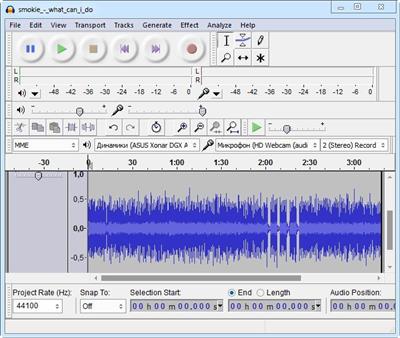
The installation process runs quite fast and does not pose any kind of problems, while the interface is pleasant and clean. It encompasses a menu bar, several buttons and a pane in which to view the waveform of any uploaded item.
It might take a while to get used to it, especially if you have never worked with a similar kind of product before. Nevertheless, some comprehensive Help contents are provided, which will aid you in getting around Audacity.
Extensions you can use and simple editing options
This utility features support for importing, processing and exporting WAV, FLAC, AIFF, AU and OGG Vorbis files. Bundled with an array of plugins and effects, this software can help you in regards to audio recording/playback, track mixing and spectrum analysis.
Audacity can record multiple channels simultaneously at high sample rates from microphones, USB or Firewire devices. Simple sound editing operations can be performed via cut, copy, paste and delete features, while mixing can be achieved from multiple clips, while the "Draw" function allows altering individual sample points.
Effects to tweak and use, and perform audio analysis
The rich list of effects includes noise processing, equalization, bass, high and low pass filters, as well as amplify, fade in and out, normalize, reverse, echo and phaser filters. Additional effects can be added to the program, as it supports plugins.
Last but not least, it can perform flawless audio analysis through an algorithm based on the Fourier transformation. Frequencies can be visualized through spectrogram views, while the Description Spectrum allows users to analyze frequencies.
Bottom line
All in all, Audacity impresses through its plethora of features combined with ease of use and accessibility. The processing speed is decent, to say the least and the results are of superior audio quality.
The system performance is not affected at all and we did not come across any freezes or bugs in our tests.If you are interested in bypassing the installation process, you should know that a portable counterpart is available for download, called Portable Audacity.
You can use Audacity to:
* Record live audio.
* Convert tapes and records into digital recordings or CDs.
* Edit Ogg Vorbis, MP3, WAV or AIFF sound files.
* Cut, copy, splice or mix sounds together.
* Change the speed or pitch of a recording.
* And more! See the complete list of features.
Download link:
Код:
rapidgator_net:
https://rapidgator.net/file/9bc337b8bb7bbf80a581d7c5ca47ea11/fjyct.Audacity.3.0.2.RC2.Multilingual.rar.html

nitroflare_com:
https://nitroflare.com/view/26BFF5F2511FF27/fjyct.Audacity.3.0.2.RC2.Multilingual.rar

uploadgig_com:
https://uploadgig.com/file/download/05d98CA00E9E8d01/fjyct.Audacity.3.0.2.RC2.Multilingual.rar
Links are Interchangeable - No Password - Single Extraction
|
|
|
|
|
15.04.2021, 06:21
|
#55490
|
|
Местный
Регистрация: 04.10.2017
Сообщений: 125,003
Сказал(а) спасибо: 0
Поблагодарили 7 раз(а) в 7 сообщениях
|
Audio Reader XL 21.0.1

File size: 73.3 MB This text reader is a software suitable for all text formats. It converts your windows computer into a text reading machine. It features voices that are clear and comprehensible. It is very easy to use, and it does not require any skills. It has speech pauses in between paragraphs so that the reading comes out naturally. Another feature of this amazing text reader is that you can choose to ignore some expressions such as page numbers using some of its configurable filters.
This text to speech software can also work automatically in the background of your PC on demand. For example, it can automatically read text from the clipboard on command. The best thing is that it fully reads texts automatically. You can also choose to create MP3 files from the read texts and then burn onto CD-ROM, load it onto your smartphone or load it on an MP3 player and listen comfortably. Amazing! This tool makes it possible for you to listen to texts at any time as well as creating an audiobook.
The English text reader supports the following formats:
* Text Reader for Windows
* Read aloud text
* TXT-Text
* Create MP3
* Microsoft Word Documents
* Rich Text Format (RTF)
* Texts from clipboards
* PDF-Acrobat Reader
* HTML and Websites
* EBook a. EPUB
* Read aloud text while opening documents
* Read text from the clipboard
* Read aloud E-Mails
This program enables read-aloud, text to MP3, text to voice, voice aloud reader and text reader software for windows 10 software among others.
The above mentioned possible text formats are directly processed by this text reader software, they are then displayed in an editor that is integrated and can be adapted if need be. After that, you can read your text aloud just with a mouse-click.
Using this TRS is easy, all you have to do is copy the text into the software, and automatically your computer will begin to read it out loud. Unlike most of the other related programs, this software does not sound like a robot; rather the voices are clear and comfortable. There is even an option that enables you to choose the voice you want. Indeed the text reader software has made life easier especially for busy people.
Whats New:
Updates: official site does not provide any info about changes in this version
Download link:
Код:
rapidgator_net:
https://rapidgator.net/file/dac78207f462a8626963e1635abcbeb9/earqa.Audio.Reader.XL.21.0.1.rar.html

nitroflare_com:
https://nitroflare.com/view/E29D4C13EE6AEC1/earqa.Audio.Reader.XL.21.0.1.rar

uploadgig_com:
https://uploadgig.com/file/download/EdAB3c7db49470d4/earqa.Audio.Reader.XL.21.0.1.rar
Links are Interchangeable - No Password - Single Extraction
|
|
|
|
|
15.04.2021, 06:22
|
#55491
|
|
Местный
Регистрация: 04.10.2017
Сообщений: 125,003
Сказал(а) спасибо: 0
Поблагодарили 7 раз(а) в 7 сообщениях
|
Autodesk Alias Concept 2022 (x64)
 x64 | File Size: 6.31 GB
Autodesk Alias Concept software offers a powerful tool set supporting the end to end creative design process. This software bundle combines sketching and conceptual modeling with design surface modeling and visualization capabilities, enabling designers and concept modelers to quickly define, explore and communicate large numbers of design proposals, thus increasing the decision-base for picking the next winning design.
Features:
Virtual reality with Alias:
SPEEDFORM, CONCEPT, AUTOSTUDIO, SURFACE
Enhance design reviews with virtual reality. Explore your design to scale using an HMD in VR.
Computational design in Alias:
Quickly generate complex repeatable patterns and enable rapid design iterations and exploration.
Marking Menu editor:
More easily customize Marking Menus with a new selection of styles
System Requirements:
OS:Microsoft® Windows® 10 (64-bit)
CPU:2 GHz 64-bit Intel® or AMD® multi-core processor
GPU:Alias General: Supported NVIDIA® or AMD graphics card with a minimum of 256 MB dedicated texture memory and DirectX 11 compatible.
RAM:8 GB (16 GB recommended)
Free hard disk space required for installation:10GB+
[Ссылки доступны только зарегистрированным пользователям
. Регистрируйся тут...]
Homepage
[Ссылки доступны только зарегистрированным пользователям
. Регистрируйся тут...]
Download link:
Код:
rapidgator_net:
https://rapidgator.net/file/ba7615da5bc5eb4debc5458e40bf67ee/ehzwk.Autodesk.Alias.Concept.2022.x64.part1.rar.html
https://rapidgator.net/file/1bcc76fbf509d8eba83e485d6fb84548/ehzwk.Autodesk.Alias.Concept.2022.x64.part2.rar.html
https://rapidgator.net/file/a1586f44e0b2f169e49cb97d3cc28daf/ehzwk.Autodesk.Alias.Concept.2022.x64.part3.rar.html

nitroflare_com:
https://nitroflare.com/view/EA085A6401735B5/ehzwk.Autodesk.Alias.Concept.2022.x64.part1.rar
https://nitroflare.com/view/F9240B90AE0EB17/ehzwk.Autodesk.Alias.Concept.2022.x64.part2.rar
https://nitroflare.com/view/B24BBA04F1BEE9A/ehzwk.Autodesk.Alias.Concept.2022.x64.part3.rar

uploadgig_com:
https://uploadgig.com/file/download/47bD2686e80895c4/ehzwk.Autodesk.Alias.Concept.2022.x64.part1.rar
https://uploadgig.com/file/download/44e6a0D7626df43B/ehzwk.Autodesk.Alias.Concept.2022.x64.part2.rar
https://uploadgig.com/file/download/ba6401ced5591458/ehzwk.Autodesk.Alias.Concept.2022.x64.part3.rar
Links are Interchangeable - No Password - Single Extraction
|
|
|
|
|
15.04.2021, 06:23
|
#55492
|
|
Местный
Регистрация: 04.10.2017
Сообщений: 125,003
Сказал(а) спасибо: 0
Поблагодарили 7 раз(а) в 7 сообщениях
|
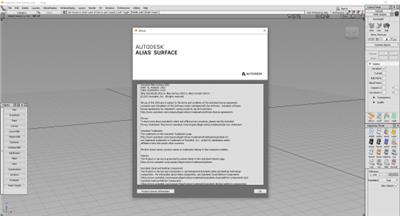
Autodesk Alias Surface 2022 (x64)
 x64 | Languages:English | File Size: 6.31 GB
Autodesk® Alias® software products ― Alias® AutoStudio, Alias® Surface, Alias® Concept, Alias® SpeedForm and Alias® Design ―offer a premium range of tools for industrial designers, modelers and technical surfacing experts in automotive and other industries.
Through a continuous workflow from concept to production quality surfaces, the Alias software provides industry-leading surfacing capabilities ― supported by best-in-class sketching, modeling and visualization tools ― helping you to create innovative and compelling designs faster than your competition, while maintaining design intent throughout the process.
Part of the Autodesk solution for Digital Prototyping, Alias software helps designers rapidly develop and iterate sketch concepts, 3D conceptual models and detailed designs, and to deliver Class-A production ready surfaces to engineering, ensuring that designs address both aesthetic and functional requirements.
System Requirements:
OS:Microsoft® Windows® 10 (64-bit)
CPU:2 GHz 64-bit Intel® or AMD® multi-core processor
Graphics:
Alias General: Supported NVIDIA® or AMD graphics card with a minimum of 256 MB dedicated texture memory and DirectX 11 compatible.
Alias VR: Any NVIDIA or AMD graphics card that is VR Ready certified.
Disk Space:Autodesk Alias Surface: 5 GB
[Ссылки доступны только зарегистрированным пользователям
. Регистрируйся тут...]
Homepage
[Ссылки доступны только зарегистрированным пользователям
. Регистрируйся тут...]
Download link:
Код:
rapidgator_net:
https://rapidgator.net/file/3042dd5a5b4b2da861db585daa344690/ibf6u.Autodesk.Alias.Surface.2022.x64.part1.rar.html
https://rapidgator.net/file/ac4368bde55ec42bbfa92540fd2bfab0/ibf6u.Autodesk.Alias.Surface.2022.x64.part2.rar.html
https://rapidgator.net/file/d4c40a463c29d1773d45670d88fdc4ce/ibf6u.Autodesk.Alias.Surface.2022.x64.part3.rar.html

nitroflare_com:
https://nitroflare.com/view/FA7F131D62C6A6B/ibf6u.Autodesk.Alias.Surface.2022.x64.part1.rar
https://nitroflare.com/view/D674A4D41BBCBBF/ibf6u.Autodesk.Alias.Surface.2022.x64.part2.rar
https://nitroflare.com/view/A954F3EB2A8EF53/ibf6u.Autodesk.Alias.Surface.2022.x64.part3.rar

uploadgig_com:
https://uploadgig.com/file/download/f1dEeafE28363642/ibf6u.Autodesk.Alias.Surface.2022.x64.part1.rar
https://uploadgig.com/file/download/c1993Bd7e41F5656/ibf6u.Autodesk.Alias.Surface.2022.x64.part2.rar
https://uploadgig.com/file/download/eb921032873fF949/ibf6u.Autodesk.Alias.Surface.2022.x64.part3.rar
Links are Interchangeable - No Password - Single Extraction
|
|
|
|
|
15.04.2021, 06:24
|
#55493
|
|
Местный
Регистрация: 04.10.2017
Сообщений: 125,003
Сказал(а) спасибо: 0
Поблагодарили 7 раз(а) в 7 сообщениях
|
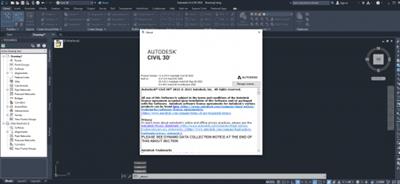
Autodesk AutoCAD Civil 3D 2022 (x64)
 x64 | Languages:English | File Size: 6.95 GB
AutoCAD Civil 3D is the software of choice for anyone who is active in civil engineering. For each phase of a project is within AutoCAD Civil 3D to find a suitable job. Whether it is about the process of surveying inwinningen or the design of roads, sewers, embankments and other volume objects (wells, dykes etc.), AutoCAD Civil 3D provides the right features to make this happen.
AutoCAD Civil 3D is a comprehensive solution within the civil sector, where both a software design and documentation, 2D and 3D data and powerful tools for BIM in processes are.
AutoCAD Civil 3D provides the functionality of both AutoCAD and AutoCAD Map3D and complements this with intelligent and dynamic models, an object oriented environment and functionalities, and reporting and presentation tools for civil draftsman or designer.
System Requirements:
OS:Microsoft® Windows® 10 (64-bit only) (version 1803 or higher)
CPU:Minimum: 2.5-2.9 GHz or faster processor / Recommended: 3+ GHz or faster processor
Memory:16 GB
Display:
-Conventional Displays:1920 x 1080 with True Color
-High Resolution & 4K Displays:Resolutions up to 3840 x 2160 supported on Windows 10, 64 bit systems (with capable display card)
Display Card:
Minimum:1 GB GPU with 29 GB/s Bandwidth and DirectX 11 compliant
Recommended:4 GB GPU with 106 GB/s Bandwidth and DirectX 11 compliant
Brower:Google Chrome (for AutoCAD web app)
Space:16 GB
[Ссылки доступны только зарегистрированным пользователям
. Регистрируйся тут...]
Homepage
[Ссылки доступны только зарегистрированным пользователям
. Регистрируйся тут...]
Download link:
Код:
rapidgator_net:
https://rapidgator.net/file/30f5b9026d0e0653afc81e0e4d757508/9z8w3.Autodesk.AutoCAD.Civil.3D.2022.x64.part1.rar.html
https://rapidgator.net/file/e451b26ad1641d1799064c0bba533167/9z8w3.Autodesk.AutoCAD.Civil.3D.2022.x64.part2.rar.html
https://rapidgator.net/file/77cb2d774db08144de6a23eade02860c/9z8w3.Autodesk.AutoCAD.Civil.3D.2022.x64.part3.rar.html

nitroflare_com:
https://nitroflare.com/view/CFD9C697572CE9E/9z8w3.Autodesk.AutoCAD.Civil.3D.2022.x64.part1.rar
https://nitroflare.com/view/7EF5E90F203B86D/9z8w3.Autodesk.AutoCAD.Civil.3D.2022.x64.part2.rar
https://nitroflare.com/view/7AD3C4330DABB85/9z8w3.Autodesk.AutoCAD.Civil.3D.2022.x64.part3.rar

uploadgig_com:
https://uploadgig.com/file/download/052De69ebf56a884/9z8w3.Autodesk.AutoCAD.Civil.3D.2022.x64.part1.rar
https://uploadgig.com/file/download/b9237762c67b2e49/9z8w3.Autodesk.AutoCAD.Civil.3D.2022.x64.part2.rar
https://uploadgig.com/file/download/f0a8e6De83467828/9z8w3.Autodesk.AutoCAD.Civil.3D.2022.x64.part3.rar
Links are Interchangeable - No Password - Single Extraction
|
|
|
|
|
15.04.2021, 06:25
|
#55494
|
|
Местный
Регистрация: 04.10.2017
Сообщений: 125,003
Сказал(а) спасибо: 0
Поблагодарили 7 раз(а) в 7 сообщениях
|
Autodesk VRED Design 2022 (x64) Multilanguage
 x64 | Languages:Multilanguage | File Size: 1.87 GB
Autodesk Vred Products is one of the most popular and most widely used software in the design, specialized engineering company Autodesk is widely used in the visualization of 3D, modeling and detailed design of the product. This application is especially manufacturers of transport such as cars, motorcycles, helicopters and more.
The ability to combine the models with models with software such as 3Ds max, MAYA and built-in software that can model the software design ready for you in this app combine your samples. Engineers and designers can use this special software for prototyping and three-dimensional visualization products, especially their use. The software update feature that can be media editor, optimize and improve the script, promoting, improve FileIO and so on
Facilities and software features of Autodesk VRED Products:
-Professional and useful environment
-Having different tools for prototyping and design
-The ability to combine samples and models, 3Ds Max, MAYA and ...
-Powerful animation
-The exact design of its output in less time
-Free of all facilities
System Requirements:
OS:Microsoft® Windows® 10 (64-bit)
CPU:64-bit Intel® processor with Intel® EM64T-capable or AMD® Athlon 64®, AMD Opteron® processor
Memory:1 GB RAM, 8 GB or more recommended
[Ссылки доступны только зарегистрированным пользователям
. Регистрируйся тут...]
Homepage
[Ссылки доступны только зарегистрированным пользователям
. Регистрируйся тут...]
Download link:
Код:
rapidgator_net:
https://rapidgator.net/file/95ffc629a22b8837f323714a50edf68f/ocms8.Autodesk.VRED.Design.2022.x64.Multilanguage.part1.rar.html
https://rapidgator.net/file/6b793a474db773832ba37e3b18e5c227/ocms8.Autodesk.VRED.Design.2022.x64.Multilanguage.part2.rar.html

nitroflare_com:
https://nitroflare.com/view/A00D3C5D507FFCC/ocms8.Autodesk.VRED.Design.2022.x64.Multilanguage.part1.rar
https://nitroflare.com/view/06A56B49A32A202/ocms8.Autodesk.VRED.Design.2022.x64.Multilanguage.part2.rar

uploadgig_com:
https://uploadgig.com/file/download/6a684e78Cf18fa6e/ocms8.Autodesk.VRED.Design.2022.x64.Multilanguage.part1.rar
https://uploadgig.com/file/download/Aaff08c935B4f1bc/ocms8.Autodesk.VRED.Design.2022.x64.Multilanguage.part2.rar
Links are Interchangeable - No Password - Single Extraction
|
|
|
|
|
15.04.2021, 06:26
|
#55495
|
|
Местный
Регистрация: 04.10.2017
Сообщений: 125,003
Сказал(а) спасибо: 0
Поблагодарили 7 раз(а) в 7 сообщениях
|
Autodesk VRED Professional 2022 (x64) Multilanguage
 x64 | Languages:Multilanguage | File Size: 3.81 GB
Autodesk Vred Products is one of the most popular and most widely used software in the design, specialized engineering company Autodesk is widely used in the visualization of 3D, modeling and detailed design of the product. This application is especially manufacturers of transport such as cars, motorcycles, helicopters and more.
The ability to combine the models with models with software such as 3Ds max, MAYA and built-in software that can model the software design ready for you in this app combine your samples. Engineers and designers can use this special software for prototyping and three-dimensional visualization products, especially their use. The software update feature that can be media editor, optimize and improve the script, promoting, improve FileIO and so on.
System Requirements:
OS:Microsoft® Windows® 10 (64-bit)
RAM:1 GB RAM, 8 GB or more recommended
CPU:64-bit Intel® processor with Intel® EM64T-capable or AMD® Athlon 64®, AMD Opteron® processor
Graphics:Supported NVIDIA® or AMD graphics card with OpenGL 4.3 support and a certified driver.
[Ссылки доступны только зарегистрированным пользователям
. Регистрируйся тут...]
Homepage
[Ссылки доступны только зарегистрированным пользователям
. Регистрируйся тут...]
Download link:
Код:
rapidgator_net:
https://rapidgator.net/file/d0a9911d7e7aab317c3e0770c441926b/hvvvy.Autodesk.VRED.Professional.2022.x64.Multilanguage.part1.rar.html
https://rapidgator.net/file/9718e71f6055e899c1f48c0bcd0a4ce1/hvvvy.Autodesk.VRED.Professional.2022.x64.Multilanguage.part2.rar.html

nitroflare_com:
https://nitroflare.com/view/1A2FF41CE9C9545/hvvvy.Autodesk.VRED.Professional.2022.x64.Multilanguage.part1.rar
https://nitroflare.com/view/E4C94447D6FB7D0/hvvvy.Autodesk.VRED.Professional.2022.x64.Multilanguage.part2.rar

uploadgig_com:
https://uploadgig.com/file/download/080aCBd7Bdfd5455/hvvvy.Autodesk.VRED.Professional.2022.x64.Multilanguage.part1.rar
https://uploadgig.com/file/download/91999cf65Ba8722c/hvvvy.Autodesk.VRED.Professional.2022.x64.Multilanguage.part2.rar
Links are Interchangeable - No Password - Single Extraction
|
|
|
|
|
15.04.2021, 06:27
|
#55496
|
|
Местный
Регистрация: 04.10.2017
Сообщений: 125,003
Сказал(а) спасибо: 0
Поблагодарили 7 раз(а) в 7 сообщениях
|
BeeCut 1.7.0.15 Multilingual
 Languages: Multilingual | File size: 74.1 MB
Creating a stunning video from the footage you took with your phone, ready to be posted on social media or blogs, using this application. BeeCut is a lightweight, yet feature-rich video editing tool designed to help you enhance your media before publishing or uploading. Packing hundreds of filters and templates, the tool can come in handy for a wide variety of situations.
Packs an editor to enhance your media files
The program comes with a modern and sleek interface that is also well-organized and unlikely to give you any trouble. As indicated in the tips, you can get started by importing a single file or a directory. On a side note, the app supports a wide range of aspect ration, including 16:9, 9:16 and 1:1, the latter being well known as working for Instagram. You will be happy to learn that the application comes with several advanced editing tools to help you make the most out of your video. Therefore, you can add various sizes and styles of creative masks, adjust the color, include pictures into the main image as well as customize footage on video, audio, PIP, overlay, filter tracks simultaneously, just to name a few.
Allows you to add dozens of overlays, audio and transitions
In addition to the masks and standard customization, the program enables you to add numerous amazing filters and overlays with drag and drop. Moreover, you can remove or replace the background sound seamlessly or just configure the speed and volume of the one already existing. You can make the entire video even more dramatic by applying multiple vivid filters or transitions for a more appealing and perhaps, natural feel. In the eventuality that you are working on promotional material and would like to add text, then take note that you have several templates to choose from. As you would expect, you can further change the font size, color and style as well as align the message in the most appropriate location for your project.
A user-friendly video and media editing tool
Coming in an intuitive interface and with a simple functionality, BeeCut can be a suitable multimedia editing tool for various occasions, including short video ads, educational content, wedding anniversary, training conference or any promotional material for that matter.
BeeCut, Incredibly Easy Video Editor
Anyone can create stunning videos in no time!
Basic Functions for Daily Editing
- Accurately cut a frame of video, delete unwanted parts and merge clips with just one click.
- Enhance your video with numerous fantastic overlays and filters, just drag and drop!
- Select your favorite style from crafted templates when you need to add text to a video.
- Edit audio by adjusting speed or volume. Replacing background sound has never been easier.
- Apply multiple vivid filters to your video to enhance the visual experience and add a natural feel.
- Add a mosaic effect to the video to disguise any aspect you chose.
Support Various Aspect Ratios
This video editing software supports editing videos with 16:9, 4:3, 1:1, 9:16 and 3:4 aspect ratios. The rendered video is compatible with the well known video platforms including:
Advanced Video Editing Features
- Edit video by customizing parameters such as contrast, saturation and hue.
- Create picture-in-picture effect which allows you to play several videos on one screen.
- Edit footage on video, audio, PIP, overlay, filter tracks simultaneously and effectively.
- Make your video dramatic by adding various sizes and styles of creative masks.
Bring Your Stories to Life or Work
Using this movie editor, you can create a professional video that can be applied in different situations. It is your best choice for creating educational content, program introduction, short video ads and so on.
Whats New:
Updates: official site does not provide any info about changes in this version.
Download link:
Код:
rapidgator_net:
https://rapidgator.net/file/d960f0c976920bfd2e71ac475016c7a9/nz2bj.BeeCut.1.7.0.15.Multilingual.rar.html

nitroflare_com:
https://nitroflare.com/view/9D3C6E2839FC8EB/nz2bj.BeeCut.1.7.0.15.Multilingual.rar

uploadgig_com:
https://uploadgig.com/file/download/3560d5c1280a26aE/nz2bj.BeeCut.1.7.0.15.Multilingual.rar
Links are Interchangeable - No Password - Single Extraction
|
|
|
|
|
15.04.2021, 06:29
|
#55497
|
|
Местный
Регистрация: 04.10.2017
Сообщений: 125,003
Сказал(а) спасибо: 0
Поблагодарили 7 раз(а) в 7 сообщениях
|
Better File Rename 6.24

File size: 16 MB Better File Rename is the most comprehensive file renamer on the market. You get an industrial strength utility that's fast, flexible, reliable and easy to use. That's why since 1999, thousands of hobbyists, professionals and businesses depend on Better File Rename to organize and maintain their files.
Comprehensive renaming options
- add, remove, insert and replace characters and text
- add, format, change and insert sequence numbers, create sequence number lists..
- add file date and time to the beginning and the end, rename to date..
- replace file and folder extensions
- make uppercase, lowercase, title case or sentence case
- create space-saving alphabetical sequences
- truncate, remove vowels, reverse, transpose
- and much, much more...
Work the way that suits you best
- You can use Better File Rename as a stand-alone application dragging & dropping files onto its application icon or directly into its preview window.
- Alternatively you can use it straight from the Windows Explorer by right-clicking the files and selecting the "Better File Rename..." menu item.
Instant preview eliminates guesswork and errors
- See the results of your renaming options while you are typing or changing the parameters.
- The instant preview makes short work out of finding the right settings and avoids costly mistakes.
Bulk processing options
- Separate processing for file names and file extensions
- Process files, folders and subfolders ("recursively")
- Choose to confirm each file name or batch process them automatically
Combine multiple rename steps
- You can combine several rename actions into a single multi-step rename. This allows you to perform even the most complex batch renaming jobs in a single pass.
- Better File Rename allows you to create as many rename steps as you require and lets you edit and re-arrange them at will.
Digital Photograpy
- Better File Rename is the preferred renaming tool of many professional and ambitious amateur photographers and has over time grown an impressive array of features dedicated to manipulating sequence numbers (create sequence number lists, add and insert sequence numbers, pad them with 0s, etc..) and adding shooting dates & times to picture names.
- In these operations you can exploit the shooting date & time extracted from the industry-standard EXIF digital camera meta-data stored in your JPEG, CR2 or NEF photos.
Music & Sound Collections
- Music lovers will be delighted by our MP3/AAC renaming feature that allows you to exploit the ID3 meta-data embedded in most music files to create their own naming schemes for their music collection. - Meta-data information from MP3, M4P, MP4, M4A and iTunes music store files are supported.
Pro Workflow Support
Save recurring renaming options to self-contained "droplet" applications. Drag & drop files and folders onto these droplets to apply the stored settings. This allows you to automate the renaming part of your workflow.
Features for power users
For those that need even more advanced features, we provide regular expression substitution support. This advanced string manipulation technique was popularized by UNIX and PERL professionals. Definitely not for the faint of heart, regular expressions are nonetheless an excellent tool for finding, replacing and swapping text fragments.
Download link:
Код:
rapidgator_net:
https://rapidgator.net/file/8daddb158ee60b3af531e29d4176bcf2/izdis.Better.File.Rename.6.24.rar.html

nitroflare_com:
https://nitroflare.com/view/C94A1F1AFA86746/izdis.Better.File.Rename.6.24.rar

uploadgig_com:
https://uploadgig.com/file/download/e91b22Edf4a3a2B5/izdis.Better.File.Rename.6.24.rar
Links are Interchangeable - No Password - Single Extraction
|
|
|
|
|
15.04.2021, 06:30
|
#55498
|
|
Местный
Регистрация: 04.10.2017
Сообщений: 125,003
Сказал(а) спасибо: 0
Поблагодарили 7 раз(а) в 7 сообщениях
|
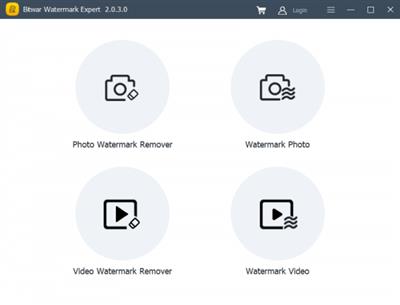
Bitwar Watermark Expert 2.0.7.0
File size: 18.6 MB
Batch remove unwanted objects from images & videos or add text & image watermark to copyright protect your contents.
Remove Any Unwanted Elements from Pictures/Videos
Get Rid Of Watermarks & Date Stamps
Delete Unwanted Person from Photos
Retouch old Photos Like a Wizard
Copyright-Protect Your Photos & Videos Now
Download link:
Код:
rapidgator_net:
https://rapidgator.net/file/099f9729683929349296e27eed413a42/29sjx.Bitwar.Watermark.Expert.2.0.7.0.rar.html

nitroflare_com:
https://nitroflare.com/view/03A4E322A9B20AF/29sjx.Bitwar.Watermark.Expert.2.0.7.0.rar

uploadgig_com:
https://uploadgig.com/file/download/28f0b6595aF0Abac/29sjx.Bitwar.Watermark.Expert.2.0.7.0.rar
Links are Interchangeable - No Password - Single Extraction
|
|
|
|
|
15.04.2021, 06:32
|
#55499
|
|
Местный
Регистрация: 04.10.2017
Сообщений: 125,003
Сказал(а) спасибо: 0
Поблагодарили 7 раз(а) в 7 сообщениях
|
Chaos Vantage v1.2.0 (x64)
 x64 | File Size: 260 MB
Explore your most complex 3D production scenes ray traced in real-time. With Chaos Vantage, there are no time-consuming conversions. Simply drag and drop your complete V-Ray scene into Vantage and start exploring. There's also a direct live link available from 3ds Max, so you can use it just like a viewport.
Chaos Vantage requires an NVIDIA RTX series GPU.
Features
Zero setup
Drag and drop your V-Ray scene into Chaos Vantage and start exploring. Unlike other real-time solutions, there's no geometry to optimize, UVs to unwrap, or lighting to bake.
Go big!
Chaos Vantage is built to handle huge scenes and billions of polygons. It's the fastest way for you to see your most detailed V-Ray scenes in real-time.
Easy to navigate
Navigating your scene is easy. Use controls similar to your 3D app, or move around just like playing a game. Walk up stairs and avoid walking through walls with automatic collision detection.
100% ray-traced quality
With fully raytraced and real-time rendering, Chaos Vantage uses physically based cameras, lights, materials, and global illumination for the most realistic results.
Simple and fast animation
Perfect for previsualization, you can create, edit, and render animation right from Chaos Vantage. Easily animate between cameras, apply transitions, arrange your sequence in the Animation Editor.
Live link
Get a live raytraced view of your scene with a live link from 3ds Max. Changes you make in your 3ds Max scene will instantly appear in Chaos Vantage.
System Requirements:
OS:Microsoft® Windows® 10 RS5 (version 1809), update from October 2018, build 17763 or later
-DXR compatible GPU: NVIDIA RTX® series GPU with NVIDIA® driver 436.02 or newer; recommended version 457.09 or 452.57
-System memory should exceed GPU memory (minimum 8 GB RAM)
Whats New
-Added support for the new clear coat in VRayMtl
-Added support for glossy Fresnel reflections
-Added support for importing multiple cameras from one vrscene file
-Added support for saving PNG files with alpha channel
-Added specific gizmo shapes for lights depending on their type
-Added the ability to override the background for refraction and mirror reflection rays
-Improved performance when loading animated vrscene
-Improved UX - the animation FPS in Vantage is updated to match a vrscene upon loading it
-Improved UX - added checkboxes for parts to import in the merge scene dialog
-Improved UX - disabled tools in the UI that can't be used during Live Link
-Fixed broken disc and rectangle light when loading a new scene after disabling lights
-Fixed layer visibility changes breaking multi-materials in Live Link from 3ds Max
-Fixed precision issues with animation of rotating objects
Homepage
[Ссылки доступны только зарегистрированным пользователям
. Регистрируйся тут...]
Download link:
Код:
rapidgator_net:
https://rapidgator.net/file/04e69c8bc2797fc289e3ba651a538b55/3rnxd.Chaos.Vantage.v1.2.0.x64.rar.html

nitroflare_com:
https://nitroflare.com/view/E7B861CCD3F2FD4/3rnxd.Chaos.Vantage.v1.2.0.x64.rar

uploadgig_com:
https://uploadgig.com/file/download/179966Df2a157ab0/3rnxd.Chaos.Vantage.v1.2.0.x64.rar
Links are Interchangeable - No Password - Single Extraction
|
|
|
|
|
15.04.2021, 06:33
|
#55500
|
|
Местный
Регистрация: 04.10.2017
Сообщений: 125,003
Сказал(а) спасибо: 0
Поблагодарили 7 раз(а) в 7 сообщениях
|
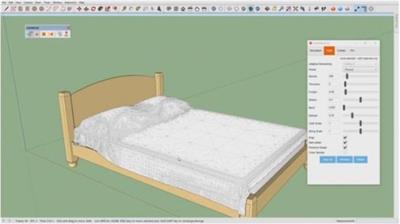
ClothWorks 1.7.4c for Sketchup
 File Size: 11.9 MB
ClothWorks is a cloth simulation extension for SketchUp.
Download link:
Код:
rapidgator_net:
https://rapidgator.net/file/921ba190067d7e71b60537703567cb7f/lpcud.ClothWorks.1.7.4c.for.Sketchup.rar.html

nitroflare_com:
https://nitroflare.com/view/22565D6C458E4CB/lpcud.ClothWorks.1.7.4c.for.Sketchup.rar

uploadgig_com:
https://uploadgig.com/file/download/b0443Cf5ab471f83/lpcud.ClothWorks.1.7.4c.for.Sketchup.rar
Links are Interchangeable - No Password - Single Extraction
|
|
|
|
      
Любые журналы Актион-МЦФЭР регулярно !!! Пишите https://old.nado.in/private.php?do=newpm&u=12191 или на электронный адрес pantera@nado.ws
|
Здесь присутствуют: 1 (пользователей: 0 , гостей: 1)
|
|
|
 Ваши права в разделе
|
Вы не можете создавать новые темы
Вы не можете отвечать в темах
Вы не можете прикреплять вложения
Вы не можете редактировать свои сообщения
HTML код Выкл.
|
|
|
Текущее время: 08:57. Часовой пояс GMT +1.
| |