 31.10.2020, 11:33
|
#44806
|
|
Местный
Регистрация: 04.10.2017
Сообщений: 125,003
Сказал(а) спасибо: 0
Поблагодарили 7 раз(а) в 7 сообщениях
|
 WordPress Automation Secrets
 WordPress Automation Secrets
Video: .mp4 (1280x720, 30 fps(r)) | Audio: aac, 44100 Hz, 2ch | Size: 446 MB
Genre: eLearning Video | Duration: 10 lectures (1 hour) | Language: English
Run Your WordPress Site On Autopilot, Starting Today
What you'll learn
How to Run Your WordPress Site On Autopilot... Starting Today
How you can free up your time by quickly and easily automating tedious and boring tasks within your WordPress site
How to Understand the Different Automation Scenarios
How to do Website Maintenance Automation
How to do Content Marketing Automation
How to do Social Media Automation
How to do ECommerce Automation
How to do Membership Automation
What's the Best Complete Automation Plugins (Free and Paid)
Requirements
no requirements
Description
WordPress Automation Secrets - Run Your WordPress Site On Autopilot, Starting Today
As you know - your time is money. Running a WordPress website, whether you are trying to sell your product or service online, run a membership site, or any site takes time.
What should have been a tool to help you make more money - ended up becoming a full-time job. Worse, you're unable to spend your time on your actual business.
Sound familiar?
We're talking about the most tedious and boring tasks that it takes to run your WordPress site.
Everything from essential website maintenance, creating posts and pages for your content marketing, making you sure your site runs fast, and to creating a fantastic experience for your customers.
The list continues to go on and on and on...
That said, one of the biggest problems is that many people don't know where to start. There are thousands of WordPress plugin out there for you to choose from.
Which one should you use?
Here's a breakdown of this 8 part video series in more detail.
Video #1: Introduction
Before we jump right into showing you how to automate your site, we want to begin by introducing you to the video course as a whole. There are lots to discuss what you need in terms of successfully implement everything that you have learned.
Video #2: Different Automation Scenarios
Before we jump into how to automate every part of your WordPress site, because your situation might be different than somebody else: we want to make sure that we show you as many different scenarios as possible. In other words, what are the different situations you could automate?
Video #3: Website Maintenance Automation
Now it's time to understand how to automate the most boring, yet most crucial part of your WordPress site. This includes things such as updating your theme and plugins, making sure that your website continually runs fast and smooth, and much more.
Video #4: Content Marketing Automation
Now, what about auto-scheduling your posts and pages? In other words, the content you created, such as articles, audio, video, and other content.
Video #5: Social Media Automation
It's time to take it a step further by understanding how to make that your content and automatically posted on to your social media platforms. Unfortunately, this particular task of publishing the different social media platforms is often one of the biggest complaints that we hear from site owners. This is because, depending on the number of social media platforms that you have, it can become a full-time job.
Video #6: ECommerce Automation
What if you run an e-commerce site? How do you go about automating different pieces of your website to ensure that The customer gets the best experience possible?
Video #7: Membership Automation
What if you run a membership site? How can you make it the best possible experience for your members and free up your time so that you can spend it on focusing on building your community?
Video #8: Best Complete Automation Plugins (Free and Paid)
While we discuss different WordPress plugin's in the previous videos, and the specific video you'll learn how to completely automate your WordPress site on a whole new level. For example, say you want to automate certain things based upon how your users interact with your website?
Join this video course now so you can start freeing up your time and automating your WordPress site.
Who this course is for:
Students looking for Start a new Wordpress Website-Ecommerce or improve the performance of his actual website-Ecommerce
Download link:
Код:
rapidgator_net:
https://rapidgator.net/file/274790e2e68a5c279c0ed6bd04dff0a6/tmyxe.WordPress.Automation.Secrets.rar.html

nitroflare_com:
https://nitroflare.com/view/935458D874D8633/tmyxe.WordPress.Automation.Secrets.rar

alfafile_net:
http://alfafile.net/file/8xr7F/tmyxe.WordPress.Automation.Secrets.rar
Links are Interchangeable - No Password - Single Extraction
|

|

|
|
31.10.2020, 16:04
|
#44807
|
|
Местный
Регистрация: 04.10.2017
Сообщений: 125,003
Сказал(а) спасибо: 0
Поблагодарили 7 раз(а) в 7 сообщениях
|
Altair HWSolvers 2020.1.1 HotFix
 Altair HWSolvers 2020.1.1 HotFix | 699.3 mb
The Altair HyperWorks development team has released an update to HyperWorks Solvers 2020 is a collection of finite element and multibody dynamics solvers for structural, fluid-dynamics and systems simulation.
Altair OptiStruct 2020.1.1 Release Notes
New Features
- PSDM output request for STRESS has been enhanced to include "Zero crossing" results (for von Mises) in Random Response Analysis. In addition to punch file, PSDM results including zero crossing are now available in h3d file under "PSD moments".
- SPCOFF/SPCOFF1 has been added. These entries are used to specify degrees of freedom which should be excluded from AUTOSPC list.
Resolved Issues
- -cores auto had an issue with v2020.1 solver scripts and this is now fixed.
- A crash could occur for shell models in Sine Sweep Fatigue with surface stress option turned on. This has now been fixed.
- PARAM,ALLFT for composite failure output could produce the wrong results for certain failure criteria. This has now been fixed.
- MUMPS failure (-90) on Windows could occur for multi-threading case (-nt) in out-of-core mode. This issue has been fixed.
- Fatigue with Modal Transient could produce incorrect results if AMSES/AMLS are used and not all degrees of freedom are requested as output (that is for STRESS, DISP etc.). This has now been fixed.
- A programming error could occur for Thermal transient - Structure coupling when there are multiple CONTACTs. This has been fixed
Altair HyperXtrude 2020.1.1 Release Notes
Quenching Resolved Issues
Spray Quenching with Multiple Quench Zones
There was an issue for models with more than one spray quenching zone. Heat transfer was considered only in the first quench zone. This issue is resolved now.
HyperWorks Solvers is a collection of finite element and multibody dynamics solvers for structural, fluid-dynamics and systems simulation. These solvers can be employed for simulation driven design as well as design optimization.
The HyperWorks suite is solver independent so adopting the software does not require you to disregard your existing toolset. Instead HyperWorks can run alongside your incumbent solutions, adding value and saving research time and money when used.
OptiStruct as Solver for Size Optimization Part-1 using Altair HW SE
OptiStruct as Solver for Topology Optimization Part-2.1 using Altair HW SE
Altair is a global technology company that provides software and cloud solutions in the areas of product development, high performance computing (HPC) and data analytics. Altair enables organizations across broad industry segments to compete more effectively in a connected world while creating a more sustainable future.
Product: Altair HyperWorks Solvers
Version: 2020.1.1 Update
Supported Architectures: x64
Website Home Page : [Ссылки доступны только зарегистрированным пользователям
. Регистрируйся тут...]
Language: english
System Requirements: PC *
Software Prerequisites: Altair HyperWorks 2020.1.0 Suite
Size: 699.3 mb
Minimum Operating System Requirements
Operating Systems: 7/10 (64-bit)
Memory: 4 GB (higher recommended)
Complete Install
Disk Space: ~8 GB temporary disk space required for full HyperWorks 2020 install.
Applications: ~70 GB
Help: ~10 GB
Graphics Hardware:
- OpenGL 3D graphics accelerator compatible with OpenGL 3.2 or higher
- OpenCL 2.0 required
- True color (24-bit) support Install/update to most recent OpenGL patches/drivers
- 1680x1050 screen resolution or higher for optimal user experience
- 2 GB or higher dedicated RAM
- Only AMD and NVIDIA GPUs supported (Intel chipsets are not supported)
Ultra High Definition (UHD)
- UHD resolution support (2160p) is only available for Windows 10 (1709 or higher).
. Using Windows 200% scaling for 2160p is recommended.
- Windows 7 is not officially supported under UHD settings. We recommend resolutions of 1080p for FHD and 2160p for UHD displays. Some JAVA based tools within HyperWorks may still show issues on UHD displays.
Compiler Support
- Windows: Visual Studio VS 2019 version 16.1.3
Download link:
Код:
rapidgator_net:
https://rapidgator.net/file/dc5f37f4b2d302aaa70a5f735371645c/ufzkr.Altair.HWSolvers.2020.1.1.HotFix.rar.html

nitroflare_com:
https://nitroflare.com/view/3706DDB935F7556/ufzkr.Altair.HWSolvers.2020.1.1.HotFix.rar

alfafile_net:
http://alfafile.net/file/8xrMW/ufzkr.Altair.HWSolvers.2020.1.1.HotFix.rar
Links are Interchangeable - No Password - Single Extraction
|
|
|
|
|
31.10.2020, 16:07
|
#44808
|
|
Местный
Регистрация: 04.10.2017
Сообщений: 125,003
Сказал(а) спасибо: 0
Поблагодарили 7 раз(а) в 7 сообщениях
|
Artifact Interactive Garden Planner 3.7.69
 Artifact Interactive Garden Planner 3.7.69 | 168.7 Mb
Design your dream garden with this very easy to use program. Arrange plants, trees, buildings and objects using an easy to use 'drag and drop' interface. Use tools to quickly create paving, paths and fences. Then produce a high quality color print out of your design.
Features:
- Very easy to use interface
- Save and Load your own designs.
- Use a wide range of generic plant shapes to design your garden, so you dont need to be a botanist to use it
- Produce a professional looking print out of your plan
- Use tools to quickly create paving, fences and paths.
- Generate a report of all the plants and objects in your garden
- Create a library of custom plants
System Requirements:
2.33GHz or faster x86-compatible processor or Intel Atom 1.6GHz or faster processor for netbooks
Microsoft Windows 10 or Windows 7;
or Microsoft Windows XP Home, Professional with Service Pack 3;
or Windows Vista Home Premium, Business, Ultimate, or Enterprise (including 64-bit editions) with Service Pack 2;
512MB of RAM (1GB recommended)
Home Page - [Ссылки доступны только зарегистрированным пользователям
. Регистрируйся тут...]
Download link:
Код:
rapidgator_net:
https://rapidgator.net/file/ad5f67e81438ffa548d222155fc958f7/qo81r.Artifact.Interactive.Garden.Planner.3.7.69.rar.html

nitroflare_com:
https://nitroflare.com/view/3ED3E94EDD72BCF/qo81r.Artifact.Interactive.Garden.Planner.3.7.69.rar

alfafile_net:
http://alfafile.net/file/8xrMq/qo81r.Artifact.Interactive.Garden.Planner.3.7.69.rar
Links are Interchangeable - No Password - Single Extraction
|
|
|
|
|
31.10.2020, 16:08
|
#44809
|
|
Местный
Регистрация: 04.10.2017
Сообщений: 125,003
Сказал(а) спасибо: 0
Поблагодарили 7 раз(а) в 7 сообщениях
|
Broadgun pdfMachine Ultimate 15.42
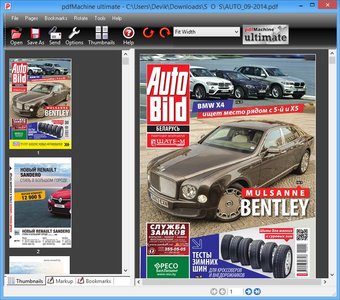 Broadgun pdfMachine Ultimate 15.42 | 14.5 Mb
PDF enabled software is a vital component for every desktop. PDF or Portable Document Format is a widely used file format originally developed by Adobe. This format is rapidly becoming the defacto standard for publishing on the web.
PDF documents generated by pdfMachine, when printed or viewed, maintain the integrity of all formatting in the original document. PDF files preserve documents formats independent of software, hardware, or operating system used to generate the original file. They can be opened, read and printed by many free PDF readers available on the web, and viewed on operating systems such as Windows, MacOS, and Unix variants.
PDF format is the best document format for long-term digital archival. Often software becomes obsolete, rendering some documents unreadable by current technology. Widely published formats, such as PDF, are more future proof that proprietary formats such as MS Word. In 50 years time, even if PDF's are not used anymore, all you need is the PDF specification and you can have a viewer developed to read your documents.
PDF has the ability to store text in a searchable form.
PDF files can be viewed within Netscape and Internet Explorer. These files can then be saved for off-line use or printed. This makes for easy use within an intranet or website.
PDF files enable sharp, colour-precise printing on most printers with precise onscreen colour match regardless of monitor brand. Users can magnify documents up to 800% without the loss of clarity in text or graphics. PDF files can be optimized and are often smaller than conventional document formats.
Features:
- Print to create PDF
- PDF Editing and mark-up
- Scanning Support
- Use OCR to convert scanned PDFs into searchable text
- Open any PDF
- Comment PDF
- Multilingual font support
- Mail Integration
- Small File Sizes
- Voice annotations
- Text annotations
- PDF Stationery
- Text and image watermarks
- Security Encryption
- Active URLs
- Hyperlinks
- N-Up Printing
- MS Office Integration
- MS IE Integration
- Network Installations
- Bookmark Editing
- pdfMachine merge
- Word Mail Merge
- Digital Signatures
- Parameter parsing
- Custom toolbar
- Terminal Server
- Set Next Action
- Set Document properties
- Multiple Print Profiles / Multiple Printers
- Windows XP/Vista x64 drivers
- File embedding/attaching
- PDF/A
Language : English
Operating System: Windows Vista / 2008 / 2012 / 2016 / 7 / 8 / 10 x86 & x64 versions.
Home Page - [Ссылки доступны только зарегистрированным пользователям
. Регистрируйся тут...]
Download link:
Код:
rapidgator_net:
https://rapidgator.net/file/8620d22a3b62d71ce08144e54f54e2de/pgu8k.Broadgun.pdfMachine.Ultimate.15.42.rar.html

nitroflare_com:
https://nitroflare.com/view/A71AED657D0BAD1/pgu8k.Broadgun.pdfMachine.Ultimate.15.42.rar

alfafile_net:
http://alfafile.net/file/8xrM6/pgu8k.Broadgun.pdfMachine.Ultimate.15.42.rar
Links are Interchangeable - No Password - Single Extraction
|
|
|
|
|
31.10.2020, 16:09
|
#44810
|
|
Местный
Регистрация: 04.10.2017
Сообщений: 125,003
Сказал(а) спасибо: 0
Поблагодарили 7 раз(а) в 7 сообщениях
|
CIMCO Edit 8.09.05
 CIMCO Edit 8.09.05 | 290.8 mb
CIMCO A/S is pleased to announce the availability of CIMCO Edit 8.09.05 Preview is the most popular CNC program editor on the market
CIMCO Edit CIMCO Edit 8.09.05 Preview - Released: 13-10-20
Changes in CIMCO Edit 8.09.05
- Macro conditional statement now support literals and \CR to insert new lines in false/true statement.
Changes in CIMCO MDC-Max 8.09.05
- Timeline: Corrected rolling timeline not updating when viewed in full screen.
- Fixed issue with reports with a fixed time range were incorrectly adjusted.
CIMCO Edit V8 is the latest version of the most popular CNC program editor on the market. With over 100,000 licenses distributed in the past few years, CIMCO Edit is the editor-of-choice for professional CNC programmers who demand a full-featured and reliable, cost-effective professional editing and communication tool.
Every aspect of CIMCO Edit V8 is new, from the multi-pane tabbed layout to the dynamic toolbars and menus. CIMCO Edit V8 also includes new and powerful tools such as an enhanced file compare utility, a reengineered graphical backDescriptionter, and the new NC-Assistant programming tool.
You can use CIMCO Edit V8 to make changes and check CNC programs for your CNC machines. If you have a serial communication line from the PC to the CNC machine, you can send and receive programs directly, even when working with other CNC programs.
CIMCO Edit V8 is designed for editing CNC-programs. CIMCO Edit V8 is able to distinguish between several different formats including ISO, APT and Heidenhain to name some.
CIMCO Edit - The Editor of choice for CNC programmers
Founded in 1991, CIMCO A/S has sold more than 100,000 software licenses through experience and customer service all over the world. Cimco known for their Reliable DNC software, Cimco also has the world's best G Code editor available on the market. So even if you are happy with your current DNC and CAM solution the Cimco Editor will compliment anyone's day to day needs.
Product: CIMCO Edit
Version: 8.09.05 Preview *
Supported Architectures: x86
Website Home Page : [Ссылки доступны только зарегистрированным пользователям
. Регистрируйся тут...]
Language: multilanguage
System Requirements: PC **
Size: 290.8 mb
* Note: CIMCO software releases are made available in two versions: Preview and Stable.
- Preview releases contain the latest features and bugfixes as they are made publicly available. Changes made to the Preview releases are not guaranteed to be feature stable.
- Stable releases are feature stable and recommended for use in production environments. We primarily recommend using the Stable version.
Operating systems
- Windows 7, Windows 8 / 8.1, or Windows 10
- Windows Server 2008 / 2008 R2, Windows Server 2012 / 2012 R2, Windows Server 2016 or Windows Server 2019
- 32 bit and 64 bit versions supported.
PC hardware requirements
- 1.5 GHz. Intel or AMD Processor.
- 1.0 GB RAM.
- 1.5 GB free harddisk space.
- Open GL compatible graphics card required for backDescription option in CIMCO Edit.
- Monitor with minimum resolution of 1024 x 768 pixels.
Download link:
Код:
rapidgator_net:
https://rapidgator.net/file/7d39dfd067d3ddda2356859207c2c6bc/yp7ml.CIMCO.Edit.8.09.05.rar.html

nitroflare_com:
https://nitroflare.com/view/2BF5A609C1CCF70/yp7ml.CIMCO.Edit.8.09.05.rar

alfafile_net:
http://alfafile.net/file/8xrMm/yp7ml.CIMCO.Edit.8.09.05.rar
Links are Interchangeable - No Password - Single Extraction
|
|
|
|
|
31.10.2020, 16:11
|
#44811
|
|
Местный
Регистрация: 04.10.2017
Сообщений: 125,003
Сказал(а) спасибо: 0
Поблагодарили 7 раз(а) в 7 сообщениях
|
Downcast 2.9.57 macOS
 Downcast 2.9.57 | macOS | 29 mb
Downcast, the popular iOS podcast app is now available for OS X! Download, play and sync** your favorite podcasts with an intuitive interface built specifically for podcasts.
Subscription Features
* Search, subscribe to and download audio and video podcasts
* Manually subscribe to podcasts via URL
* Download podcasts automatically (including resuming downloads)
* Browse and download older podcast episodes
* Auto-update podcast feeds based on schedule
* Settings for auto-download and episode retention (globally and per-podcast)
* Import and export podcast feeds via OPML
* Import supported audio/video media files
* Support for password-protected feeds
* Create and edit "smart" playlists
* View podcast details and episode show notes
* Rename podcast subscription names
iCloud Syncing
* Sync podcast subscriptions, playlists, settings and episode information with other Macs and iOS devices** via iCloud
Playback Features
* .5x, 1x, 1.25x, 1.5x, 2x, 2.25x, 2.5x, 2.75x and 3x speed playback*
* Chapters support for enhanced podcasts
* Stream episodes without downloading
Compatibility: macOS 10.11 or later 64-bit
Download link:
Код:
rapidgator_net:
https://rapidgator.net/file/358eaf898e8ecc7efbff2d05d38649a2/z4wfs.Downcast.2.9.57.rar.html

nitroflare_com:
https://nitroflare.com/view/2517BEE9814667B/z4wfs.Downcast.2.9.57.rar

alfafile_net:
http://alfafile.net/file/8xrMb/z4wfs.Downcast.2.9.57.rar
Links are Interchangeable - No Password - Single Extraction
|
|
|
|
|
31.10.2020, 16:12
|
#44812
|
|
Местный
Регистрация: 04.10.2017
Сообщений: 125,003
Сказал(а) спасибо: 0
Поблагодарили 7 раз(а) в 7 сообщениях
|
EximiousSoft Business Card Designer Pro 3.35 + Portable
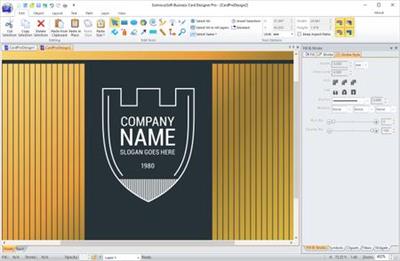 EximiousSoft Business Card Designer Pro 3.35 + Portable | 72.3/65.7 Mb
The business card software is equipped with featured design tools to create nice business cards quickly and easily. This application provides 400+high quality business card templates, 5000+ pre-designed shapes and 500+ attractive clip-arts. You can use from the supplied material to start the layout of your card.
The process of designing is based on inserting ready for use elements accessible in the program such as figures, images and the background, and freely shifting them on the prepared project. The Pro version program can create one or two-sided cards, horizontal or vertical cards. It supports 400+ business card paper for ink jet and laser printers. You can print them on your own printer or export your design as pdf or jpg files and bring to a professional print shop for printing.
400+ Double-Sides Templates
The program has a large number of beautiful business card templates built in, all built on a vector format, and both sides are editable. Before starting to design a business card, you can select the closest one from the template library as a model to carry out subsequent design work.
200+ Business Card Templates
The program provides numerous pre-designed business card templates by expert designers. With which to start design easily and quickly. You can personalize them with your preferred images, logo, graphics & other elements in your business card design.
500+ Clip Arts and 5000+ Shapes
The Pro program offers 5000+ pre-designed shapes and 500+ attractive clip-arts. The process of designing is based on inserting ready for use elements accessible in the program such as figures, images and the background, and freely shifting them on the prepared project.
Clip Arts and Logo Shapes Library
Provide more than huge amount of background images, logos, shapes, symbols, gradient styles. Which make your art work is so simple. Besides that, you can add your own drawing elements such as shadows, texts, lines, curves and your own photos for your design.
400+ Pre-designed Print Layouts
Business Card Designer Pro supports 400+ business card paper for ink jet and laser printers, from Avery, APLI, Hisago, Sigel, A-One ,Printec and other manufacturers. You can print them on your own printer or export your design as pdf or jpg files and bring to a professional print shop for printing.
System requirements:
Windows XP/ Windows 7/ Windows 8/ Windows 10 (64 bit OS recommended)
Intel or AMD processor, 1GHz or above
Home Page - [Ссылки доступны только зарегистрированным пользователям
. Регистрируйся тут...]
Download link:
Код:
rapidgator_net:
https://rapidgator.net/file/3e48e55779d03bdd97dc68221dff2e55/0dezv.BusinessCardDesignerPro3.rar.html
https://rapidgator.net/file/2fda7133e11d2d4b192433503d6b6595/0dezv.EximiousSoft.Business.Card.Designer.3.35.Portable.rar.html

nitroflare_com:
https://nitroflare.com/view/11D2D24E195F702/0dezv.BusinessCardDesignerPro3.rar
https://nitroflare.com/view/7D5FBB9C38DE817/0dezv.EximiousSoft.Business.Card.Designer.3.35.Portable.rar

alfafile_net:
http://alfafile.net/file/8xrDe/0dezv.BusinessCardDesignerPro3.rar
http://alfafile.net/file/8xrDv/0dezv.EximiousSoft.Business.Card.Designer.3.35.Portable.rar
Links are Interchangeable - No Password - Single Extraction
|
|
|
|
|
31.10.2020, 16:13
|
#44813
|
|
Местный
Регистрация: 04.10.2017
Сообщений: 125,003
Сказал(а) спасибо: 0
Поблагодарили 7 раз(а) в 7 сообщениях
|
Hookshot 1.9.1 macOS
 Hookshot 1.9.1 | macOS | 15 mb
Hookshot is cursor movement window snapping.
Features:
Snap windows by pressing a modifier key and moving your cursor
Snap windows with keyboard shortcuts or by dragging windows to the edge of the screen
Move & resize windows by holding a modifier key and moving your cursor
Snap windows not in focus
Compatibility: OS X 10.12 or later 64-bit
Homepage: [Ссылки доступны только зарегистрированным пользователям
. Регистрируйся тут...]
Download link:
Код:
rapidgator_net:
https://rapidgator.net/file/f90cf83cf73fdfffb162044afbbdedb7/1magn.Hookshot.1.9.1.rar.html

nitroflare_com:
https://nitroflare.com/view/E69BA08A6CBFEAA/1magn.Hookshot.1.9.1.rar

alfafile_net:
http://alfafile.net/file/8xrDX/1magn.Hookshot.1.9.1.rar
Links are Interchangeable - No Password - Single Extraction
|
|
|
|
|
31.10.2020, 16:15
|
#44814
|
|
Местный
Регистрация: 04.10.2017
Сообщений: 125,003
Сказал(а) спасибо: 0
Поблагодарили 7 раз(а) в 7 сообщениях
|
IDimager Photo Supreme 5.6.0.3237 Multilingual
 IDimager Photo Supreme 5.6.0.3237 Multilingual | 111 Mb
Do you own a digital camera or do you have a large collection of images to manage? Then in no time finding that one image you're looking for becomes a chore. But Photo Supreme can change all that. Photo Supreme's integrated cataloging and management features will help you quickly find and work with your desired image.
Highlights
Advanced search capabilities
When looking for that one image, Photo Supreme will help you with deep text searches, tag searches, duplicate detection, similarity detection, dynamic search combinations and advanced filtering.
Limit access to those who need it
The Server Edition allows you to control who can access your Catalog. You control who can add or delete. You control who sees what in their screen.
Multi tab browsing
Photo Supreme brings tabbed browsing to your image archive. Take advantage of having multiple sets open at the same time.
Import & ingest images
Import your images in your Catalog the way you want. You can define naming conventions, apply metadata on import, version rules, and of course copy files.
Keyword tagging
Tagging your images has never been easier. GEO tagging, parent cascading, face tagging, and automatic metadata enrichment are just a few of many features.
Get organized
Organize your images in Portfolios and Collections.
Multi version control
Logically hold your pictures together so you can find them again more easily.
Features
Advanced search capabilities
Multi tab browsing
Import & ingest images
Side-by-side comparison (up to 6 images)
Keyword tagging
Advanced GEO tagging
Image organization in portfolios
Duplicate detection
Share images with Flickr, Smugmug, Zenfolio, Google+ (former Picasaweb), FTP, EMail
Dual monitor support
Creative Commons support
Lossless image editing
Supports Darwin Core metadata
Dynamic collections
Face detection
Area tagging
Extensible metadata with custom field definitions
Take your previews with you while travelling
Color managed
Fully scriptable
English, German, French, Italian, and Dutch locale
Full HD, 2K, 4K, 5K, Retina screen resolutions supported
Operating System: Windows Vista or higher
Home Page - [Ссылки доступны только зарегистрированным пользователям
. Регистрируйся тут...]
Download link:
Код:
rapidgator_net:
https://rapidgator.net/file/93023571021d9b7a64f5a50ec70dc89c/b7ab0.IDimager.Photo.Supreme.5.6.0.3237.Multilingual.rar.html

nitroflare_com:
https://nitroflare.com/view/F46E6F5602881A5/b7ab0.IDimager.Photo.Supreme.5.6.0.3237.Multilingual.rar

alfafile_net:
http://alfafile.net/file/8xrD3/b7ab0.IDimager.Photo.Supreme.5.6.0.3237.Multilingual.rar
Links are Interchangeable - No Password - Single Extraction
|
|
|
|
|
31.10.2020, 16:16
|
#44815
|
|
Местный
Регистрация: 04.10.2017
Сообщений: 125,003
Сказал(а) спасибо: 0
Поблагодарили 7 раз(а) в 7 сообщениях
|
ISO Workshop Pro 10.0 Portable
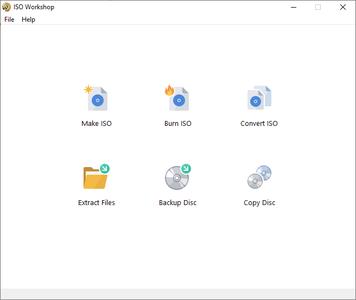 ISO Workshop Pro 10.0 Portable | 5.8 Mb
ISO Workshop is a application specifically designed to facilitate disc image management, conversion and burning operations. The program has a very simple user interface and enables you to make ISO images, extract specific files and folders from disc images, create disc backups by copying disc contents to an ISO or BIN image file, convert different disc image files into the ISO or BIN format and, of course, burn ISO and CUE images to blank discs.
Make standard and bootable ISO images
Extract files and folders from disc image
Copy disc to disc image (including Audio CD)
Convert disc image to ISO or BIN format
Burn ISO or CUE/BIN image to disc
Supports common formats (ISO, CUE, BIN, NRG, MDF, CDI etc.)
Supports CD-R/RW, DVD-R/RW, DVD+R/RW, DVD+R DL, BD-R/RE
Supports verification of written files
Benefits:
Supports all types of CD/DVD/BD Recorders
Super easy-to-use user interface
Small installation file size
Very low CPU resource usage
Free for personal and commercial use
OS: Windows NT/2000/XP/Vista/7/8/10 (32 and 64 bit)
Home Page - [Ссылки доступны только зарегистрированным пользователям
. Регистрируйся тут...]
Download link:
Код:
rapidgator_net:
https://rapidgator.net/file/b78c23724c31af73c025999dd0bd0b21/3veml.ISO.Workshop.Pro.10.0.Portable.rar.html

nitroflare_com:
https://nitroflare.com/view/4C4B5A616B18276/3veml.ISO.Workshop.Pro.10.0.Portable.rar

alfafile_net:
http://alfafile.net/file/8xrDC/3veml.ISO.Workshop.Pro.10.0.Portable.rar
Links are Interchangeable - No Password - Single Extraction
|
|
|
|
|
31.10.2020, 16:17
|
#44816
|
|
Местный
Регистрация: 04.10.2017
Сообщений: 125,003
Сказал(а) спасибо: 0
Поблагодарили 7 раз(а) в 7 сообщениях
|
MAGIX SOUND FORGE Audio Studio 14.0.86 Portable
 MAGIX SOUND FORGE Audio Studio 14.0.86 (x64) Portable | 104 MB
Recording, editing, restoration and mastering at the latest level of technology: SOUND FORGE Audio Studio 14 offers comprehensive tools and functions for all digital audio editing requirements. Record podcasts, edit your projects using professional effects, convert vinyls and cassettes to digital, produce soundtracks for videos and create and burn CDs. Discover SOUND FORGE Audio Studio 14, the audio tool that offers professional results in no time at all and with just a few clicks..
SOUND FORGE Audio Studio 14 - The home of audio editing
- NEW! Faster workflow with Instant Action window
- NEW! Professional quick FX plug-ins
- NEW! Oscilloscope for signal visualization
- NEW! Easy task assignment in the Windows context menu
- Editing for audio files with up to 6 channels
- Digitization, restoration and audio conversion
- Audio recording at up to 32-bit/384 kHz
- CD authoring
- Video sound optimization
Recording
Professional recording made easy: Record vocals, sounds and podcasts in excellent quality at up to 32-bit/384 kHz with this fast, uncomplicated and reliable audio editor.
Audio editing
Cut, move and edit audio files easily and in a matter of clicks. Achieve perfect results for the project you're editing in no time at all with professional effects and 64-bit power on up to 6 channels.
Restoration and mastering
Convert old vinyls and tapes to digital audio files and clean up the recordings using professional restoration tools. High-quality mastering effects can also be used to achieve crystal-clear sound.
New in SOUND FORGE Audio Studio 14:
Instant Action
The Instant Action window lets you access tasks and projects quickly and easily. This interface offers a clear overview and you have all essential tools and functions to hand, which saves you even more time and lets you focus on editing.
quickFX plug-ins
Captivating effects for any sound: quickFX offers a wide range of plug-ins that can be easily applied to your own sounds. Select from a collection of creative effects including delay, chorus and flanger and control effect levels using a slider.
Windows context menu
Perform common tasks by right-clicking on the system button in the Windows context menu without even needing to open SOUND FORGE Audio Studio. This helps you save a ton of time and simplifies your workflow.
Improved VST
Thanks to the new VST engine, VST scan speed has been significantly improved. This allows VST plug-ins to be loaded a whole lot faster. A number of new bug fixes prevent potential system crashes from occurring.
Oscilloscope
Visualize periodic oscillations in audio signal or have effect chain manipulations display in realtime. The new oscilloscope offers impressive new options for visualizing waveforms.
System Requirements:
- Windows 10, Windows 8
- Processor: 1.4 GHz
- Graphics card: Onboard, minimum resolution 1024 x 768
- Program languages: English, Deutsch, Español, Français, Polski
Home Page - [Ссылки доступны только зарегистрированным пользователям
. Регистрируйся тут...]
Download link:
Код:
rapidgator_net:
https://rapidgator.net/file/055b73a9ee5d14c4a6bcd4df40d53b01/o2ocd.MAGIX.SOUND.FORGE.Audio.Studio.14.0.86.Portable.rar.html

nitroflare_com:
https://nitroflare.com/view/92BDF767155F1A5/o2ocd.MAGIX.SOUND.FORGE.Audio.Studio.14.0.86.Portable.rar

alfafile_net:
http://alfafile.net/file/8xrMM/o2ocd.MAGIX.SOUND.FORGE.Audio.Studio.14.0.86.Portable.rar
Links are Interchangeable - No Password - Single Extraction
|
|
|
|
|
31.10.2020, 16:18
|
#44817
|
|
Местный
Регистрация: 04.10.2017
Сообщений: 125,003
Сказал(а) спасибо: 0
Поблагодарили 7 раз(а) в 7 сообщениях
|
MAGIX SOUND FORGE Pro Suite 14.0.0.112 Portable
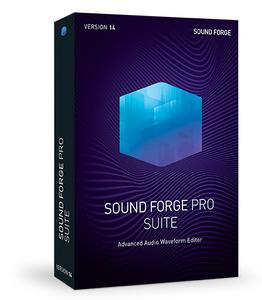 MAGIX SOUND FORGE Pro Suite 14.0.0.112 (x64) Portable | 181.8 Mb
SOUND FORGE Pro has been the tool of choice for ambitious audio editing for over 25 years. Version 14 offers powerful tools for professional recording, editing, mastering and restoration. SOUND FORGE Pro lets you achieve maximum quality results at the highest level of technology.
Recording
Multichannel audio recording at the highest level of quality
With SOUND FORGE Pro 14, record audio on up to 32 channels in resolution up to 64-bit/768 kHz. The 64-bit audio engine allows for the ultimate stability and lowest latency. Create crystal-clear recordings from your vocals, instruments or podcasts in astonishing sound quality.
Audio editing
Maximum precision
SOUND FORGE Pro 14 is one of the most powerful audio editors to have ever been developed. Cut, edit and enhance audio files with the highest position and at the sample level. A massive range of professional editing tools enables you to customize your sound and shape it exactly the way you want.
Mastering
Excellent sound results
Master your audio material using advanced mastering tools and a range of intelligent high-end effects based on DSP algorithms. Optimize loudness of your recordings and achieve crystal-clear sound that's specially optimized for streaming and CD results.
Highlights:
32 channel audio recording, editing and processing
NEW! Instant Action window for faster workflow
NEW! Windows context menu for easy task assignment
NEW! WaveColor and spectroscope visualization Mastering and restoration with iZotope plug-ins: Ozone 9 Elements and RX 7 Elements
New VST Engine & ARA2 Support
Record at 64-bit/768 kHz
Numerous audio effects and plug-ins
zplane élastique Timestretch 3.3.1 upgrade with new élastiquePro v3 Engine
Top new features in SOUND FORGE Pro 14:
Instant Action
The Instant Action window lets you access frequently used functions in seconds. This saves you time when you're searching for functions in the menu. This interface offers a clear overview and you have all essential tools and functions to hand.
Windows context menu
Perform basic tasks by right-clicking on the system button in the Windows context menu without even needing to open SOUND FORGE Pro. This helps you save a ton of time and simplifies your workflow.
WaveColor
Succinct waveform coloring with WaveColor allows you to orient yourself in a project and offers an enhanced overview of all tasks. You can identify pitch and sound characteristics according to their color and saturation level.
System Requirements:
OS: Windows 8.1 and Windows 10
Processor: 1 GHz
RAM: 512 MB
Graphics card: Onboard, min. resolution 1024 x 768
Sound card: Onboard
Hard drive space: 500 MB for program installation
Program language: English
Home Page - [Ссылки доступны только зарегистрированным пользователям
. Регистрируйся тут...]
Download link:
Код:
rapidgator_net:
https://rapidgator.net/file/fb1d13ec62f5a297eb8bc5c657387768/tlskw.MAGIX.SOUND.FORGE.Pro.Suite.14.0.0.112.Portable.rar.html

nitroflare_com:
https://nitroflare.com/view/718DF9E932E607B/tlskw.MAGIX.SOUND.FORGE.Pro.Suite.14.0.0.112.Portable.rar

alfafile_net:
http://alfafile.net/file/8xrME/tlskw.MAGIX.SOUND.FORGE.Pro.Suite.14.0.0.112.Portable.rar
Links are Interchangeable - No Password - Single Extraction
|
|
|
|
|
31.10.2020, 16:23
|
#44818
|
|
Местный
Регистрация: 04.10.2017
Сообщений: 125,003
Сказал(а) спасибо: 0
Поблагодарили 7 раз(а) в 7 сообщениях
|
MAGIX SOUND FORGE Audio Cleaning Lab 24.0.2.19
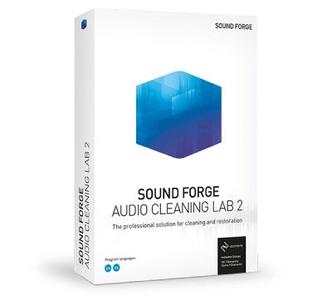 MAGIX SOUND FORGE Audio Cleaning Lab 24.0.2.19 | 418.2/437.9 Mb
SOUND FORGE Audio Cleaning Lab 2 The easiest way to clean and restore audio. It's never been this easy to digitize, clean and restore your audio: SOUND FORGE Audio Cleaning Lab 2 is the perfect tool for enhancing audio from records, tapes, recordings and audio files. Hundreds of presents, smart 1-click solutions and intuitive controls make it possible. With its expansive selection of features and tools, this digital "Swiss Army knife" - now in its second generation - is a must-have for any audio enthusiast's toolbox.
The professional solution for cleaning and restoration
- Digitization, cleaning & restoration
- 64-bit technology & VST3 interface
- 8 audio tracks
- NEW! Audio cleaning with iZotope RX 7 Elements
- NEW! Mastering with iZotope Ozone 9 Elements
- NEW! WaveColor
Digitization
Easily transfer audio from analog media such as records and tapes to your PC.
Cleaning & restoration
Remove crackling and noise from records, reduce clipping and optimize speech recordings.
Quick & easy
The clear interface enables an intuitive workflow. A wide range of presets and program wizards are available to help with all aspects of using the software.
Record sound from tapes and records
A few clicks is all it takes to transfer individual songs and entire albums from records and tapes to your PC. Record spoken language in studio quality for podcasts (up to 96 kHz/24-bit resolution)
Import sound from CDs and videos
Quickly and easily import CDs onto your computer and automatically grab title info and CD covers from the web for original CDs. Starting editing the sound in your video files right after you import them.
Export
Once you've got the audio from your records, tapes or CDs on your PC, you can easily export it in any standard format, including MP3, WAV, OGG and FLAC.
Sound you can see: Spectral Cleaning
Spectral display lets you see the sound in your videos by generating a visual representation of all the different frequencies so you can quickly identify noise and remove it.
Automatic cleaning
The Auto Cleaning feature handles most of the cleaning work for you. It automatically scans and analyzes your audio material, and suggest a range of optimization settings you can use to enhance the sound in your video.
Optimize video sound
Perfect, noise-free video sound in a few easy steps - thanks to a wide range of presets and the video sound optimizer. A single click is all it takes to apply exactly the settings you need to enhance the music and spoken parts in your videos.
Program wizards & presets
Automatic cleaning and sound characteristics with a single click: Let the program wizards and over 360 presets help you get the most out of your material.
Tips & tricks
Toss out the user's manual: the Infobox provides valuable tips and tricks for all aspects of the program, helping you get the answers you need, when you need them.
Simple search
One keyword is all you need to find the templates, help articles, tools and effects you're looking for - thanks to the program's sophisticated search feature.
System Requirements:
- Windows 10, Windows 8, Windows 7
- Processor: 1 GHz
- RAM: 2 GB
- Graphics card: Onboard, minimum resolution 1024 x 768
- Hard drive space: 1 GB for program installation
- Sound card: Onboard Onboard
- Optical drive: DVD
- Optional: CD/DVD burner
Home Page - [Ссылки доступны только зарегистрированным пользователям
. Регистрируйся тут...]
Download link:
Код:
rapidgator_net:
https://rapidgator.net/file/76a6341b011a90c552488f875597e3d1/b8u6m.SOUND.FORGE.Audio.Cleaning.Lab.24.0.2.19x64.rar.html
https://rapidgator.net/file/399873513a725d558fb71faaf87e2e29/b8u6m.SOUND.FORGE.Audio.Cleaning.Lab.24.0.2.19x86.rar.html

nitroflare_com:
https://nitroflare.com/view/217FE90F5F4D1FF/b8u6m.SOUND.FORGE.Audio.Cleaning.Lab.24.0.2.19x64.rar
https://nitroflare.com/view/66586FEABC6C169/b8u6m.SOUND.FORGE.Audio.Cleaning.Lab.24.0.2.19x86.rar

alfafile_net:
http://alfafile.net/file/8xrDL/b8u6m.SOUND.FORGE.Audio.Cleaning.Lab.24.0.2.19x64.rar
http://alfafile.net/file/8xrDo/b8u6m.SOUND.FORGE.Audio.Cleaning.Lab.24.0.2.19x86.rar
Links are Interchangeable - No Password - Single Extraction
|
|
|
|
|
31.10.2020, 16:24
|
#44819
|
|
Местный
Регистрация: 04.10.2017
Сообщений: 125,003
Сказал(а) спасибо: 0
Поблагодарили 7 раз(а) в 7 сообщениях
|
MAGIX SOUND FORGE Audio Studio 14.0.86 Multilingual
 MAGIX SOUND FORGE Audio Studio 14.0.86 (x86/x64) Multilingual | 356.3/398.2 Mb
Recording, editing, restoration and mastering at the latest level of technology: SOUND FORGE Audio Studio 14 offers comprehensive tools and functions for all digital audio editing requirements. Record podcasts, edit your projects using professional effects, convert vinyls and cassettes to digital, produce soundtracks for videos and create and burn CDs. Discover SOUND FORGE Audio Studio 14, the audio tool that offers professional results in no time at all and with just a few clicks..
SOUND FORGE Audio Studio 14 - The home of audio editing
- NEW! Faster workflow with Instant Action window
- NEW! Professional quick FX plug-ins
- NEW! Oscilloscope for signal visualization
- NEW! Easy task assignment in the Windows context menu
- Editing for audio files with up to 6 channels
- Digitization, restoration and audio conversion
- Audio recording at up to 32-bit/384 kHz
- CD authoring
- Video sound optimization
Recording
Professional recording made easy: Record vocals, sounds and podcasts in excellent quality at up to 32-bit/384 kHz with this fast, uncomplicated and reliable audio editor.
Audio editing
Cut, move and edit audio files easily and in a matter of clicks. Achieve perfect results for the project you're editing in no time at all with professional effects and 64-bit power on up to 6 channels.
Restoration and mastering
Convert old vinyls and tapes to digital audio files and clean up the recordings using professional restoration tools. High-quality mastering effects can also be used to achieve crystal-clear sound.
New in SOUND FORGE Audio Studio 14:
Instant Action
The Instant Action window lets you access tasks and projects quickly and easily. This interface offers a clear overview and you have all essential tools and functions to hand, which saves you even more time and lets you focus on editing.
quickFX plug-ins
Captivating effects for any sound: quickFX offers a wide range of plug-ins that can be easily applied to your own sounds. Select from a collection of creative effects including delay, chorus and flanger and control effect levels using a slider.
Windows context menu
Perform common tasks by right-clicking on the system button in the Windows context menu without even needing to open SOUND FORGE Audio Studio. This helps you save a ton of time and simplifies your workflow.
Improved VST
Thanks to the new VST engine, VST scan speed has been significantly improved. This allows VST plug-ins to be loaded a whole lot faster. A number of new bug fixes prevent potential system crashes from occurring.
Oscilloscope
Visualize periodic oscillations in audio signal or have effect chain manipulations display in realtime. The new oscilloscope offers impressive new options for visualizing waveforms.
System Requirements:
- Windows 10, Windows 8 (64-bit only)
- Processor: 1.4 GHz
- Graphics card: Onboard, minimum resolution 1024 x 768
- Program languages: English, Deutsch, Español, Français, Polski
Home Page - [Ссылки доступны только зарегистрированным пользователям
. Регистрируйся тут...]
Код:
rapidgator_net:
https://rapidgator.net/file/0b31c6937d4556094103c56b3822288f/orxpp.SOUND.FORGE.Audio.Studio.14.0.86x64.rar.html
https://rapidgator.net/file/7450db25ca53c2e577219cc9d2b58dc2/orxpp.SOUND.FORGE.Audio.Studio.14.0.86x86.rar.html

nitroflare_com:
https://nitroflare.com/view/A8070558A46E352/orxpp.SOUND.FORGE.Audio.Studio.14.0.86x64.rar
https://nitroflare.com/view/8BCAF4B6DC5D6D8/orxpp.SOUND.FORGE.Audio.Studio.14.0.86x86.rar

alfafile_net:
http://alfafile.net/file/8xrMt/orxpp.SOUND.FORGE.Audio.Studio.14.0.86x64.rar
http://alfafile.net/file/8xrM5/orxpp.SOUND.FORGE.Audio.Studio.14.0.86x86.rar
Links are Interchangeable - No Password - Single Extraction
|
|
|
|
|
31.10.2020, 16:25
|
#44820
|
|
Местный
Регистрация: 04.10.2017
Сообщений: 125,003
Сказал(а) спасибо: 0
Поблагодарили 7 раз(а) в 7 сообщениях
|
MAGIX SOUND FORGE Pro 14.0.0.112
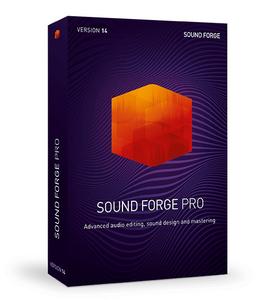 MAGIX SOUND FORGE Pro 14.0.0.112 (x86/x64) | 255.7/305.6 Mb
For over 25 years, SOUND FORGE Pro has set the benchmark for recording, editing and processing audio. The latest version raises that benchmark yet again, offering an improved user experience, with more efficiency, stability and speed for ultimate audio production. The enhanced 64-bit audio engine carries out all tasks - from recording and editing to restoration and mastering - with incredible precision.
Recording
Crystal clear on multiple channels. Record pristine audio on up to 32 channels simultaneously, at sample rates up to 64-bit/768 kHz. SOUND FORGE Pro 14 is a fully-portable recording studio that you can take with you wherever you go for multichannel recordings of classical concerts, live bands and other challenging projects.
Audio Editing
Total precision. SOUND FORGE Pro 14 provides professional audio processing and sound design at the highest level. From video soundtracks to the final surround sound mix, edit audio with sample-accurate precision. Numerous effect processors and editing tools make SOUND FORGE Pro the ideal application for sound designers.
Mastering
Professional sound, noise free. With the all-new SOUND FORGE Pro 14, you can deliver technically perfect masters for CD or streaming, all thanks to its advanced signal processing tools and high-end effects based on top-quality DSP algorithms. Restore recordings and remove clicks, pops and other noise with ease.
Highlights
- 32-channel file recording, editing and processing
- 64-bit architecture
- Customizable interface: 4 color levels, new icon design & docking
- Upgraded VST engine & ARA2 support
- Record at 64-bit/768 kHz
- Numerous audio effects & plug-ins
- Mastering and restoration with iZotope plug-ins: Ozone 8 Elements & RX 7 Elements
- New Oscilloscope and a Peak Meter V2 for level measurement
- zplane élastique Timestretch with new élastiquePro v3 engine
What's New in SOUND FORGE Pro 14?
- Wave Coloring, a new graphical representation mode in the data window that visualises the sonic qualities of an audio file.
- Instant Action window with shortcuts to frequently used tasks.
- New Oscilloscope and Spectroscope visualization.
- Quick converting audio files from Windows Explorer context menu.
- QuickFX: Professional VST effects with many presets and extremely easy operation using just one fader.
- Improved VST support with many bug fixes and a faster scan.
System Requirements:
- You require a 32- or 64-bit version of one of the following operating systems:
- Windows 10, Windows 8, Windows 7
- Processor: 1 GHz
- RAM: 512 MB
- Graphics card: Onboard, min. resolution 1024 x 768
- Sound card: Onboard
- Hard drive space: 500 MB for program installation
Home Page - [Ссылки доступны только зарегистрированным пользователям
. Регистрируйся тут...]
Download link:
Код:
rapidgator_net:
https://rapidgator.net/file/1ed1b9fec4a1c18fa4039c1477790195/hgh8n.SOUND.FORGE.Pro.14.0.0.112x64.rar.html
https://rapidgator.net/file/7a38fc08c6b4736bb11ce4d2ff2167c6/hgh8n.SOUND.FORGE.Pro.14.0.0.112x86.rar.html

nitroflare_com:
https://nitroflare.com/view/68178B194299018/hgh8n.SOUND.FORGE.Pro.14.0.0.112x64.rar
https://nitroflare.com/view/E75D77021E2345B/hgh8n.SOUND.FORGE.Pro.14.0.0.112x86.rar

alfafile_net:
http://alfafile.net/file/8xrMY/hgh8n.SOUND.FORGE.Pro.14.0.0.112x64.rar
http://alfafile.net/file/8xrMf/hgh8n.SOUND.FORGE.Pro.14.0.0.112x86.rar
Links are Interchangeable - No Password - Single Extraction
|
|
|
|
      
Любые журналы Актион-МЦФЭР регулярно !!! Пишите https://old.nado.in/private.php?do=newpm&u=12191 или на электронный адрес pantera@nado.ws
|
Здесь присутствуют: 1 (пользователей: 0 , гостей: 1)
|
|
|
 Ваши права в разделе
|
Вы не можете создавать новые темы
Вы не можете отвечать в темах
Вы не можете прикреплять вложения
Вы не можете редактировать свои сообщения
HTML код Выкл.
|
|
|
Текущее время: 18:27. Часовой пояс GMT +1.
| |






