 19.09.2019, 09:45
|
#19411
|
|
Местный
Регистрация: 04.10.2017
Сообщений: 125,003
Сказал(а) спасибо: 0
Поблагодарили 7 раз(а) в 7 сообщениях
|
 NCH PhotoPad Pro 5.32 macOS
 NCH PhotoPad Pro 5.32 macOS | 9.5 MB
PhotoPad is designed to be ready to open and edit your photos quickly. Whether you're a professional photographer or just want to edit your personal photos, PhotoPad offers the powerful tools and features you need to improve your digital images.
PhotoPad picture editor is the fastest and most fun way to edit your digital photos.
PhotoPad picture editor is the fastest and most fun way to edit your digital photos.
* Easily edit digital photos and other pictures
* Supports all popular image formats
* Crop, rotate, resize and flip photos fast
Photo Editing Features
* Crop, rotate, resize and flip pictures
* Touch up photos to remove red-eye and blemishes
* Improve photo quality and focus with blur, sharpening and noise reduction tools
* Adjust the color balance, exposure, levels, brightness, contrast and more
* Merge multiple exposures to create stunning HDR photographs
* Load jpg, gif, png and other popular image formats
* Change the aspect ratio of an image without distorting key features using the liquid resize effect
* Easily undo, re-order and edit existing effects on the layers list using non-destructive editing
Get Creative with Photo Editing
* Apply photo effects, including oil paint, cartoon, vignette, sepia and many more
* Create collages and photo mosaics with your photographs
* Use preset filters to easily enhance your photos
* Convert your photo to cross stitch patterns, paint by numbers or add an oil painting effect
* Add text and captions to photos to post online, add to photo books or to create a new viral meme
* Insert clipart from the included clipart library
* Add frames and borders around your photographs
* Upload edited pictures directly to Facebook or Flickr
Resize and Crop
* Use the crop tool to make a rectangular photo square or to focus on one portion of your photograph. It's also easy to resize your photo for the web or for print using the resize tool.
Regional Effects
* Regional Effects is a powerful tool which gives you the ability to apply effects and filters to selected portions of your photo. Select a part of your image and apply an effect or use the paint brush to paint an effect onto part of your picture.
Mac Platform: Mac OS X 10.5 or above
Home Page -
Код:
http://www.nchsoftware.com/photoeditor/index.html7
Download link:
Код:
rapidgator_net:
https://rapidgator.net/file/17ff77500fb0ac755efaf486a5b848a1/y12yc.NCH.PhotoPad.Pro.5.32.macOS.zip.html

nitroflare_com:
https://nitroflare.com/view/FF9B64CD959B74A/y12yc.NCH.PhotoPad.Pro.5.32.macOS.zip

uploadgig_com:
http://uploadgig.com/file/download/567dd441c2B6378a/y12yc.NCH.PhotoPad.Pro.5.32.macOS.zip
Links are Interchangeable - No Password - Single Extraction
|

|

|
|
19.09.2019, 09:46
|
#19412
|
|
Местный
Регистрация: 04.10.2017
Сообщений: 125,003
Сказал(а) спасибо: 0
Поблагодарили 7 раз(а) в 7 сообщениях
|
NCH VideoPad Pro 7.31 macOS
 NCH VideoPad Pro 7.31 macOS | 14.9 MB
VideoPad is a powerful movie-editing software for OS X. It allows you to create and edit videos of many formats including .avi, .wmv, .3gp, .wmv, .divx as well as several others. Try VideoPad for free to create a professional quality movie by combining several video clips or even working with just one.
Designed to be intuitive, VideoPad is a fully featured video editor for creating professional quality videos in minutes.
* Drag and drop video clips for easy video editing
* Apply effects and transitions, adjust video speed and more
* One of the fastest video stream processors on the market
Edit video from any camcorder
Capture video from a DV camcorder, VHS, webcam, or import most any video file format including avi, wmv, mpv and divx.
Full of transitions and visual effects
Over 50 visual and transition effects to add a professional touch to your movies.
Create videos for DVD, HD, YouTube and more
Burn movies to DVD for playback on TV, or as a standalone video file to share online or put on portable devices.
Stunning Video Transitions and Effects
* Choose from a wide range of video clip transitions
* 3D video editing and 2D to 3D stereoscopic conversion
* Customize the duration of applied transitions
* Overlay text for captions and movie credits
* Chroma key green screen video production
* Edit movies in your own video studio with easy-to-use transition effects.
Amazing Audio Tools
* Import and mix music tracks like a pro
* Make your own custom movie soundtrack with
* MixPad multi-track mixing software
* Record your own narrations with the click of a button
* Use sound effects from the free Sound Effect Library
* VideoPad mpeg editor and movie maker allows you to mix a soundtrack for your movie
Complete Video Optimization
* Fine-tune color and other visual effects
* Slow down, speed up or reverse video clip playback
* Reduce camera shake with video stabilization
* Add photos and digital images to your sequences
* Plugin support to add thousands of tools and effects
* Optimize AVI or MPEG video files with VideoPad Movie Maker
Share With Family and Friends
* Burn to DVD and watch on your TV
* Save for YouTube and share online
* Save to PSP, iPod, iPhone or 3GP mobile phone
* Export movies in multiple resolutions including full HD, 2K and 4K (720p, 1080p, 1440p, 2160p and more)
Supported Input Formats
VideoPad supports just about any video input device including DV based or HDV camcorders.
* Import Video - avi, mpeg, wmv, divX, Xvid, mp4, mov, vob, ogm, H.264, RM and more
* Import Images - bmp, gif, jpg, png, tif and more
* Import Audio - wav, mp3, m4a, mid, flac, aac, wma, au, aiff, ogg, raw, dvf, vox and more
Supported Output Formats
* Burn to Disc - DVD, CD, Blu-ray or HD-DVD
* Export Video File - avi, wmv, mpg, 3gp, mp4, mov, YouTube, iPod, PSP, Mobile Phone
* Upload to YouTube - save your login credentials to upload videos directly to YouTube, Facebook or Flickr from VideoPad
Features
>> Select from several movie clip transitions
>> Use text overlays for captions and other in movie text
>> Preview the effects in real time>> Customize the duration of the effect
>> Tweak brightness, saturation and color to get exactly the look you want in your movie
>> Insert images into your movies with one click of the mouse Awesome Sound Editing Features:
>> Import and mix audio tracks
>> Use with MixPad to create a movie soundtrack
>> Record or import audio narration Store And Share Your Movie In Many Formats:
>> Burn your movies to DVDs and watch them on your television
>> Save your movies in one of several formats to share them with friends and family through email or your website
Mac Platform: Intel processor OS X 10.5 or later
Home Page -
Код:
http://www.nchsoftware.com/videopad/index.html
Download link:
Код:
rapidgator_net:
https://rapidgator.net/file/72ce1278572d8e1708cc7bfbb8f74920/5bdkb.NCH.VideoPad.Pro.7.31.macOS.zip.html

nitroflare_com:
https://nitroflare.com/view/1F4DD81449D5A20/5bdkb.NCH.VideoPad.Pro.7.31.macOS.zip

uploadgig_com:
http://uploadgig.com/file/download/6f9Eb818E9D2dB86/5bdkb.NCH.VideoPad.Pro.7.31.macOS.zip
Links are Interchangeable - No Password - Single Extraction
|
|
|
|
|
19.09.2019, 09:46
|
#19413
|
|
Местный
Регистрация: 04.10.2017
Сообщений: 125,003
Сказал(а) спасибо: 0
Поблагодарили 7 раз(а) в 7 сообщениях
|
NCH WavePad 9.40 Beta
 NCH WavePad 9.40 Beta | 3.2 Mb
This audio editing software is a full featured professional audio and music editor. It lets you record and edit music, voice and other audio recordings. When editing audio files you can cut, copy and paste parts of recordings then add effects like echo, amplification and noise reduction. WavePad works as a wav or mp3 editor but it also supports a number of other file formats including vox, gsm, wma, real audio, au, aif, flac, ogg and more.
Audio Editor Features
Sound editing functions include cut, copy, paste, delete, insert, silence, autotrim and more
Audio effects include, amplify, normalize, equaliser, envelope, reverb, echo, reverse and many more
Integrated VST plugin support gives professionals access to thousands of additional tools and effects
Recommended Free VST Plugin Effects
Includes free sound effect and music library
Supports almost all audio and music file formats including mp3, wav, vox, gsm, wma, au, aif, flac, real audio, ogg, aac, m4a, mid, amr and many more
Batch processing allows you to apply effects and/or convert thousands of files as a single function
Tools include spectral analysis (FFT), speech synthesis (text-to-speech) and voice changer
Audio restoration features including noise reduction and click pop removal
Supports sample rates from 6 to 196kHz, stereo or mono, 8, 16, 24 or 32 bits
Includes its own CD ripper with 'ultrafast' rip mode and cddb music database lookup
Works directly with MixPad multi-track audio mixing, Zulu DJ software and Express Burn CD Recorder.
Easy to use interface will have you editing in minutes
Typical Audio Editing Applications
Software audio editing for studios and professional journalists.
Edit sound files to broadcast over the internet with the BroadWave Streaming Audio Server
Normalizing the level of audio files during mastering before burning to CD.
Editing mp3 files for your iPod, PSP or other portable device.
As a music editor (includes ringtones creator formats).
Music editing and recording to produce mp3 files.
Voice editing for multimedia productions (use with our Video Editor).
Restoration of audio files including removing excess noise such as hiss and hums.
Operating System: Windows 10, XP, Vista, 7, 8 and 8.1
Home Page -
Код:
http://www.nchsoftware.com/
Download link:
Код:
rapidgator_net:
https://rapidgator.net/file/3f546015cd957abc71d2af6b31cde28b/10yu5.NCH.WavePad.9.40.Beta.rar.html

nitroflare_com:
https://nitroflare.com/view/46B0520EF685C11/10yu5.NCH.WavePad.9.40.Beta.rar

uploadgig_com:
http://uploadgig.com/file/download/67142b8fF5282eFd/10yu5.NCH.WavePad.9.40.Beta.rar
Links are Interchangeable - No Password - Single Extraction
|
|
|
|
|
19.09.2019, 09:47
|
#19414
|
|
Местный
Регистрация: 04.10.2017
Сообщений: 125,003
Сказал(а) спасибо: 0
Поблагодарили 7 раз(а) в 7 сообщениях
|
NetBalancer 9.14.2.2086 Multilingual
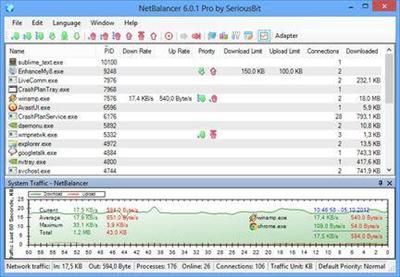 NetBalancer 9.14.2.2086 Multilingual | 7.3 Mb
NetBalancer is an internet traffic control and monitoring tool designed for Microsoft Windows 7, 8 and 10 (and their server variants) with native x64 support.
With NetBalancer you can:
Set a download and/or upload network priority or limit for any process
Manage priorities and limits for each network adapter separately
Define detailed network traffic rules
Group local network computers and balance their traffic synchronised
Set global traffic limits
Get detailed statistics and totals about your data usage
Show network traffic in system tray
Operating System: Windows 7, 8 and 10 (and their server variants) with native x64 support.
Home Page -
Код:
https://netbalancer.com/
Download link:
Код:
rapidgator_net:
https://rapidgator.net/file/e9dc0da8bcd73d85ec9973bf2537de1f/gg4zj.NetBalancer.9.14.2.2086.Multilingual.rar.html

nitroflare_com:
https://nitroflare.com/view/3BA4CE752843589/gg4zj.NetBalancer.9.14.2.2086.Multilingual.rar

uploadgig_com:
http://uploadgig.com/file/download/c8f48e854960215d/gg4zj.NetBalancer.9.14.2.2086.Multilingual.rar
Links are Interchangeable - No Password - Single Extraction
|
|
|
|
|
19.09.2019, 09:47
|
#19415
|
|
Местный
Регистрация: 04.10.2017
Сообщений: 125,003
Сказал(а) спасибо: 0
Поблагодарили 7 раз(а) в 7 сообщениях
|
OfficeSuite Premium 3.50.26910.0 Multilingual
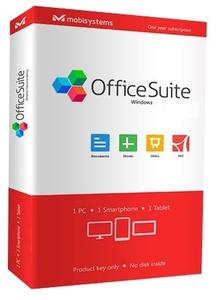 OfficeSuite Premium 3.50.26910.0 Multilingual | 160.8 Mb
An office suite that includes a word processor, a PDF editor and reader, a spreadsheet editor, and a presentation creator, all of them with modern and clean interfaces. When talking about Office suites, many of you might only point to Microsoft's widely-known product. However, there are other alternatives that you can try out, especially if you are a home user. Very popular on mobile platforms, OfficeSuite has also shifted towards Windows, delivering a suite of office-related tools with a clean look and simple options.
Modern-looking yet familiar suite of office tools
With a name that speaks out simplicity and ease of use, OfficeSuite tries to concentrate the most important features of applications that are usually included in such a suite. As such, it brings to the table a word processor, a spreadsheet editor, a presentation maker, and a PDF reader and editor.
OfficeSuite cannot work without you logging in to your account, which makes it possible for anyone to sync their profiles (and licenses, if that is the case) on all the devices.
All the applications feature the ribbon-based toolbox you are used to, and a clean and modern-looking GUI. All the settings are one-click away, and there are plenty of exporting and saving options.
Text and spreadsheet editors, a presentation maker, and a PDF reader
The word processor features basic text editing and formatting capabilities, with standard page setup options. You can insert images, tables, hyperlinks, and bookmarks into your documents, and export the result as a PDF, print it, or save it to the cloud.
Moving on to the presentation maker, it features simple tools to help you build compelling content, with graphics and transition effects. The spreadsheet editor also depicts a familiar environment, with support for all kinds of charts, a plethora of formulas and functions to help you process statistical data.
Last but not least, the PDF reader can use a two-sided viewer to display the text, enabling you to attach notes, take snapshots, and freely draw on the desktop. And while the application is a reader, without editing functionality, input PDF documents can be exported to Word, Excel, or ePub format.
Simplistic alternative to Microsoft Office
With standard functionality in all the applications, OfficeSuite delivers a good alternative to Microsoft Office, from whom it also borrows the GUI layout. It supports all the Office formats, so you don't have to worry about compatibility issues.
Nevertheless, you should know that it doesn't sport the same rich feature set you can find in Microsoft Office. Instead, it sticks to the basic set of options that should be enough for any home user.
Operating System: Windows 7, 8/8.1, 10
Home Page -
Код:
https://www.officesuitenow.com/
Download link:
Код:
rapidgator_net:
https://rapidgator.net/file/b530314aa7bdf56c31e7368d062f7afd/lktim.OfficeSuite.Premium.3.50.26910.0.Multilingual.rar.html

nitroflare_com:
https://nitroflare.com/view/103EDF8EADE0C6D/lktim.OfficeSuite.Premium.3.50.26910.0.Multilingual.rar

uploadgig_com:
http://uploadgig.com/file/download/aBcD6cF1beef1ef0/lktim.OfficeSuite.Premium.3.50.26910.0.Multilingual.rar
Links are Interchangeable - No Password - Single Extraction
|
|
|
|
|
19.09.2019, 09:48
|
#19416
|
|
Местный
Регистрация: 04.10.2017
Сообщений: 125,003
Сказал(а) спасибо: 0
Поблагодарили 7 раз(а) в 7 сообщениях
|
OfficeSuite Premium 3.50.26910.0 Multilingual Portable
 OfficeSuite Premium 3.50.26910.0 Multilingual Portable | 119.4 Mb
An office suite that includes a word processor, a PDF editor and reader, a spreadsheet editor, and a presentation creator, all of them with modern and clean interfaces. When talking about Office suites, many of you might only point to Microsoft's widely-known product. However, there are other alternatives that you can try out, especially if you are a home user. Very popular on mobile platforms, OfficeSuite has also shifted towards Windows, delivering a suite of office-related tools with a clean look and simple options.
Modern-looking yet familiar suite of office tools
With a name that speaks out simplicity and ease of use, OfficeSuite tries to concentrate the most important features of applications that are usually included in such a suite. As such, it brings to the table a word processor, a spreadsheet editor, a presentation maker, and a PDF reader and editor.
OfficeSuite cannot work without you logging in to your account, which makes it possible for anyone to sync their profiles (and licenses, if that is the case) on all the devices.
All the applications feature the ribbon-based toolbox you are used to, and a clean and modern-looking GUI. All the settings are one-click away, and there are plenty of exporting and saving options.
Text and spreadsheet editors, a presentation maker, and a PDF reader
The word processor features basic text editing and formatting capabilities, with standard page setup options. You can insert images, tables, hyperlinks, and bookmarks into your documents, and export the result as a PDF, print it, or save it to the cloud.
Moving on to the presentation maker, it features simple tools to help you build compelling content, with graphics and transition effects. The spreadsheet editor also depicts a familiar environment, with support for all kinds of charts, a plethora of formulas and functions to help you process statistical data.
Last but not least, the PDF reader can use a two-sided viewer to display the text, enabling you to attach notes, take snapshots, and freely draw on the desktop. And while the application is a reader, without editing functionality, input PDF documents can be exported to Word, Excel, or ePub format.
Simplistic alternative to Microsoft Office
With standard functionality in all the applications, OfficeSuite delivers a good alternative to Microsoft Office, from whom it also borrows the GUI layout. It supports all the Office formats, so you don't have to worry about compatibility issues.
Nevertheless, you should know that it doesn't sport the same rich feature set you can find in Microsoft Office. Instead, it sticks to the basic set of options that should be enough for any home user.
Operating System: Windows 7, 8/8.1, 10
Home Page -
Код:
https://www.officesuitenow.com/
Download link:
Код:
rapidgator_net:
https://rapidgator.net/file/24c325bcd8e5a31d00e8716e228fd118/qcr0z.OfficeSuite.Premium.3.50.26910.0.Multilingual.Portable.rar.html

nitroflare_com:
https://nitroflare.com/view/5C155504B2C46F8/qcr0z.OfficeSuite.Premium.3.50.26910.0.Multilingual.Portable.rar

uploadgig_com:
http://uploadgig.com/file/download/1fA06E0cc0fbefB1/qcr0z.OfficeSuite.Premium.3.50.26910.0.Multilingual.Portable.rar
Links are Interchangeable - No Password - Single Extraction
|
|
|
|
|
19.09.2019, 09:49
|
#19417
|
|
Местный
Регистрация: 04.10.2017
Сообщений: 125,003
Сказал(а) спасибо: 0
Поблагодарили 7 раз(а) в 7 сообщениях
|
Paintstorm Studio 2.42.170919 macOS
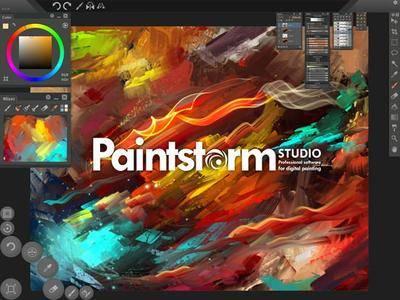 Paintstorm Studio 2.42.170919 macOS | 52.2 MB
Paintstorm Studio is created for professional digital painting. And a major role in this program play the brushes. We did our best so that you can easily and quickly adjust the brushes suitable for your painting style.
Anyone who has ever painted knows it's hard to overestimate the painting tool and the importance of all the seemingly insignificant details. We tried not to miss any of them. Our goal was to create an intuitive, simple-to-use but at the same time functionally powerful tool that brings the process of digital painting to a new level, making it as comfortable as possible.
Main Features:
- Incredıble Possıbılıtıes For Brush Settıngs
- Full Control Of All Brush Optıons
- Brıstle Brushes Of Any Form And Kınd
- Stroke Post Correctıon
- Parameters Bındıng To The Perspectıve
- Dynamıc Interface (Panels Scale, Opacity, Color, Tab-Lock)
- Custom Panels
- Full Controlled Mask-Brush
- Takes Underlayer's Color Whıle Blendıng
- "Close Gaps" Functıon When You Fıll Or Select
- Indıvıdual Hotkeys For Any Brushes
- Advanced Symmetry Tools
Additional Cookies:
- Fast Layer Selectıon
- Smooth Zoom And Brush Resıze
- Smart "Dırty Mode"
- Nıce Stroke Stabılızer
- Usable Color Mıxer
- Dıfferent Gradıent Strokes
- Selectıon Autohıde
- Psd Supported
- Control Of The Random Amounts
Requirements: macOS 10.7 and higher.
Home Page -
Код:
http://www.paintstormstudio.com
Download link:
Код:
rapidgator_net:
https://rapidgator.net/file/9de89d060955da1176cdbf591c18bbf0/i2i10.Paintstorm.Studio.2.42.170919.macOS.zip.html

nitroflare_com:
https://nitroflare.com/view/08B0A02AF9985E1/i2i10.Paintstorm.Studio.2.42.170919.macOS.zip

uploadgig_com:
http://uploadgig.com/file/download/f4791d3bBC49eA9b/i2i10.Paintstorm.Studio.2.42.170919.macOS.zip
Links are Interchangeable - No Password - Single Extraction
|
|
|
|
|
19.09.2019, 09:50
|
#19418
|
|
Местный
Регистрация: 04.10.2017
Сообщений: 125,003
Сказал(а) спасибо: 0
Поблагодарили 7 раз(а) в 7 сообщениях
|
PointWise 18.3 R1 build 2019-09-09 (x64)
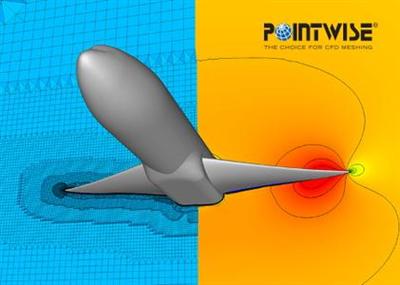 PointWise 18.3 R1 build 2019-09-09 (x64) | 2.3 Gb
The Pointwise CFD product team is pleased to announce the availability of Pointwise 18.3 Release 1, is the choice for computational fluid dynamics (CFD) meshing, covering all aspects of preprocessing from geometry model import to flow solver export.
Pointwise version 18.3 R1 Release Notes - Date: September 2019
The latest release of Pointwise's computational fluid dynamics (CFD) mesh generation software includes the ability to use regular hexahedra instead of unstructured tetrahedra in regions away from the geometry model. The software's T-Rex (anisotropic tetrahedral extrusion) technique generates layers of hexahedra or prisms near the geometry model for boundary layer resolution. Use of regular hexahedra elsewhere in the mesh can improve the CFD flow solver's rate of convergence and accuracy of the resulting solution. An added benefit is a potential reduction in overall cell count.
Pointwise Version 18.3 also includes several new features that further automate surface mesh generation, the ability for users to define their own keyboard shortcuts, the ability to use point clouds for mesh adaptation, and more.
New Features
- Hex-Core meshing is now available. This can be used on existing blocks or to create a farfield.
- Pointwise Viewer is now available and comes bundled with the standard installation. It can be used without a license to examine meshes in any format that can import into Pointwise.
- Keyboard accelerators can now be customized.
- A new T-Rex boundary condition based upon turning angle has been added.
- A new default boundary condition for T-Rex called Auto is now available. Specifically created for the Apply T-Rex feature, this applies an Angle boundary condition if one is specified. If no angle is specified, then it will apply a Wall boundary condition unless the connector is shared by a structured domain, in which case an Adjacent Grid condition is applied.
- The current Pointwise session can be automatically journaled as a session transcript.
- A View Magnifier has been added to allow localized magnification within the display
- Quilt boundaries can now be assembled in the Create, Assemble, Quilts feature.
- Explicit boundaries can now be selected in Create, Patch.
- MeshLink files can now be exported alongside CAE files.
- A T-Rex preference checkbox has been added to Grid, Sync Spacings.
- Curvature clustering now works for Advancing Front Ortho domains with and without mixed cells.
- New Min./Max. Edge Length settings are available for domains.
- Point cloud sources can now be imported using Grid, Import.
- A new distribution type for Connectors, Automatic, has been added. The dimension and distribution of the grid points is based upon the size field.
- The Examine window has been simplified to allow quicker access to the most commonly used features.
- A turntable style rotation (rather than trackball) is now available.
- Jacobian is now available as an Examine function for domains.
- Quad dominant domains now have lower area ratios.
PW-19118 An unstructured block that was previously not able to be initialized can now be populated with cells.
PW-19183 An unstructured block can now be initialized without error.
PW-19320 Initializing an unstructured block resulted in an unexpected exit from the application.
PW-19498 Initializing an unstructured block failed and reported the error 'Could not import the tets!"
PW-20008 A relatively simple unstructured block failed initialization after many hours.
PW-20544 An .stp file was not importing correctly.
PW-20908 A solidworks file was not importing correctly.
PW-21238 The glyph manual was missing syntax for the getTRexFront and splitByFronts commands.
PW-21491 A manifold connector was being incorrectly reported as free.
PW-21550 CAD files imported in millimeters lead to an unexpected exit during a trim operation.
PW-21569 Surface triangulation was not being recovered causing an unstructured block to fail initialization.
PW-21589 An unstructured block failed initialization.
PW-21592 Star-CCM exporter now uses 64-bit indexing so that larger files can be exported.
PW-21619 An imported Gridgen (.gg) file could not be exported after changing the CAE solver.
PW-21644 In 2D, the resulting connector after a domain split operation was not recognized as a connection in the CAE Boundary Condition menu.
PW-21646 Adjusted the topological surface mesher to reduce warnings about initialization in quilt mode.
PW-21687 The cell counts in the Grid, Solve table were not updating correctly after initialization.
PW-21702 Command line execution of a script failed for files with dots in their name prior to the file extension.
PW-21705 IGES files were not importing complete geometries.
PW-21706 Undoing the import of an IGES file resulted in an unexpected exit.
PW-21708 T-Rex cell combination omitted a cell under certain circumstances.
PW-21716 Removed a limitation that prevented many CFD++ files from being imported.
PW-21724 Assembling models was causing an unexpected exit.
PW-21729 Splitting an unstructured block at a distance less than 0.001 was not being allowed.
PW-21748 Adjusting Equiangle Skew criteria in the unstructured block solver was causing an unexpected exit.
PW-21762 Using Glyph, blocks were not refined by a source when initialized outside of the mode.
PW-21764 Scaling of a grid caused Pointwise to enter an infinite loop.
PW-21793 The import of an unsupported format for .Gmsh now reports an error.
PW-21795 Named Spacings were being removed after using the domain solver.
PW-21796 Importing an input.xml file for Overset was parsing data incorrectly.
PW-21831 Renaming an existing boundary condition was causing it to not highlight the associated domains.
PW-21845 A selection bug caused a domain to be selected outside of a selection box.
PW-21869 The reticle for point selection was inaccurate during Edit, Split.
PW-21872 Entities were being highlighted pre-emptively based upon how the cursor approached.
PW-21908 The user manual has been updated to clarify the "Include Parents" option in the Layers panel.
PW-21922 2D T-Rex was asymmetric on a symmetrical shape.
PW-21926 Lamina boundaries were incorrectly updating in Model Assembly.
PW-21927 Re-extrusion caused an unexpected exit.
PW-21941 The Gridgen mouse style was preventing panning and rotation.
PW-21987 Very large CAE boundary condition count was being displayed.
PW-21984 Reducing spacing below tolerance values led to an unexpected exit when opening the T-Rex menu.
PW-22004 Importing a CGNS file resulted in an invalid attribute error.
PW-22021 Quad Warp limits were not being adhered to during domain initialization.
PW-22022 Initializing a block changed the surface cell type of some domains.
PW-22049 Not all Default settings were being preserved in a saved file.
PW-22057 Some Named Spacing constraints became unassigned.
Pointwise is a software system for the generation of two-dimensional (2D) and three-dimensional (3D) grids. Many of the grid generation methods used in Pointwise were developed and fine-tuned over the past 25 years in Pointwise's predecessor, Gridgen. Pointwise combines the grid generation expertise and history embedded in Gridgen with more modern software engineering and graphical interfaces to make grid generation as simple as possible.
Available for Windows, Linux, and Mac, you can generate structured, unstructured, and hybrid meshes including our T-Rex technique for highly-automated generation of boundary layer resolving hybrid meshes.
In this video, we demonstrate how to use the online user manual. Great detail is provided on various features intended to maximize manual utility.
Pointwise, Inc. is solving the top problem facing computational fluid dynamics (CFD) today - reliably generating high-fidelity meshes. The company's Pointwise software generates structured, unstructured, overset and hybrid meshes; interfaces with CFD solvers such as ANSYS FLUENT, STAR-CCM+, OpenFOAM, and SU2 as well as many neutral formats, such as CGNS; runs on Windows, Linux, and Mac, and has a scripting language, Glyph, that can automate CFD meshing. Manufacturing firms and research organizations worldwide have relied on Pointwise as their complete CFD preprocessing solution since 1994.
Product: PointWise
Version: 18.3 R1 build 2019-09-09
Supported Architectures: x64
Website Home Page :
Код:
http://www.pointwise.com
Language: english
System Requirements: Windows / Linux / MacOsx *
Supported Operating Systems: *
Size: 2.3 Gb
Platform Support
Minimum Requirements for All Platforms:
- 2 GB RAM (8 GB recommended)
- 2 GB disk space
- Ethernet card
- OpenGL capable color display monitor
- 1280x1024 screen resolution (4K monitor support now included)
- Graphics adapter supporting 3D hardware-accelerated OpenGL and 24-bit RGB double-buffering
- Up-to-date graphics accelerator drivers
Note: Pointwise V18.0R1 and later will not be supported on 32-bit platforms.
Microsoft Windows
- Windows 7
- Windows 8.1
- Windows 10
Linux
- CentOS 6
- Red Hat Enterprise Linux 6
- SUSE Enterprise Linux Desktop 12 SP1
- Ubuntu Desktop 14.04
MacOsx
- El Capitan 10.11
- Sierra 10.12
- High Sierra 10.13
Download link:
Код:
rapidgator_net:
https://rapidgator.net/file/9a4ee6177ba3ffee1c8e8e7effe9eadc/pv145.18.3R1.linux64.rar.html
https://rapidgator.net/file/fafe919d3164e34b80f3e27fca13e763/pv145.18.3R1.macosx.rar.html
https://rapidgator.net/file/00c16c35a8ab076064f40a412600cea1/pv145.18.3R1.win64.rar.html

nitroflare_com:
https://nitroflare.com/view/4055A2252F656C4/pv145.18.3R1.linux64.rar
https://nitroflare.com/view/7DDA0C0D4214116/pv145.18.3R1.macosx.rar
https://nitroflare.com/view/00DF717EC21DEC2/pv145.18.3R1.win64.rar

uploadgig_com:
http://uploadgig.com/file/download/f5F0a89873771757/pv145.18.3R1.linux64.rar
http://uploadgig.com/file/download/b8B815c00f1cAB6b/pv145.18.3R1.macosx.rar
http://uploadgig.com/file/download/701126A240E3562e/pv145.18.3R1.win64.rar
Links are Interchangeable - No Password - Single Extraction
|
|
|
|
|
19.09.2019, 09:51
|
#19419
|
|
Местный
Регистрация: 04.10.2017
Сообщений: 125,003
Сказал(а) спасибо: 0
Поблагодарили 7 раз(а) в 7 сообщениях
|
PreSonus Studio One Pro 4.5.4.54067 (x64) Multilingual
 PreSonus Studio One Pro 4.5.4.54067 (x64) Multilingual | 187 Mb
Studio One 4 was designed with ease of use at its core. It seamlessly combines the time-tested and proven recording studio model with today's beat- and loop-oriented production process so you can bring musical ideas to sonic reality more quickly than ever before.An efficient, single-screen interface houses an unlimited number of tracks, intuitive editing tools, and advanced virtual instruments. Spend your precious time creating music instead of wondering what to click next. Studio One doesn't dictate how you work or what you work on.
Three creative paths, one goal.
Studio One is your creative companion from start to finish. The Start page provides what you need to kickstart your creative process-open projects, set parameters, and check for updates and tips. From there, the Song page is all about recording, arranging, editing, and mixing your music with a complete set of virtual instruments, effects, and groundbreaking arrangement tools. Then, assemble and master your music in the Project page. Even better, the Project and Song pages are linked so if you need just that one little change in your master or stems, switch to the Song page, tweak, and mix back automatically to the Project. No other program accomplishes such an effortless transition as you move from the initial creative inspiration to the finished, mastered production.
Arranging at the speed of click.
Forget laborious transposition, cutting, pasting, and moving when arranging. With Scratch Pads to test out arrangements, an Arranger track that makes moving sections of songs around as easy as moving parts, and the groundbreaking Harmonic Editing-the most flexible chord track implementation ever-no other program can approach the ease of arranging and songwriting that Studio One 4 delivers.
Another Studio One first: Harmonic Editing.
Far more than just a simple chord track for note data, Studio One 4's Chord Track is a songwriter's dream come true. Create and change chord progressions, try out chord substitutions, substitute rich chords for simple ones, even have older parts follow a new, better chord structure you came up with thanks to the inspiration Harmonic Editing can provide. This breakthrough, which works with instruments and even audio tracks, underscores Studio One's commitment to streamline the songwriting and music creation process.
Detect chords automatically.
When you come up with an inspired chord progression, you needn't put your creativity on hold while you figure out what you played in order to add new parts. Built-in chord detection extracts chords from audio or instrument tracks-simply drag a part to the Chord Track to create a reference for Harmonic Editing.
Overcome creative blocks.
When you're stuck in a rut, let Studio One Professional be your creative partner. Use the ingenious Chord Selector to experiment easily with new chord patterns and ideas. Let Harmonic Editing spark new ideas. Change chords in real time from an external MIDI controller to try out chord progressions on the fly. Transfer chord data from an audio or instrument track to the Chord Track, or from the Chord Track to other tracks.
Printable notation that's truly noteworthy.
With just a few clicks and Notion 6.4 or higher, Harmonic Editing makes it easy to create great-looking, printable lead sheets.
MIDI-and beyond MIDI.
Studio One works with all the standard MIDI gear you know and love, from controllers to tone modules. But once MIDI data arrives into Studio One, it's converted to a high-resolution, 32-bit internal format. That means no zipper noise on instruments, smoother controller changes and pitch bends, more detailed automation, and other benefits when working in the Studio One environment. And if you need to drive external MIDI gear, you're covered there too-Studio One translates its high-resolution format back into standard MIDI data if it needs to return to the outside world.
World-class instruments.
With its rich roster of native plug-ins, Studio One has earned its reputation as a complete production package-and now our latest generation of virtual instruments, based on input from the Studio One community (thank you), deliver even more. Impact has been remade into Impact XT, a comprehensive beat and rhythm production environment. Sample One XT samples, slices, and dices to create great beats and realistic instrument sounds. These new instruments don't feel like separate plug-ins but like integrated-and integral-parts of music creation.
Impact XT: Heat up the beat.
Fully backward compatible with Impact, the XT version adds more than 20 new, highly requested features and improvements. You can even create complete arrangements in a single instance of Impact XT by launching loops that sync to your Song with real-time stretching, beat quantization, and synched start/stop.
Sample One XT: Because samplers should sample.
Sample One XT has expanded from sample playback into a sampling powerhouse. Sample, auto-slice, stretch, process, trigger, and deconstruct audio (sampled from inputs or imported from a track) for breathtaking freedom in constructing powerful new performances and beats.
Beat the clock.
Studio One 4 isn't just about including a world-class drum instrument but also integrating it with an innovative, streamlined Drum Editor to edit drum parts as fast as you can think. Along with hundreds of preconfigured pitch name and mapping scripts available for free from PreSonus Exchange, the new Drum Editor is like an accelerator for drum editing.
Patterns-a giant step forward.
The step sequencer has served us well for over half a century; now it's time for Studio One's new Patterns to step into the future. Tight integration with instrument parts, automation, and Impact XT means that Patterns reinvent step sequencing as a seamless, fast, fun part of making music.
From dumb machine to drum machine-and more.
Patterns transform step sequencing from mechanical repetition into a truly expressive addition to modern sequencing. Yes, Patterns are about drums... but also melodies, integration with any instrument, step-based automation, variable sequence lengths (polyrhythms, anyone?), unlimited variations, and more.
Extra functions. No extra complications.
Impact XT's integration with Patterns will change how you think about drum programming because the combination makes beat creation fast, fun, and effortless. There's no need for a separate plug-in or track type to do pattern-based sequencing because Patterns work side-by-side with conventional Instrument parts on the same track. You can choose, rename, copy, and reorder an unlimited number of Pattern variations from within the Arrangement-you don't even need to open the Pattern Editor. And, there's a new library of inspirational drum Patterns and Variations Patterns in the Musicloops format for easy, drag-and-drop saving and export.
Master mastering.
Studio One Professional is the only program that links songs and stems with finished, mixed Projects. Transfer mixes or mixed stems to the Project page for mastering-but if you hear anything you need to change, simply jump back into the Song, make your tweaks, and then mix the revised version back automatically into the Project page to continue mastering. Whether for Red Book-compatible CD burning, digital publishing for streaming, creating DJ sets and playlists, or professional-level DDP import/export for duplicators, the Song page/Project page partnership makes it easy to obtain consistent levels and tonal balance with collections of songs.
Processors for the mastering process.
Sweeten your project and prepare it for prime time-Studio One 4's professional mastering features include sophisticated equalization, limiting, industry-standard metering, spectrum analysis, and analytic plug-ins to help add the all-important final touches to your music. Apply processing to individual tracks, or the entire collection, to take your mixes to the next level.
Pick a format... any format.
Prepare your tracks for streaming with data compressed, standard, or lossless files. AAF (Advanced Authoring Format) provides song/session exchange for those who haven't switched to Studio One (yet). Open all video and audio formats your operating system supports. Enjoy better video performance with 64-bit video engines for macOS and Windows. Create disk images. Burn Red Book CDs. Import DDP files for editing, such as fixing ID tags or ISRC code errors, then export the corrected DDP file. Whether your music's final destination is online streaming or physical media, Studio One Professional has you covered.
Breaking News: ARA 2.0 is coming.
Deep support for the new Audio Random Access 2.0 spec opens Studio One 4's groundbreaking Harmonic Editing to other plug-in and virtual instrument developers (expect a free Melodyne update with Chord Track support later this year), and allows simultaneous editing of multiple tracks.
System Requirements:
- Windows 7 (SP1 + platform update), Windows 8.1 or Windows 10 (64-bit only)
- Intel Core Duo or AMD® Athlon™ X2 processor (Intel Core 2 Duo or AMD Athlon X4 or better recommended) Intel Core 2 Duo or AMD® Athlon™ X2 processor (Intel Core i3 or AMD Athlon X4 or better recommended)
Home Page -
Код:
https://www.presonus.com/products/Studio-One
Download link:
Код:
rapidgator_net:
https://rapidgator.net/file/ee91078b5300a0e223e996e9ce6085b2/lmcus.PreSonus.Studio.One.Pro.4.5.4.54067.x64.Multilingual.rar.html

nitroflare_com:
https://nitroflare.com/view/4C87B02880351DA/lmcus.PreSonus.Studio.One.Pro.4.5.4.54067.x64.Multilingual.rar

uploadgig_com:
http://uploadgig.com/file/download/25a8f3c76AAfBb09/lmcus.PreSonus.Studio.One.Pro.4.5.4.54067.x64.Multilingual.rar
Links are Interchangeable - No Password - Single Extraction
|
|
|
|
|
19.09.2019, 09:51
|
#19420
|
|
Местный
Регистрация: 04.10.2017
Сообщений: 125,003
Сказал(а) спасибо: 0
Поблагодарили 7 раз(а) в 7 сообщениях
|
RDS-Knight 4.3.9.18 Ultimate Protection Multilingual
 RDS-Knight 4.3.9.18 Ultimate Protection Multilingual | 4.9 Mb
When it comes to exposing Remote Desktop Protocol to direct connections, you need a solid secure server to protect your systems against remote attackers. Due to the innovative techniques available for modern cyber-criminals and a use-after-free vulnerability in the Microsoft solution, hackers from all across the globe can easily access login credentials anywhere at all, carry out ransomware attacks and run arbitrary code on the targeted systems.
Meanwhile, our team of qualified experts has worked hard to secure your remote desktop access. Born from the clear understanding of the problem, RDS-Knight offers advanced functionality and makes the use of remote access in your daily routine as safe as possible. Now, with RDS-Knight you can easily manage the entire fleet of workstations even if you are a thousand miles away.
Keep your Server Secure
If you want to log into your personal computer from another location, RDS-Knight is your sword and shield for protecting your server environment against unauthenticated attackers. Our product is designed to secure remote desktop, monitor login failures, block prohibited or suspicious IPs and prevent unauthorized actions. Checking your computer's remote access options, RDS-Knight provides you with excellent control over the connected users with granted access.
Access your Workstation Safely
Using the RDP Defender service, you can create a whitelist with dedicated IPs you need to achieve the server, and set the essential number of incorrect password attempts. Typically, setting the maximum failed login attempts from a single IP is an effective countermeasure for avoiding brute-force attacks.
If you want to secure server login and allow connections only from specific countries, be assured that our product will protect your system against any foreign attackers. On top of that, our cyber crime fighter offers endpoint protection and device control for regular checking of the device names approved for any incoming session.
Remember, HACKERS AND MALICIOUS BOTS NEVER SLEEP. With RDS-Knight, you can hook into your workstation anytime, anywhere without the fear of external attacks. Contact us today, add this outstanding tool to your arsenal, and use remote access to its full potential.
RDS-Knight Ultimate Protection provides all protections you need:
Homeland Protection: prevents foreign attackers to open a session.
Prevents Brute-Force Attacks: blacklists the offending IP addresses.
Working Hours Restriction: prohibits users to connect at night (per Users or per Groups).
One Click to Secure Desktop: provides highly secured user's environment (per Users or per Groups).
End-Point Device Protection: restricts access per device (per Users).
Hardware Requirements
RDS-Knight can only work on 64-bits editions of OSs servers.
Operating System
RDS-Knight is compatible with the following OSs:
Windows 7
Windows 8.1
Windows 10
Windows Server 2008 / 2008 R2
Windows Server 2012 / 2012 R2
Windows Server 2016
Home Page -
Код:
https://www.rds-tools.com/
Download link:
Код:
rapidgator_net:
https://rapidgator.net/file/25823c0080729757bc8dd79ff5c58b33/dc0jf.RDSKnight.4.3.9.18.Ultimate.Protection.Multilingual.rar.html

nitroflare_com:
https://nitroflare.com/view/87970ABBCE3C047/dc0jf.RDSKnight.4.3.9.18.Ultimate.Protection.Multilingual.rar

uploadgig_com:
http://uploadgig.com/file/download/6d6c5431912df090/dc0jf.RDSKnight.4.3.9.18.Ultimate.Protection.Multilingual.rar
Links are Interchangeable - No Password - Single Extraction
|
|
|
|
|
19.09.2019, 09:52
|
#19421
|
|
Местный
Регистрация: 04.10.2017
Сообщений: 125,003
Сказал(а) спасибо: 0
Поблагодарили 7 раз(а) в 7 сообщениях
|
Readiris Pro 17.1.2 Multilingual macOS
 Readiris Pro 17.1.2 Multilingual | macOS | 251 mb
Readiris is the most powerful and accurate OCR software for OS X. It accurately and rapidly transforms your paper documents, your PDFs and images files into editable information ready to be use.
Completely redesigned for Mac OS X, Readiris offers an easy to use user interface, which clearly guides you through the recognition steps. Extremely powerful, Readiris Pro exactly recreates the original format of your documents and replaces columns of text, tables, and graphics in the output file.
A large choice of output formats allows you to choose the format that best suits your needs. You can recreate a document in word processors or in spreadsheet programs, to get indexed PDF files with both the image and the text or to easily create Web pages thanks to the WYSIWYG HTML output format.
Compatibility: OS X 10.11 or later 64-bit
Homepage:
Код:
http://www.irislink.com
Download link:
Код:
rapidgator_net:
https://rapidgator.net/file/c40cd63d2ac7213318ebfa42833f9787/aih2u.Readiris.Pro.17.1.2.part1.rar.html
https://rapidgator.net/file/1e3993a0a2f00c483cd7beccc6414e12/aih2u.Readiris.Pro.17.1.2.part2.rar.html
https://rapidgator.net/file/b4a91d251083bda66919d2696b4265cd/aih2u.Readiris.Pro.17.1.2.part3.rar.html

nitroflare_com:
https://nitroflare.com/view/C0DFBED985D06F5/aih2u.Readiris.Pro.17.1.2.part1.rar
https://nitroflare.com/view/CDB64A4A32A22E2/aih2u.Readiris.Pro.17.1.2.part2.rar
https://nitroflare.com/view/EA6F45257E5F193/aih2u.Readiris.Pro.17.1.2.part3.rar

uploadgig_com:
http://uploadgig.com/file/download/18b23daA34916C69/aih2u.Readiris.Pro.17.1.2.part1.rar
http://uploadgig.com/file/download/805fad68170252e3/aih2u.Readiris.Pro.17.1.2.part2.rar
http://uploadgig.com/file/download/ae2923E2340833e2/aih2u.Readiris.Pro.17.1.2.part3.rar
Links are Interchangeable - No Password - Single Extraction
|
|
|
|
|
19.09.2019, 09:52
|
#19422
|
|
Местный
Регистрация: 04.10.2017
Сообщений: 125,003
Сказал(а) спасибо: 0
Поблагодарили 7 раз(а) в 7 сообщениях
|
RightFont 5.6.0 macOS
 RightFont 5.6.0 | macOS | 9 mb
RightFont 5 is an innovative, beautiful and professional font manager app for macOS, helping designers to preview, install, sync and manage their font files. RightFont is a lightweight font manager with a clean, beautiful interface. It offers many features which help you manage all your local fonts with ease
* Font-management access anytime directly from your menubar
* Mark any font as starred with a click
* Create and manage font lists
* Access fonts directly in Adobe Creative Cloud (Photoshop, Illustrator, InDesign, Flash, AfterEffect), Sketch, etc.
* Instant search results as you type
* Change font preview and font size in real-time
* Find the right font faster
* Easily filter fonts by classifications (sans serif, serif, script, etc.), font width and font weight. Even Google fonts and Adobe TypeKit fonts are listed separately for you.
* Effortless integrations - You can use RightFont with design software. With a simple double-click, the font used in your text layer can be changed.
Interface Redesign
RightFont 5 was totally redesigned to keep a balance between simplicity and features. It's now much easier to enable creative designers and teams accelerate their workflow.
Font Library
As you wish, Font Library is finally introduced in RightFont 5. Now you are able to organize fonts and fontlists in a font library, and free to move it anywhere for font sharing or backup purpose.
macOS Mojave Support
RightFont 5 is fully optimized for macOS Mojave, with the support for dark theme, Touchbar, color SVG fonts and more.
Better Performance
Performance is a big step forward in RightFont 5, now 2x faster than version 4.0 when importing and rendering fonts.
Compatibility: macOS 10.11 or later 64-bit
Homepage:
Код:
https://rightfontapp.com
Код:
rapidgator_net:
https://rapidgator.net/file/b56ee7b9ed016daab49aae2fabd89141/hi3eu.RightFont.5.6.0.rar.html

nitroflare_com:
https://nitroflare.com/view/3FA3DC7E83F95C0/hi3eu.RightFont.5.6.0.rar

uploadgig_com:
http://uploadgig.com/file/download/8155cfC291ffc615/hi3eu.RightFont.5.6.0.rar
Links are Interchangeable - No Password - Single Extraction
|
|
|
|
|
19.09.2019, 09:53
|
#19423
|
|
Местный
Регистрация: 04.10.2017
Сообщений: 125,003
Сказал(а) спасибо: 0
Поблагодарили 7 раз(а) в 7 сообщениях
|
Rumpus PRO 8.2.8 macOS
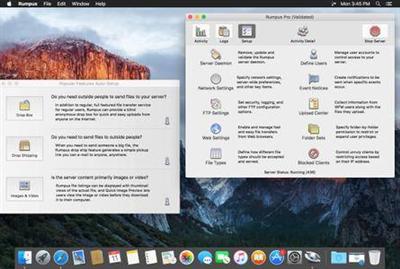 Rumpus PRO 8.2.8 macOS | 30 MB
Rumpus turns any Mac into a complete file transfer server. Send files to outside people, or let clients upload files directly to your network in a secure, controlled environment. Rumpus supports FTP, FTPS, WebDAV, SFTP and a fully customizable Web file transfer interface and makes it easy to securely exchange files with anyone, anywhere.
Performance
Rumpus is not only lightning quick, but it's efficient, too. This means that FTP and Web users will be able to transfer and manage files as fast as the network allows, while leaving plenty of CPU time for other applications running on your server.
Ease Of Use And Maintenance
Rumpus is, quite simply, the easiest FTP server on the planet to set up and administer. From the Setup Assistant that fully prepares the server to accept users to the logically designed server management windows, Rumpus makes running an FTP server easy.
Web File Manager
In addition to offering an incredibly high-performance FTP server with unmatched ease of use, Rumpus also includes the Web File Manager. The Web File Manager makes it easy to provide FTP-like capabilities to anyone with a Web browser.
Simple User Management
FTP users are managed directly in Rumpus, not in the system, keeping your FTP users distinct from other server resources. Not only does Rumpus make managing users easy, but it gives you advanced controls like individual drop folders, access restrictions, usage limits, account history, and more. The single-window user management interface in Rumpus is also supplemented by Web-based administration, allowing you to define and manage user accounts from anywhere on the Internet.
A Real Application
Rumpus runs natively on any Mac running OS X 10.6 or later. There's no Java required and the memory footprint and CPU usage is tiny. You will also appreciate the comprehensive help pages and articles, that cover not only how to use Rumpus, but networking issues and the general FTP information you need when you have questions.
Improve Your Customer Service
When people need to send you a big file, or you need to share one with a client, it should be fast, professional and easy. Rumpus does away with the hassles of e-mail attachments and snail-mailing CDs, making it easier for your customers to do business with you.
Streamline Your Workflow
When a file comes in, Rumpus can notify the right people in your company, depending on who sent it. Notification is instantaneous, and since the file is sent directly to your network, it's right there, ready for you to work with.
Save Your Money
With Rumpus, there are no recurring ISP fees outside of your standard Internet connection cost. And since files are transferred directly between your customers and you, your Internet bandwidth is used as efficiently as possible.
Brand Your Business
Because the Rumpus interface is fully customizable, it can easily be integrated into your existing Web site. And your clients can bookmark your file transfer service, putting you just a click away.
Look Like A Pro
Have you ever been asked for your FTP address? People that deal with large file transfers on a regular basis are used to dealing with FTP. Rumpus is a standards-compliant, full-featured FTP server, so when someone asks if they can "FTP you a file", just give them the address of your server.
Compatibility: Mac OS X 10.7 or later, 64-bit processor
Home Page -
Код:
http://www.maxum.com/Rumpus/
Download link:
Код:
rapidgator_net:
https://rapidgator.net/file/968a29ac55797a0304ae1f657d982dba/geuui.Rumpus.PRO.8.2.8.macOS.zip.html

nitroflare_com:
https://nitroflare.com/view/65987B8D271AED4/geuui.Rumpus.PRO.8.2.8.macOS.zip

uploadgig_com:
http://uploadgig.com/file/download/79c327151c238453/geuui.Rumpus.PRO.8.2.8.macOS.zip
Links are Interchangeable - No Password - Single Extraction
|
|
|
|
|
19.09.2019, 09:53
|
#19424
|
|
Местный
Регистрация: 04.10.2017
Сообщений: 125,003
Сказал(а) спасибо: 0
Поблагодарили 7 раз(а) в 7 сообщениях
|
Saola Animate Pro 2.7.1 (x64) Multilingual RePack
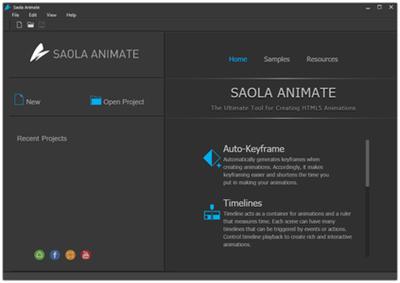 Saola Animate Pro 2.7.1 (x64) Multilingual RePack | 60 Mb
Saola Animate - The ultimate tool to create HTML5 animations & interactive web contents. Animate everything in an intuitive editor, no coding skills required. Outstanding animation features which boost your creativity.
Timelines
Timelines act as a container for animations and a ruler that measures time. Each scene can have multiple timelines to satisfy a large number of elements, animations, and interactivity. Control timeline playback to create rich and interactive animations.
Scenes
Think of scenes as slides in Microsoft PowerPoint. Manage scenes to control the flow of your animations to create amazing visual experiences.
Sprite Sheets
A sprite sheet is a sequence of various graphics arranged in one bitmap image file. Thanks to sprite sheets, you can create an animated character representing one or several animation sequences while only needing to load a single file.
Auto-Keyframe
Auto-Keyframe allows automatically generating keyframes when creating animations. Accordingly, it makes keyframing easier and shortens the time you put in your animations.
Motion Path
Motion Path is the best idea when it comes to creating movement. It allows you to draw complex curves than just a straight line, animating your object to move more naturally.
Easing Methods
Easing specifies the speed at which a transition progresses over time. Up to 40 easing methods are at hand to make your animations more stunning and natural.
Shapes & Freeform
A wide variety of predefined shapes are available at your fingertips. You can also import or draw lightweight vector graphics for the artwork in your animation.
Interactivity
Interactivity is a great way to gain and keep audience's attention and interest as it allows them to experience interactive control. Engage your viewers by adding actions and triggers in response to events such as a mouse click or a key press.
Flexible Layout
Saola Animate supports flexible layout, that is, the size of the document adapts to the browser window size. Flexible layout allows your animations to run perfectly on any device and browser.
Responsive Design
Make the page respond to the browser size at any given point, giving the optimal viewing experience across different devices and screen sizes.
Google & System Fonts
Let the typography speak with hundreds of gorgeous fonts from Google Fonts library and system fonts on your computer. Embed system fonts in the HTML5 output to get consistent appearance across browsers and devices.
External Script Resources
Import external HTML, CSS, and JavaScript files or URLs and use them to have the full control over the document. All the script resources are editable within the program.
Script Support
JavaScript comes in handy when you want to make your own interactivity. Saola Animate has a powerful built-in code editor with intelligent features, letting you quickly create and edit JS functions. The JavaScript API is also available to back you up at any time.
HTML5
Turn your ideas into reality with dynamic, interactive, and engaging web content. HTML5 and its extensive functionality empower you to bring your vision to life with no end of advanced animations and interactivity.
Symbols
Use symbols to share identical elements, scenes, timelines, and animations across scenes or at different positions in the same scene.
Home Page -
Код:
https://atomisystems.com
Download link:
Код:
rapidgator_net:
https://rapidgator.net/file/45515e674d32c451a11fc6e20d853853/01a0x.Saola.Animate.Pro.2.7.1.x64.Multilingual.RePack.rar.html

nitroflare_com:
https://nitroflare.com/view/F252ED989A98772/01a0x.Saola.Animate.Pro.2.7.1.x64.Multilingual.RePack.rar

uploadgig_com:
http://uploadgig.com/file/download/D42bc2de416e9F59/01a0x.Saola.Animate.Pro.2.7.1.x64.Multilingual.RePack.rar
Links are Interchangeable - No Password - Single Extraction
|
|
|
|
|
19.09.2019, 09:54
|
#19425
|
|
Местный
Регистрация: 04.10.2017
Сообщений: 125,003
Сказал(а) спасибо: 0
Поблагодарили 7 раз(а) в 7 сообщениях
|
Scapple 1.2.4.0
 Scapple 1.2.4.0 | 52.7 Mb
Scapple is an easy-to-use tool for getting ideas down as quickly as possible and making connections between them. It isn't exactly mind-mapping software-it's more like a freeform text editor that allows you to make notes anywhere on the page and to connect them using straight dotted lines or arrows. If you've ever scribbled down ideas all over a piece of paper and drawn lines between related thoughts, then you already know what Scapple does.
Rough It Out
Scapple doesn't force you to make connections, and it doesn't expect you to start out with one central idea off of which everything else is branched. There's no built-in hierarchy at all, in fact-in Scapple, every note is equal, so you can connect them however you like. The idea behind Scapple is simple: when you are roughing out ideas, you need complete freedom to experiment with how those ideas best fit together.
It's Scapple Simple
Creating notes is as easy as double-clicking anywhere on the canvas and then typing; making connections between ideas is as painless as dragging and dropping one note onto another. And unlike with paper, you can move notes around and never run out of space.
Scapple Features Include:
- Write notes anywhere on the virtual paper
- Connect notes using drag and drop
- Completely freeform
- Stack notes in columns of related ideas
- Drag notes directly into Scrivener
- Create background shapes to group notes
- Customise the appearance of notes including font style, colours and a choice of border styles:
Operating System: Windows 7, 8/8.1, 10
Home Page -
Код:
https://www.literatureandlatte.com/
Download link:
Код:
rapidgator_net:
https://rapidgator.net/file/4d514c2e1595a58ceb88dca11b7aeaa7/cyzj8.Scapple.1.2.4.0.rar.html

nitroflare_com:
https://nitroflare.com/view/12D1654C7F904B9/cyzj8.Scapple.1.2.4.0.rar

uploadgig_com:
http://uploadgig.com/file/download/65cB9e196aC9eAD6/cyzj8.Scapple.1.2.4.0.rar
Links are Interchangeable - No Password - Single Extraction
|
|
|
|
      
Любые журналы Актион-МЦФЭР регулярно !!! Пишите https://old.nado.in/private.php?do=newpm&u=12191 или на электронный адрес pantera@nado.ws
|
Здесь присутствуют: 1 (пользователей: 0 , гостей: 1)
|
|
|
 Ваши права в разделе
|
Вы не можете создавать новые темы
Вы не можете отвечать в темах
Вы не можете прикреплять вложения
Вы не можете редактировать свои сообщения
HTML код Выкл.
|
|
|
Текущее время: 08:53. Часовой пояс GMT +1.
| |






