 03.06.2026, 09:51
|
#119071
|
|
Местный
Регистрация: 04.10.2017
Сообщений: 125,003
Сказал(а) спасибо: 0
Поблагодарили 7 раз(а) в 7 сообщениях
|
 FolderClone Professional Edition 4.0.1
 FolderClone Professional Edition 4.0.1 | Size: 11.91 MB
Language: English
FolderClone is beneficial to individual users, small businesses (SOHO), and large corporations. Individual users will find it essential for backing up their data files and/or synchronizing their laptops to their desktops, to external drives, or to cloud storage providers. For large enterprises and small businesses alike, FolderClone is part of the network infrastructure needed to maintain high file availability, protect your files, and share files throughout your organization.
FolderClone arranges your backup jobs in sets of "tasks". A task is a set of specifications which tells FolderClone what files/folders you want to copy, where you want them copied, and how often you want this done. Once configured, the software compares the "source" folder against the "target" folder at the user-defined time intervals. Changes or additions to the source folder are copied to the target folder. Items which exist on the target folder but not on the source folder are deleted. (Optionally, you can turn off file deletions). This process runs automatically in the background with no further user interaction required.
FolderClone is not intended to back up complete systems, including operating system files and installed applications. Its primary use is to back up data files that would be irreplaceable should a disaster occur.
Key Features - standard
- Easy to use, Interface for simple creation and maintenance of synchronization tasks.
- Four file comparison methods: Date/Time, Size, Contents, and CRC32
- Uni-directional synchronization, replication, mirroring of data from Source folder to Target Folder
- One-to-many synchronization is supported. One Source folder may be synchronized with multiple Target folders.
- Uses native operating system APIs for scanning directories and copying files for optimum performance.
- Assembly Language routines are also utilized for blazingly fast execution.
- File copy only occurs if target files are actually different than the matching source file, reducing file transfer requirements.
- Multiple Copy Options: Including the ability to maintain the source file's create time stamp, and a Safe Copy option which ensures that the target file is not deleted unless the copy operation is successful.
- Four Delete Options: Delete Permanently, Send To Recycle Bin, Do Not Delete, and Secure Delete. The Secure Delete option wipes the data from the disk so that the file can not be restored by an undelete utility.
- Option to Include/Exclude Sub Folders
- Option to include "All Files and Folders" or "Only Selected Files and Folders"
- Loads at Windows Startup and resides in the System Tray
- Runs unattended in the background and checks folders at user defined intervals
- Interval options include: Manual, Every Few Minutes, Every Few Hours, Every Few Days, Only On Selected Days, First Day of Month, and Last Day of Month.
- Process Priority rules can be defined to allow control of CPU utilization during certain hours of the day.
- Can Ignore the FAT/NTFS time stamp issues of "2 second difference" and "daylight savings time difference"
- All synchronization activity and errors are logged. Or optionally, only errors are logged.
- Log size limit can be determined by user
- Scheduled synchronizations can be paused
- In-Progress synchronizations can be canceled
- Folders can be compared and an HTML-formatted report generated
- Lists of synchronization "Tasks" can be Created/Loaded/Saved
- Batch execution of multiple synchronization tasks in a user specified order
- UNC file path names supported
- International date format support
- Password protection is available for Administrators
- Very easy to use
- Extremely cost effective
Key Features - Professional Edition
FolderClone Professional Edition - includes all of the capabilities of FolderClone Standard Edition as well as these additional features
E-mail Notifications
Administrators can be notified when a task begin, ends, or is canceled. E-mail notifications can also be sent when errors occur.
No Email client is required. Requires the use of an SMTP (outgoing mail) server, everything else is built in.
Run a task when first connecting to network
Laptop users can come into the office, dock their computers, and automatically backup their laptop data to another machine on the network. FolderClone Pro will determine when a valid connection exists between the source and target computers and will initiate a task at that time. No user involvement is required.
Copy Open/Locked/In-Use Files
With FolderClone Professional's Open File Manager, there is no need to close applications during a backup. Most open, locked, and in-use files can be copied. SQL Server database files, Access databases, MS Word documents, Excel spreadsheets, and most system files can be copied with ease. (Outlook PST files are not currently supported) Files must be on local computer and user must have administrator privileges. Requires: Windows XP/2000/2003/Vista/Win7.
Define Custom Log File Size
Rather than being required to choose from a list of preset maximum Log sizes, a custom size may be defined.
Copy NTFS Security Attributes
When copying files between NTFS drives, security information such as file ownership and access privileges can be copied along with the file to the destination folder.
Application option settings can be overridden for each individual task
Options are ordinarily set at the application level and are global to all tasks. So, for example, if you choose the 'Do Not Delete' option, this rule is applied when running all tasks. FolderClone Professional gives you the ability to customize most options on an individual task level.
Scheduling option allows for FolderClone Pro to "Run On Windows Startup"
Tasks can be scheduled to run when Windows is started up. FolderClone must be set up to startup with Windows for this to work properly.
HOMEPAGE: Code:
Код:
http://www.folderclone.com/
DOWNLOAD LINKS:
Код:
https://rapidgator.net/file/be6c18e0d6529003f8c4998bea3d5e0e/FolderClone_Professional_Edition_4.0.1.rar.html
Код:
https://nitroflare.com/view/94E37F940A10D62/FolderClone_Professional_Edition_4.0.1.rar
|

|

|
|
03.06.2026, 09:54
|
#119072
|
|
Местный
Регистрация: 04.10.2017
Сообщений: 125,003
Сказал(а) спасибо: 0
Поблагодарили 7 раз(а) в 7 сообщениях
|
FolderMatch 5.1.2.0 Multilingual
 FolderMatch 5.1.2.0 Multilingual | Size: 16.03 MB
Language: English
FolderMatch is an award-winning Windows software that makes it easy to compare folders & files and find duplicate files. Winner of the prestigious Shareware Industry Award for three consecutive years, FolderMatch is a must-have insurance against data loss.
Compare Folders
FolderMatch is an essential software for anyone who needs to compare two folders. Its intuitive user interface makes it easy to quickly compare two folders and see their differences in a side-by-side layout. With various criteria available to filter the results (Name, Type, Date, Size), you can easily see only the changes that you want to see.
If you want to resolve the differences, FolderMatch allows you to manually copy, move, delete, & rename files and subfolders. If you want, FolderMatch can even synchronize the folders for you! Get FolderMatch today and you'll never have to worry about manually comparing and synchronizing two folders ever again!
Compare Files
FolderMatch is the perfect choice for anyone looking to compare two files quickly and accurately. Whether you need to compare the properties of two files or their text content, we've got you covered. Our program can compare the text content of files and display the differences in a side-by-side layout. We support a variety of formats, including Microsoft Office, OpenDocument, Adobe PDF, RTF, HTML, and XML (both older and newer versions).
With FolderMatch, you have the ability to ignore white space and letter case differences, view differences at the character, word, or line-level, and even configure the output to show line numbers and formatting characters. Plus, you can choose to view all lines or only those that are different, so you can focus on the differences that matter most to you. Try FolderMatch today and take your file comparison to the next level!
Find Duplicates
Are you tired of searching through your files and folders to find and delete duplicates? FolderMatch can help! With one of the fastest duplicate search engines available, our program can quickly locate all your duplicate files, even if the names are different. Simply specify your criteria for what constitutes a duplicate (such as name, size, date, or content), choose which file types to search for (including all types, applications, audio, documents, images, text, and video), and decide which files to include or exclude.
Once the duplicates are found, you can easily select which ones to remove and safely delete them in a variety of ways. And if you ever need to recover a file you've moved, FolderMatch makes it easy to do so. Upgrade your file management with FolderMatch and save time and space on your device.
So much more!
FolderMatch also provides other tools to help manage the contents of your folders. Tools offered include
- A mass file renamer.
- A mass file time stamp editor
- A hex content viewer
- An atomic clock sync utility
- And so much more!
FolderMatch feature list:
Comparison features
- Compares files or folders (including sub-folders) floppy drives, hard drives, CD-ROM drives, zip drives, and network drives (UNC paths supported)
- Supports the following file systems: FAT, VFAT, FAT32, HPFS, NTFS, CDFS, and UDF
- Offers choice of six comparison types: Filename Only, Size Only, Size and Date/Time, Contents, Attributes, Version Stamp
- Supports HUGE files (> 4 GB)
- Supports Unicode folder/file names
- Compares only files and folders that match Include and Exclude filter pattern lists which you define (wildcards supported)
- Include/Exclude System and Hidden Files
- Handles NTFS and FAT timestamp incompatibilities
- Auto-recognizes Daylight Savings Time differences
- Allows for user-specified number of bytes (chunk size) to be read and compared during a Content comparison.
- Remembers the last 20 folder/file pairs compared.
- Shows text differences between two text files, Microsoft Office, Open Document, or PDF documents. (MS Word, MS Excel, and Adobe Reader not required)
Additional features:
- Find duplicate files, even if their names are different
- Safely remove duplicate files
- Rename multiple files and folders
- Sync the dates/times of two files
- Set the date/times of multiple files
- View Hexadecimal binary contents of files (HexDump)
- Sync your PC's system clock with an atomic time server
- Print folder/file comparison results
- Export folder/file comparison results
- Save/Load unlimited Session Settings
- Conforms with Windows Windows 11 32 & 64 standards
- Ridiculously simple to use
HOMEPAGE: Code:
Код:
http://www.foldermatch.com/
DOWNLOAD LINKS:
Код:
https://rapidgator.net/file/ff516afdf75c9e0f68df4f90c0e214d0/FolderMatch_5.1.2.0_Multilingual.rar.html
Код:
https://nitroflare.com/view/777ABF1914C597C/FolderMatch_5.1.2.0_Multilingual.rar
|
|
|
|
|
03.06.2026, 09:57
|
#119073
|
|
Местный
Регистрация: 04.10.2017
Сообщений: 125,003
Сказал(а) спасибо: 0
Поблагодарили 7 раз(а) в 7 сообщениях
|
FolderMatch 5.1.2 Multilingual
 FolderMatch 5.1.2 Multilingual Fast Links | 17.8 Mb
FolderMatch is an award-winning Windows software that makes it easy to compare folders & files and find duplicate files. Winner of the prestigious Shareware Industry Award for three consecutive years, FolderMatch is a must-have insurance against data loss.
Compare Folders
FolderMatch is an essential software for anyone who needs to compare two folders. Its intuitive user interface makes it easy to quickly compare two folders and see their differences in a side-by-side layout. With various criteria available to filter the results (Name, Type, Date, Size), you can easily see only the changes that you want to see.
If you want to resolve the differences, FolderMatch allows you to manually copy, move, delete, & rename files and subfolders. If you want, FolderMatch can even synchronize the folders for you! Get FolderMatch today and you'll never have to worry about manually comparing and synchronizing two folders ever again!
Compare Files
FolderMatch is the perfect choice for anyone looking to compare two files quickly and accurately. Whether you need to compare the properties of two files or their text content, we've got you covered. Our program can compare the text content of files and display the differences in a side-by-side layout. We support a variety of formats, including Microsoft Office, OpenDocument, Adobe PDF, RTF, HTML, and XML (both older and newer versions).
With FolderMatch, you have the ability to ignore white space and letter case differences, view differences at the character, word, or line-level, and even configure the output to show line numbers and formatting characters. Plus, you can choose to view all lines or only those that are different, so you can focus on the differences that matter most to you. Try FolderMatch today and take your file comparison to the next level!
Find Duplicates
Are you tired of searching through your files and folders to find and delete duplicates? FolderMatch can help! With one of the fastest duplicate search engines available, our program can quickly locate all your duplicate files, even if the names are different. Simply specify your criteria for what constitutes a duplicate (such as name, size, date, or content), choose which file types to search for (including all types, applications, audio, documents, images, text, and video), and decide which files to include or exclude.
Once the duplicates are found, you can easily select which ones to remove and safely delete them in a variety of ways. And if you ever need to recover a file you've moved, FolderMatch makes it easy to do so. Upgrade your file management with FolderMatch and save time and space on your device.
So much more!
FolderMatch also provides other tools to help manage the contents of your folders. Tools offered include
- A mass file renamer.
- A mass file time stamp editor
- A hex content viewer
- An atomic clock sync utility
- And so much more!
FolderMatch feature list:
Comparison features
- Compares files or folders (including sub-folders) floppy drives, hard drives, CD-ROM drives, zip drives, and network drives (UNC paths supported)
- Supports the following file systems: FAT, VFAT, FAT32, HPFS, NTFS, CDFS, and UDF
- Offers choice of six comparison types: Filename Only, Size Only, Size and Date/Time, Contents, Attributes, Version Stamp
- Supports HUGE files (> 4 GB)
- Supports Unicode folder/✅ File Names
- Compares only files and folders that match Include and Exclude filter pattern lists which you define (wildcards supported)
- Include/Exclude System and Hidden Files
- Handles NTFS and FAT timestamp incompatibilities
- Auto-recognizes Daylight Savings Time differences
- Allows for user-specified number of bytes (chunk size) to be read and compared during a Content comparison.
- Remembers the last 20 folder/file pairs compared.
- Shows text differences between two text files, Microsoft Office, Open Document, or PDF documents. (MS Word, MS Excel, and Adobe Reader not required)
Additional features:
- Find duplicate files, even if their names are different
- Safely remove duplicate files
- Rename multiple files and folders
- Sync the dates/times of two files
- Set the date/times of multiple files
- View Hexadecimal binary contents of files (HexDump)
- Sync your PC's system clock with an atomic time server
- Print folder/file comparison results
- Export folder/file comparison results
- Save/Load unlimited Session Settings
- Conforms with Windows Windows 11 32 & 64 standards
- Ridiculously simple to use
Home Page -[Ссылки доступны только зарегистрированным пользователям
. Регистрируйся тут...]
Rapidgator
Код:
https://rapidgator.net/file/5c43a26365165d48de99db2a5124abc1/zqg2o.FolderMatch.5.1.2.Multilingual.rar.html
Код:
https://nitroflare.com/view/2E0DED0B527F1A3/zqg2o.FolderMatch.5.1.2.Multilingual.rar
|
|
|
|
|
03.06.2026, 10:01
|
#119074
|
|
Местный
Регистрация: 04.10.2017
Сообщений: 125,003
Сказал(а) спасибо: 0
Поблагодарили 7 раз(а) в 7 сообщениях
|
GEO- SLOPE GeoStudio 2025.2.1 Build 39 Win x64
 GEO-SLOPE GeoStudio 2025.2.1 (39) | 716.0 mb
Languages Supported: Español, English, Português, Français, 中文, Deutsch
Seequent, The Bentley Subsurface Company,
GEO-SLOPE GeoStudio 2025.2.1 (39) | 716.0 mb
Languages Supported: Español, English, Português, Français, 中文, Deutsch
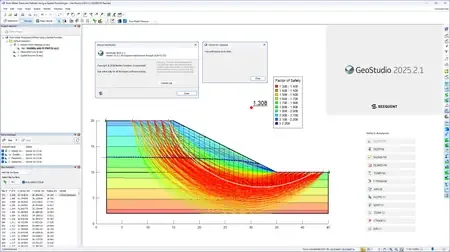
Seequent, The Bentley Subsurface Company,has announced the release of GEO-SLOPE GeoStudio 2025.2.1 is an integrated software suite for solving slope stability, groundwater flow, and environmental challenges.
GeoStudio 2025.2 makes modelling more accurate, automation easier, and the software accessible to more users worldwide. It introduces a 3D Sweep Option, improvements to the GeoStudio Python scripting API with better mesh queries, full Japanese language support, and high-DPI display compatibility
What's new GeoStudio 2025.2.1 - Date: February 2026
The GeoStudio 2025.2.1 maintenance release provides various bug fixes and improvements to help you tackle your geotechnical project with confidence.
 GeoStudio
is an integrated geotechnical analysis software suite for analyzing slope stability, groundwater flow, and heat and mass transfer in soil and rock. Its strength is in limit equilibrium slope stability analysis for civil and mining engineering projects, perfectly positioning the product to lead in new opportunities solving slope stability, groundwater flow, and environmental challenges.
What's New in GeoStudio 2025.2
This video reviews the new features and functionality in GeoStudio 2025.2, which increase model accuracy, automation, and accessibility. GeoStudio 2025.2 introduces improvements to the GeoStudio Python scripting API, reinforcement definition for stability analyses, and 3D geometry creation tools, as well as expanded language support and high-DPI display compatibility.
Seequentbuilds world-leading subsurface software, helping to create a better understanding of the earth to ensure a better world for all. Headquartered in New Zealand with global reach, Seequent is the subsurface software company within Bentley Systems.
Сopyright holder \ Distributor:Seequent
Product Name:GEO-SLOPE GeoStudio
Version:2025.2.1.39
Supported Architectures:x64
Website Home Page :[Ссылки доступны только зарегистрированным пользователям
. Регистрируйся тут...]
Languages Supported:multilanguage
System Requirements:Windows *
Size in archive:716.0 mb
Rapidgator
Код:
https://rapidgator.net/file/6449ca775cec20251199e00d12126378/0dsao.GEO-SLOPE-GeoStudio-2025-2-1-39.rar.html
Код:
https://nitroflare.com/view/7B8F2D2FF558175/0dsao.GEO-SLOPE-GeoStudio-2025-2-1-39.rar
|
|
|
|
|
03.06.2026, 10:04
|
#119075
|
|
Местный
Регистрация: 04.10.2017
Сообщений: 125,003
Сказал(а) спасибо: 0
Поблагодарили 7 раз(а) в 7 сообщениях
|
Hard Disk Sentinel Pro 6.40.2 Beta Multilingual
 Hard Disk Sentinel Pro 6.40.2 Beta Multilingual | Size: 40.93 MB
Language: English
Hard Disk Sentinel (HDSentinel) is a multi-OS SSD and HDD monitoring and analysis software. Its goal is to find, test, diagnose and repair hard disk drive problems, report and display SSD and HDD health, performance degradations and failures. Hard Disk Sentinel gives complete textual description, tips and displays/reports the most comprehensive information about the hard disks and solid state disks inside the computer and in external enclosures (USB hard disks / e-SATA hard disks). Many different alerts and report options are available to ensure maximum safety of your valuable data.
No need to use separate tools to verify internal hard disks, external hard disks, SSDs, hybrid disk drives (SSHD), disks in RAID arrays as these are all included in a single software. In addition, since version 4.71.7, Hard Disk Sentinel Pro detects and displays status and S.M.A.R.T. information about LTO tape drives and appropriate industrial (micro) SD cards too.
Hard Disk Sentinel monitors hard disk drive / HDD status including health, temperature and all S.M.A.R.T. (Self-Monitoring, Analysis and Reporting Technology) values for all hard disks. Also it measures the disk transfer speed in real time which can be used as a benchmark or to detect possible hard disk failures, performance degradations.
HDSentinel is the perfect data protection solution: it can be effectively used to prevent HDD failure and SSD / HDD data loss because it has the most sensitive disk health rating system which is extremely sensitive to disk problems. This way even a small HDD problem can't be missed. The Professional version has scheduled and automatic (on-problem) disk backup options to prevent data loss caused by not only failure but by malware or accidental delete also.
How does Hard Disk Sentinel work?
Hard Disk Sentinel runs in the background and verifies SSD / HDD health status by inspecting the SMART status of the disk(s). If an error is found or unexpected behaviour is detected, it warns the user about the current situation and also can perform appropriate actions (for example, start an automatic backup).
Usually, hard disk health status may slowly decline, from day to day. The SMART monitoring technology can predict HDD failure by examining the critical values of the disk drive. Compared to other software, Hard Disk Sentinel detects and reports every disk problem. It is much more sensitive to disk failures and can display better and more detailed information about hard disk expected life and the problems found (if any). This is a more sophisticated way to predict failures than the "traditional" method: checking S.M.A.R.T. attribute thresholds and values only. For more information, please read how hard disk S.M.A.R.T. works and why Hard Disk Sentinel is different.
Software Requirements
Windows operating system: Windows 95, 98, 98SE, ME, NT4, 2000, XP, 2003, 2008, Vista, Windows 7, Windows Home Server, Windows 2012, Windows Server 2016, Windows 8, Windows 8.1, Windows 10 both 32 and 64 bit versions (where applicable)
System administrator account (in service mode, it is possible to use without administrator rights and without even user logged in)
HOMEPAGE: Code:
Код:
https://www.hdsentinel.com/
DOWNLOAD LINKS:
Код:
https://rapidgator.net/file/98d621b593ce8c4caff78eb433cdaf10/Hard_Disk_Sentinel_Pro_6.40.2_Beta_Multilingual.rar.html
Код:
https://nitroflare.com/view/127B9BD378780AC/Hard_Disk_Sentinel_Pro_6.40.2_Beta_Multilingual.rar
|
|
|
|
|
03.06.2026, 10:06
|
#119076
|
|
Местный
Регистрация: 04.10.2017
Сообщений: 125,003
Сказал(а) спасибо: 0
Поблагодарили 7 раз(а) в 7 сообщениях
|
High-Logic FontCreator Pro 16.0.0.3068 (x64)
 High-Logic FontCreator Pro 16.0.0.3068 (x64) | Size: 29.36 MB
Language: English
With over 4.5 million downloads to date, FontCreator is the world's most popular font editor. An advanced feature set makes it the tool of choice for professionals, and its intuitive interface is straightforward enough for users at any expertise level. Create your own fonts, redesign existing characters, add kerning, edit advanced OpenType layout features, and much more.
When you create or open a font, FontCreator displays an overview of all available characters. You can simply add missing characters, or select an existing character, and modify its appearance. You can import (scanned) images of your signature or company logo, or make a font from your own handwriting. With FontCreator you can also fix character code-points, font names, glyph names, kerning pairs, and at all times you can preview your typefaces before installing. OpenType features are preserved upon opening a font. This professional font editor supports both quadratic- and cubic-based contours, and has several smart features to ensure smooth connections where you need them. The validation features help you locate and fix possible outline issues.
Font Overview with Categories
The glyph and character category panel gives you quick and easy access to the glyphs, character subsets and Unicode ranges.
Work with OpenType, TrueType and Web fonts
FontCreator supports Open Type, True Type and Web Open Font Format (WOFF) fonts which can be used on Windows, Mac OS X, Linux, and in all modern web browsers.
Design High Quality Fonts
The standard and professional edition include font validation features which enable you to improve the quality of your fonts by locating and solving common glyph problems.
Optimize Contours
Optimizing glyph outlines will reduce the number of points that make up the contour(s).
Import SVG Images
High quality vector graphics can be easily imported. You can even copy and paste between FontCreator and your favorite vector editing software.
Import Raster (bitmap) Images
Import (scanned) images and convert them into glyphs. Create your own handwriting font by scanning your handwriting and import it into FontCreator.
Scalable Color Fonts
FontCreator is the first font editor to support the new scalable color fonts extension. This new feature allows you to create multi-colored glyphs for systems that support it, while maintaining backwards compatibility for systems that do not. Watch the video above for a quick introduction on how to create color fonts with FontCreator.
Visual OpenType Designer
The intuitive OpenType Designer allows you to easily add and modify OpenType Layout Features for glyph positioning. The build-in anchor manager makes adding and editing Mark to Base and Mark to Mark positioning a breeze!
OpenType Layout Scripts Editor
The Script Editor allows you to quickly add and modify OpenType Glyph Substitutions through an easy to learn scripting language.
OpenType Layout Features Made Easy
Common OpenType layout features are automatically added to your fonts and with the standard and professional editions you can take full control over these features through custom scripts.
Easy Access to Common Glyph Properties
The glyph properties toolwindow gives you easy access to the glyph's name, codepoints and bearings.
Kerning
Manually add kerning to your font or let the Autokerning take care of kerning for you in the standard and professional edition.
Optical Metrics
The Optical metrics feature in the professional edition simplifies one of the most complex and time consuming tasks in font design. It analyzes a set of most common characters to find the best left and right side bearings of each of these glyphs.
Test Your Fonts
At any time during your font development, you can test it in other applications. You can even generate a local webpage to test it as a Web font.
Powerful Transform Wizard
The standard and professional edition come with a powerful transform wizard that allows you to easily transform glyphs with just a few clicks. Transform your font to Italic, Bold, automatically add characters for other languages, small capitals and more.
Easily Rename Fonts
On the font properties dialog you can view and edit the font name, legal and copyright information, embedding rights and more.
Complete Composites
The standard and professional edition allow intelligent generation of outlines for more than 2,200 (mostly accented) composite characters.
Operating System: Windows 11, 10, 8, and 7
HOMEPAGE: Code:
Код:
http://www.high-logic.com/
DOWNLOAD LINKS:
Код:
https://rapidgator.net/file/b32b6e84a1a9b8ba6845c4d415968585/High-Logic_FontCreator_Pro_16.0.0.3068_x64.zip.html
Код:
https://nitroflare.com/view/06CCC17F185B04D/High-Logic_FontCreator_Pro_16.0.0.3068_x64.zip
|
|
|
|
|
03.06.2026, 10:09
|
#119077
|
|
Местный
Регистрация: 04.10.2017
Сообщений: 125,003
Сказал(а) спасибо: 0
Поблагодарили 7 раз(а) в 7 сообщениях
|
iSpring Suite 11.11.7 Build 21005 (x64)
 iSpring Suite 11.11.7 Build 21005 (x64) | Size: 371.08 MB
Language: English
iSpring Suite simply adds a tab to the PowerPoint banner and provides access to all the advanced e-Learning features right in the familiar PowerPoint environment. Create compelling courses, video lectures, quizzes and assessments. Using a wide variety of e-Learning materials, your presentations will make the learning process far more effective for your students.
Perfect Integration with PowerPoint
Developing e-Learning content has never been so fast and easy! With iSpring Suite, you can turn your PowerPoint presentations into supercharged e-courses in a snap.
Supercharged to Develop e-Learning Fast and Easy
Take advantage of the most powerful e-Learning toolkit for PowerPoint to develop quality courses, video lectures and assessments that will work on any desktop, laptop and mobile platform.
Convert PowerPoint into E-Learning Courses
Convert your existing presentations into e-Learning courses. Use your PowerPoint skills to create tons of quality e-Learning content fast and easy without special training.
Create Video Lectures
Synchronize your video with your PowerPoint slides and publish it into a video presentation format to reach millions of viewers online.
Build Interactive Assessments
Use state-of-the art iSpring tools to create interactive assessments with rich media, video, drag-n-drops, branching, and flexible scoring and testing rules.
Record Screencasts and Teach Through Video
Now you can record screencasts right in iSpring Suite without using any 3rd-party tools. Capture all or part of your screen with the built-in Screen Recorder tool and paste the video on your slides, or use it as standalone training material.
Develop Conversation Skills
Create conversation simulations to practice your team's communication skills. The built-in TalkMaster tool includes a library of backgrounds and characters to develop realistic dialogue simulations with branching and assessments.
Create E-Learning Interactions
Make your learning materials more visual with iSpring e-Learning interactions that you can create fast and easy with iSpring Suite. Use a set of ready-made templates for creating 3D books, timelines, references, glossaries, catalogs, and FAQs.
Use Characters in Your Courses
iSpring Suite provides a Character Library for use in your training materials. The library includes characters of different ages and professions in dozens of different poses. You can also create your own characters and add them to the Character Library.
Extensive LMS Compatibility
iSpring produces content that will work well with virtually any LMS. iSpring tools perfectly support all classic and new e-Learning standards: SCORM 1.2, SCORM 2004, AICC, and xAPI (Tin Can)..
System Requirements:
Operating System: Microsoft Windows 7/8/10/11 (64-bit)
Microsoft PowerPoint: Microsoft® PowerPoint® 2007/2010/2013/2016/2019/365
(64-bit) (ISO (Non-Windows Store) versions)
Microsoft Word: Microsoft® Word® 2007/2010/2013/2016/2019/365
(64-bit) (ISO (Non-Windows Store) versions)
HOMEPAGE: Code:
Код:
https://www.ispringsolutions.com/
DOWNLOAD LINKS:
Код:
https://rapidgator.net/file/74af08f1f2aadaa91641dc94e66a37f0/iSpring_Suite_11.11.7_Build_21005_x64.rar.html
Код:
https://nitroflare.com/view/32628420D772B01/iSpring_Suite_11.11.7_Build_21005_x64.rar
|
|
|
|
|
03.06.2026, 10:10
|
#119078
|
|
Местный
Регистрация: 04.10.2017
Сообщений: 125,003
Сказал(а) спасибо: 0
Поблагодарили 7 раз(а) в 7 сообщениях
|
Leawo Prof. Media 13.0.0.8 Multilingual
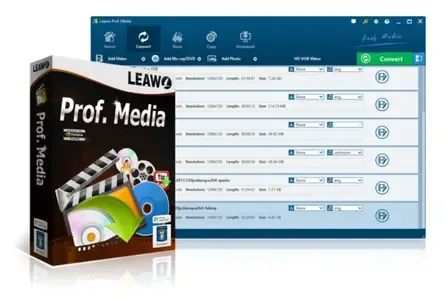 Leawo Prof. Media 13.0.0.8 Multilingual Fast Links | 189.6 Mb
World's No. 1 media converter suite provides the best and most fully-featured multimedia solutions! All-inclusive media converter toolbox provides multiple solutions between up to 1080P videos, DVD, Blu-ray, online videos, audios and photos, with astonishing bonus features.
- Convert online videos, HD/SD video, DVD and audios to more than 180 formats for iPhone, iPad, Galaxy S series, HTC New One, Xperia series, etc.
- Burn video to DVD & Blu-ray content with over 40 models of disc menu and templates preset.
- Copy DVD movies to computer or blank disc, directly back up ISO file onto disc, supporting 1:1 duplication, movie-only backup, etc.
- Download and convert videos from online video sharing sites like YouTube, Facebook, VEVO, Veoh, etc.
- Create photo slideshows and burn photo slideshow to Blu-ray/DVD.
- Create 3D movies with up to 6 different 3D effects available, edit disc menu and video effects.
Leawo Prof. Media - The ever best choice for your movie night
As an all-inclusive media converter suite, Leawo Prof. Media ensures your movie night with high quality and smooth movie watching experience. Comprising HD video converter, Free audio converter, DVD Ripper, Blu-ray Creator, DVD Copy, DVD Creator, Photo Slideshow Maker, Photo Slideshow Burner, and Free YouTube Downloader, this media converter suite easily solves any format incompatibility issue. Acting as HD video converter, this media file converter suite could convert common and HD (up to 1080P) videos between MP4, AVI, MOV, FLV, MKV, WMV, RM, MPEG, etc. As a professional media converter suite, it could act as DVD ripping and backup software to convert DVD to video/audio in multiple formats and copy DVD movies to computer or blank disc for backup. Also, it could perform as Blu-ray/DVD creator to burn video to Blu-ray/DVD disc, folder or ISO files easily. Downloading online videos from YouTube and other video sharing sites is a piece of cake. With photo slideshow maker and burner built in, Leawo Prof. Media helps you easily create photo slideshow and burn photo slideshow to Blu-ray/DVD, with slideshow video and audio editable.
Watch movies in the way you want
As a media converter suite, Leawo Prof. Media allows you to watch HD video, DVD movie or online videos in the way you like. With video converter, DVD converter & burner, video to Blu-ray burner, online video downloader and video accelerator built in, this all-inclusive 8-in-1 media file converter could let you watch movies anytime anywhere on any device. It could convert your video, DVD and audios to more than 180 formats like AVI, WMV, MP4, MKV, FLV, 3GP, MPG, MP3, FLAC, AAC, etc. for various trending players and devices such as iPhone, iPad, Surface, Galaxy S series, Windows Phones, etc. Meanwhile, if you want to watch movies on Blu-ray/DVD player, this media converter combo allows you to convert and burn video to DVD or Blu-ray discs. For online movie or video enjoying, Leawo Prof. Media provides smooth online video playback with its built-in online video accelerator which could accelerate the video loading to ensure the playback smoothness. It even enables you to download and convert online videos from YouTube or other sites to computer or other devices for offline movie enjoying.
An Extraordinary Blu-ray/DVD Experience
- Convert DVD to video in various formats
As professional media converter software, Leawo Prof. Media provides fast conversion speed and high quality conversion of DVD to video converting. This DVD ripping software can easily convert DVD movies to video in MP4, MPG, WMV, 3GP, FLV, and tons of other formats. It could even convert DVD movies to optimized device formats with great image quality for playback on Apple iOS devices, Windows phones, BlackBerry 10 devices, Android devices and more.
- Burn video/ISO to Blu-ray/DVD with menu and templates
Also including a video to Blu-ray creator, this Blu-ray burner could quickly and easily burn any homemade video in different formats to BD50/BD25/DVD9/DVD5 discs, BD/DVD folder, or ISO files with tens of free disc menu templates preset to make your Blu-ray discs unique. ISO to disc burning is also available.
High quality DVD movie backup in clicks
Featuring a practical DVD Copy function module, Leawo Prof. Media allows helps you easily copy and backup DVD movies in disc, folder or ISO to computer hard drive or blank disc without quality loss. It could backup both 2D and 3D discs. 3 copy modes are selectable: Full Movie, Main Movie and Custom Mode. Under Main Movie and Custom Mode, subtitles and audio tracks could be selected upon personal will. It supports 1:1 disc to disc duplication, high quality DVD-9 to DVD-5 compression, etc. No matter the DVD discs are in CSS protection or not, Leawo Prof. Media could easily finish the disc backup task.
Enjoy online video and movie at will
Including online video downloader, Leawo Prof. Media allows you to download online videos and movies to computer, or even convert online videos to your handheld players like iPhone 5s, iPad Air, HTC New One, Galaxy S 5, etc. for on-the-go enjoying. You can download online videos various video sharing sites like YouTube, dailymotion.com, metacafe.com, blip.tv, veoh.com, liveleak.com, videobash.com, funnyordie.com, aol.com, break.com, vevo.com, etc. What's more, you can even download online videos or movies and then burn online videos to DVD or Blu-ray discs for sharing or safekeeping with Leawo Prof. Media.
Turn photos into slideshow for multiple uses
- Photo Slideshow Maker
Create photo slideshow off various photos in one-click. Convert generated photo slideshow to 180+ formats like MP4, AVI, MOV, FLV, WMV, MPEG, MKV, etc. for multiple uses.
- Photo Slideshow Burner
Generate photo slideshow in one click and then burn generated photo slideshow to Blu-ray/DVD format easily. Add disc menu or even design disc menu at will.
- Photo Slideshow Editor
Edit video and audio elements of generated photo slideshow with ease: add extra photos, adjust photo order, add background music, set output video and audio effect, etc.
Exciting 2D to 3D movie making experience
As the best and most fully-featured media converter suite, Leawo Prof. Media keeps in line with the 3D movie trend with the internal 3D movie maker. It could easily convert 2D Blu-ray/DVD to 3D video and convert 2D video to 3D Blu-ray/DVD content for unlimited 3D movie enjoying. It provides the easiest way to make 3D movies. There're totally 6 types of 3D effects available for you to choose from: Red/Cyan, Red/Green, Red/Blue, Blue/Yellow, Interleaved and Side by Side. To make the created 3D movies more vivid, you are even allowed to set the 3D depth to adjust the 3D effect. 3D movie effect preview is instantly presented.
Personalize media files freely
- Practical video editing features
by Leawo Prof. Media offers user-friendly video editor to help edit source DVD, Blu-ray, online video and movies: trim video length, crop video size, adjust video effect and add image or text watermark.
- DIY disc menu and templates
Leawo Prof. Media offers preset disc menu and templates for you to burn video to DVD or Blu-ray. To let you get even exciting Blu-ray/DVD making experience, this Blu-ray/DVD creator program allows you to DIY the disc menu, background music and image.
- Set profile parameters
Adjust output file video and audio parameters to make output files meet your needs more, including: video codec, video size, bit rate, aspect ratio, frame rate, audio codec, channel, etc.
System Requirements:
Supported OS: Microsoft® Windows XP, Windows Vista, Windows 7, Windows 8 Windows10
Processor: 1 GHz or above Intel/AMD Processor
RAM: 512MB RAM (1024MB or above recommended)
Free Hard Disk: 5GB+ (DVD) / 25GB+ (Blu-ray Disc) hard disk space
Graphic Card: NVIDIA GeForce GTX 260 and above
Others: Recordable Blu-ray drive, Internet Connection
Home Page - [Ссылки доступны только зарегистрированным пользователям
. Регистрируйся тут...]
Rapidgator
Код:
https://rapidgator.net/file/dcf51c45aec6a519bd9648c425a8d177/b03f3.Leawo.Prof..Media.13.0.0.8.Multilingual.rar.html
Код:
https://nitroflare.com/view/8284CEB7641D676/b03f3.Leawo.Prof..Media.13.0.0.8.Multilingual.rar
|
|
|
|
|
03.06.2026, 10:14
|
#119079
|
|
Местный
Регистрация: 04.10.2017
Сообщений: 125,003
Сказал(а) спасибо: 0
Поблагодарили 7 раз(а) в 7 сообщениях
|
Leawo Prof Media 13.0.0.8 Multilingual
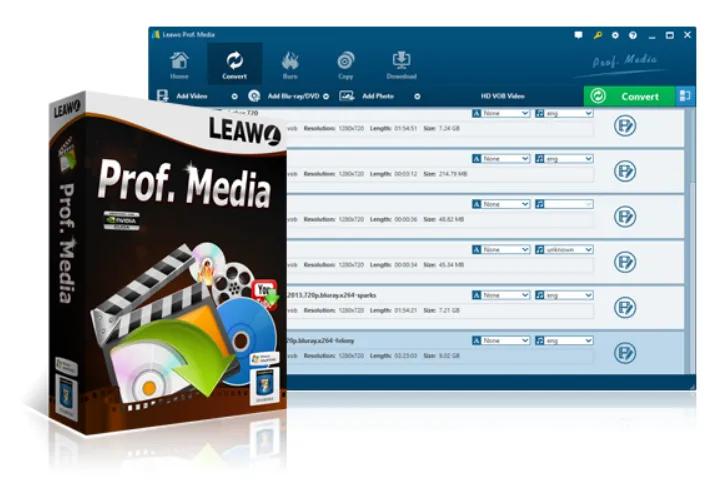 Leawo Prof Media 13.0.0.8 Multilingual | Size: 190.4 MB
Language: English
World's No. 1 media converter suite provides the best and most fully-featured multimedia solutions! All-inclusive media converter toolbox provides multiple solutions between up to 1080P videos, DVD, Blu-ray, online videos, audios and photos, with astonishing bonus features.
- Convert online videos, HD/SD video, DVD and audios to more than 180 formats for iPhone, iPad, Galaxy S series, HTC New One, Xperia series, etc.
- Burn video to DVD & Blu-ray content with over 40 models of disc menu and templates preset.
- Copy DVD movies to computer or blank disc, directly back up ISO file onto disc, supporting 1:1 duplication, movie-only backup, etc.
- Download and convert videos from online video sharing sites like YouTube, Facebook, VEVO, Veoh, etc.
- Create photo slideshows and burn photo slideshow to Blu-ray/DVD.
- Create 3D movies with up to 6 different 3D effects available, edit disc menu and video effects.
Leawo Prof. Media - The ever best choice for your movie night
As an all-inclusive media converter suite, Leawo Prof. Media ensures your movie night with high quality and smooth movie watching experience. Comprising HD video converter, Free audio converter, DVD Ripper, Blu-ray Creator, DVD Copy, DVD Creator, Photo Slideshow Maker, Photo Slideshow Burner, and Free YouTube Downloader, this media converter suite easily solves any format incompatibility issue. Acting as HD video converter, this media file converter suite could convert common and HD (up to 1080P) videos between MP4, AVI, MOV, FLV, MKV, WMV, RM, MPEG, etc. As a professional media converter suite, it could act as DVD ripping and backup software to convert DVD to video/audio in multiple formats and copy DVD movies to computer or blank disc for backup. Also, it could perform as Blu-ray/DVD creator to burn video to Blu-ray/DVD disc, folder or ISO files easily. Downloading online videos from YouTube and other video sharing sites is a piece of cake. With photo slideshow maker and burner built in, Leawo Prof. Media helps you easily create photo slideshow and burn photo slideshow to Blu-ray/DVD, with slideshow video and audio editable.
Watch movies in the way you want
As a media converter suite, Leawo Prof. Media allows you to watch HD video, DVD movie or online videos in the way you like. With video converter, DVD converter & burner, video to Blu-ray burner, online video downloader and video accelerator built in, this all-inclusive 8-in-1 media file converter could let you watch movies anytime anywhere on any device. It could convert your video, DVD and audios to more than 180 formats like AVI, WMV, MP4, MKV, FLV, 3GP, MPG, MP3, FLAC, AAC, etc. for various trending players and devices such as iPhone, iPad, Surface, Galaxy S series, Windows Phones, etc. Meanwhile, if you want to watch movies on Blu-ray/DVD player, this media converter combo allows you to convert and burn video to DVD or Blu-ray discs. For online movie or video enjoying, Leawo Prof. Media provides smooth online video playback with its built-in online video accelerator which could accelerate the video loading to ensure the playback smoothness. It even enables you to download and convert online videos from YouTube or other sites to computer or other devices for offline movie enjoying.
An Extraordinary Blu-ray/DVD Experience
- Convert DVD to video in various formats
As professional media converter software, Leawo Prof. Media provides fast conversion speed and high quality conversion of DVD to video converting. This DVD ripping software can easily convert DVD movies to video in MP4, MPG, WMV, 3GP, FLV, and tons of other formats. It could even convert DVD movies to optimized device formats with great image quality for playback on Apple iOS devices, Windows phones, BlackBerry 10 devices, Android devices and more.
- Burn video/ISO to Blu-ray/DVD with menu and templates
Also including a video to Blu-ray creator, this Blu-ray burner could quickly and easily burn any homemade video in different formats to BD50/BD25/DVD9/DVD5 discs, BD/DVD folder, or ISO files with tens of free disc menu templates preset to make your Blu-ray discs unique. ISO to disc burning is also available.
High quality DVD movie backup in clicks
Featuring a practical DVD Copy function module, Leawo Prof. Media allows helps you easily copy and backup DVD movies in disc, folder or ISO to computer hard drive or blank disc without quality loss. It could backup both 2D and 3D discs. 3 copy modes are selectable: Full Movie, Main Movie and Custom Mode. Under Main Movie and Custom Mode, subtitles and audio tracks could be selected upon personal will. It supports 1:1 disc to disc duplication, high quality DVD-9 to DVD-5 compression, etc. No matter the DVD discs are in CSS protection or not, Leawo Prof. Media could easily finish the disc backup task.
Enjoy online video and movie at will
Including online video downloader, Leawo Prof. Media allows you to download online videos and movies to computer, or even convert online videos to your handheld players like iPhone 5s, iPad Air, HTC New One, Galaxy S 5, etc. for on-the-go enjoying. You can download online videos various video sharing sites like YouTube, dailymotion.com, metacafe.com, blip.tv, veoh.com, liveleak.com, videobash.com, funnyordie.com, aol.com, break.com, vevo.com, etc. What's more, you can even download online videos or movies and then burn online videos to DVD or Blu-ray discs for sharing or safekeeping with Leawo Prof. Media.
Turn photos into slideshow for multiple uses
- Photo Slideshow Maker
Create photo slideshow off various photos in one-click. Convert generated photo slideshow to 180+ formats like MP4, AVI, MOV, FLV, WMV, MPEG, MKV, etc. for multiple uses.
- Photo Slideshow Burner
Generate photo slideshow in one click and then burn generated photo slideshow to Blu-ray/DVD format easily. Add disc menu or even design disc menu at will.
- Photo Slideshow Editor
Edit video and audio elements of generated photo slideshow with ease: add extra photos, adjust photo order, add background music, set output video and audio effect, etc.
Exciting 2D to 3D movie making experience
As the best and most fully-featured media converter suite, Leawo Prof. Media keeps in line with the 3D movie trend with the internal 3D movie maker. It could easily convert 2D Blu-ray/DVD to 3D video and convert 2D video to 3D Blu-ray/DVD content for unlimited 3D movie enjoying. It provides the easiest way to make 3D movies. There're totally 6 types of 3D effects available for you to choose from: Red/Cyan, Red/Green, Red/Blue, Blue/Yellow, Interleaved and Side by Side. To make the created 3D movies more vivid, you are even allowed to set the 3D depth to adjust the 3D effect. 3D movie effect preview is instantly presented.
Personalize media files freely
- Practical video editing features
by Leawo Prof. Media offers user-friendly video editor to help edit source DVD, Blu-ray, online video and movies: trim video length, crop video size, adjust video effect and add image or text watermark.
- DIY disc menu and templates
Leawo Prof. Media offers preset disc menu and templates for you to burn video to DVD or Blu-ray. To let you get even exciting Blu-ray/DVD making experience, this Blu-ray/DVD creator program allows you to DIY the disc menu, background music and image.
- Set profile parameters
Adjust output file video and audio parameters to make output files meet your needs more, including: video codec, video size, bit rate, aspect ratio, frame rate, audio codec, channel, etc.
System Requirements:
Supported OS: Microsoft® Windows XP, Windows Vista, Windows 7, Windows 8 Windows10
Processor: 1 GHz or above Intel/AMD Processor
RAM: 512MB RAM (1024MB or above recommended)
Free Hard Disk: 5GB+ (DVD) / 25GB+ (Blu-ray Disc) hard disk space
Graphic Card: NVIDIA GeForce GTX 260 and above
Others: Recordable Blu-ray drive, Internet Connection
HOMEPAGE: Code:
Код:
http://www.leawo.com/
DOWNLOAD LINKS:
Код:
https://rapidgator.net/file/a31ac2d16eb22fca17fa8d1e501241f1/Leawo_Prof._Media_13.0.0.8_Multilingual.rar.html
Код:
https://nitroflare.com/view/1F27D005BF66720/Leawo_Prof._Media_13.0.0.8_Multilingual.rar
|
|
|
|
|
03.06.2026, 10:19
|
#119080
|
|
Местный
Регистрация: 04.10.2017
Сообщений: 125,003
Сказал(а) спасибо: 0
Поблагодарили 7 раз(а) в 7 сообщениях
|
Light Wrap Fantastic 1.3.2
 Light Wrap Fantastic 1.3.2 | Size: 44.02 MB
Language: English
The Light Wrap Fantastic enables better composites by easily allowing users to blend the background with the foreground in such a way that it appears the light of the background is affecting the foreground. Essentially simulating backlighting. The plugin has all the controls you need to create a realistic light wrap making it a quick and easy process.
A Plugin for More Convincing Composites
- Creating convincing green/blue screen composites has always been a challenge.
Fast and Easy
GPU acceleration allows the plugin to render HD and 4K footage quickly. It easily fits into whatever workflow you use when compositing with a variety of options and modes. This flexibility and speed make it the perfect choice for video editors, colorists and compositors.
Just One Plugin
Light Wrap Fantastic has everything you need to create a great light wrap in one plugin. Lighting, masking, and blend modes are just some of the features for better video compositing. You don't need to buy an expensive package with tools you don't need. It's all here in one plugin.
Easy compositing of green or blue screen
Light wrap simulates backlighting, making the compositing of two images look more realistic. Background light would normally affect the foreground in a real scene. Most green or blue screen footage looks 'cut out' when put on a different background because it lacks the same lighting as the background. The Light Wrap Fantastic makes it easier to eliminate the 'cut out' look.
LWF takes the background layer and 'wraps' it around the edge of the foreground, simulating backlighting. This makes for a more realistic green screen composite.
Control every aspect of the light wrap within one plugin
While it's usually possible to create a light wrap effect within most host applications, it requires multiple layers, masks and effects. The Light Wrap Fantastic simplifies this by giving you complete control in one plugin. This includes being able to mask the effect from within the plugin to simulate light coming from one direction.
Works with any blue or green screen plugin
It doesn't matter what blue/green screen keying plugin you use. Primatte, Keylight, Ultimatte. The Light Wrap Fantastic works great and will help you blend your foreground and background more realistically. If you've roto'd something with Mocha Pro or the like, LWF will make that look great too!
Fast Rendering using Your GPU
Fast rendering is essential to fitting into a your workflow. We use both CUDA and OpenCL to completely optimize the rendering for Nvidia and AMD GPUs.
Standalone Plugin that Fits Different Workflows
As a standalone plugin, it makes it much more affordable to get great green or blue screen composites! Since Light Wrap is so effective at improving composites, we wanted to make it available without needing to buy a whole keying package. Usually you end up paying for tools that already ship for free in your host application or that you don't need. This way you get the most powerful light wrap plugin available at a great price!
Requirements:
- Windows 10 and later
- Adobe After Effects and Premiere Pro CC 2019 and later
HOMEPAGE: Code:
Код:
https://digitalanarchy.com
DOWNLOAD LINKS:
Код:
https://rapidgator.net/file/2522c717aeef6ca800b558043856ff05/Light_Wrap_Fantastic_1.3.2.rar.html
Код:
https://nitroflare.com/view/79B4679A821F900/Light_Wrap_Fantastic_1.3.2.rar
|
|
|
|
|
03.06.2026, 10:22
|
#119081
|
|
Местный
Регистрация: 04.10.2017
Сообщений: 125,003
Сказал(а) спасибо: 0
Поблагодарили 7 раз(а) в 7 сообщениях
|
Light Wrap Fantastic 1.3.2 (x64)
 Light Wrap Fantastic 1.3.2 (x64) | 35.4 Mb
The Light Wrap Fantastic enables better composites by easily allowing users to blend the background with the foreground in such a way that it appears the light of the background is affecting the foreground. Essentially simulating backlighting. The plugin has all the controls you need to create a realistic light wrap making it a quick and easy process.
A Plugin for More Convincing Composites
- Creating convincing green/blue screen composites has always been a challenge.
Fast and Easy
GPU acceleration allows the plugin to render HD and 4K footage quickly. It easily fits into whatever workflow you use when compositing with a variety of options and modes. This flexibility and speed make it the perfect choice for video editors, colorists and compositors.
Just One Plugin
Light Wrap Fantastic has everything you need to create a great light wrap in one plugin. Lighting, masking, and blend modes are just some of the features for better video compositing. You don't need to buy an expensive package with tools you don't need. It's all here in one plugin.
Easy compositing of green or blue screen
Light wrap simulates backlighting, making the compositing of two images look more realistic. Background light would normally affect the foreground in a real scene. Most green or blue screen footage looks 'cut out' when put on a different background because it lacks the same lighting as the background. The Light Wrap Fantastic makes it easier to eliminate the 'cut out' look.
LWF takes the background layer and 'wraps' it around the edge of the foreground, simulating backlighting. This makes for a more realistic green screen composite.
Control every aspect of the light wrap within one plugin
While it's usually possible to create a light wrap effect within most host applications, it requires multiple layers, masks and effects. The Light Wrap Fantastic simplifies this by giving you complete control in one plugin. This includes being able to mask the effect from within the plugin to simulate light coming from one direction.
Works with any blue or green screen plugin
It doesn't matter what blue/green screen keying plugin you use. Primatte, Keylight, Ultimatte. The Light Wrap Fantastic works great and will help you blend your foreground and background more realistically. If you've roto'd something with Mocha Pro or the like, LWF will make that look great too!
Fast Rendering using Your GPU
Fast rendering is essential to fitting into a your workflow. We use both CUDA and OpenCL to completely optimize the rendering for Nvidia and AMD GPUs.
Standalone Plugin that Fits Different Workflows
As a standalone plugin, it makes it much more affordable to get great green or blue screen composites! Since Light Wrap is so effective at improving composites, we wanted to make it available without needing to buy a whole keying package. Usually you end up paying for tools that already ship for free in your host application or that you don't need. This way you get the most powerful light wrap plugin available at a great price!
Requirements:
- Windows 10 and later
- Adobe After Effects and Premiere Pro CC 2019 and later
Homepage: - [Ссылки доступны только зарегистрированным пользователям
. Регистрируйся тут...]
Rapidgator
Код:
https://rapidgator.net/file/d52597d797440aaa2ac173f85f5a7404/1356l.Light.Wrap.Fantastic.1.3.2.x64.rar.html
Код:
https://nitroflare.com/view/AD0021D77A6EA1D/1356l.Light.Wrap.Fantastic.1.3.2.x64.rar
|
|
|
|
|
03.06.2026, 10:29
|
#119082
|
|
Местный
Регистрация: 04.10.2017
Сообщений: 125,003
Сказал(а) спасибо: 0
Поблагодарили 7 раз(а) в 7 сообщениях
|
LRTimelapse Pro 7.5.3 (x64) Multilingual
 LRTimelapse Pro 7.5.3 (x64) Multilingual | Size: 175.63 MB
Language: English
LRTimelapse provides the most comprehensive solution for time lapse editing, keyframing, grading and rendering.
LRTimelapse will take your time lapse results to the next level.
Keyframe and grade timelapse sequences in an all-raw-file-based workflow, together with Lightroom Classic.
Animate and keyframe more than 400 Lightroom tools.
Create perfect Day-to-Night and Night-to-Day timelapse transitions with the Holy-Grail-Wizard.
Smoothen your timelapses with the lossless Multi-Pass-Visual Deflicker and the special LRT Motion Blur blending technology.
Supports any camera that is supported by Lightroom.
Render the final clips in different formats like MP4/H.264 and H.265/HEVC and also professional formats like Prores and DNxHR.
Render in resolutions up to 8K and beyond.
Best possible color rendition due to lossless Raw to Rec.2020 color transfer in a fully color managed workflow.
Special workflow for Long Term / Construction Timelapses.
Powerful batch capabilities to edit and render multiple timelapses as fast as possible.
HOMEPAGE: Code:
Код:
https://lrtimelapse.com/
DOWNLOAD LINKS:
Код:
https://rapidgator.net/file/9bb7d43a625a2770f056ebade7854858/LRTimelapse_Pro_7.5.3_x64_Multilingual.rar.html
Код:
https://nitroflare.com/view/8A7FCA223CE8DF5/LRTimelapse_Pro_7.5.3_x64_Multilingual.rar
|
|
|
|
|
03.06.2026, 10:32
|
#119083
|
|
Местный
Регистрация: 04.10.2017
Сообщений: 125,003
Сказал(а) спасибо: 0
Поблагодарили 7 раз(а) в 7 сообщениях
|
LumaBooth 8.1.29 Multilingual (x64)
 LumaBooth 8.1.29 (x64) Multilingual Fast Links | 238.5 Mb
The long-loved dslrBooth has been renamed to LumaBooth for Windows. It's the same powerful features and rock-solid reliability that photo booth professionals have relied on for years. LumaBooth for Windows is now part of the LumaBooth platform, which brings the added ability to create and edit events using a web-based dashboard, including hundreds of pre-made layouts and overlays to make it even easier to set up your events.
Capture
Capture photos, GIFs, boomerangs, videos, and 360s with the LumaBooth for Windows photo booth app.
Customize
Shape your photo booth experience to fit your event or brand from start screen to theme color to video and print layout customization.
Share
Share using email, SMS, Instagram, QR code, AirDrop, WhatsApp, or physical paper prints of any size.
The easiest photo booth software
Running a photo booth shouldn't be complicated or expensive. Run LumaBooth for Windows PC photo booth software on your pc, hook up your Canon, Nikon, Sony, GoPro, or Webcam and you have a professional photo, 360, video, and GIF booth.
Home Page - [Ссылки доступны только зарегистрированным пользователям
. Регистрируйся тут...]
Rapidgator
Код:
https://rapidgator.net/file/0d0fe132c7dfea050cf432a90119cbe0/5jn5i.LumaBooth.8.1.29.x64.Multilingual.rar.html
Код:
https://nitroflare.com/view/DF17B75EF3E175D/5jn5i.LumaBooth.8.1.29.x64.Multilingual.rar
|
|
|
|
|
03.06.2026, 10:34
|
#119084
|
|
Местный
Регистрация: 04.10.2017
Сообщений: 125,003
Сказал(а) спасибо: 0
Поблагодарили 7 раз(а) в 7 сообщениях
|
Markdown Monster 4.4
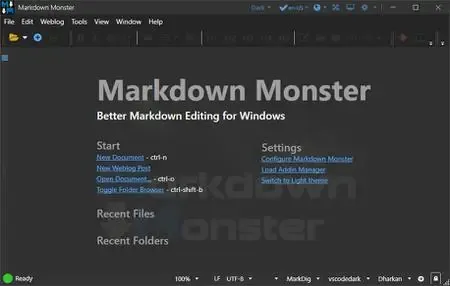 Markdown Monster 4.4 | 19.6 Mb
Markdown Monster is a powerful, yet easy to use Markdown editor with syntax highlighting and sophisticated and fast edit features. A collapsible, synced, live preview lets you see your output as you type and scroll. Easily embed or paste images, links, tables and code using raw markup or our smart UI helpers to simplify many operations with a few keystrokes or a click or two. Paste images from the clipboard or drag and drop from Explorer or our built-in file browser. Inline spell-checking and word counts keep your content streamlined.
You can export Markdown to PDF or HTML on disk or copy Markdown selections as HTML to the clipboard. The HTML preview can display syntax colored code snippets for most coding languages. Choose from light or dark app themes, and individual and fully customizable preview themes. Use the built-in folder browser to open, manage and drag files into content, use the document outline to quickly jump through content, or use our shell integration to shell out to Explorer, Terminal, Image Editor, Diff tool or your favorite Git client. Git support is built to see local Git status and sync to your repositories.
Everything is at your finger tips, but out of your way until you need it.
Weblog Publishing
Markdown Monster can also publish your Markdown directly to your Weblog Service. If your blog supports WordPress, MetaWeblog, Jekyll or Medium, you can publish your documents with one click. You can also edit and republish, or download existing posts and even convert existing posts from HTML to Markdown.
Extensible via .NET
We also wanted to make sure the editor is highly extensible, so you can add custom features of your own. Markdown Monster includes an addin model that makes it easy to build extensions that let you hook into the UI, the editor behavior and the publishing process. We also provide useful Scripting and Text Templating addins that let you automate many tasks without creating an addin. Find out more about creating an addin with .NET.
Features:
Easy and fast Markdown editing
Syntax colored Markdown text
Live Preview while you type
Inline spell checking
Easy image and link embedding
Paste images from Clipboard
Gentle toolbar support
File and Folder Browser
Favorites Manager
Document Outline
Git Integration
Built in screen capture
Two-way Table Editor
Import Html to Markdown
Export Markdown to Html
Dark and Light UI Themes
Customizable Preview Themes
High DPI Support
Weblog Publishing and Editing
Yaml Meta Data Support
Snippet Expansion Templates
Swappable Markdown Parsers
Extensible with .NET Add-ins
System Requirements:
Microsoft Windows 10 or later
.NET 7.0 (pre-installed)
WebView2 Runtime (pre-installed)
Home Page-
Код:
https://markdownmonster.west-wind.com/
Rapidgator
Код:
https://rapidgator.net/file/6287e43e8f6b91aa56c72a03b72c8a4a/r0avf.Markdown.Monster.4.4.zip.html
Код:
https://nitroflare.com/view/AE7F069834CFDA1/r0avf.Markdown.Monster.4.4.zip
|
|
|
|
|
03.06.2026, 10:37
|
#119085
|
|
Местный
Регистрация: 04.10.2017
Сообщений: 125,003
Сказал(а) спасибо: 0
Поблагодарили 7 раз(а) в 7 сообщениях
|
MedCalc 23.5.9 Multilingual
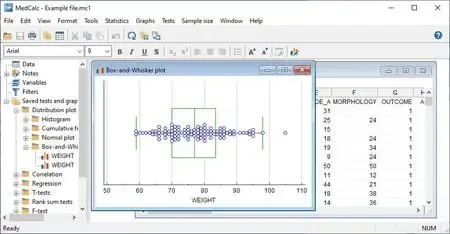 MedCalc 23.5.9 Multilingual Fast Links | 173.1 Mb
MedCalc is a complete statistical program for Windows designed to closely match the requirements of biomedical researchers. It is fast, user-friendly and reliable. MedCalc is the most user-friendly software for Receiver Operating Characteristic curve (ROC curves) analysis. The MedCalc ROC module includes comparison of up to 6 ROC curves. The software also includes Bland & Altman Description, Passing and Bablok and Deming regression for method comparison studies.
MedCalc for Windows description
Data management
Integrated spreadsheet with 1?048?576 rows and 16?384 columns.
Correct handling of missing data.
Outliers can easily be excluded.
Built-in WYSIWYG text editor.
Imports Excel, Excel 2007, SPSS, DBase and Lotus files, and files in SYLK, DIF or plain text format.
Easy selection of subgroups for statistical analysis.
MedCalc Documentation
Comprehensive context-sensitive help.
Complete HTML manual on MedCalc web site.
Context help in dialog boxes.
Paperback manual.
ROC curve analysis
MedCalc is the reference software for ROC curve analysis. Our ROC curve analysis module includes:
Area Under the Curve (AUC) with standard error, 95% confidence interval, P-value. Offers choice between methodology of DeLong et al. (1988) and Hanley & McNeil (1982, 1983).
List of sensitivity, specificity, likelihood ratios, and positive and negative predictive values for all possible threshold values.
ROC curve graph with 95% Confidence Bounds.
Threshold values can be selected in an interactive dot diagram with automatic calculation of corresponding sensitivity and specificity.
Description of sensitivity and specificity, or cost, versus criterion values.
Description of predictive values versus prevalence.
Interval likelihood ratios.
Comparison of up to 6 ROC curves: difference between the areas under the ROC curves, with standard error, 95% confidence interval and P-value.
Sample size calculation for area under ROC curve and comparison of ROC curves.
Go to the ROC curve analysis section of the MedCalc manual for more information on ROC curve analysis in MedCalc.
Graphs
Lots of graphs, see Graph gallery.
Data point identification in graphs.
Draw text boxes, lines, arrows and connectors.
Name, save and recall graphs and statistics.
Statistical info in graph windows.
Save graphs as SVG, PNG, JPG, GIF, BMP, PCX, or high resolution TIF files, or as PowerPoint slides (*.pptx).
System requirements
PC with Windows Vista, Windows 7, 8, 8.1, 10 or 11; or Windows Server 2008 or more recent (all 32-bit and 64-bit versions supported).
On Windows versions prior to Windows 8, support for Excel *.xlsx files additionally requires Microsoft .NET Framework 4.0 (a free download from Microsoft).
2048 Mb of memory.
60 Mb free space on the hard disk.
Home Page-
Код:
https://www.medcalc.org/
Rapidgator
Код:
https://rapidgator.net/file/f2a3ee878fafe4c88e224aad384c9018/9nu40.MedCalc.23.5.9.Multilingual.rar.html
Код:
https://nitroflare.com/view/7B691A0F231B9BB/9nu40.MedCalc.23.5.9.Multilingual.rar
|
|
|
|
      
Любые журналы Актион-МЦФЭР регулярно !!! Пишите https://old.nado.in/private.php?do=newpm&u=12191 или на электронный адрес pantera@nado.ws
|
Здесь присутствуют: 1 (пользователей: 0 , гостей: 1)
|
|
|
 Ваши права в разделе
|
Вы не можете создавать новые темы
Вы не можете отвечать в темах
Вы не можете прикреплять вложения
Вы не можете редактировать свои сообщения
HTML код Выкл.
|
|
|
Текущее время: 21:45. Часовой пояс GMT +1.
| |







