 16.10.2024, 05:51
|
#108196
|
|
Местный
Регистрация: 04.10.2017
Сообщений: 125,003
Сказал(а) спасибо: 0
Поблагодарили 7 раз(а) в 7 сообщениях
|
 BABY Audio Transit 2 v1.0.0 macOS
BABY Audio Transit 2 v1.0.0 macOS
BUBBiX | 15 October 2024 | 200 MB
The plugin that kills static mixes
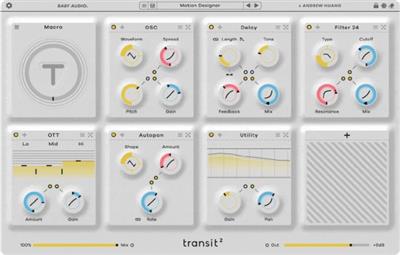
Transit 2 is the next chapter of our collaboration with Andrew Huang. Use 6 different motion modes to control 28 effect modules and create endless forms of movement to energize your tracks. From addictive rhythmic motion to powerful transitions that sweep listeners off their feet.
What's New in v2
4 New Motion Modes: LFO, Follower, Sidechain and Gate.
10 New Effects: Warp, Loop, Reverser, Speaker, EQ, Analog Chorus, Shifter +, Mod Filter, Retroverb, Compressor.
Options to link Global Mix and Output to the Motion Mode.
Major redesign with improvements in workflow/performance and 469 new presets. (838 presets in total with V1 presets).
NFO
64-bit: (VST2, VST3, AAX) UNPATCHED
READ NFO
Put license file here
MAC: /Users/your-username/Library/Application Support/af854ba56b229a56c422472ee764eba8
Enjoy this REGGED release.
Whats new in this version
Official site does not provide any info about changes in this version.
System Requirements
Mac OS 10.11 and up (including Native Apple Silicon M1/M2 Compatibility).
PC Windows 10 and newer.
rapidgator.net:
Код:
https://rapidgator.net/file/159cd6a0b67586b2a6e5a1afa398c3e6/akwrl.BABY.Audio.Transit.2.v1.0.0.macOS.rar.html
ddownload.com:
Код:
https://ddownload.com/l1hgh6afy5sv/akwrl.BABY.Audio.Transit.2.v1.0.0.macOS.rar
|

|

|
|
16.10.2024, 05:53
|
#108197
|
|
Местный
Регистрация: 04.10.2017
Сообщений: 125,003
Сказал(а) спасибо: 0
Поблагодарили 7 раз(а) в 7 сообщениях
|
Downie 4.8.3 macOS
Downie 4.8.3 macOS
Language: Multilingual | File size: 50 MB
Ever wished you could save a video from the Internet? Search no more, Downie is what you're looking for. Easily download videos from thousands of different sites.
Key Features
- Supports many sites - currently supports over 1,000 different sites (including YouTube, Vimeo, etc.) and the number is rapidly growing.
- 4K video YouTube support - unlike many other YouTube downloaders, Downie supports HD video on YouTube, up to 4K.
- Postprocessing - need your video in MP4 for iTunes? Or want just the audio track? No problem, Downie can handle this for you automatically!
- Quick support - I respond to emails usually within 24 hours and often add support for requested sites in the next update.
- Frequent updates - Don't wait weeks for new sites to be supported, or bugs to be fixed! Downie is updated about once a week with new features, sites supported, etc.
- International - not only that Downie supports country-specific sites, it is localized into various languages. Whats New
Supported Operation Systems
macOS 10.12.6 or later
rapidgator.net:
Код:
https://rapidgator.net/file/01aaf27ef5c649f1dfdb838663a215d9/gxpax.Downie.4.8.3.macOS.dmg.html
ddownload.com:
Код:
https://ddownload.com/5n7zn53sjpma/gxpax.Downie.4.8.3.macOS.dmg
|
|
|
|
|
16.10.2024, 05:54
|
#108198
|
|
Местный
Регистрация: 04.10.2017
Сообщений: 125,003
Сказал(а) спасибо: 0
Поблагодарили 7 раз(а) в 7 сообщениях
|
BandiView Pro 7.08 (x64) Multilingual
BandiView Pro 7.08 (x64) Multilingual
File Size: 16.6 MB
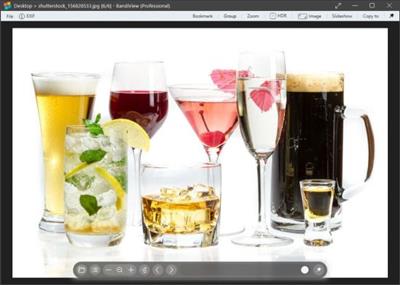
BandiView is the succeeding image viewer to Honeyview, that inherits everything cool of its predecessor and also gets improved even further. Fast and easy to view images in a variety of formats, from the most common ones to the most professional ones.
For the most graphic details - HDR support
BandiView supports an image output using HDR (High Dynamic Range) to express a widened range of brightness and color.
Do not miss the full experience of what HDR can really do with BandiView.
Webtoon view mode
BandiView can show multiple images as one vertical flow.
Useful when working on a webtoon; arrange images to grasp the overall story.
Multiple format support
Not to mention images in many popular formats, BandiView provides support for RAW files taken by your camera, professional graphics like Clip Studio Paint, and even HEIC files from your iPhone.
Convert images faster and easier
BandiView can convert the format or size of multiple images simultaneously, at 10x faster processing speed than other converters do. Only thing it needs is a few click of your mouse.
Код:
https://en.bandisoft.com/bandiview/history/
Homepage:
Код:
https://en.bandisoft.com
Download link
Say "Thank You"
rapidgator.net:
Код:
https://rapidgator.net/file/db2fa0c9bbd93c3d3c2ef6c082af245f/lsosl.BandiView.Pro.7.08.x64.Multilingual.rar.html
ddownload.com:
Код:
https://ddownload.com/ppt6pjuk0tyq/lsosl.BandiView.Pro.7.08.x64.Multilingual.rar
|
|
|
|
|
16.10.2024, 05:55
|
#108199
|
|
Местный
Регистрация: 04.10.2017
Сообщений: 125,003
Сказал(а) спасибо: 0
Поблагодарили 7 раз(а) в 7 сообщениях
|
Blender 4.2.3 (x64)
Blender 4.2.3 (x64)
File Size : 327 Mb
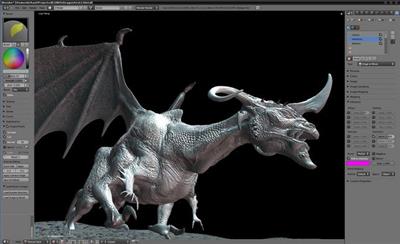
Blender 3D is a free alternative to professional applications such as Maya and 3D Studio Max. This software is also portable which means that you can carry it on your memory stick and do your job on any PC using Windows. Blender is the open source software for 3D modelling, animation, rendering, post-production, interactive creation and playback packaged as a portable app, so you can do your rendering on the go.
Software for 3D modeling, rendering, animation, post-production, interactive creation and playback. Modeling. A range of 3D object types including polygon meshes, NURBS surfaces, bezier and B-spline curves, metaballs, vector fonts (TrueType, PostScript, OpenType). 'Smooth proxy' style catmull-clark subdivision surfaces. Boolean mesh functions. Editing functions such as extrude, bevel, cut, spin, screw, warp, subdivide, noise, smooth Soft selection editing tools for organic modeling. Python scripting access for custom tools.
Features of Blender
Animation
· Armature (skeleton) deformation with forward/inverse kinematics, auto skinning and interactive 3D paint for vertex weighting
· Non-linear animation mixer with automated walkcycles along paths
· Constraint system
· Vertex key framing for morphing, with controlling sliders
· Character animation pose editor
· Animatable lattice deformation
· 'Ipo' system integrates both motion curve and traditional key-frame editing
· Audio playback, mixing and editing support for sound synchronisation
· Python scripting access for custom and procedural animation effects
Realtime 3D/game creation
· Graphical editor for defining interactive behavior without programming
· Collision detection and dynamics simulation
· Python scripting API for sophisticated control and AI, fully defined advanced game logic
· Supports all OpenGL lighting modes, including transparencies, Animated and reflection-mapped textures
· Playback of games and interactive 3D content without compiling or preprocessing
· Audio, using the fmod toolkit
· Multi-layering of Scenes for overlay interfaces
Rendering
· Very fast inbuilt raytracer
· Integral support for the famous Yafray render engine
· Oversampling, motion blur, post-production effects, fields, non-square pixels
· Environment maps, halos, lens flares, fog
· Various surface shaders such as Lambert, Phong, Oren-nayar, Blinn, Toon
· Edge rendering for toon shading
· Procedural Textures
· Ambient Occlusion
· Radiosity solver
· Export scripts available for external renderers such as Renderman (RIB), Povray, Virtualight
· UV texture editor with various mesh unwrap modes
Interface
· Flexible user configurable window layout
· Powerful object-oriented data system
· Anti-aliased fonts with international translation support
· Windows for animation curves/keys, schematic scene diagram, non-linear video sequence editing, character animation action editor, non-linear animation mixer, image/UV editing, file/image selection and file management
· Inbuilt text editor for annotations and editing Python scripts
· Consistent interface across multiple platforms
Код:
https://www.blender.org/download/releases
Homepage:
Код:
https://www.blender.org
Download link
Say "Thank You"
rapidgator.net:
Код:
https://rapidgator.net/file/e0e42dbe69eb44e4080f31cfadaae5d8/awzpj.Blender.4.2.3.x64.msi.html
ddownload.com:
Код:
https://ddownload.com/fd4mkybp9ddq/awzpj.Blender.4.2.3.x64.msi
|
|
|
|
|
16.10.2024, 05:57
|
#108200
|
|
Местный
Регистрация: 04.10.2017
Сообщений: 125,003
Сказал(а) спасибо: 0
Поблагодарили 7 раз(а) в 7 сообщениях
|
Bondware Poser Pro 13.3.853
Bondware Poser Pro 13.3.853
Languages: Multilingual
File Size: 531.84 MB
Poser is a 3D computer graphics program optimized for 3D modeling of human figures. It is known for enabling digital artists to easily produce 3D animations and digital images, as well as the extensive availability of third-party digital content. Since 1995, Poser has been the go-to software tool for 3D characters in illustration and animation for over 500,000 digital artists.
Poser is a digital stage that gives you full creative control. Work with 3D figures for any project requiring rendered images or animated video. Drag 3D content right from Poser's own library of over 5 GB of content onto the stage and into your scene.
Poser 13 is the latest release of the world's leading 3D character design and animation software. It provides a powerful set of tools for artists, illustrators, and animators to bring their creative visions to life. Poser 13 comes packed with a host of new features and improvements that make it easier than ever to create stunning 3D artwork. It boasts a completely redesigned user interface that provides a more intuitive and streamlined workflow, allowing users to focus on their creative process rather than getting bogged down in technical details.
One of the standout features of Poser 13 is the new SuperFly rendering engine, which provides unparalleled realism and detail in your final renders. With SuperFly, you can achieve lifelike lighting and shadow effects that make your characters and scenes come to life. Poser 13 also includes a vast library of pre-built content, including characters, clothing, props, and environments. These assets can be easily customized to fit your specific needs, or you can create your own assets from scratch using the powerful built-in tools.
Other features of Poser 13 include enhanced posing and animation tools, advanced rigging options, and support for industry-standard file formats like FBX and OBJ. Overall, Poser 13 is an essential tool for anyone looking to create high-quality 3D art and animation. With its powerful features and user-friendly interface, it's the perfect choice for artists and animators of all skill levels.
New Features in Poser 13
- Updated SuperFly render engine utilizing the latest open source Cycles engine. GPU renders of complex scenes benchmark at under half the time required for the same scene on Poser 12.
- New Post FX options for rendered images including: denoise, exposure, saturation, gamma, brightness, contrast, bloom, blur and pixelate.
- Updated animation rendering system for better productivity rendering movie sequences.
- GPU rendering on remote nodes with Queue Manager allows creation of a powerful render farm on your local network
- New app launcher with Recent and Start Up scene templates
- Updated Walk Designer and Talk Designer for better compatibility with all figure types and support of imported libraries.
- Improved adaptive sampling for faster renders.
- Improved Intel Open Image Denoise (OIDN) that uses AI to denoise SuperFly renders.
- HDRI environment rendering for SuperFly.
- Enhanced shadow catcher and included HDRI environments enable realistic 360-degree VR-like environments inside Poser
- Improved morph and weight map copying system makes creating clothing easier.
- Streamlined installer, less than a 1/4 the size of previous version.
Improved included content delivery using Poser's content library. One click installation of included and store assets. Over 25 GB of updated and re-organized content from Poser versions over the years.
- New online help system works in your web browser with translation & bookmarks.
- Downloadable PDF version of the manual for off-line reading.
Returning Features
- Firefly render engine for compatibility with scenes from previous versions.
- Powerful non-photographic render modes including Cartoon, Comic Book and Sketch Renders.
- Python 3 API updated for more versatile Python scripts
- SuperFly shadow catcher objects and background transparency.
- Material manager allows you to quickly and intuitively copy materials.
- Continued support of LaFemme and L'Homme figures.
- HiveWire3D's Dawn, Dusk feature updated SuperFly materials.
- Control handles provide interactive controls to make posing and animation more intuitive.
- Improved Library Search for internal and external content.
- Render layers for Firefly.
- All former Pro options are included in Poser
"Release Notes"
Код:
https://www.posersoftware.com/downloads/download/s3?filename=p13%2Fwin%2FRelease_Notes.txt
System Requirements
- Windows 10 or later (64-bit OS required).
- 2 GHz Intel Core 2 or newer, Athlon X2 64 or newer (2.5 GHz or faster, 4 core or more recommended).
- 4 GB system RAM (8 GB or more recommended).
- OpenGL enabled graphics card or chipset required for hardware accelerated preview.
- 24-bit color display, 1440 x 900 minimum resolution. (2k monitor recommended)
- 3 GB free hard disk space (25 GB required to install all included content).
- USB drive (physical USB product only)
- CUDA and Optix enabled device recommended for hardware accelerated final rendering (2 GB RAM minimum, Compute Capability 5.0 minimum).
- Optix-accelerated raytracing requires Nvidia RTX or Turing GPU, or newer.
- ZBrush 2022.7 required for GoZ interoperability.
Supported Languages
English, German, Japanese
Homepage:
Код:
https://www.posersoftware.com
Download link
Say "Thank You"
rapidgator.net:
Код:
https://rapidgator.net/file/2c29a488b8f8c74f1e26fcec15fe0ade/olwew.Bondware.Poser.Pro.13.3.853.rar.html
ddownload.com:
Код:
https://ddownload.com/sdq3w4fje0hx/olwew.Bondware.Poser.Pro.13.3.853.rar
|
|
|
|
|
16.10.2024, 05:58
|
#108201
|
|
Местный
Регистрация: 04.10.2017
Сообщений: 125,003
Сказал(а) спасибо: 0
Поблагодарили 7 раз(а) в 7 сообщениях
|
ChanSort v2024-10-15
ChanSort v2024-10-15
File Size: 28.67 MiB | Languages: English, Deutsch, Español, Português
TV Channel List Editor.
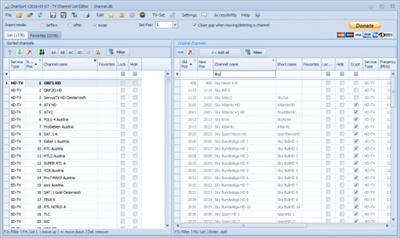
ChanSort is a computer application that allows you to reorder your TV's channel list.
Most modern TVs can transfer channel lists via USB stick, which you can plug into your computer.
ChanSort supports file formats from numerious brands and can copy program numbers and favorites from one file to another, even between different models and brands.
Supports many brands: Samsung, LG, Sony, Panasonic, Philips, ...
Features
Reorder channels (change numbers directly, move up/down, drag&drop, double-click)
Use another channel list as a reference to apply the same ordering
Multi-selection for editing multiple channels at once
Single-list view (showing assigned channels first and then all unassigned channels)
Side-by-side view of new/sorted list and original/complete list (similar to playlist and library)
Rename or delete channels
Manage favorites, parental lock, channel skipping (when zapping), channel hiding
Unicode character support for channel names (Latin, Cyrillic, Greek, ...)
"Release Notes"
Changes in v2024-10-15: some improvements.
Homepage:
Код:
https://github.com/PredatH0r/ChanSort
Download link
Say "Thank You"
rapidgator.net:
Код:
https://rapidgator.net/file/6ab5eb9adbdc378000df51ace02e83cf/cqwle.ChanSort.v20241015.rar.html
ddownload.com:
Код:
https://ddownload.com/f8ci3fczplvx/cqwle.ChanSort.v20241015.rar
|
|
|
|
|
16.10.2024, 05:59
|
#108202
|
|
Местный
Регистрация: 04.10.2017
Сообщений: 125,003
Сказал(а) спасибо: 0
Поблагодарили 7 раз(а) в 7 сообщениях
|
CloneZilla Live 3.2.0-5 stable
CloneZilla Live 3.2.0-5 stable
File Size : 363/425 Mb
Create partition and disk images for backup purposes and restore them whenever necessary, all thanks to this powerful open-source application. There's nothing worse than losing all the data stored on the computer because of a hard disk failure or a serious system crash. Fortunately, there are advanced backup and recovery systems out there that can help you prevent such situations from happening. Clonezilla is one of them.
Backup disks and partitions for later restoring
Designed as an alternative to expensive disk cloning apps, Clonezilla is capable of creating backups for the entire hard drive or individual partitions. When disaster strikes, you can use Clonezilla's disk or partition image to put everything back to its place and retrieve your lost files.
There are two downloading options Clonezilla offers: ISO and ZIP packages, each for different booting media: the first for CDs/DVDs or PXE servers, the second for USB flash / hard drives. Deployment is not difficult but a boot disk creating application (such as Tuxboot, LinuxLive USB Creator or Rufus). Alternatively, experienced users can perform this operation manually.
Create bootable disks and start creating backups
Booting from the Clonezilla media opens a menu where you can choose the running mode for Clonezilla Live and run memory tests. The console data configuration options are displayed as you proceed, allowing you to select the keymap policy.
There are two options you can choose from after running Clonezilla, namely to clone or restore a disk or a partition using a previously created image, or clone (backup) a disk or a partition. Obviously, when running Clonezilla for the first time, you must take the time to create an image, which can be stored in various locations, namely a local or external drive, a SSH / Samba / NFS / WebDAV / AWS S3 server, an OpenStack Swift server, or the local memory (existing '/home/partimag/'). The latter option is not recommended, as it can overwrite data and render your computer unusable unless you know exactly what you are doing. More experienced users will be happy to find out that there are some advanced parameters they can tamper with.
Once the image is created, you can either enter the command line prompt, start Clonezilla over, as well as power off or reboot your computer to access the host operating system.
The safety net you need for your computer
Clonezilla enables you to clone disks and partitions, storing resulting images on a backup storage device of your choice.
While there is no Windows interface to work with and intuitive wizards where clicking 'Next' is enough, Clonezilla does offer a good option for creating disk and partition backups and keeping data files intact in case you need to restore them.
FEATURES
• Many File systems are supported: (1) ext2, ext3, ext4, reiserfs, reiser4, xfs, jfs, btrfs, f2fs and nilfs2 of GNU/Linux, (2) FAT12, FAT16, FAT32, NTFS of MS Windows, (3) HFS+ of Mac OS, (4) UFS of FreeBSD, NetBSD, and OpenBSD, (5) minix of Minix, and (6) VMFS3 and VMFS5 of VMWare ESX. Therefore you can clone GNU/Linux, MS windows, Intel-based Mac OS, FreeBSD, NetBSD, OpenBSD, Minix, VMWare ESX and Chrome OS/Chromium OS, no matter it's 32-bit (x86) or 64-bit (x86-64) OS. For these file systems, only used blocks in partition are saved and restored. For unsupported file system, sector-to-sector copy is done by dd in Clonezilla.
• LVM2 (LVM version 1 is not) under GNU/Linux is supported.
• Boot loader, including grub (version 1 and version 2) and syslinux, could be reinstalled.
• Both MBR and GPT partition formats of hard drive are supported. Clonezilla live also can be booted on a BIOS or uEFI machine.
• Unattended mode is supported. Almost all steps can be done via commands and options. You can also use a lot of boot parameters to customize your own imaging and cloning.
• One image restoring to multiple local devices is supported.
• Image could be encrypted. This is done with ecryptfs, a POSIX-compliant enterprise cryptographic stacked filesystem.
• Multicast is supported in Clonezilla SE, which is suitable for massively clone. You can also remotely use it to save or restore a bunch of computers if PXE and Wake-on-LAN are supported in your clients.
• The image file can be on local disk, ssh server, samba server, NFS server or WebDAV server.
• AES-256 encryption could be used to secures data access, storage and transfer.
• Based on Partclone (default), Partimage (optional), ntfsclone (optional), or dd to image or clone a partition. However, Clonezilla, containing some other programs, can save and restore not only partitions, but also a whole disk.
Код:
https://sourceforge.net/p/clonezilla/news/
Homepage:
Код:
https://www.clonezilla.org
Say "Thank You"
rapidgator.net:
Код:
https://rapidgator.net/file/d27cbf300a659f824baf8d0010b2be47/dkwqn.clonezillalive3.2.05amd64..zip.html
https://rapidgator.net/file/581e032a78744cf1538378c989036f9a/dkwqn.clonezillalive3.2.05i686..zip.html
ddownload.com:
Код:
https://ddownload.com/xjvpq6em2wwo/dkwqn.clonezillalive3.2.05amd64..zip
https://ddownload.com/v1b59hgr6ot4/dkwqn.clonezillalive3.2.05i686..zip
|
|
|
|
|
16.10.2024, 06:00
|
#108203
|
|
Местный
Регистрация: 04.10.2017
Сообщений: 125,003
Сказал(а) спасибо: 0
Поблагодарили 7 раз(а) в 7 сообщениях
|
CloudMounter 2.6.1893 Multilingual
CloudMounter 2.6.1893 Multilingual
File Size: 11.6 MB
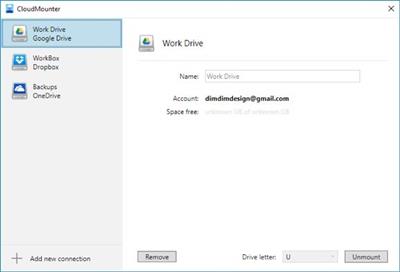
CloudMounter is a reliable system utility that allows mounting different cloud storages and web servers to your PC as local disks. Connect to Microsoft OneDrive, Google Drive, Amazon S3, Dropbox, FTP and WebDAV servers in Finder, as if they are located on your machine.
Finder Integration
Mount cloud storage as local drive and work with online files the same way as with local ones.
FTP/SFTP/FTPS Client
Mount FTP and SFTP server as drive and manage your online files as if they were stored on your machine - all using CloudMounter. The app safely stores all your server settings and passwords are kept safe in Keychain.
FTP Connection
Connect to your web servers through standard or secure FTP protocols, map FTP as local drive in Finder and access your online files as local ones - view, edit, delete, create, as well as upload to and download files from your remote server. With CloudMounter you can conveniently view the full file structure of a website or a file server.
OS X WebDAV and Amazon S3 browser
Store any number of files of any size in your Amazon S3 or on WebDAV servers and get easy access to them with CloudMounter.
Amazon S3 file manager
CloudMounter brings your work with Amazon S3 storage to the next level. It is easy to mount your favorite secure online storage to Mac as a removable disk. This gives you the possibility to conveniently manage your data in your Amazon S3 account, choosing whether to connect to Amazon's entire account or mount S3 selected buckets. CloudMounter supports all AWS regions, including EU (Frankfurt) and Asia Pacific (Seoul).
Cloud Services
CloudMounter makes your cloud accounts easy to reach. Mount multiple Dropbox, Google Drive and Microsoft OneDrive accounts without having to transfer files to your computer.
Dropbox client
You can mount Dropbox accounts as drives without installing them on your computer and copying the content to your local drive. CloudMounter allows you to upload files to Dropbox just as if you were moving them to a local folder in Finder.
What's New
First release
Homepage:
Код:
https://www.eltima.com
Download link
Say "Thank You"
rapidgator.net:
Код:
https://rapidgator.net/file/55c0fb9fc5fdae424152abf5a5ef5efb/ethlz.CloudMounter.2.6.1893.Multilingual.rar.html
ddownload.com:
Код:
https://ddownload.com/zuymu6l152hb/ethlz.CloudMounter.2.6.1893.Multilingual.rar
|
|
|
|
|
16.10.2024, 06:02
|
#108204
|
|
Местный
Регистрация: 04.10.2017
Сообщений: 125,003
Сказал(а) спасибо: 0
Поблагодарили 7 раз(а) в 7 сообщениях
|
Cutting Optimization Pro 5.18.0.66 Multilingual
Cutting Optimization Pro 5.18.0.66 Multilingual
File Size: 1.8 MB
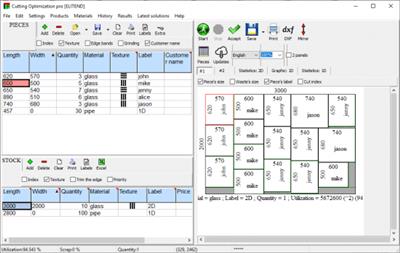
Cutting Optimization Pro is a cutting software used for obtaining optimal cutting layouts for one (1D) and two (2D) dimensional pieces. The software also lets you to define and handle complex products, such as table, desk, cupboard, locker, book shelf.
Cutting Optimization Pro can be used for cutting rectangular sheets made of glass, wood, metal, plastic, or any other material used by industrial applications.
Cutting Optimization Pro can also be used as cutting software for linear pieces such as bars, pipes, tubes, steel bars, metal profiles, extrusions, tubes, lineal wood boards, etc and other materials.
What's New
official site does not provide any info about changes in this version.
Homepage:
Код:
https://www.optimalprograms.com/cutting-optimization/
Download link
Say "Thank You"
rapidgator.net:
Код:
https://rapidgator.net/file/0d2afb0d3dd2b69254d9b56bd91117cd/keitt.Cutting.Optimization.Pro.5.18.0.66.Multilingual.rar.html
ddownload.com:
Код:
https://ddownload.com/4dflto89e3lz/keitt.Cutting.Optimization.Pro.5.18.0.66.Multilingual.rar
|
|
|
|
|
16.10.2024, 06:03
|
#108205
|
|
Местный
Регистрация: 04.10.2017
Сообщений: 125,003
Сказал(а) спасибо: 0
Поблагодарили 7 раз(а) в 7 сообщениях
|
CyberLink PowerDirector Ultimate 2025 v23.0.1011.0
CyberLink PowerDirector Ultimate 2025 v23.0.1011.0
Languages: Multilingual
File Size: 689.61 MB
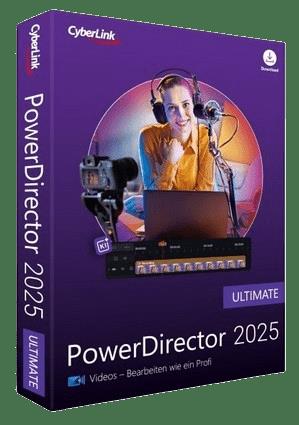
Award-winning video editing software for professional creators. Create. Edit. Share. Video editing, made for everyone. No experience necessary. Do more, faster with customizable templates. Discover and create attention-grabbing video intros alongside our community of creatives.
Kickstart Your Projects
- No experience necessary.
- Do more, faster with customizable templates.
Save Time With Thousands of Shareable Video Intros
Discover and create attention-grabbing video intros alongside our community of creatives.
Mask Designer
Remove unwanted objects, or composite clips together.
- Custom Masks
- Image Masks
- Text Masks
Title Designer
Choose from drag-and-drop presets or get creative with an array of gradient, border, and shadow tools.
- Motion Graphics
- Sound Effects
- Blending Modes
- Special Effects
PiP Designer
Use animated stickers, shapes, and callouts to grab your viewers' attention.
- In/Out Animations
- Animated Stickers and Graphics
- Custom Shapes and Callouts
AI Motion Tracking
Add text or graphics that automatically follow the motion of any object.
AI Sky Replacement
From blissful blue skies to dramatic sunsets, don't let bad weather ruin your perfect shot.
AI Object Detection
Instantaneously create masks with automatic object selection for cars, people, pets, and more.
"Release Notes"
Код:
https://www.cyberlink.com/products/powerdirector-video-editing-software/whats-new_en_US.html
System Requirements
- Microsoft Windows 11, 10, 8/8.1, 7 (64 bit OS only).
* Microsoft Windows 11 or 10 required for AI features and NVIDIA Audio/Video Denoise and Room Echo Removal.
- Intel Core™ i-series and above.
- Haswell (4th generation) processor: Core i7-4770 (only Core and Xeon branded), and above required for AI features.
- AMD Phenom® II and above.
- AMD A8-7670K and above, AMD Ryzen™ 3 1200 and above required for AI features.
- Standard Video: 128 MB VGA VRAM or higher.
- 360-video: DirectX 11 compatible.
- AI Plugin: 2 GB VGA VRAM or higher.
- NVIDIA Audio/Video Denoise and Room Echo Removal: NVIDIA GeForce RTX 2060, NVIDIA Quadro RTX 3000, NVIDIA TITAN RTX, or higher.
- 4GB memory required (6GB or above recommended).
- 8GB memory or higher required for NVIDIA Audio/Video Denoise and Room Echo Removal.
- 7GB space required.
- Burning drive is required for disc burning purpose.
- Windows compatible sound card is required.
- 1024 x 768, 16-bit color or above.
Supported Languages
- English
- French
- German
- Italian
- Spanish (European)
- Chinese Simplified
- Chinese Traditional
- Japanese
- Korean
- Dutch
Homepage:
Код:
https://www.cyberlink.com
Download link
Say "Thank You"
rapidgator.net:
Код:
https://rapidgator.net/file/c4ff23735b58d457576f217793d727b0/bpgcw.CyberLink.PowerDirector.Ultimate.2025.v23.0.1011.0.rar.html
ddownload.com:
Код:
https://ddownload.com/p4evvkg408io/bpgcw.CyberLink.PowerDirector.Ultimate.2025.v23.0.1011.0.rar
|
|
|
|
|
16.10.2024, 06:04
|
#108206
|
|
Местный
Регистрация: 04.10.2017
Сообщений: 125,003
Сказал(а) спасибо: 0
Поблагодарили 7 раз(а) в 7 сообщениях
|
DBF Viewer 2000 v8.50 Multilingual
DBF Viewer 2000 v8.50 Multilingual
File Size: 4.8 MB
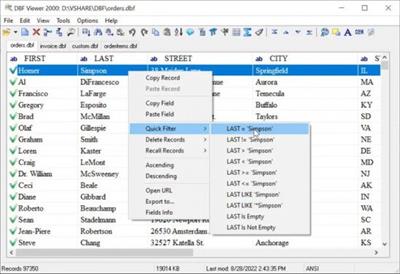
If you're seeking a fast, effective solution for viewing and editing all sorts of DBF files, DBF Viewer 2000® is the answer. This feature-rich program can handle files from dBase, Visual dBase, Foxpro, Visual FoxPro and Clipper, to name just a few, with a performance that easily rivals costly professional database utilities.
Its optimised proprietary engine means that no matter what your file size, DBF Viewer 2000 is incredibly fast, performing any task you set it - from a simple query and duplicate clean-up to data export - at lightning speed.
With DBF Editor's simple, dynamically generated visual dialogues, you can easily see the structure of your DBF files and edit them exactly as you would with native database management tools. In addition to being able to view the contents and structure of DBF files, you can also view and edit dBase III, dBase IV, dBase Level 7, FoxPro and Visual FoxPro format memo fields.
Command line automation is fully supported, making it simple to repeat activities including data import, replacement and export and clean-up of duplicate records. Because DBF Viewer 2000 is completely independent of database engines, drivers and database management systems, you can simply install the program and start viewing and editing DBF files immediately.
Код:
https://www.dbf2002.com/news.html
Homepage:
Код:
https://www.dbf2002.com
Download link
Say "Thank You"
rapidgator.net:
Код:
https://rapidgator.net/file/36d70e28037408d2598d896933d21d09/fqwyk.DBF.Viewer.2000.v8.50.Multilingual.rar.html
ddownload.com:
Код:
https://ddownload.com/qi4l84g25a5v/fqwyk.DBF.Viewer.2000.v8.50.Multilingual.rar
|
|
|
|
|
16.10.2024, 06:05
|
#108207
|
|
Местный
Регистрация: 04.10.2017
Сообщений: 125,003
Сказал(а) спасибо: 0
Поблагодарили 7 раз(а) в 7 сообщениях
|
Drive SnapShot 1.50.0.1601
Drive SnapShot 1.50.0.1601
File size: 11 MB
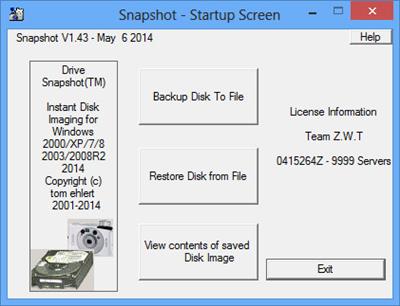
Drive Snapshot creates an exact Disk Image of your system into a file, including the operating system, installed programs, your data and all security attributes - while windows is running and you continue to work. Drive Snapshot it allows you to backup your partition or your hard disk drive and it also can create a disk image of your system. If disaster strikes (a virus, trojan, or hard disk crash), a complete and exact restauration of your system will be possible in only few minutes. The image file can be mounted as a virtual drive, so you can easily restore (or use) single files or directories, using the Windows Explorer, or other program.
Here are some key features of "Drive Snapshot"
- Create Disk Image Backups, while running Windows
- There is no restart (to DOS) necessary. Never.
- Continue your work, while the Backup is in progress
- The new Snapshot technology ensures, that all data are consistent, and reflect the PC's data at the start of backup. There are no difficulties with opened files. Never.
- This enables a very fast and easy way to backup servers and other computers, that must run 24 hours a day.
- Easy Use and Restore of single Files or directories
- Drive Snapshot creates a virtual drive, containing all your drives data. You may use, compare, or restore these files directly from the Disk Image file.
- This works with any program of your choice, including (of course) the Windows Explorer
- Complete Restore of a disk in case of Disaster
- If a disk is restored to it's original state, it will be exactly the same as at the time of Backup - byte for byte.
- Restoring a system partition will require DOS; other drives can be restored using Windows
- Compatible to all Windows file systems (FAT16, FAT32, NTFS)
- Compatible to all Windows RAID Methods
- Very easy and comprehensive command line interface
- This makes automation of regular tasks a breeze.
rapidgator.net:
Код:
https://rapidgator.net/file/79abda7ace339bae2d9aee2ba086669f/ullwr.Drive.SnapShot.1.50.0.1601.rar.html
ddownload.com:
Код:
https://ddownload.com/dffovfbjbseb/ullwr.Drive.SnapShot.1.50.0.1601.rar
|
|
|
|
|
16.10.2024, 06:07
|
#108208
|
|
Местный
Регистрация: 04.10.2017
Сообщений: 125,003
Сказал(а) спасибо: 0
Поблагодарили 7 раз(а) в 7 сообщениях
|
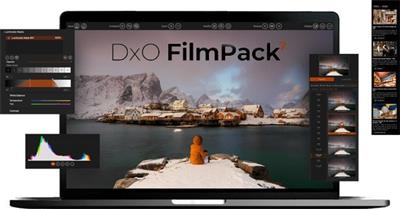
DxO FilmPack 7.10.0 Build 553 (x64) Multilingual
DxO FilmPack 7.10.0 Build 553 (x64) Multilingual
File size: 619.3 MB
DxO FilmPack 7 is the software that takes your digital images back in time to the golden era of film photography. A tribute to the darkroom, you can explore history and get inspired by beautiful renderings, authentically recreated with scientific precision.
Refined and upgraded, the new DxO FilmPack 7 delivers
• 40 black and white and 49 color films, faithfull recreated
• Digital simulations and presets, cinematic styles, frames, textures, and light leaks
• Time Machine guides you through all of photographic history
• Set the intensity of a film stock, and modify grain
• Control exposure, highlights, midtones, shadows, and more
• Control color, create split tones, and apply luminosity masks
Rediscover the magic of film in the age of digital.
Код:
https://www.dxo.com/dxo-filmpack/whats-new/
Homepage:
Код:
https://www.dxo.com/
Download link
Say "Thank You"
rapidgator.net:
Код:
https://rapidgator.net/file/6ec5d7bd859b211ef84cd4903246af69/jiswp.DxO.FilmPack.7.10.0.Build.553.x64.Multilingual.rar.html
ddownload.com:
Код:
https://ddownload.com/qit1diwtl8be/jiswp.DxO.FilmPack.7.10.0.Build.553.x64.Multilingual.rar
|
|
|
|
|
16.10.2024, 06:26
|
#108209
|
|
Местный
Регистрация: 04.10.2017
Сообщений: 125,003
Сказал(а) спасибо: 0
Поблагодарили 7 раз(а) в 7 сообщениях
|
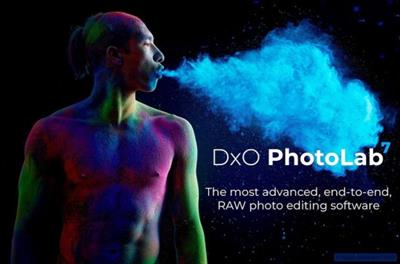
DxO PhotoLab 7.10.0 Build 287 Elite Multilingual
DxO PhotoLab 7.10.0 Build 287 Elite Multilingual
Windows x64 | File size: 856.88 MB
DxO PhotoLab 7 - the most advanced, end-to-end, RAW photo editing software.
- Unrivaled lens corrections for superior sharpness
- Outstanding noise reduction powered by machine learning
- Advanced color science and powerful creative tools
- Intuitive local adjustments that just work
- Robust file management for effortless organization
DxO PhotoLab 7 will revolutionize your RAW photo workflow. Lens corrections that give you more.Superior lens softness correction
DxO Optics Modules are created in our exclusive laboratory, allowing DxO's technicians to target sharpening specifically to where a lens needs it most. You get the sharpest and clearest results of any software on the market.
Intelligent RAW processing: for noise reduction that pushes boundaries
Get cleaner images featuring more detail than you ever thought possible. Drawing on the power of deep learning, DxO's DeepPRIME and DeepPRIME XD technology combines the denoising and demosaicing processes to remove noise and restore fine detail like never before.
Intuitive local adjustments, free of complexity
Local adjustments shouldn't be complicated. Part of a range of easy-to use-tools, DxO's U Point™ technology gives you the ability to make precise local adjustments that feel natural, free of fiddly masks and complex layers.
Advanced color science plus powerful creative tools
Capture and reproduce colors with complete accuracy, and then use tools that give you absolute creative freedom. Enjoy smart calibration tools, a versatile working color space, intuitive HSL manipulation, LUTs, soft proofing functionality, and robust export options. At every step, DxO PhotoLab gives you precision and control.
New features in DxO PhotoLab 7
- Introducing new Calibrated profiles: Using industry-standard checker charts, create your own calibrated color profiles from within PhotoLab for scientifically accurate colors.
- New LUT (Look Up Table) support: Discover cinematic style grading by applying one of the 17 built-in DxO LUTs or by importing a LUT file.
- Improved Black and White workflow: Editing in Black and White has never been easier with a new dedicated tab that features new renderings and the 8-channel mixer, previously only available with FilmPack.
- New Local Adjustments palette featuring additional HSL Colorwheel: For a streamlined user experience, all local adjustment tools are now grouped together into a dedicated palette that features new localized HSL controls, powered by the DxO Colorwheel.
- Improved mask display for Local Adjustments: You can now change the mask color for improved visibility when editing.
- New "DxO Style" preset: DxO PhotoLab 7 offers a new default preset to get your photo-editing started.
- Photo Library improvements: Now you can use contextual menus to index and delete folders (although the option to delete is not yet available on Mac).
- Improvement to DxO Optics Modules management: A 'download-all' checkbox now lets you quickly obtain all of the Optics Modules required to automatically correct your images.
- The Color accentuation controls, Saturation and Vibrancy, have been moved to the HSL subpalette.
- New option to temporarily deactivate Global Saturation and Vibrancy, or any color channel, by clicking and holding its accompanying color-well icon.
- An extended range of digital camera renderings to be automatically applied to your images when you check
the "automatically use camera rendering if supported" option in General Preferences.
- Over 87,000 camera-lens combinations are now supported.
Код:
https://download-center.dxo.com/Support/docs/PhotoLab_v7/release-notes/PL7_release-note_win_EN.pdf
Homepage:
Код:
https://www.dxo.com/
Download link
Say "Thank You"
rapidgator.net:
Код:
https://rapidgator.net/file/9e90dee4874f085403798e5d98b0d997/emqll.DxO.PhotoLab.7.10.0.Build.287.Elite.Multilingual.rar.html
ddownload.com:
Код:
https://ddownload.com/elrk8tpc23jj/emqll.DxO.PhotoLab.7.10.0.Build.287.Elite.Multilingual.rar
|
|
|
|
|
16.10.2024, 06:28
|
#108210
|
|
Местный
Регистрация: 04.10.2017
Сообщений: 125,003
Сказал(а) спасибо: 0
Поблагодарили 7 раз(а) в 7 сообщениях
|
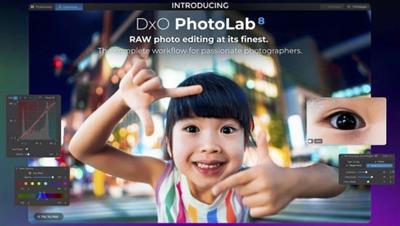
DxO PhotoLab 8.1.0 Build 434 Elite Multilingual
DxO PhotoLab 8.1.0 Build 434 Elite Multilingual
Windows x64 | File size: 931.38 MB
DxO PhotoLab 8 - RAW photo editing at its finest. The complete workflow for passionate photographers.
Unbeatable noise reduction and detail extraction
Cleaner and more detailed images than you ever thought possible.
Our DeepPRIME XD2s technology is at the cutting edge of machine learning. Get unbelievable image quality that's real, and make even previous generation cameras look amazing.
The answer to lens softness
Superior science for sharper images
Don't settle for second best. Use lab-grade lens profiles that sharpen images exactly where needed, now with an improved algorithm for even less fringing and artifacts.
Effortless local adjustments
Fast, intelligent, precise: Exclusive U Point™ technology.
Local adjustments shouldn't be complicated. U PointTM keeps it simple with tools that give instant, intuitive results with absolute control.
Breathtaking color at every step
From calibration to creative tools and everything in between.
Embrace colors with total accuracy. Enjoy tools that will unleash your creativity.
What's new DxO PhotoLab 8Enjoy a host of upgrades including new tools and an improved workflow.
Image correction & enhancement
DxO's pioneering Optics Modules are renowned for giving photographers the best possible performance from their gear, and are applied automatically depending on metadata. Lens softness adjustments are tailored according to the idiosyncrasies of individual lenses. They don't simply sharpen uniformly across the entire image like in other software.
Groundbreaking denoising technologies
Noise reduction powered by machine learning. DeepPRIME, DeepPRIME XD, and DeepPRIME XD2s eliminate noise, recover detail, and improve color reproduction. Two legacy technologies - PRIME and High Quality - are included when speed is crucial. Choose the automatic settings or dial them in manually. Use the new large live preview magnifier to see the impact of denoising - plus all of your other edits.
Color rendering and fidelity
Extra-wide gamut working color space (DxO Wide Gamut) ensures accurate rendering throughout the workflow. Soft Proofing mode ensures accurate colors when preparing files for print or display. Simulate ink and paper via ICC profiles. Create calibrated color profiles using industry-standard color charts to ensure precision.
Control exposure, contrast, color & tonality
Use ColorWheel to manipulate colors and customize color channels. Adjust Exposure compensation, edit the Tone Curve (enhanced in v8), tweak Contrast and Microcontrast. Plus White Balance with color picker, Color Accentuation to set saturation/vibrancy, Black-and-white palette with channel mixer, and Selective Tone for greater control over tonal ranges.
Color rendering
As well as DxO's camera-calibrated profiles and classic film renderings, import and apply DCP profiles, or apply color rendering from your camera. Start your editing process with DxO Styles to open up new creative possibilities.
Smart, automated tools
DxO PhotoLab contains two innovative tools to speed up your editing: DxO Smart Lighting quickly balances brightness levels between shadows and highlights. DxO Clearview Plus reduces atmospheric haze and enhances local contrast.
LUTs
Import and apply LUTs to open up endless creative color options. Choose from 32 pre-installed LUTs and set intensity.
Presets and toning
Create and share presets. Duplicate, rename, import/export presets, and organize into folders. Edit existing presets and create partial presets. Use the Style / Toning palette to apply Simple Toning (e.g., Sepia) and access Split Toning by installing DxO FilmPack.
ReTouch tool
More than just a cloning/healing tool, rotate, scale, and mirror the source area for absolute control. Edit the shape of the area to be retouched using a brush/eraser. Switch between Clone/Repair modes. Remove unwanted elements with automatic source selection (or set manually).
Crop, horizon & perspective tools
Adjust the horizon and crop images using a common or custom ratio - all automatically or manually. Adjust perspective distortion with dedicated tools: force parallels, rectangle, or 8-point guides.
Local Adjustment tools
U Point™ technology features Control Points and Control Lines for intelligent masks without the need for complex layers. Use Brush, Gradient, Eraser, and Auto Mask tools. Create complex adjustments using Hue Masks (new in v8). Toggle visibility and set opacity of masks, and duplicate/invert mask content. Set Control Point/Control Line sensitivity according to Luminance or Chrominance.
Available corrections
The corrections available as local adjustments include
- Exposure, Contrast, Microcontrast
- Highlights, Midtones, Shadows, Blacks
- Hue, Saturation, Luminance (via ColorWheel)
- Vibrancy, Saturation, Hue, Sharpness, Blur
- White Balance and Tint (RAW only)
Advanced History & Quick Compare
Advanced History palette provides a full editing history including specific values and changes. Grouped corrections can be expanded when applying presets in order to track individual changes. Quick Compare Mode puts your edit alongside the original image with a vertical or horizontal split. You can compare your current image with output versions and virtual copies, or choose a reference image (new in v8).
Virtual Copies
Create Virtual Copies for multiple variations of an image without copying the RAW file. Compare quickly with the original image, and selectively copy/paste settings between images.
Customizable workspaces
Highly customizable workspace: reposition/hide panels, collapse/expand palettes, and use a search field to quickly find tools. Add your most-used tools to a favorites palette, or create custom palettes. Filter displayed corrections by category. Display only the tools actively making changes to an image. Use multiple monitors and palettes. Place the grid view navigator on a second display.
Histogram
Display RGB, individual colors, and luminosity channels. Indicate where highlights and/or shadows have been clipped. Display the RGB value of an individual pixel.
Powerful functionality, catalog-free
Don't import images; simply browse your disk and edit your images on the fly. Select/search/filter photos with ease. Apply star ratings, color tags, pick/reject images, and choose from a range of criteria when searching, including color tags. For faster searching, simply direct PhotoLab to index specific folders.
Metadata management
Add and manage keywords, create keyword hierarchies, drag/drop keywords to organize them in a tree view list. Import and manage Exif and IPTC metadata, and selectively copy/paste metadata from one image to multiple others. Synchronize metadata changes with third-party applications.
Projects & other organizational tools
Create Projects to gather selections of images, independent of their folder. Create groups of Projects and drag/drop to organize virtual collections. Batch rename files, adjust capture time, drag files to folders to copy/move them, and sort/select files according to flexible options.
Customizable export settings
Choose the size/location of files, set up custom export presets, create multiple parallel exports, and apply original or custom ICC profile, sRGB, or Adobe RGB profiles. Right-click to export to a specific application. Send images directly to other applications. With Nik Collection installed, you have direct access to all plugins.
Watermarks
Create your own watermarks. Use both text and images together, adjust the size, opacity, blend modes, and save as presets.
Код:
https://download-center.dxo.com/Support/docs/PhotoLab_v8/release-notes/PL8_release-note_win_EN.pdf
Recommended system configuration
● Intel® Core™ processor or AMD Ryzen™ with 8 cores
● 16 GB RAM
● 4 GB available disk space
● 1920 x 1080 display
● Microsoft® Windows® 10 version 22H2 or 11 version 22H2 (64-bit)
● For DeepPRIME, DeepPRIME XD and DeepPRIME XD2s
o NVIDIA RTX™ 2080, AMD Radeon™ RX 6700 with latest drivers with 8GB of VRAM
• official site does not provide any info about changes in this version
Homepage:
Код:
https://www.dxo.com/
Download link
Say "Thank You"
rapidgator.net:
Код:
https://rapidgator.net/file/796b4d138b09275375c3214162c4a26d/twvtj.DxO.PhotoLab.8.1.0.Build.434.Elite.Multilingual.rar.html
ddownload.com:
Код:
https://ddownload.com/4yzq7c2to1nf/twvtj.DxO.PhotoLab.8.1.0.Build.434.Elite.Multilingual.rar
|
|
|
|
      
Любые журналы Актион-МЦФЭР регулярно !!! Пишите https://old.nado.in/private.php?do=newpm&u=12191 или на электронный адрес pantera@nado.ws
|
Здесь присутствуют: 1 (пользователей: 0 , гостей: 1)
|
|
|
 Ваши права в разделе
|
Вы не можете создавать новые темы
Вы не можете отвечать в темах
Вы не можете прикреплять вложения
Вы не можете редактировать свои сообщения
HTML код Выкл.
|
|
|
Текущее время: 07:31. Часовой пояс GMT +1.
| |







